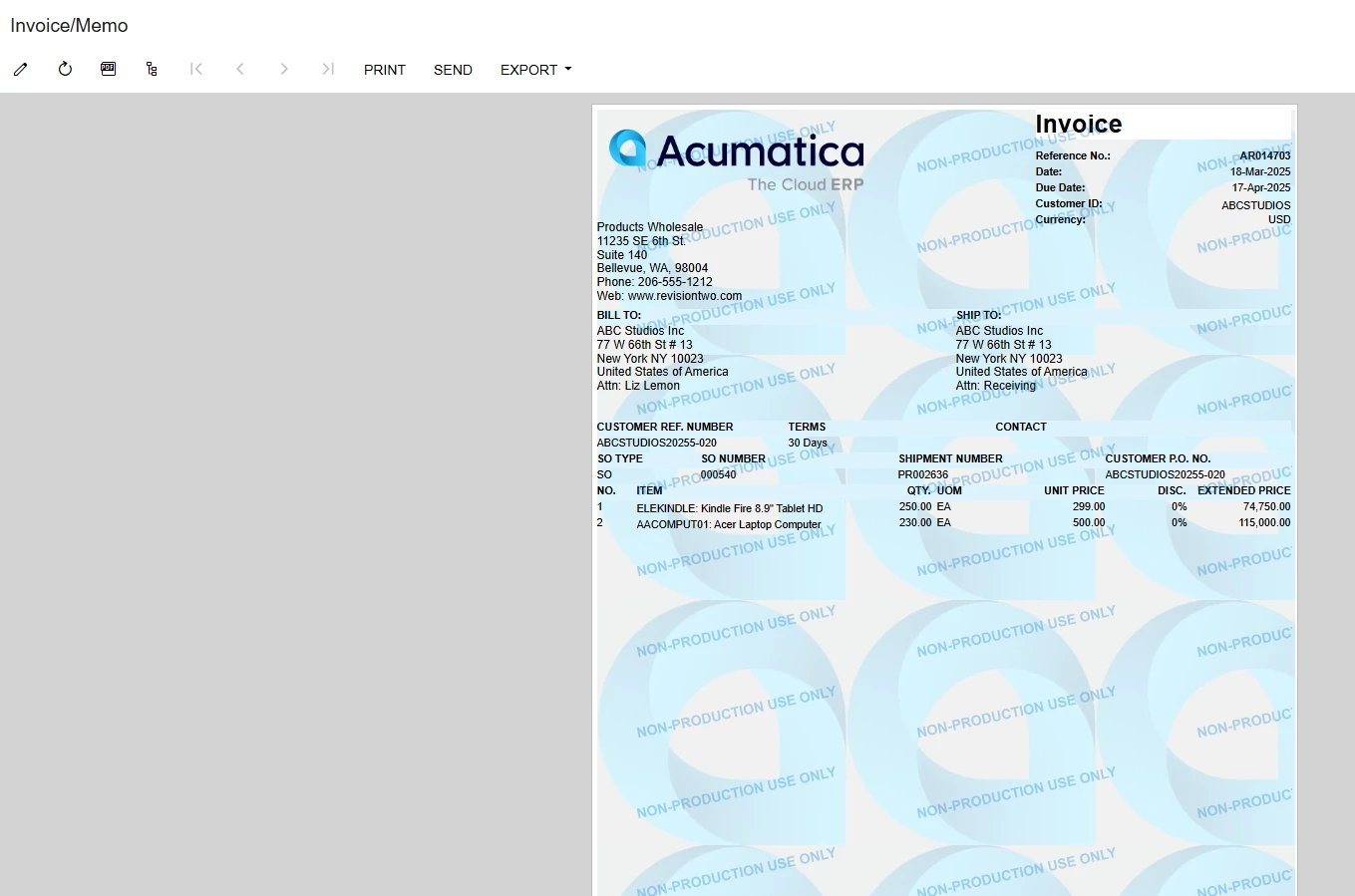
I have been able to add an image as a watermark, Acumatica logo, to the Sales Invoice form, which shows in the HTML view as seen below.
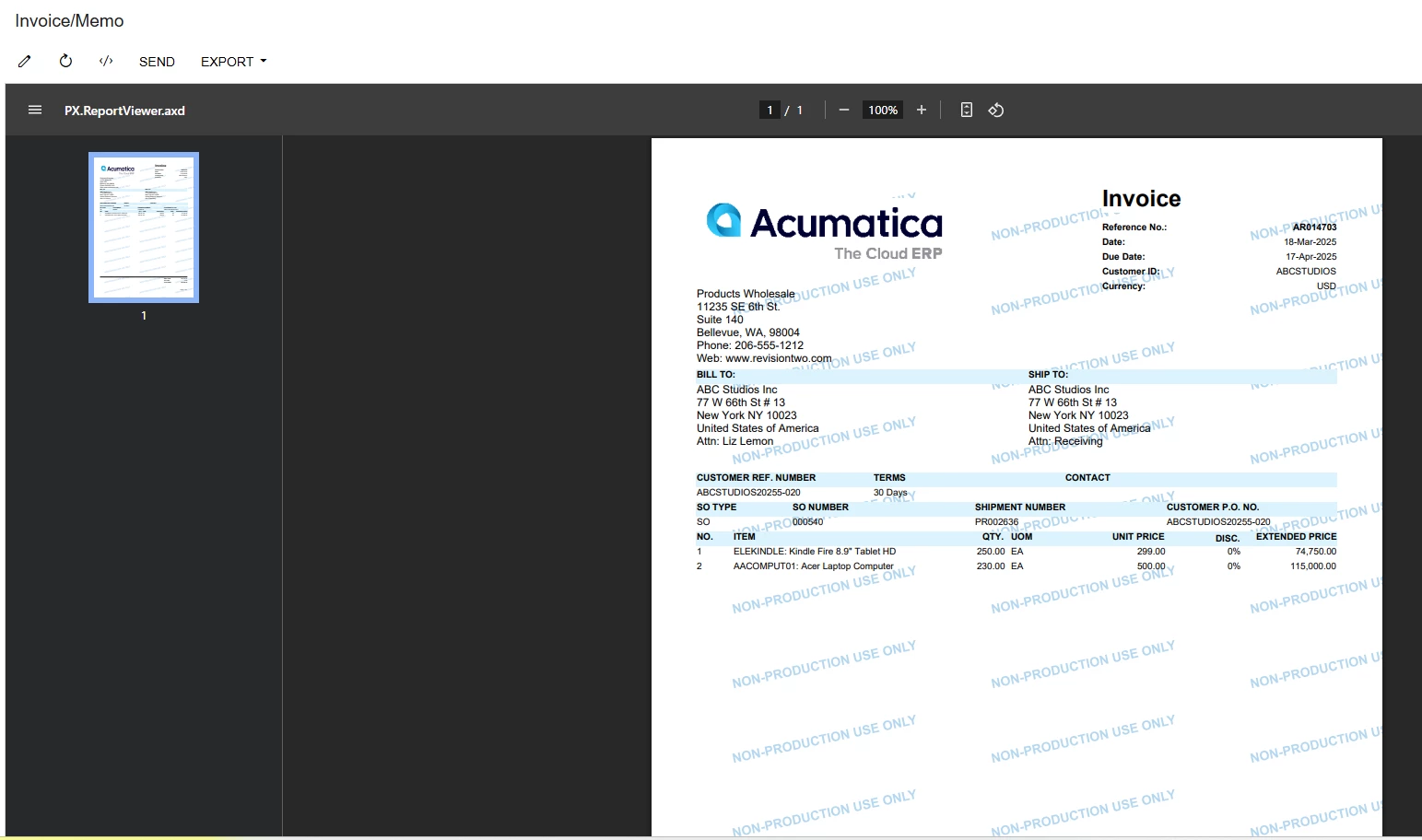
However, when I switch to the PDF view the watermark disappears as seen below.
Also, exporting to PDF or emailing, via the SEND action from this screen the resulting PDF file does not show the watermark.
What do I need to do make the watermark appear in the in both the views and on the PDF files?
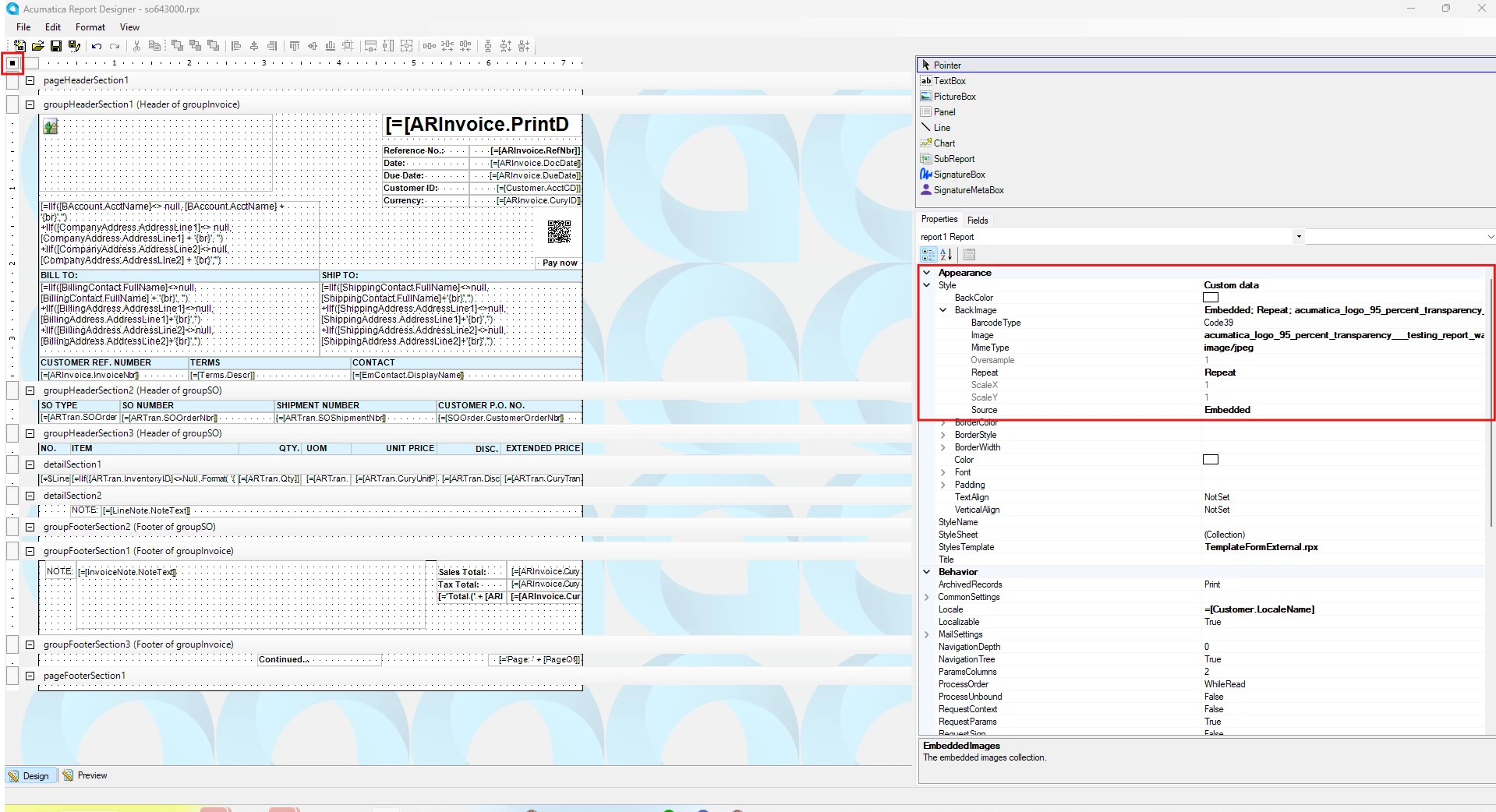
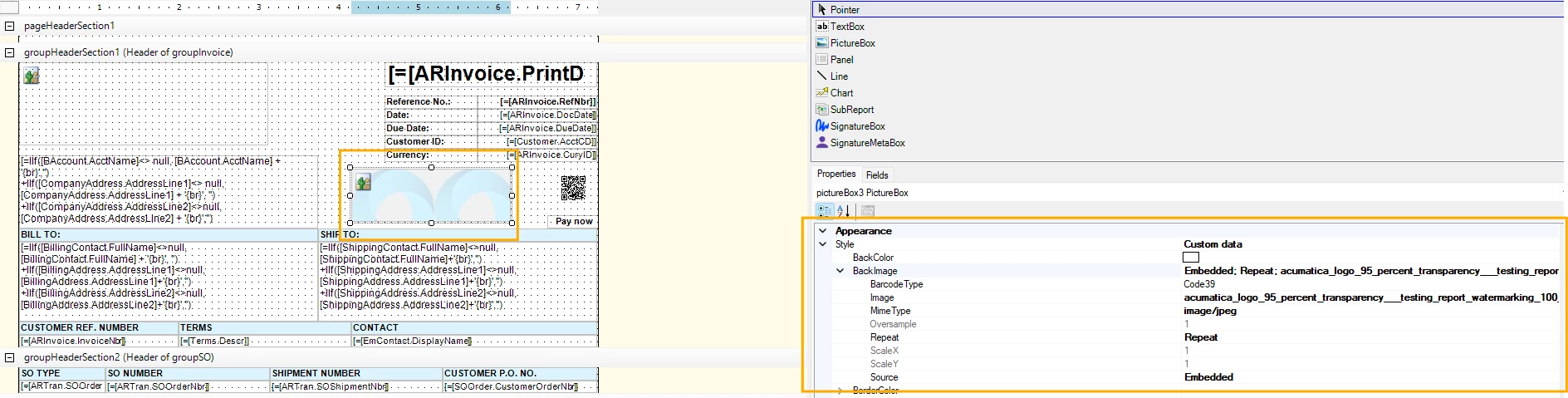
Below is the setting I have used in the Report Designer.
Best answer by thomassherman51
Hello all,
I have been able to add an image as a watermark, Acumatica logo, to the Sales Invoice form, which shows in the HTML view as seen below.
However, when I switch to the PDF view the watermark disappears as seen below.
Also, exporting to PDF or emailing, via the SEND action from this screen the resulting PDF file does not show the watermark.
What do I need to do make the watermark appear in the in both the views and on the PDF files?
Below is the setting I have used in the Report Designer.
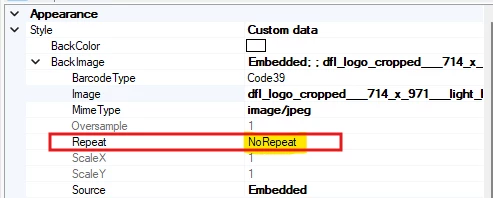
Solution: I reached out to Acumatica support and learnt that the Repeat setting I had is the reason why I am unable to see the watermark in the PDF view mode or when the report is exported to PDF.
So we created a single 714 x 971 jpg file of small logos repeating and used that as the embedded image watermark with the Repeat setting as ‘NoRepeat’.
Did my testing in a tenant with an active license to eliminate any conflicts with the ‘Non-Production Use Only’ watermark in a test tenant.
Select the PictureBox (watermark image) → in Properties set:
Source = Embedded
Value = your image name (from step 3)
Sizing = Zoom or Stretch
Right-click the image → Order → Send to Back (so it’s behind text).
Save and upload the report back to Acumatica (SM206015 screen).
@smuddurthi81,
Thanks for responding.
I will try your suggestion and let you know.
I have tries to implement your suggestion but it is not working as expected.
Just a few things:
You said to Select PictureBox Where do I place PictureBox? I placed my PictureBox in the Group Header, overlaid it over text, and sent it to the background. On previewing, the overlaid text is hidden.
The sizing is not showing Stretch or Zoom
Below is my Report Designer screen settings.
Is there a short video out there that covers how to accomplish getting the image watermark to reflect in the PDF viewer?
Pdf doesn't support more than one background images, and "non-production use only" background must persist in Non production environment. However, if you test the same in Production environment the PDF report should contain the watermark image.
I have been able to add an image as a watermark, Acumatica logo, to the Sales Invoice form, which shows in the HTML view as seen below.
However, when I switch to the PDF view the watermark disappears as seen below.
Also, exporting to PDF or emailing, via the SEND action from this screen the resulting PDF file does not show the watermark.
What do I need to do make the watermark appear in the in both the views and on the PDF files?
Below is the setting I have used in the Report Designer.
Solution: I reached out to Acumatica support and learnt that the Repeat setting I had is the reason why I am unable to see the watermark in the PDF view mode or when the report is exported to PDF.
So we created a single 714 x 971 jpg file of small logos repeating and used that as the embedded image watermark with the Repeat setting as ‘NoRepeat’.
Did my testing in a tenant with an active license to eliminate any conflicts with the ‘Non-Production Use Only’ watermark in a test tenant.