Answer

How to format attribute/UDF to use in GI calculated field?

  • March 10, 2023
  • 17 replies
  • 390 views

Forum|alt.badge.img

We are using attributes/UDFs to track the Install points on a service order - this is a measure of how difficult/time consuming the install will be based on a number of factors. The higher the number the higher the difficulty. This figure is also used to calculate install fees paid out to our installers.


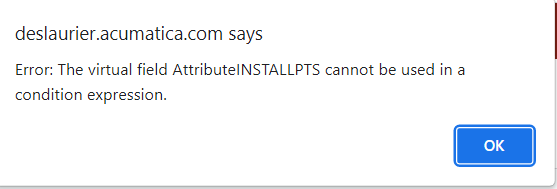
I’m trying to use this UDF in a GI to display the install fee (install points x install rate), but receiving the following error:
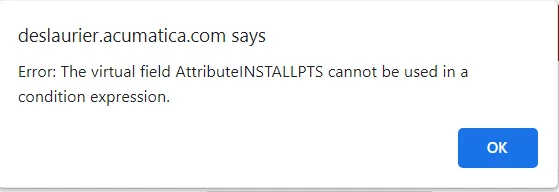
 

Am I able to use this field to generate a calculation? Do I need to modify the mask on the attribute? Do I need to throw a formatting formula before the attribute field on the Results Grid?

Best answer by lauraj46

Hi @jwarren ,

Have you tried without the conditional?

CDbl([FSServerOrder.AttributeINSTALLPTS])*100

If you do need the conditional formula, then instead of using the virtual field you could join with the CSAnswers data access class on the NoteID field.

Hope this helps!

Laura

17 replies

Kandy Beatty
Captain II
Forum|alt.badge.img+17
  • Captain II
  • March 10, 2023

Hi @jwarren 

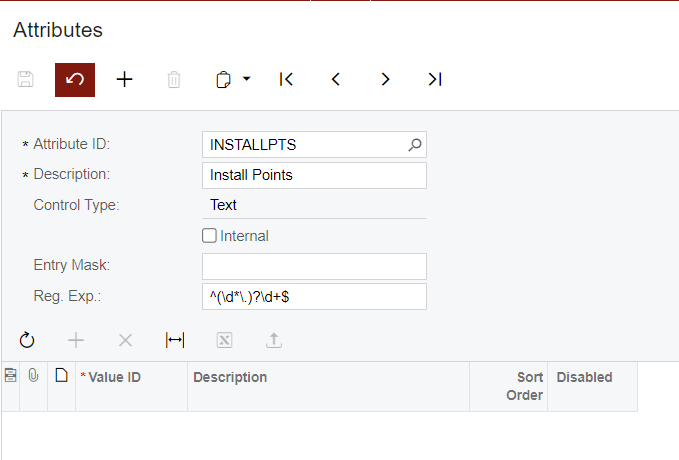
Can you share the setup of the Attribute?


Forum|alt.badge.img
  • Author
  • Semi-Pro I
  • March 10, 2023


Forum|alt.badge.img
  • Author
  • Semi-Pro I
  • March 15, 2023

Any thoughts @

Hi @jwarren 

Can you share the setup of the Attribute?

Any thoughts?


Naveen Boga
Captain II
Forum|alt.badge.img+19
  • Captain II
  • March 15, 2023

Hi @jwarren  Can you please share the GI here?


Forum|alt.badge.img
  • Author
  • Semi-Pro I
  • March 15, 2023

Hi @jwarren  Can you please share the GI here?

Hi Naveen,


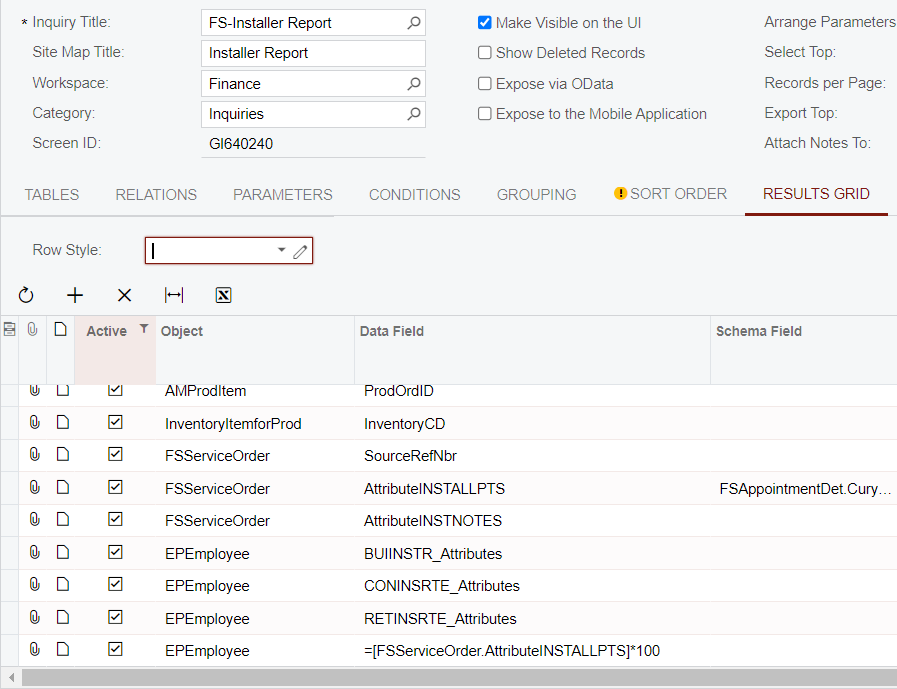
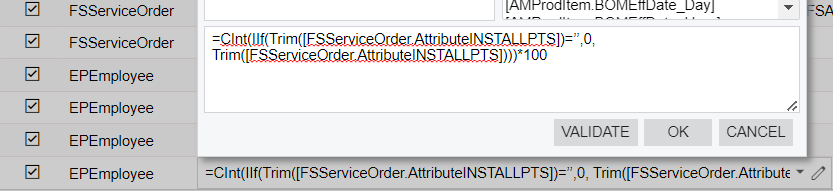
Here is a snippet of the Results Grid:

The last row is a simplified version of the calculation we are looking to do.


aaghaei
Captain II
Forum|alt.badge.img+10
  • Captain II
  • March 15, 2023

@jwarren Your control type is Text but you are trying to perform an arithmetic operation on it. If the user meant to enter numeric values, why did you declare it as text?

you can try CInt(IIf(Trim(YourField)=’’,0, Trim(YourField)))*100 but considering the field may contain stored string values, you still may get an error.

You will need to change the field to a numeric type to make it properly work and set a default 0 for it.


Forum|alt.badge.img
  • Author
  • Semi-Pro I
  • March 15, 2023

@jwarren Your control type is Text but you are trying to perform an arithmetic operation on it. If the user meant to enter numeric values, why did you declare it as text?

you can try CInt(IIf(Trim(YourField)=’’,0, Trim(YourField)))*100 but considering the field may contain stored string values, you still may get an error.

You will need to change the field to a numeric type to make it properly work and set a default 0 for it.

Thanks - I’ll try that formula but ideally the UDF would just be set up as a numeric type.


Is there a numeric type? The options I have are Text, Combo, Multi Select Combo, Checkbox, DateTime, and Selector.


aaghaei
Captain II
Forum|alt.badge.img+10
  • Captain II
  • March 15, 2023

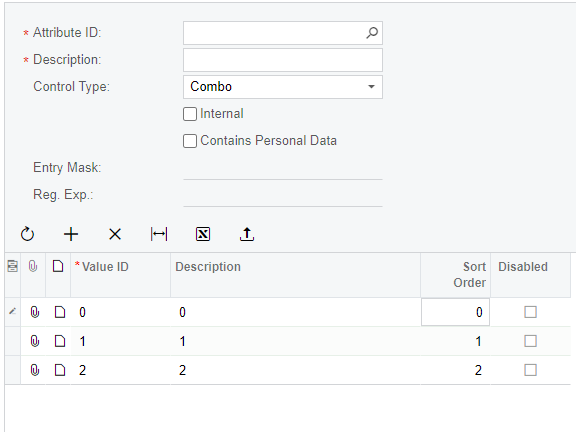
Considering you have a few and very limited values, I would suggest going with Combo, entering the list of numbers as value as well as displaying text, and setting 0 as default.


Something like


Forum|alt.badge.img
  • Author
  • Semi-Pro I
  • March 15, 2023

Considering you have a few and very limited values, I would suggest going with Combo, entering the list of numbers as value as well as displaying text, and setting 0 as default.

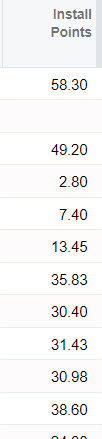
What makes you say we have few/limited values? Here is a list of Install Pts values on 10 or so SORs:

It can vary quite a bit so not sure whether the Combo approach is the way to go...


aaghaei
Captain II
Forum|alt.badge.img+10
  • Captain II
  • March 15, 2023

I should have mixed this post with someone else that had a few attributes assigning 0-10 and then using the assigned values to determine of an installation difficulty as I recall.


If you have an unlimited number of possible values then you need to go with the text and limit the data entry using the mask as apparently, you have done. As long as you do not have non-numeric values in your inputs, the provided formula will do the work for you.


Forum|alt.badge.img
  • Author
  • Semi-Pro I
  • March 15, 2023

I should have mixed this post with someone else that had a few attributes assigning 0-10 and then using the assigned values to determine of an installation difficulty as I recall.


If you have an unlimited number of possible values then you need to go with the text and limit the data entry using the mask as apparently, you have done. As long as you do not have non-numeric values in your inputs, the provided formula will do the work for you.

I am getting the same error message with the formula.


aaghaei
Captain II
Forum|alt.badge.img+10
  • Captain II
  • March 15, 2023

Is it passing the validation test?


Forum|alt.badge.img
  • Author
  • Semi-Pro I
  • March 15, 2023

Is it passing the validation test?

Yes it is passing validation test but erroring on View Inquiry.


aaghaei
Captain II
Forum|alt.badge.img+10
  • Captain II
  • March 15, 2023

Sorry, I am out of ideas.


aaghaei
Captain II
Forum|alt.badge.img+10
  • Captain II
  • March 15, 2023

If you remove the *100 from the formula, does it work?


BenjaminCrisman
Acumatica Employee
Forum|alt.badge.img+4
  • Acumatica Support Team
  • October 10, 2023

@jwarren Are you still working on this Attribute issue? Can you provide an update of where you are at on the issue if still working on it?


lauraj46
Captain II
Forum|alt.badge.img+8
  • Captain II
  • Answer
  • October 13, 2023

Hi @jwarren ,

Have you tried without the conditional?

CDbl([FSServerOrder.AttributeINSTALLPTS])*100

If you do need the conditional formula, then instead of using the virtual field you could join with the CSAnswers data access class on the NoteID field.

Hope this helps!

Laura