Answer

How to extend pageHeaderSection in report designer

  • November 7, 2025
  • 4 replies
  • 30 views

Forum|alt.badge.img

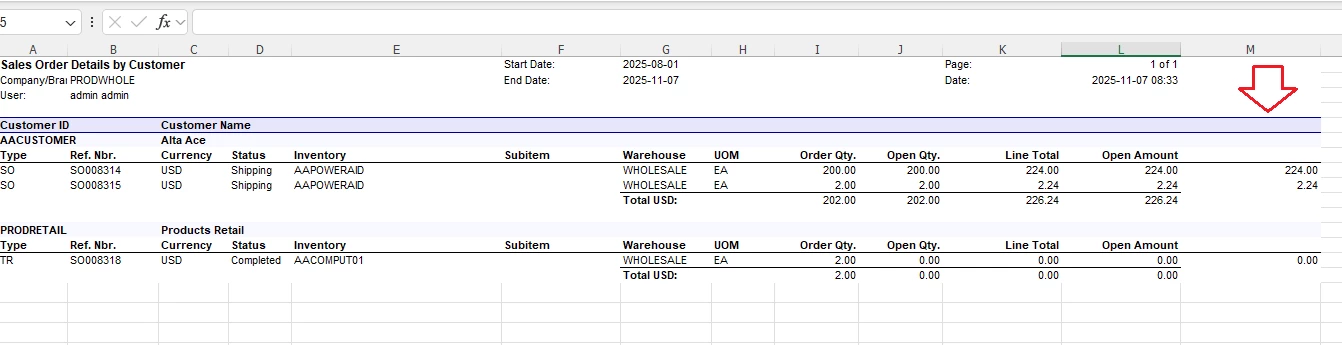
Hi All. I have a report that I exported in Excel, but the pageHeaders/groupHeaders sections are cut off. They should be extended far right up to the last column. How it looks in:


 Excel exported (not OK) - How to extend to the right?:

 

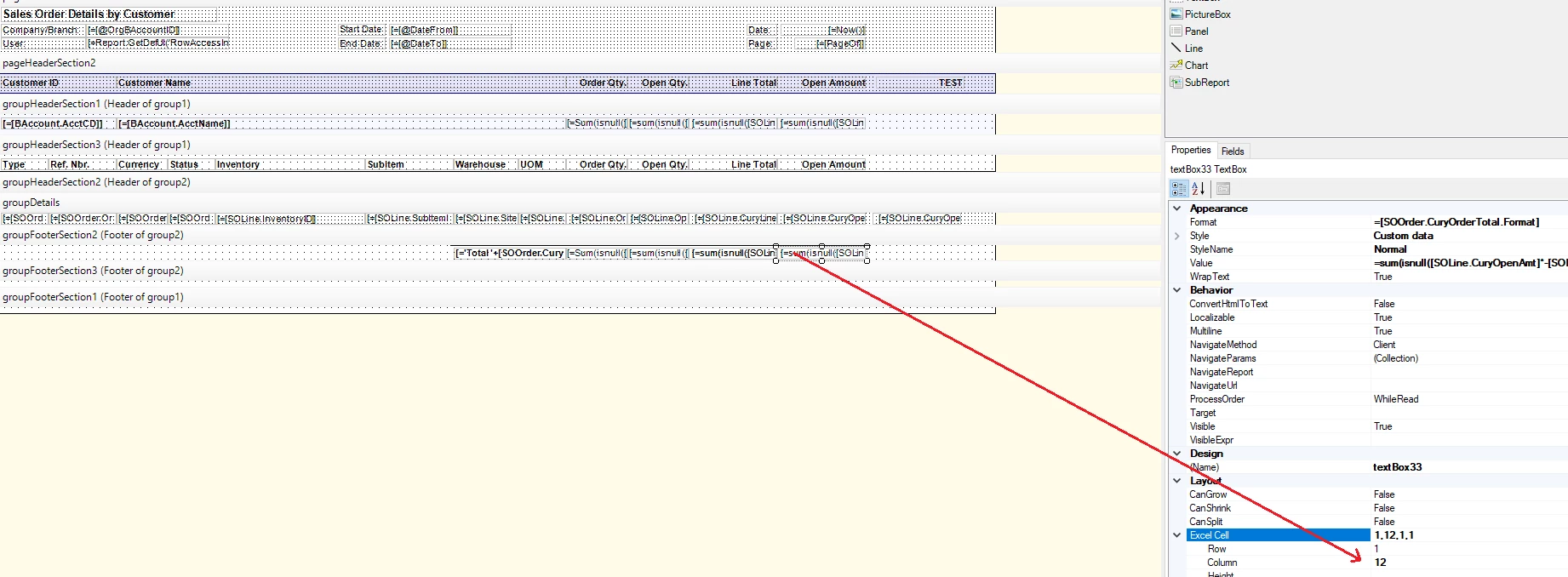
Report designer (OK):
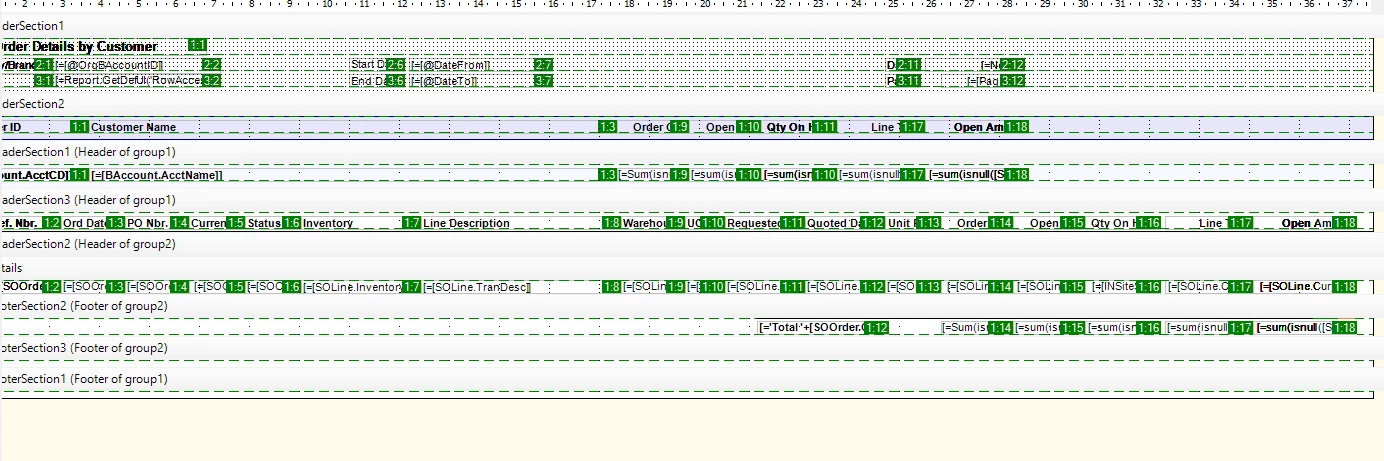
 

System generated report (OK):
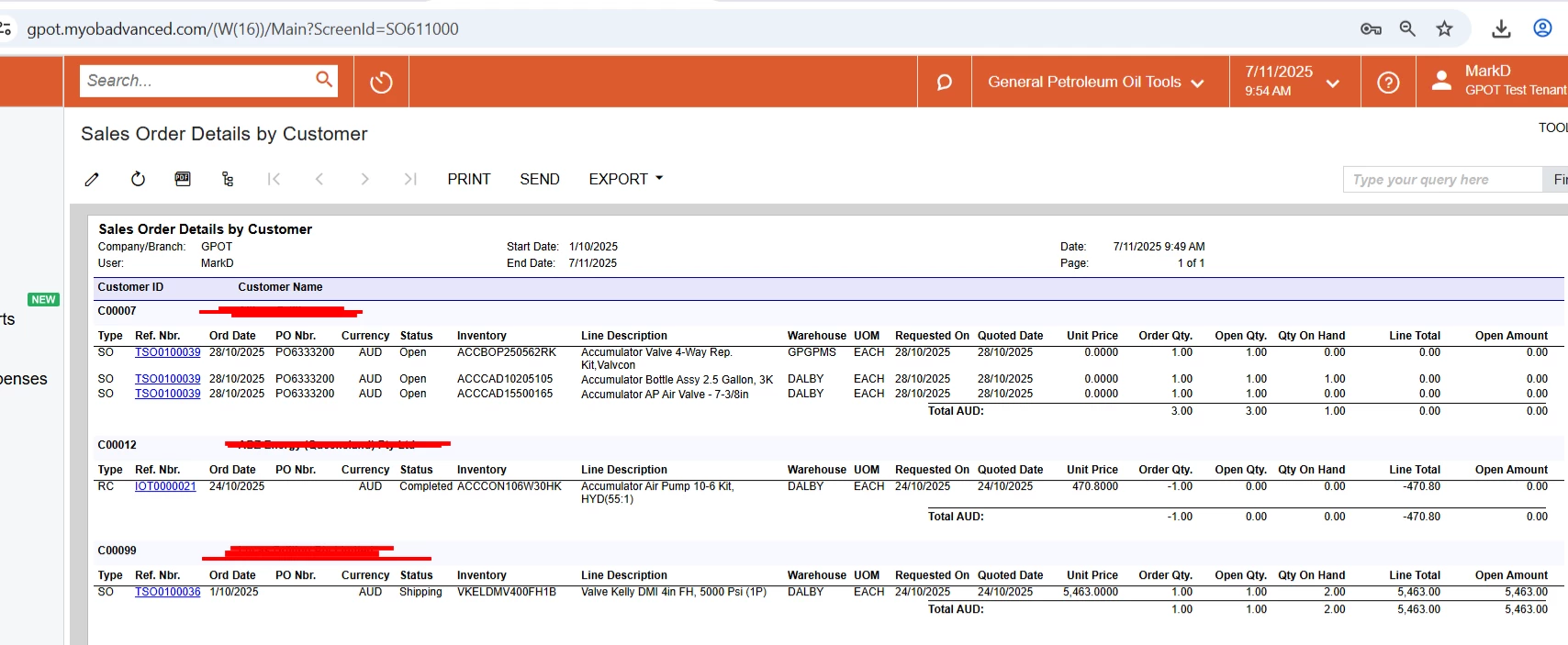


Best answer by nhatnghetinh

Hi ​@MarkD 

Please refer to the following steps.

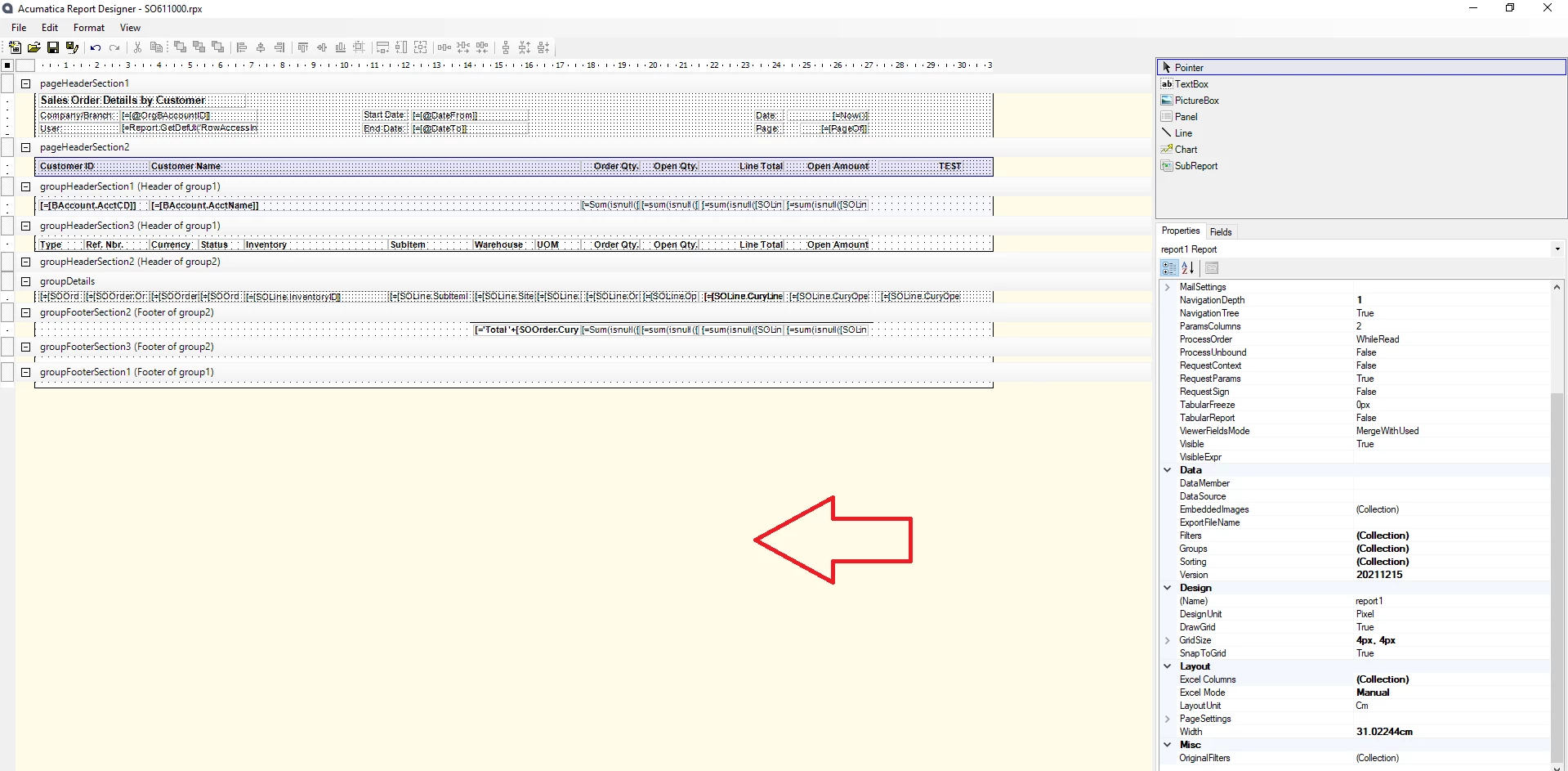
Step 1: Click on the area without design as shown in the screenshot below


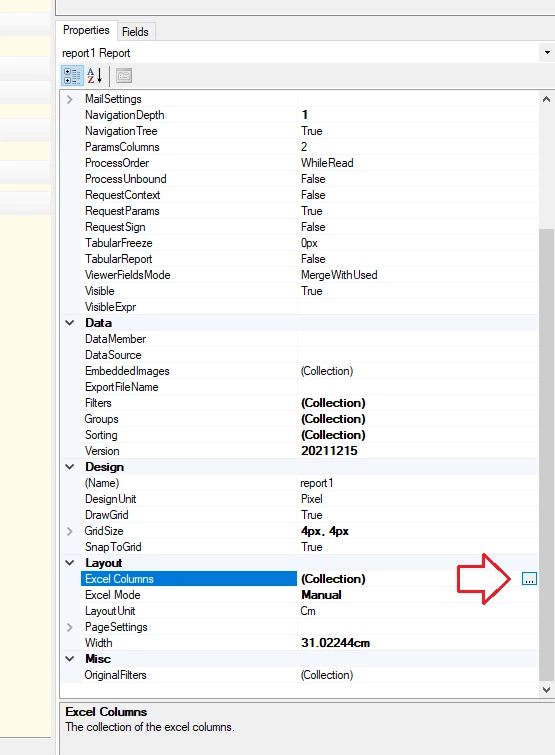
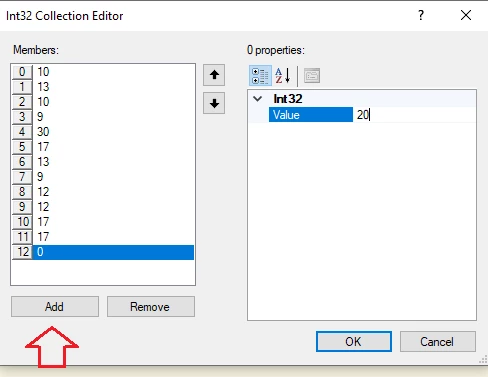
Step 2: Layout > Excel Columns > Click "..." > click "Add" to add the missing Excel columns


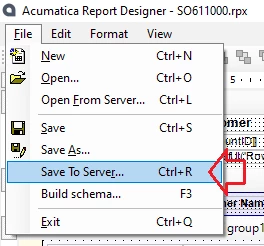
Step 3: Save to Server


Excel export result as below:


Best Regards,

NNT

4 replies

nhatnghetinh
Captain II
Forum|alt.badge.img+11
  • Captain II
  • Answer
  • November 7, 2025

Hi ​@MarkD 

Please refer to the following steps.

Step 1: Click on the area without design as shown in the screenshot below


Step 2: Layout > Excel Columns > Click "..." > click "Add" to add the missing Excel columns


Step 3: Save to Server


Excel export result as below:


Best Regards,

NNT


Forum|alt.badge.img
  • Author
  • Freshman I
  • November 7, 2025

Thanks, Nhat! How do I know the value? I can do trial and error, but it would be good if you tell me easiest way to identify the value please.


nhatnghetinh
Captain II
Forum|alt.badge.img+11
  • Captain II
  • November 7, 2025

Hi ​@MarkD 

You click on each text box > and see Excel Cell: Column


Best Regards,

NNT


Forum|alt.badge.img
  • Author
  • Freshman I
  • November 7, 2025

It worked ​@nhatnghetinh. I found that I need to add the missing columns multiple times until it reaches the last column. If you try to add only one, regardless if you put 100 in the value field, only one column will be added.


Cheers mate, have a great weekend! I found this community very helpful with lots of gurus.