Answer

How to display the Owner Name instead of OwnerID for an attribute?

  • February 11, 2025
  • 8 replies
  • 188 views

Forum|alt.badge.img

Hi! I have an attribute that is using the EPEmployee Owner ID field. The schema field does not have an option to select owner description. This attribute is being used in business account, when selecting on the business account record, the owner name displays, example is Device Hub here:
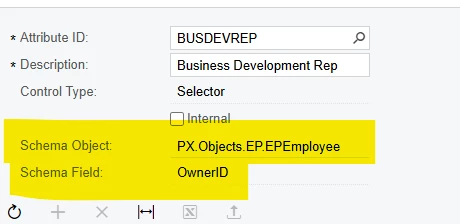

 

But in the generic inquiry, the attribute field is only pulling the ownerID number and not the name:
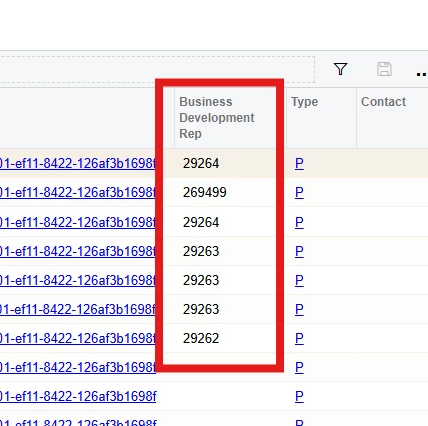
 

Is there a way to link the employee owner ID to the owner name so the GI display the actual name not numbers?

Thanks!
Best answer by BenjaminCrisman

@jzhu Anytime you see a field which ends in ID, 99% of the time this will be stored as an INT value in the database, so it’ll appear as a number like you’re using it.

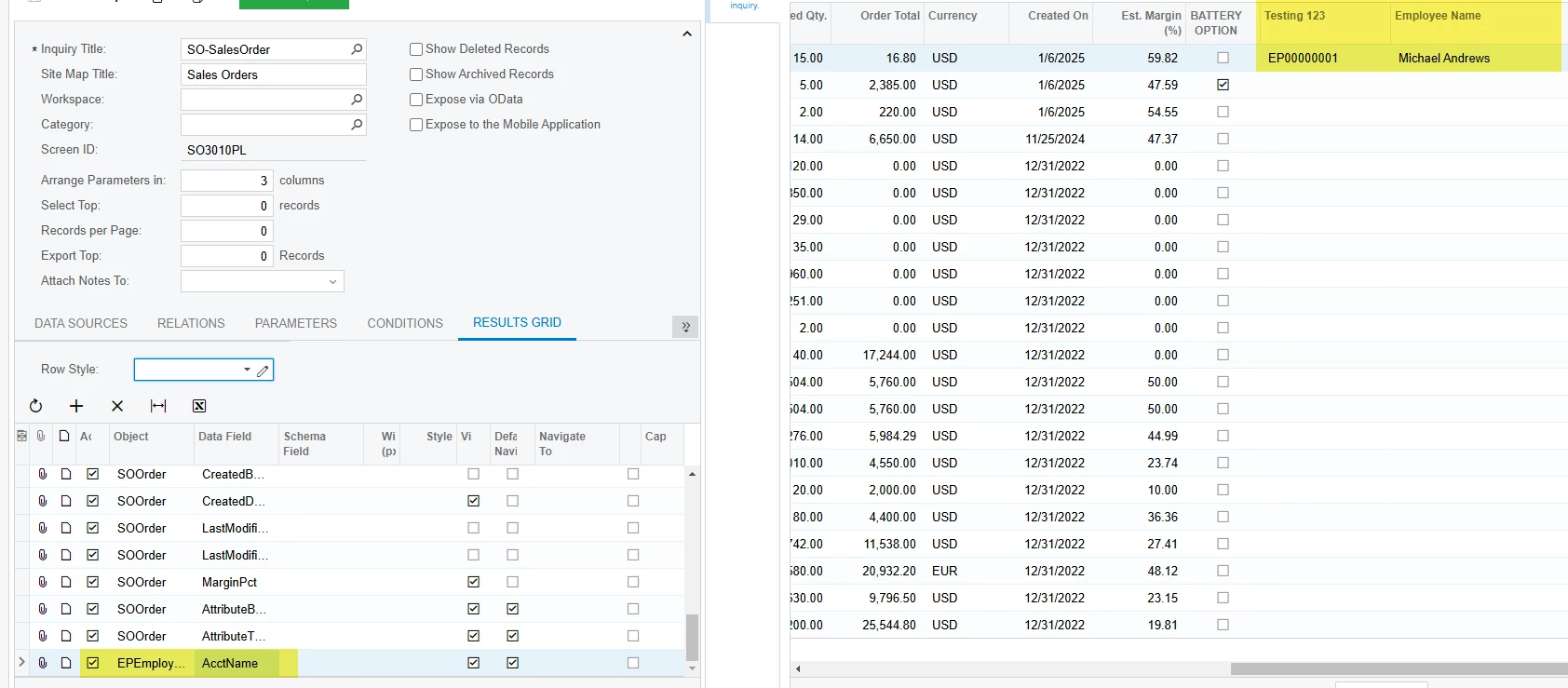
You could just join the EPEmployee table to the table where the attribute is being used (SOOrder in my case) and just use the attribute name and link it to OwnerID.

I have a link like this in one of my GIs because I have the EPEmployee.AcctCD as an attribute:


8 replies

Forum|alt.badge.img+2

@jzhu You can map the Employee master Table and the table where the attribute is stored. Please find fields to map in both tables.
EpEmployee - OwnerId
AttributestoredTable - BUSDEVREP.

Then in the generic inquiry result column use the EPEmployee table and get the Employee name.

Please let me know this works for you.


BenjaminCrisman
Acumatica Employee
Forum|alt.badge.img+4
  • Acumatica Support Team
  • Answer
  • February 11, 2025

@jzhu Anytime you see a field which ends in ID, 99% of the time this will be stored as an INT value in the database, so it’ll appear as a number like you’re using it.

You could just join the EPEmployee table to the table where the attribute is being used (SOOrder in my case) and just use the attribute name and link it to OwnerID.

I have a link like this in one of my GIs because I have the EPEmployee.AcctCD as an attribute:


Forum|alt.badge.img
  • Author
  • Semi-Pro III
  • February 11, 2025

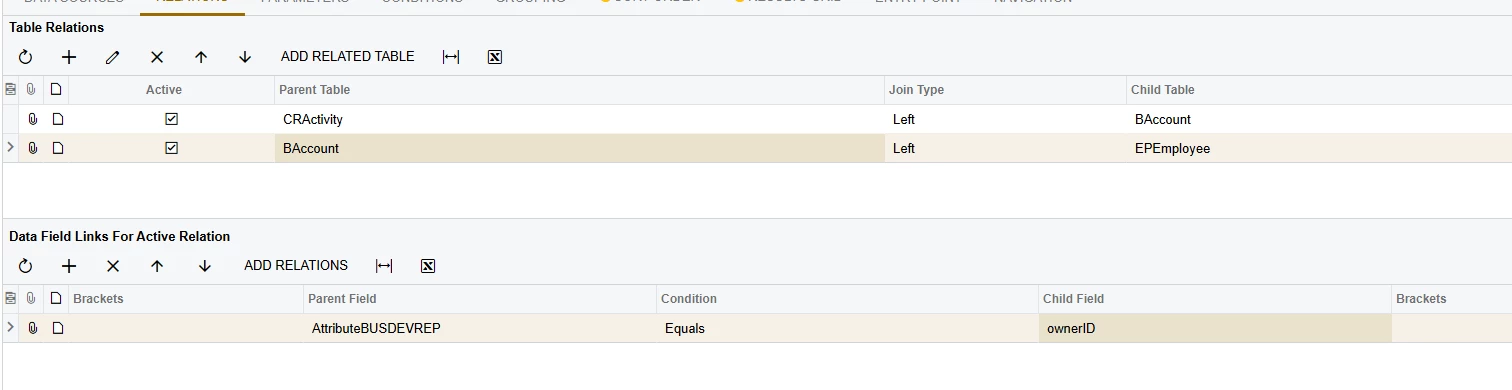
Hi ​@BenjaminCrisman and ​@ranjithduraisamy72 This is what I have for my relations and it does not seem to work…I have also tried linking the CRActivity directly to EPEmployee and it did not work either


Forum|alt.badge.img+2

@jzhu Please OwnerCD field instead of OwenerID in the BAccount table.


BenjaminCrisman
Acumatica Employee
Forum|alt.badge.img+4
  • Acumatica Support Team
  • February 11, 2025

@jzhu I don’t think you want to display OwnerID_Description without also having the OwnerID added. Did you try the EPEmployee.AcctName like I showed above?

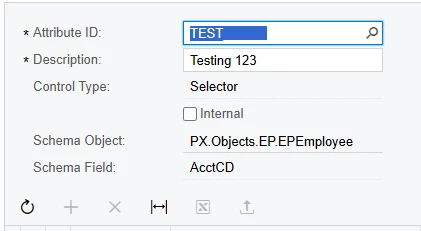
I tested it using the OwnerID and it wasn’t able to make the link successfully in the GI relations, so I think you’ll need to remake the attribute and use EPEmployee.AcctCD instead, and I know this will work since I already tested it.


Also, ​@ranjithduraisamy72 There is no OwnerCD field


Forum|alt.badge.img+5
  • Jr Varsity I
  • February 12, 2025

Hi ​@jzhu 

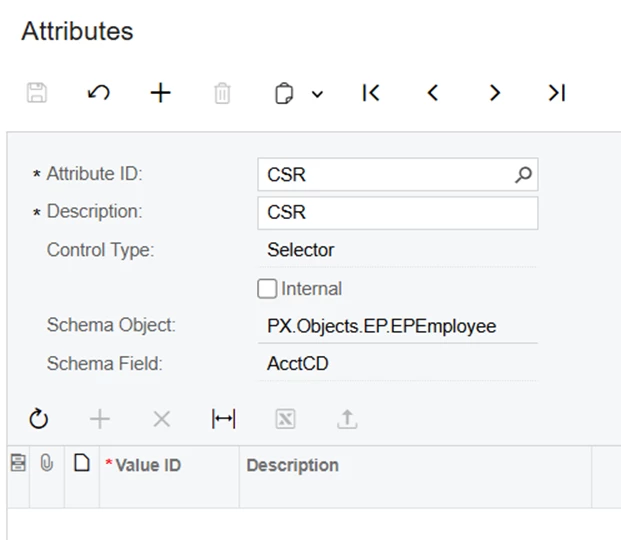
You can set the schema field as AcctCD in the attributes screen. and then you need to add Customers table and BAccount table in Data sources tab.

Add the relation between them as below.


This will fetch the Owner description.(Replace your attribute name with AttributeCSR)

Hope, it helps!


Forum|alt.badge.img
  • Author
  • Semi-Pro III
  • February 12, 2025

Hi ​@BenjaminCrisman Thank you, I think you are right, I also checked the EPEmployee source data and realize nothing shows up for OwnerID.

I will recreate this attribute and test it out. If I recreated this attribute and got rid of the old one, does it mean all previous values entered into the old attribute will be erased? is there way to just replace the old attribute with this new one without losing the information? Thanks!


BenjaminCrisman
Acumatica Employee
Forum|alt.badge.img+4
  • Acumatica Support Team
  • February 12, 2025

@jzhu You can’t actually delete an attribute if it has values still entered on a record, so you can make the new one and as you remove the old one just update the record to reflect the new attribute. Alternatively, you could use an import scenario to update the value of the attribute all at once, you’d just need to add the UDF to the screen first and then run the import to populate the values.