Answer

How to display Project and Task IDs on the lot/Serial Numbers report

  • February 10, 2025
  • 18 replies
  • 212 views

Forum|alt.badge.img

Hi Everyone,

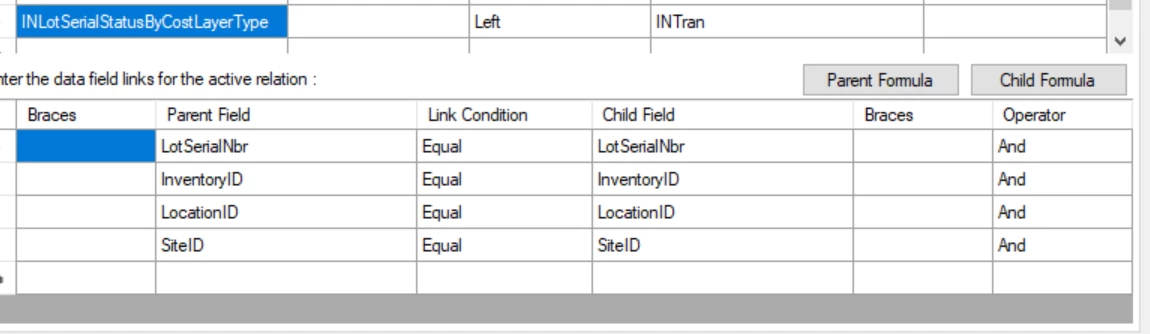
I am currently making modifications to the lot/serial number report to display project IDs and tasks. However, I cannot seem to find the correct table to relate to INLotSerialStatusByCostLayerType in order to display the project data. I have tried using INTran and INCostCenter, but I keep encountering duplicates. Can anyone provide guidance on how to correctly relate these tables?


Best answer by arthia

Hi ​@lorach , Try with this report once

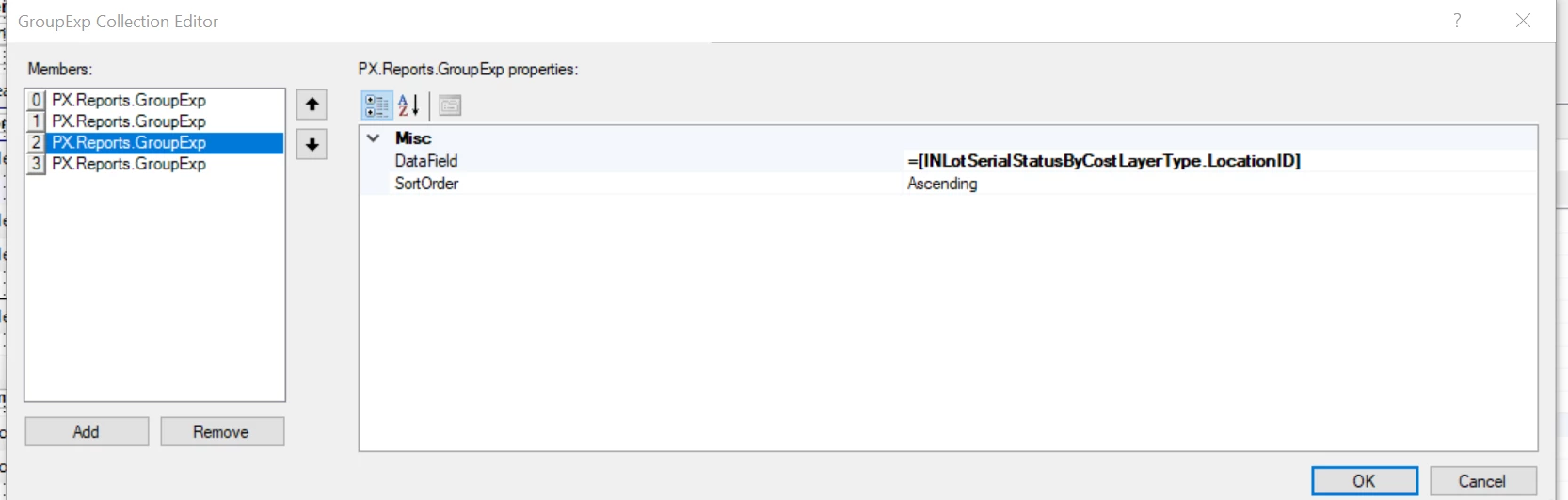
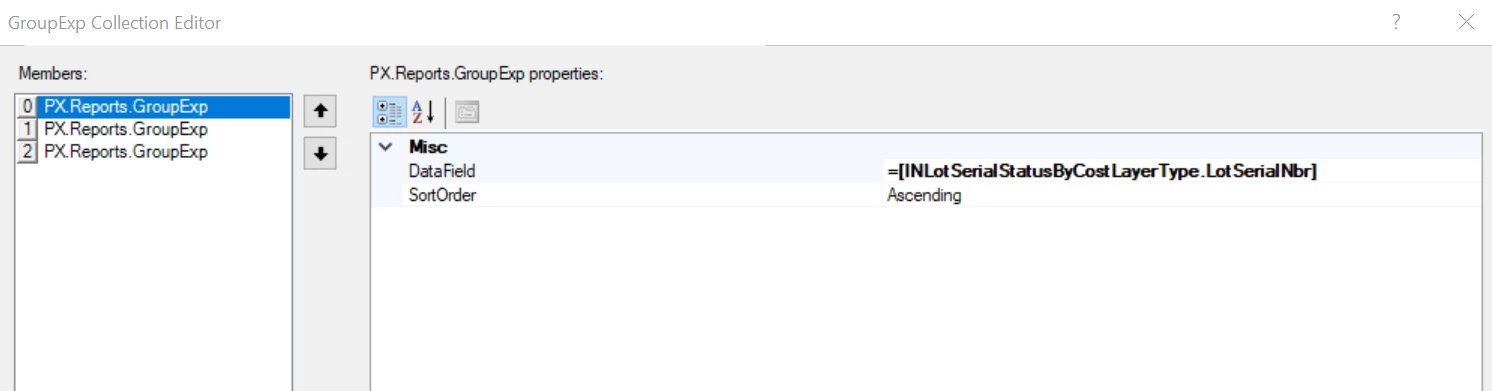
Modified the report from detail section to group section

18 replies

Forum|alt.badge.img+3
  • Varsity I
  • February 10, 2025

Hi ​@lorach , Hope this link help you to get ProjectID


Forum|alt.badge.img
  • Author
  • Jr Varsity II
  • February 10, 2025

Hi ​@arthia98m,Thank you for the link, but I have read through it before. It doesn’t provide the details of the relationships used for the parent and child fields.


Forum|alt.badge.img+3
  • Varsity I
  • February 10, 2025

Hi ​@lorach , We can make a relation between INLotSerialStatusByCostLayerType  and INTran using the field “LotSerialNbr”. To restrict duplicates, create a group and display the details


Forum|alt.badge.img
  • Varsity I
  • February 10, 2025

@lorach This is generated with the help of AI hope its helpful. can you please try this.


In Acumatica, relating INLotSerialStatusByCostLayerType to retrieve Project IDs and Tasks can be tricky due to the way inventory and project transactions are stored. Since you've encountered duplicates using INTran and INCostCenter, here's a structured approach to get the correct relationship:
Suggested Approach:
INLotSerialStatusByCostLayerType is linked to inventory transactions, but it does not directly store project-related details.
INTran contains ProjectID and TaskID, but duplicates may occur due to multiple transactions for the same lot/serial.
INCostCenter may help in some cases, but it doesn’t always provide direct ProjectID links.
Solution:
Try using INTranSplit instead of INTran for a more accurate link to project-related data.

Table Relationships:
INLotSerialStatusByCostLayerType → INLocationStatus (on InventoryID, SiteID, and LocationID)
INLocationStatus → INTranSplit (on InventoryID, SiteID, and LocationID)
INTranSplit → INTran (on DocType and RefNbr) to get ProjectID and TaskID.
SQL Query to Retrieve Project Data
SELECT 
    lot.InventoryID,
    lot.SiteID,
    lot.LocationID,
    lot.LotSerialNbr,
    tran.ProjectID,
    tran.TaskID
FROM INLotSerialStatusByCostLayerType lot
JOIN INLocationStatus loc ON lot.InventoryID = loc.InventoryID 
                           AND lot.SiteID = loc.SiteID
                           AND lot.LocationID = loc.LocationID
JOIN INTranSplit split ON loc.InventoryID = split.InventoryID 
                         AND loc.SiteID = split.SiteID 
                         AND loc.LocationID = split.LocationID
                         AND lot.LotSerialNbr = split.LotSerialNbr
JOIN INTran tran ON split.DocType = tran.DocType 
                   AND split.RefNbr = tran.RefNbr
Why This Works:
INTranSplit reduces duplicates by tracking individual splits in transactions.
INTran ensures the correct ProjectID and TaskID are fetched.
The joins filter results to avoid excessive duplication.
Next Steps:
Test the query in Acumatica SQL Profiler.
If duplicates persist, use DISTINCT or additional filtering based on business logic.
Validate against sample data to confirm correct project-task mapping.


Forum|alt.badge.img
  • Author
  • Jr Varsity II
  • February 11, 2025

Hi @arthia98, I tried the relationship you suggested there is a group, but I can’t get rid of the duplicates.


Forum|alt.badge.img+3
  • Varsity I
  • February 11, 2025

Hi ​@lorach , Can you please share your report to review


Forum|alt.badge.img
  • Author
  • Jr Varsity II
  • February 11, 2025

@arthia98 I have attached the zip below


Forum|alt.badge.img+3
  • Varsity I
  • February 11, 2025

Please share in .rpx format. 

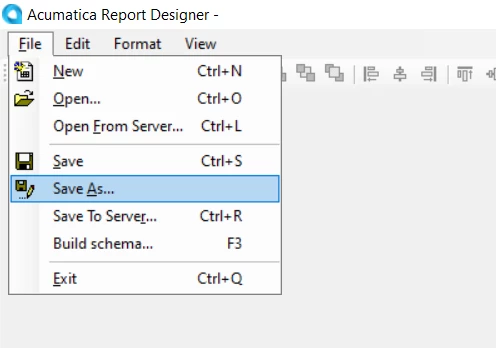
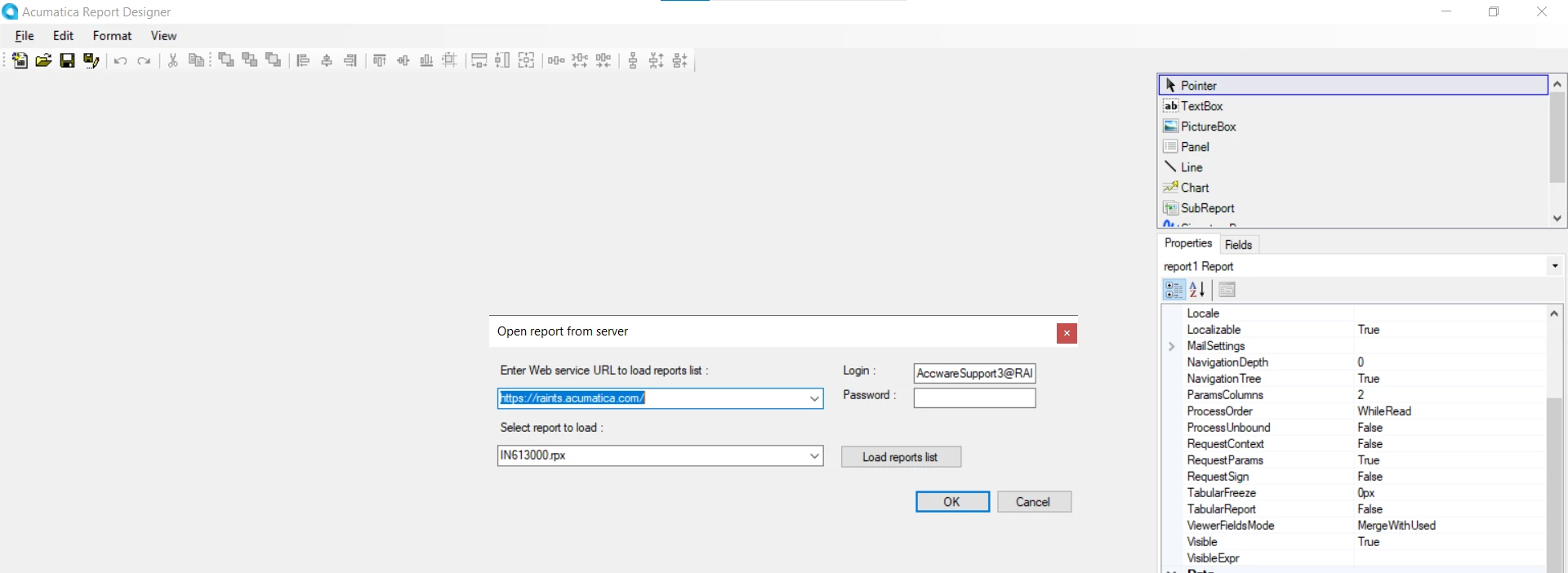
To share rpx format, save your report in your local and share that report


Forum|alt.badge.img
  • Author
  • Jr Varsity II
  • February 11, 2025

Hi ​@arthia98 rpx format is not supported for upload 


Forum|alt.badge.img+3
  • Varsity I
  • February 11, 2025

Try once, by zip the .rpx file and send


Forum|alt.badge.img
  • Author
  • Jr Varsity II
  • February 11, 2025

@arthia98 


Forum|alt.badge.img
  • Author
  • Jr Varsity II
  • February 11, 2025

If it has failed to download, try the first one I sent 


Forum|alt.badge.img+3
  • Varsity I
  • February 11, 2025

Hi ​@lorach , The report you shared is in rps format which needs credentials to open

rpx file doesn’t need credential. So save the report in your local with .rpx format, Zip the file and share


Forum|alt.badge.img
  • Author
  • Jr Varsity II
  • February 11, 2025

Hi ​@arthia98 sorry about that, find the attached correct format


Forum|alt.badge.img+3
  • Varsity I
  • February 11, 2025

Hi ​@lorach , Verified data for the below sample Inventoryid, not seeing any duplicates. LotSerial number is unique. Can you please elaborate your issue. What are the details you need to display in report?


Forum|alt.badge.img
  • Author
  • Jr Varsity II
  • February 11, 2025

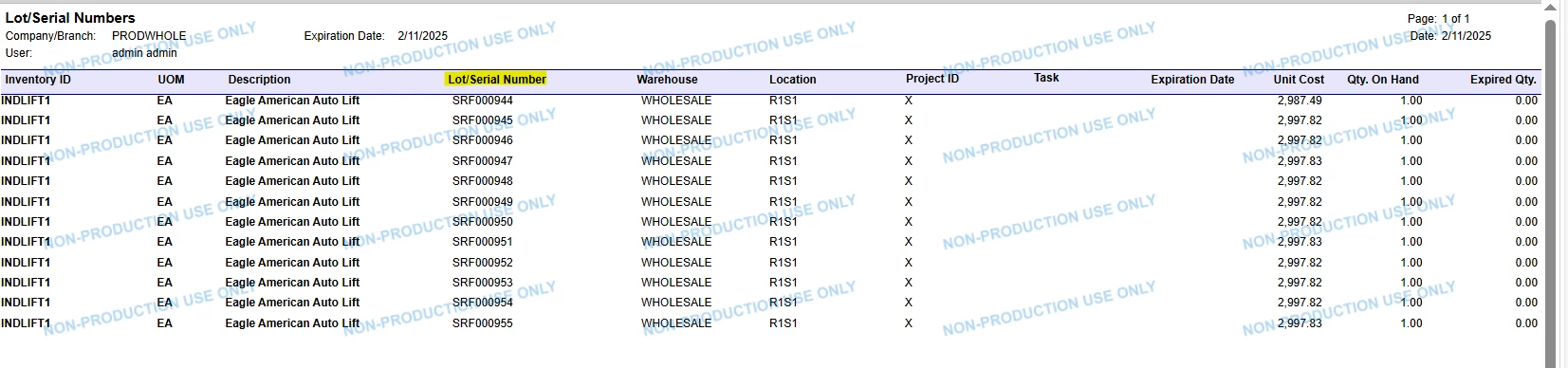
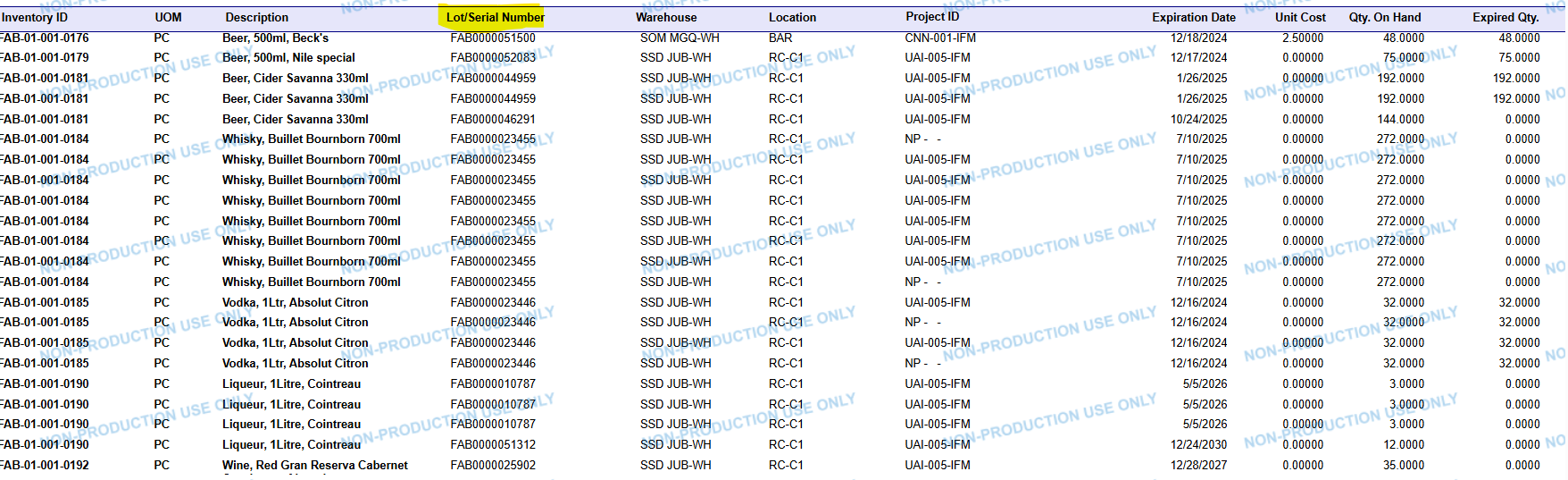
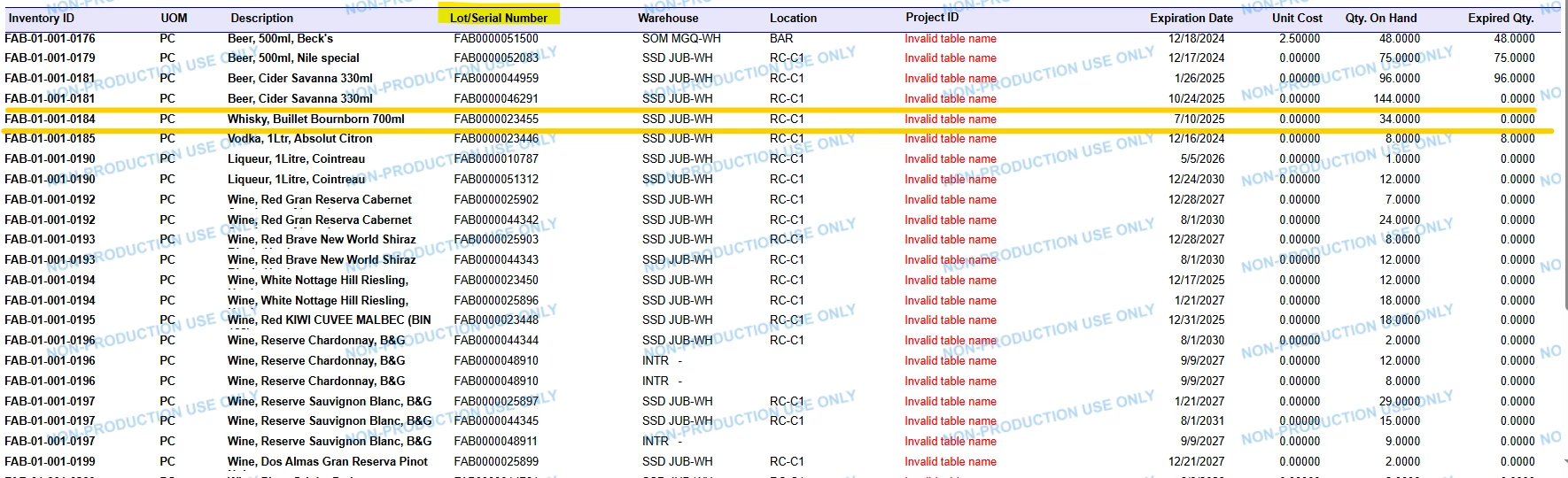
Hi ​@arthia98 , The report functions well without the INTran relationship because, initially, the data did not display any duplicates. However, I wanted to track the projects and tasks, which is why I included the INTran as you had suggested. Unfortunately, I am experiencing duplicates on my end. If you look at the screenshots, the first one shows the data with the INTran relationship, where you can see the duplicates. In contrast, the second screenshot (which contains the correct data) does not include the INTran.


Forum|alt.badge.img+3
  • Varsity I
  • Answer
  • February 11, 2025

Hi ​@lorach , Try with this report once

Modified the report from detail section to group section


Forum|alt.badge.img
  • Author
  • Jr Varsity II
  • February 11, 2025

Hi ​@arthia98, You are the best! I appreciate your quick responses. The solution worked perfectly without any duplicates. Though I made a slight adjustment, In the Qty. On Hand column, there was a SUM formula (=SUM([INLotSerialStatusByCostLayerType.QtyOnHand])), which caused some strange figures to appear. After I removed the SUM, everything worked like a charm. Thank you! ☺