Answer

How to Display Each Cross Reference Row as a Separate Column in Report Designer (No Unique Identifier)

  • July 10, 2025
  • 3 replies
  • 71 views

Hi everyone,

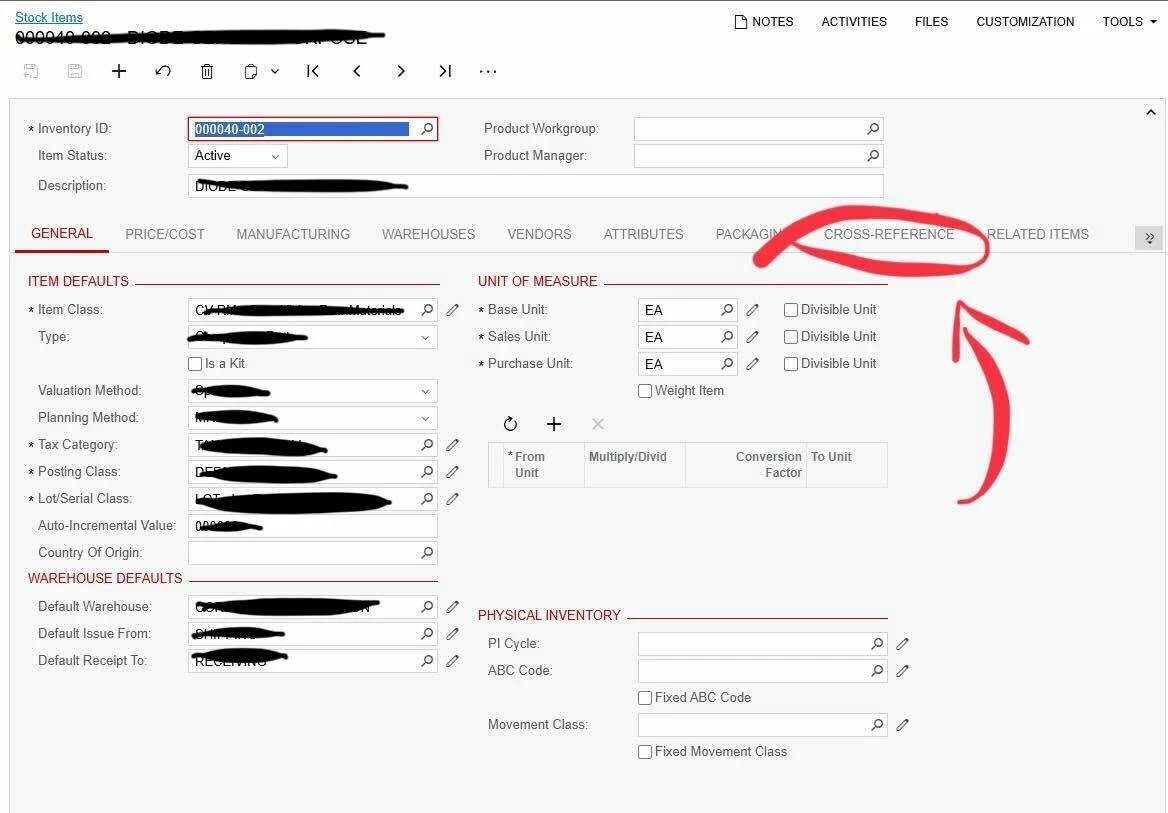
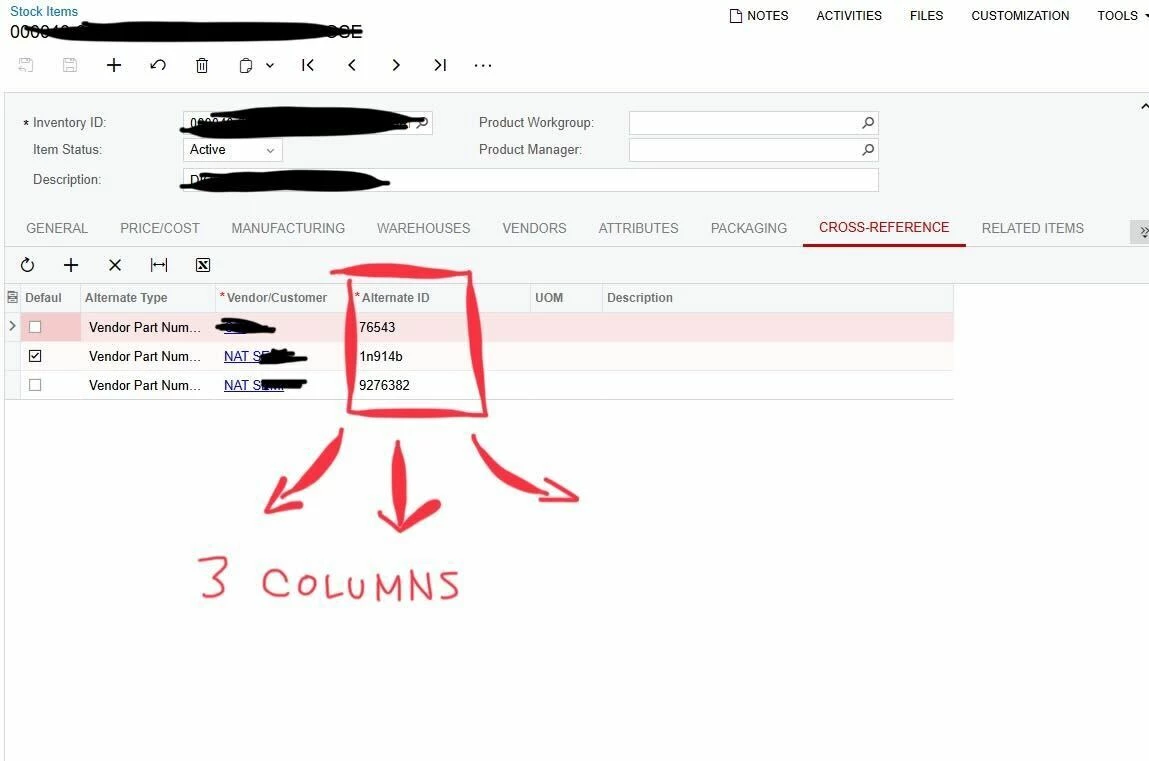
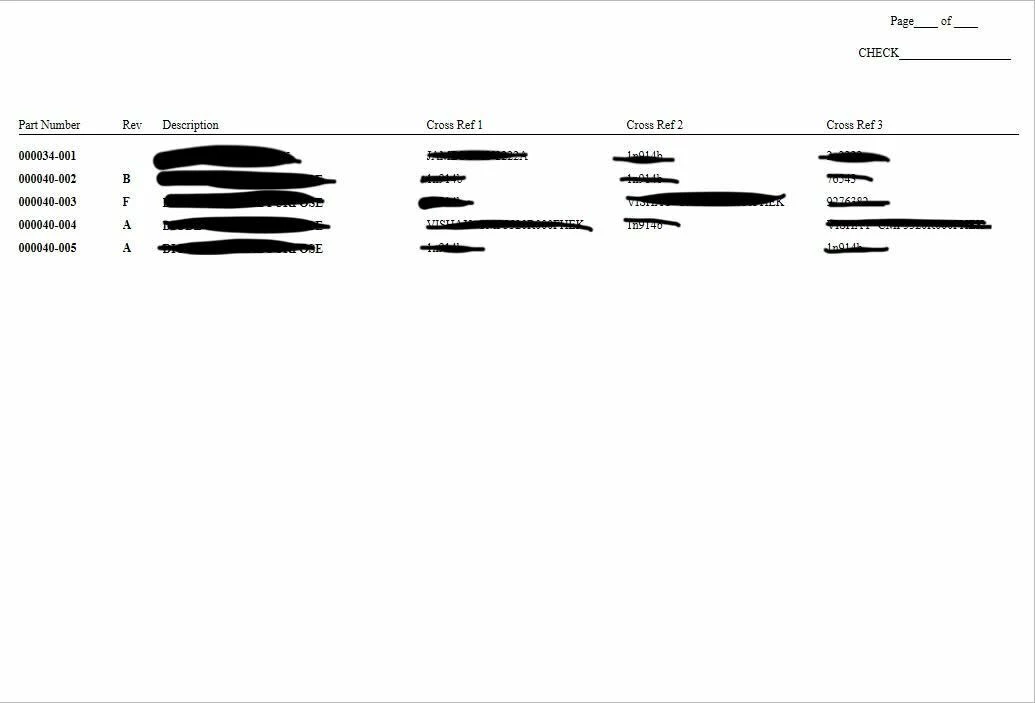
I'm working on a report in Acumatica Report Designer that pulls data from the InventoryItem table, specifically from the Cross Reference tab (i.e., the INItemXRef table). My goal is to display up to three rows from the cross-reference tab for each item, and show them side-by-side as three separate columns in the report. I’ve attached pictures of:

  1. The report
  2. Where the cross-reference can be found
  3. A view of the cross-reference tab

Here’s the structure I'm aiming for:

| InventoryID | CrossRef1 | CrossRef2 | CrossRef3 |
|-----------------|----------------|----------------|----------------|
| A100           | ABC001     | DEF002     | XYZ003     |

Is there any reliable way in Acumatica Report Designer to extract row #1, row #2, and row #3 from a repeating dataset (like INItemXRef), and display each one as a column — even when there’s no distinct identifier on each row?

Thanks for any insight! And please let me know if I can clarify further!


Best answer by lauraj46

Hi ​@elliotLowe00 ,

Sorry, I was missing a bracket on the $cross1 formula.  It should be:

iif($cross1<>null, $cross1, [INItemXRef.AlternateId])

To troubleshoot, you could unhide the detail and display the INItemXRef.AlternateID and $cross1 values for each record.

If it still isn’t working, please share a screenshot of your variable settings. 

Hope this helps!

Laura

3 replies

lauraj46
Captain II
Forum|alt.badge.img+8
  • Captain II
  • July 10, 2025

Hi ​@elliotLowe00 ,

You could group on InventoryID and configure three variable in the detail section of the report ($cross1, $cross2, $cross3)

$cross1: iif($cross1<>null, $cross1, [INItemXRef.AlternateId)

$cross2: iif($cross1=null. Null, iif($cross2<>null, $cross2, [INItemXRef.AlternateId))

$cross3: iif($cross2=null. Null, iif($cross3<>null, $cross3, [INItemXRef.AlternateId))

Display these three variables in the footer of the InventoryID group.

Hope this helps!

Laura 


  • Author
  • Freshman I
  • July 10, 2025

@lauraj46 Thanks for the response! Maybe I’m doing it wrong but even for just the cross1 variable I am only getting a return value of ‘0’. Maybe I’m setting this up wrong, it seems like it should be much simpler. Are you recommending setting up those variables in the details section? And then just calling $cross1,$cross2,$cross3 in the footer? 

Best regards,

Elliot


lauraj46
Captain II
Forum|alt.badge.img+8
  • Captain II
  • Answer
  • July 10, 2025

Hi ​@elliotLowe00 ,

Sorry, I was missing a bracket on the $cross1 formula.  It should be:

iif($cross1<>null, $cross1, [INItemXRef.AlternateId])

To troubleshoot, you could unhide the detail and display the INItemXRef.AlternateID and $cross1 values for each record.

If it still isn’t working, please share a screenshot of your variable settings. 

Hope this helps!

Laura