Answer

How to convert Price using currency rate in GI?

  • April 15, 2022
  • 4 replies
  • 443 views

Forum|alt.badge.img

Hello ,

I have created a GI but I want to convert the price base on customer currency (or by changing currency ID in Parameter ), How can I do it? My Default Currency is SGD but i want that when I will choose USD in my parameter it will change the Price in USD.


Thank you

Jennifer

Best answer by Ahmed

@jennifer39 you can do the following:

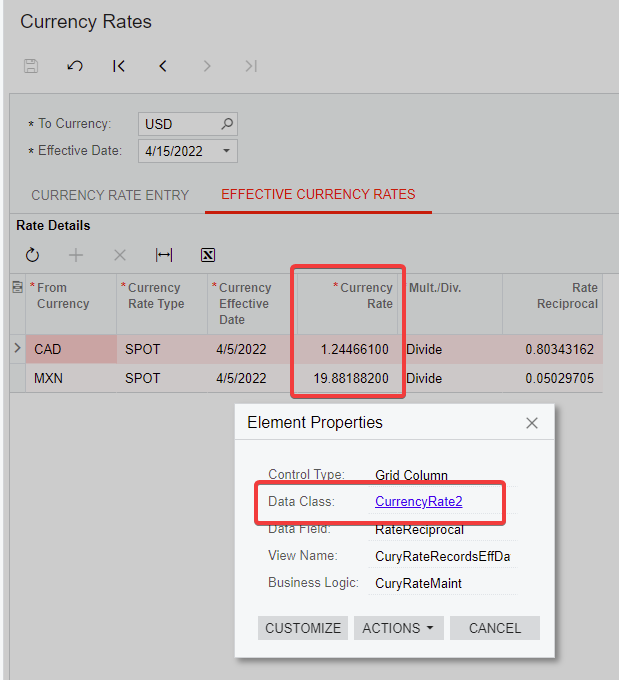
  1. Join CurrencyRate table on the To Currency
  2. Filter records for the specific currency only
  3. Do a formula in the Results tab multiplying/dividing the price by the Currency Rate to get the converted amount

Make sure to automate the Currency Rates screen at a daily level at least to get the most accurate conversions.


4 replies

Ahmed
Varsity II
Forum|alt.badge.img+1
  • Varsity II
  • Answer
  • April 15, 2022

@jennifer39 you can do the following:

  1. Join CurrencyRate table on the To Currency
  2. Filter records for the specific currency only
  3. Do a formula in the Results tab multiplying/dividing the price by the Currency Rate to get the converted amount

Make sure to automate the Currency Rates screen at a daily level at least to get the most accurate conversions.


Forum|alt.badge.img
  • Author
  • Freshman I
  • April 16, 2022

Hello Ahmed,

I have joined attached table and used below formula in my result but it is not working, please let me know what is wrong?

=[ARSalesPrice.SalesPrice] * IsNull(IIF([CurrencyRate2.CuryMultDiv]='D', [CurrencyRate2.CuryRate], [CurrencyRate2.RateReciprocal]), 1)


Thank you

Jennifer


Ahmed
Varsity II
Forum|alt.badge.img+1
  • Varsity II
  • April 16, 2022

@jennifer39 it’s not showing anything? do share the GI XML and I can try


Forum|alt.badge.img
  • Author
  • Freshman I
  • April 16, 2022

Here is my GI XML.