Solved

How to configure an Acumatica Report to print 2 label items per row instead of 1 item per row?

  • January 10, 2026
  • 3 replies
  • 42 views

Hi everyone,

I’m working on an Acumatica Report (Label printing) and I’m trying to achieve a layout where each row contains 2 label items side by side, instead of the default behavior where each item is rendered on its own row.

What I have done so far

  • I created a SQL View that:

    • Expands Sales Order Lines by quantity (1 row per label).

    • Includes barcode, customer part number, MAP price, etc.

  • I exposed the SQL View to Generic Inquiry.

  • I built the Report using that GI as the data source.

  • In the Report Designer:

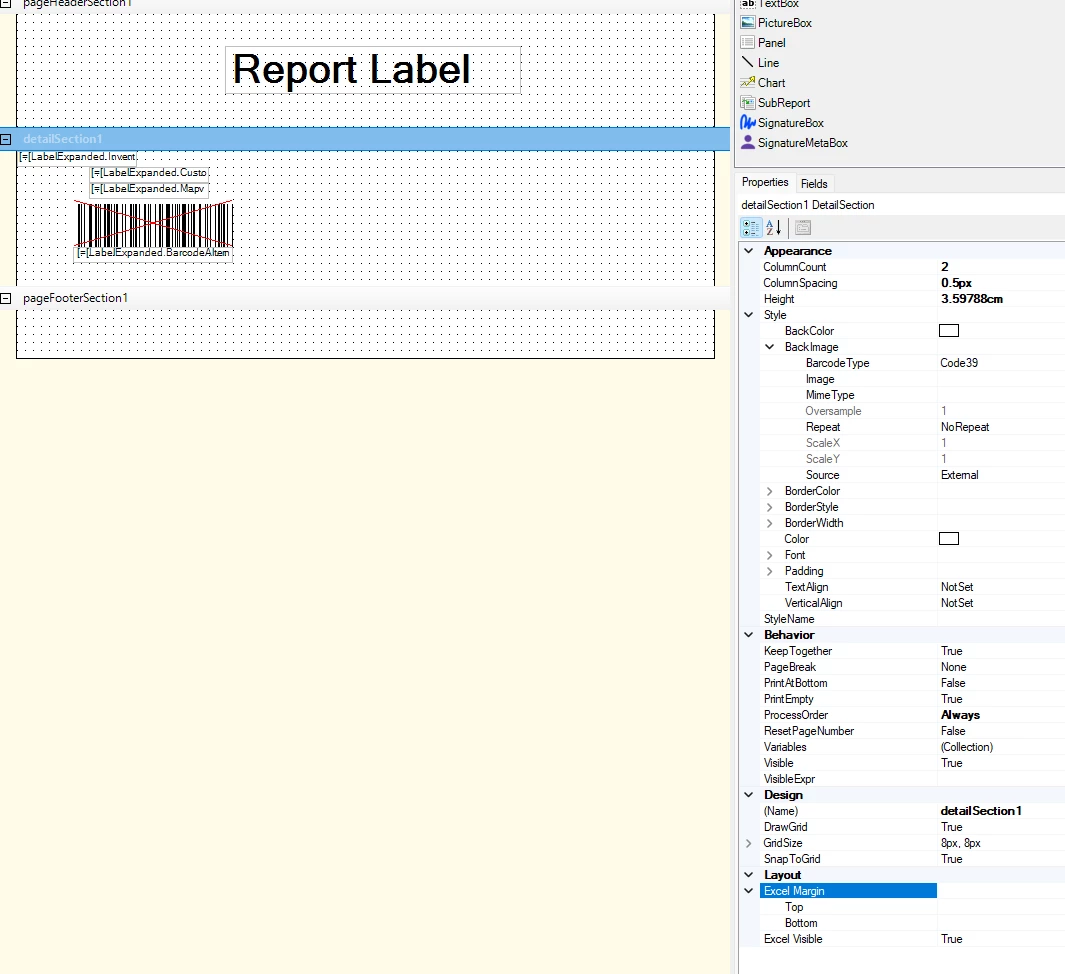
    • I set detailSection.ColumnCount = 2

    • Adjusted ColumnSpacing, Height, and layout settings

    • Each label (InventoryCD, Price, Barcode) is grouped inside the detail section


Expected result

  • Row 1 → Item 1 | Item 2

  • Row 2 → Item 3 | Item 4

  • Row 3 → Item 5 | Item 6
    (similar to standard retail barcode label sheets)

Actual result

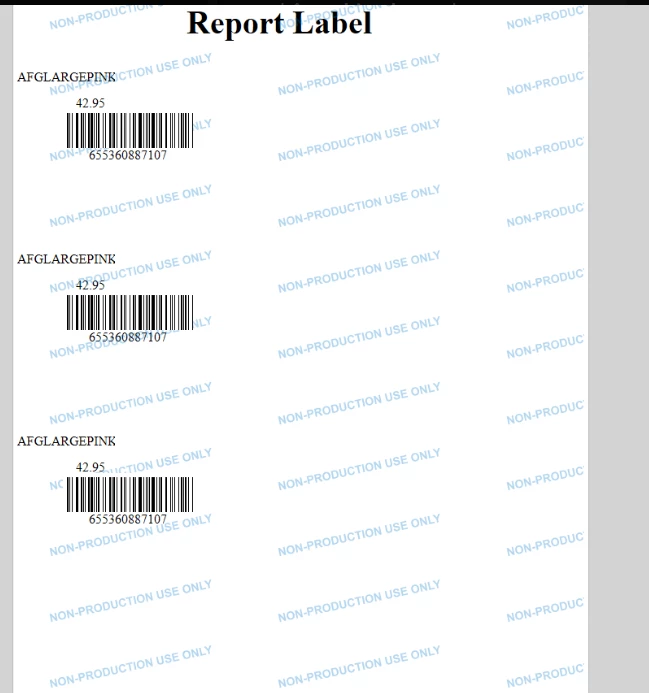
  • The report still renders 1 item per row, even when ColumnCount = 2

  • Sometimes only the left column is used

  • Layout becomes inconsistent when data grows

Question

What is the correct / recommended approach in Acumatica to print 2 items per row in a report?

Any best practices or real-world examples would be greatly appreciated 
Thanks in advance!
Best answer by lauraj46

Hi ​@PhatPham ,

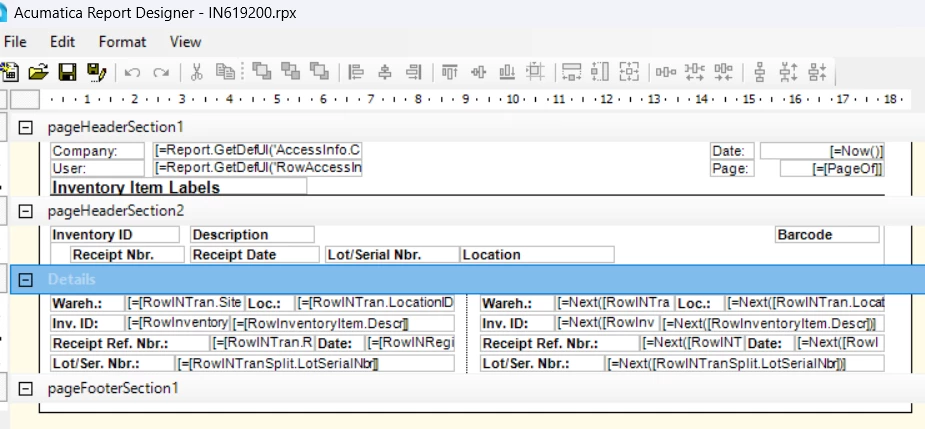
I would recommend taking a look at the standard report IN619200.  The idea is to use the Next function to print two detail records side by side.  Additionally, this report sets a visibillity condition on the Detail section of the report =($IndexRow%2=1) so that is only visible for every other detail record.

With this, there is no need for a SQL view or customization.

Hope this helps!

Laura

3 replies

nhatnghetinh
Captain II
Forum|alt.badge.img+13
  • Captain II
  • January 12, 2026

Hi ​@PhatPham 

Try combining the SQL View as you did and the SubReport.


Best Regards,

NNT


lauraj46
Captain II
Forum|alt.badge.img+9
  • Captain II
  • Answer
  • January 16, 2026

Hi ​@PhatPham ,

I would recommend taking a look at the standard report IN619200.  The idea is to use the Next function to print two detail records side by side.  Additionally, this report sets a visibillity condition on the Detail section of the report =($IndexRow%2=1) so that is only visible for every other detail record.

With this, there is no need for a SQL view or customization.

Hope this helps!

Laura


  • Author
  • Freshman II
  • January 22, 2026

Hi ​@PhatPham ,

I would recommend taking a look at the standard report IN619200.  The idea is to use the Next function to print two detail records side by side.  Additionally, this report sets a visibillity condition on the Detail section of the report =($IndexRow%2=1) so that is only visible for every other detail record.

With this, there is no need for a SQL view or customization.

Hope this helps!

Laura

Thanks so much, Laura. This really helped me.