Answer

How to add new email template

  • April 30, 2024
  • 5 replies
  • 854 views

Forum|alt.badge.img

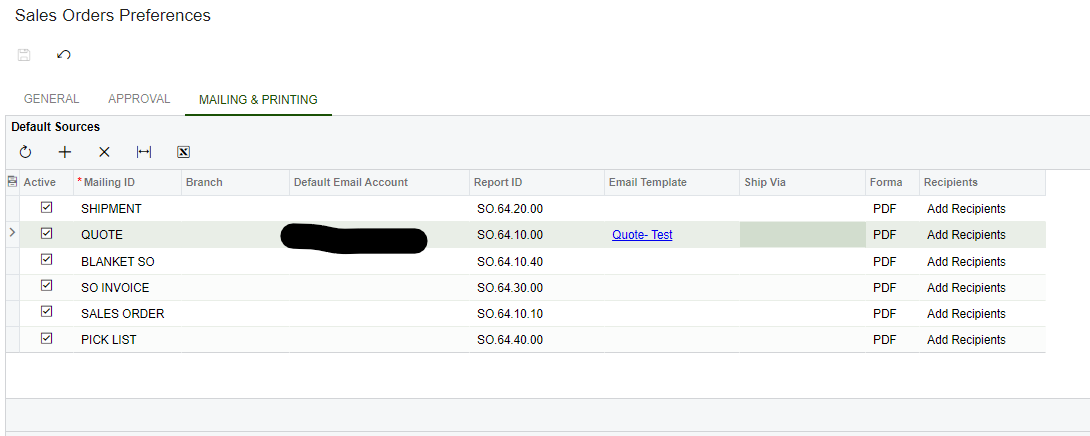
I’ve created new email template for sales quotation (QT). in the sales order preference form I selected that new email template as the Quote email. but when I’m sending the email it send the Quote as per the system by default email template. what are the other configuration do I have to do?


Best answer by Laura03

Hello,

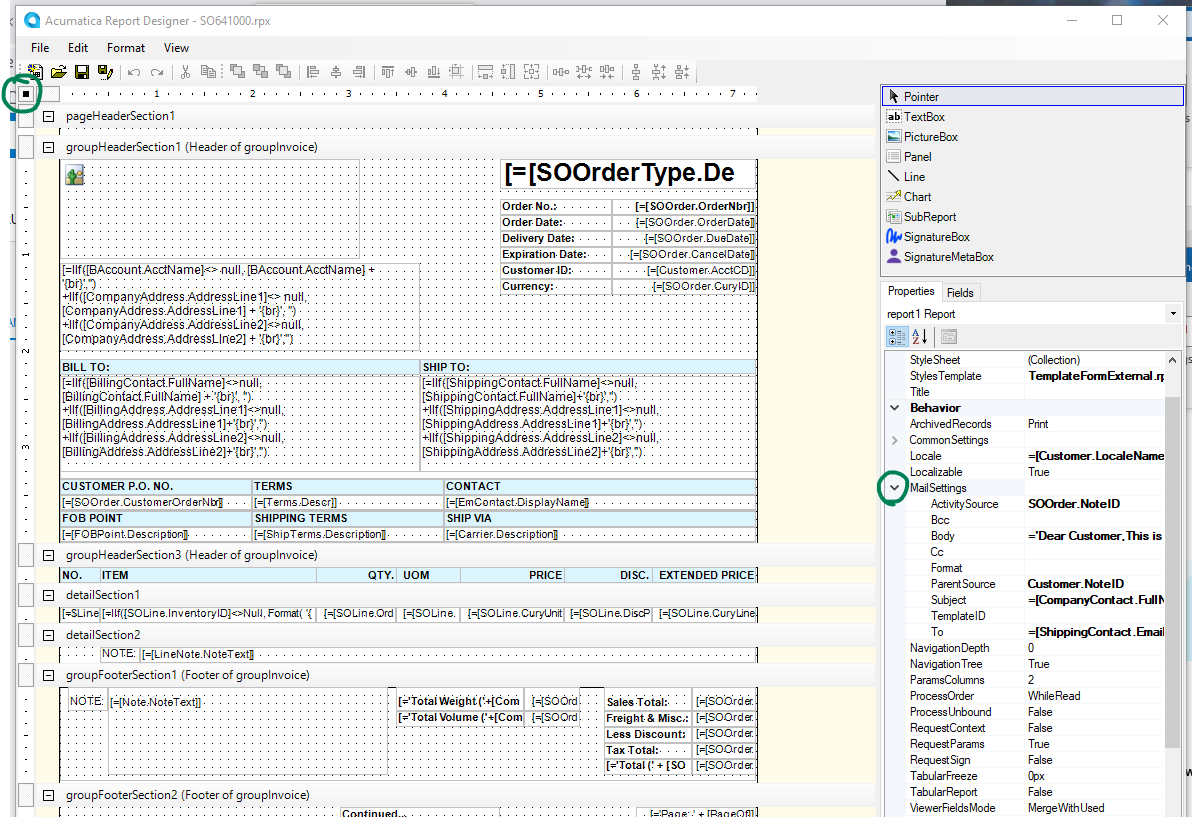
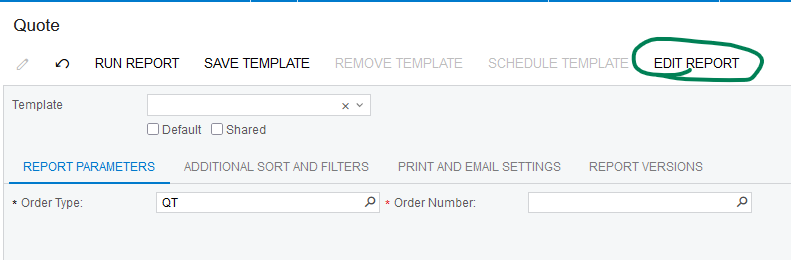
Email settings may be embedded in the report itself. Users in the Report Designer role may edit the report using Acumatica Report Designer.


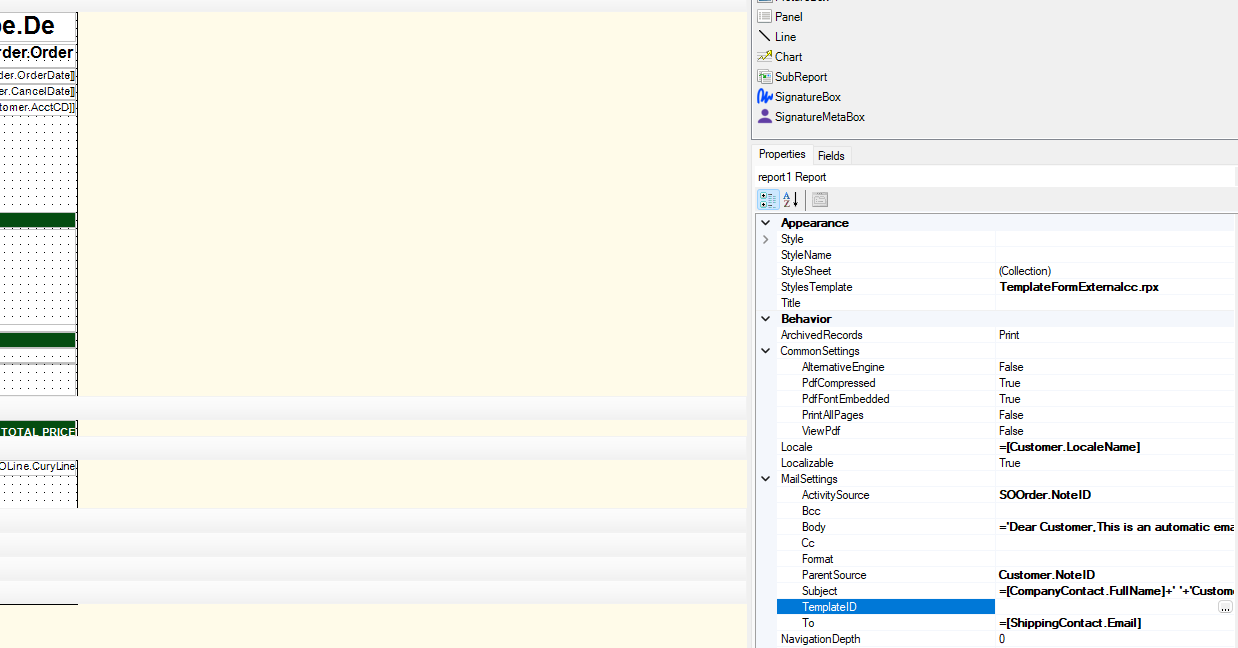
In the TemplateID box, specify Notification ID of the new notification template that you set up for your Sales Quotation, and clear Subject and Body values in Report Designer. Save the new version of the report.


Laura

5 replies

Laura03
Captain II
Forum|alt.badge.img+19
  • Captain II
  • Answer
  • April 30, 2024

Hello,

Email settings may be embedded in the report itself. Users in the Report Designer role may edit the report using Acumatica Report Designer.


In the TemplateID box, specify Notification ID of the new notification template that you set up for your Sales Quotation, and clear Subject and Body values in Report Designer. Save the new version of the report.


Laura


Manikanta Dhulipudi
Captain II
Forum|alt.badge.img+15

Hi @MWijesuriya43 In Addition to @Laura02 

Please review and let me know.


dcomerford
Captain II
Forum|alt.badge.img+15
  • Captain II
  • April 30, 2024

Check the form itself does not have a Template set on it.under the Mail Setting


Also check the Customer Mailing & Printing Defaults 


Forum|alt.badge.img
  • Freshman II
  • April 27, 2025

FYI: in 2024 R2 I have discovered that by clearing out the template fields and setting the Template ID manually in the report does work.

However, if there is a Signature in the My Profile, and the “Include in New Emails” is checked, it won’t use the email template BODY.  It just shows the Signature.


nathantrauscht
Semi-Pro II
Forum|alt.badge.img

@ggnabasik47 we just discovered this as well. After a little more testing, it appears to only happen when the user Prints the report then clicks send. If they use the Send Email action the email template appears to work appropriately.


Until this is fixed, our solution is to disable ‘Include in New Emails’ for each user profile and ensure the ((GeneralInfo.MailSignature)) is included in the email templates.

Confirmed this work around does fix the issue.