Answer

how do i fix encounting divide by zero errors

  • February 13, 2025
  • 9 replies
  • 186 views

Forum|alt.badge.img
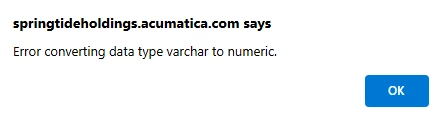
  • After i save i run in to this message 


Best answer by BenjaminCrisman

Seems like it’s the Decimal conversion which is messing it up. You can either set this expression:

=IIF([ARTran.Cost]<>0, [ARTran.ExtPrice]/([ARTran.ExtPrice]-[ARTran.Cost]), 0)

Or you could try to set a filter like this:

With the filter active you could remove the IIF part and just use

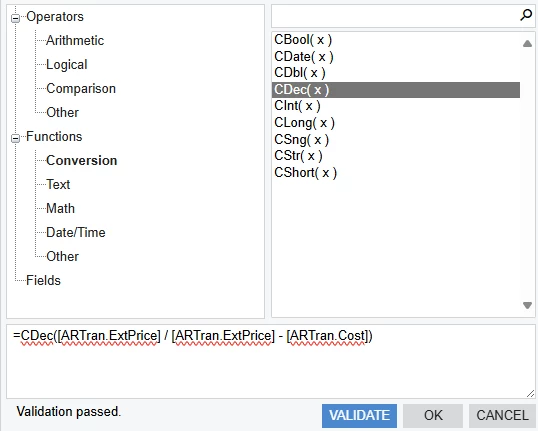
[ARTran.ExtPrice]/([ARTran.ExtPrice]-[ARTran.Cost])

9 replies

Forum|alt.badge.img+1

The best option would be to add an IF condition to the formula that looks for zero values in the denominator and adjusts them accordingly


BenjaminCrisman
Acumatica Employee
Forum|alt.badge.img+4
  • Acumatica Support Team
  • February 13, 2025

@SandyA You need to make sure neither the top or the bottom have a 0 in them. Separate the values to see which one is producing the zero value (probably cost) and then adjust the expression to account for this or set a filter so that no $0 costs come into the report.

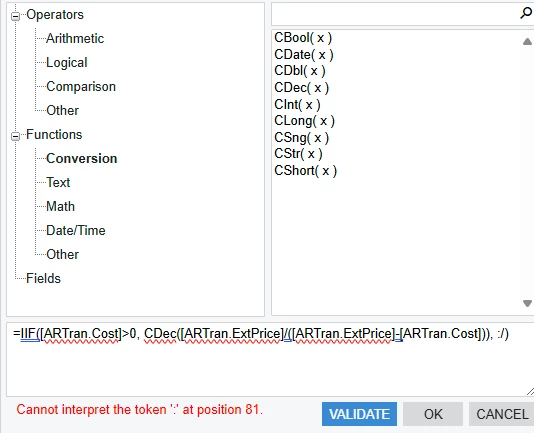
You could put like =IIF([ARTran.Cost]>0, CDec([ARTran.ExtPrice]/([ARTran.ExtPrice]-[ARTran.Cost])), ‘’)


Forum|alt.badge.img
  • Author
  • Freshman II
  • February 13, 2025

@BenjaminCrisman --this was the result


BenjaminCrisman
Acumatica Employee
Forum|alt.badge.img+4
  • Acumatica Support Team
  • February 13, 2025

Yeah, I made those single quotes in this text editor on the site, you’ll need to replace them with regular single quotes in the GI expression editor :/ 

I’ll try to remember that this happens and paste my expressions in rather than build them in this text box


Forum|alt.badge.img
  • Author
  • Freshman II
  • February 13, 2025


BenjaminCrisman
Acumatica Employee
Forum|alt.badge.img+4
  • Acumatica Support Team
  • February 13, 2025

Try this:

=IIF([ARTran.Cost]>0, CDec([ARTran.ExtPrice]/([ARTran.ExtPrice]-[ARTran.Cost])), '')


Forum|alt.badge.img
  • Author
  • Freshman II
  • February 13, 2025
  • this was the result


BenjaminCrisman
Acumatica Employee
Forum|alt.badge.img+4
  • Acumatica Support Team
  • Answer
  • February 13, 2025

Seems like it’s the Decimal conversion which is messing it up. You can either set this expression:

=IIF([ARTran.Cost]<>0, [ARTran.ExtPrice]/([ARTran.ExtPrice]-[ARTran.Cost]), 0)

Or you could try to set a filter like this:

With the filter active you could remove the IIF part and just use

[ARTran.ExtPrice]/([ARTran.ExtPrice]-[ARTran.Cost])


Forum|alt.badge.img
  • Author
  • Freshman II
  • February 13, 2025

thanks again ​@BenjaminCrisman, it worked