Answer

How can I filter a column by date and time?

  • October 31, 2024
  • 3 replies
  • 162 views

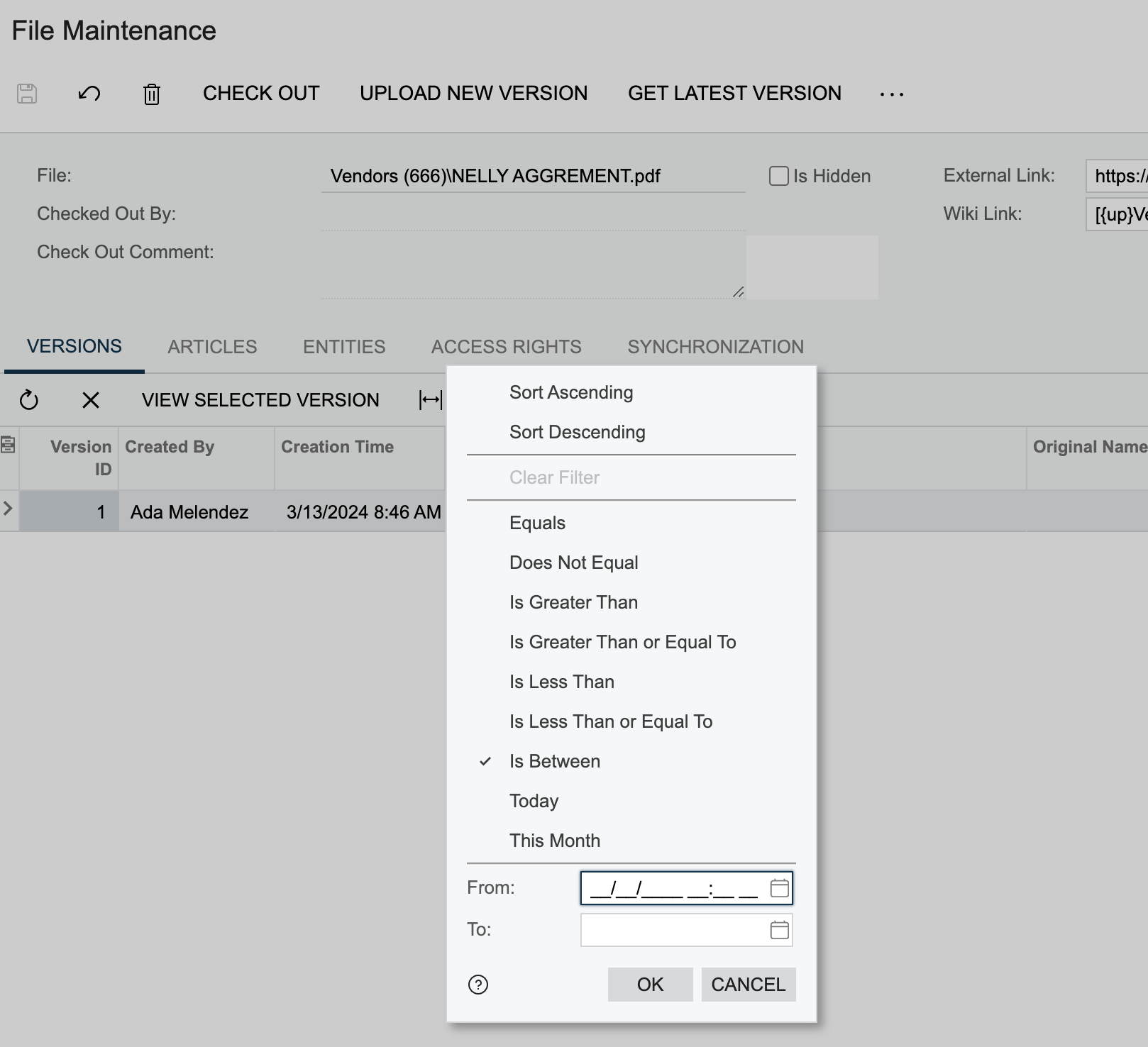
I have a generic Inquiry that I’m trying to filder the created date time column by date and time. Right now if I click on the column to filter it I only get filters that filter as if the value was plain text however I would like for it to recognize that its datetime and allow me to filter as such.

I’ve attached an example of how I would like it to be to serve as reference.


Best answer by kmuczynski54

This link may help:  https://www.augforums.com/acumatica-generic-inquiry-date-time/


3 replies

Forum|alt.badge.img
  • Jr Varsity III
  • October 31, 2024

Hello!

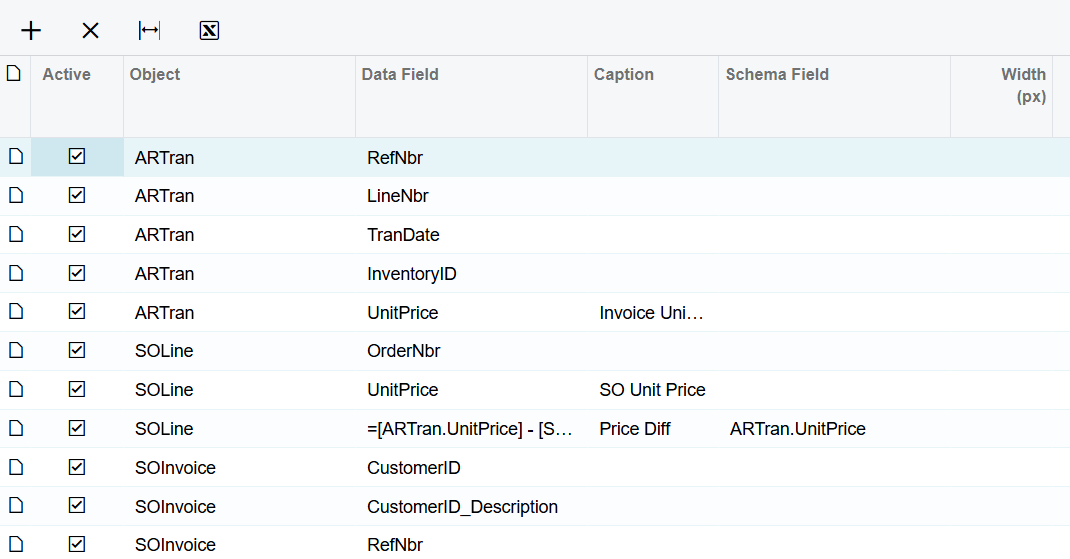
In the GI screen / Results Grid, there is a column called Scheme Field.  This is how you can work with the data type.  Below is an example where I have a formula, but I use the Schema Field to match up the data type to another field of a similar type.  I’m no expert, but with some trial and error, it worked for me.  Someone else may have a better solution.


  • Author
  • Freshman II
  • October 31, 2024

We just tried adding the schema filed and although in the DAC it specifies that the type is datetime it only shows the date when I add the schema field and in the filter it now shows the date. But only the date. How can I make it so that it also shows the time?


This is the formula that we have in the field

=dateadd([APInvoice.LastModifiedDateTime], 'h', -4)


Forum|alt.badge.img
  • Jr Varsity III
  • Answer
  • October 31, 2024