Answer

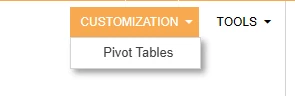
Hide Customization button top right of Generic Inquiry

  • May 20, 2025
  • 3 replies
  • 55 views

Forum|alt.badge.img

Hey Community,


Does anyone know how to hide the “customization” button on the top right of the GI entry screen (even if only from certain user roles)?

 

Best answer by astramathis30

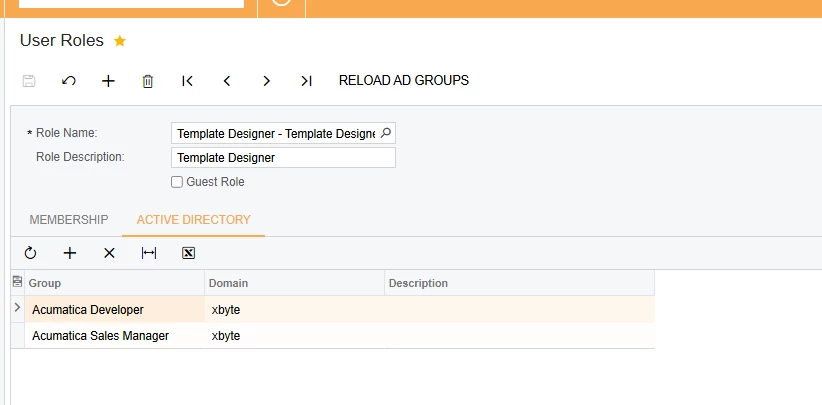
It was Template Designer - when I removed “Sales” from this Active Directory list, it removed that button. Thank you ​@jinin for pointing me in the right direction to find this.


3 replies

jinin
Pro I
Forum|alt.badge.img+11
  • Pro I
  • May 20, 2025

Hi ​@astramathis30 ,

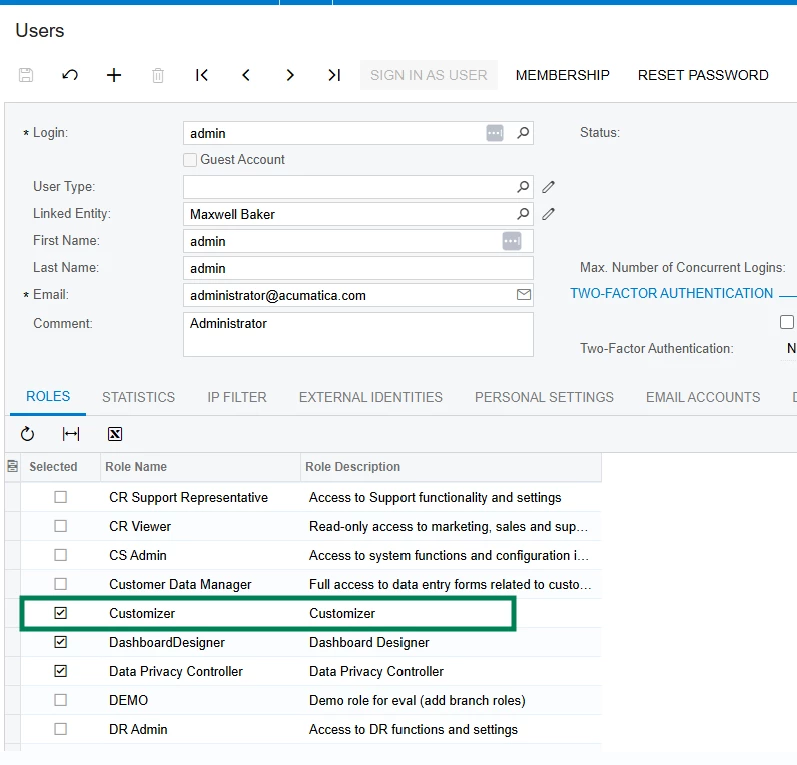
Try unchecking the Customizer Role for the user and check if that helps.


Forum|alt.badge.img
  • Author
  • Jr Varsity III
  • May 20, 2025

@jinin - thank you, this user does’t have Customizer (that’s limited for only Sys Admins), but they do have Report Designer and Template Designer. Our users are all controlled through AD Users so I’ll see if I can find out from out IT team if this can be removed.


Forum|alt.badge.img
  • Author
  • Jr Varsity III
  • Answer
  • May 20, 2025

It was Template Designer - when I removed “Sales” from this Active Directory list, it removed that button. Thank you ​@jinin for pointing me in the right direction to find this.