Solved

Help me filter out my results by site ID

  • February 25, 2026
  • 5 replies
  • 23 views

Forum|alt.badge.img

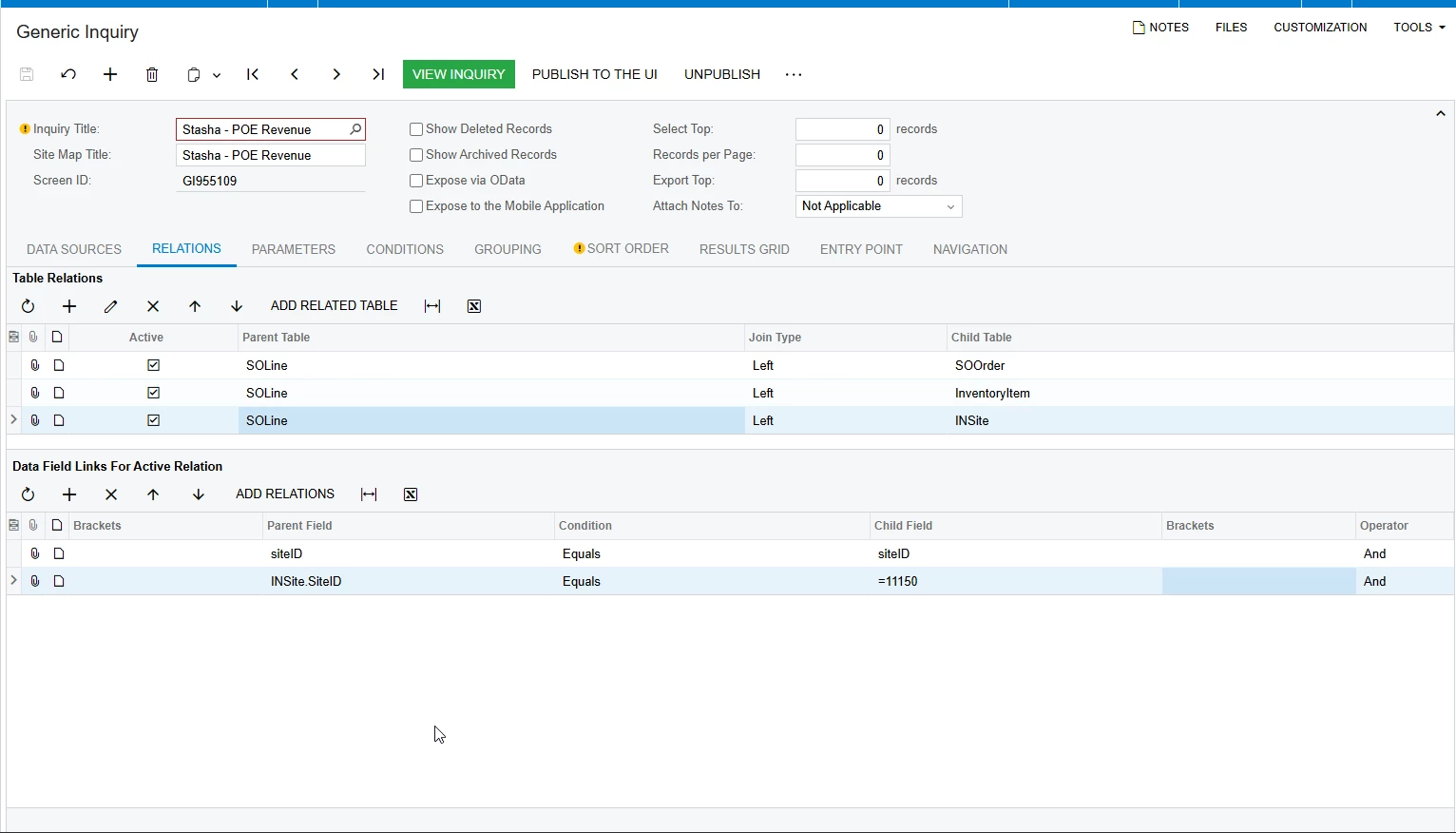
I have this GI that is looking at SO Lines. I am wanting to restrict which SO Line is showed based on the site ID. 

I heard (correct me if I am wrong) that if I can filter via the relations table, the GI can run faster (vs using the conditions tab or creating filters in the user facing GI). But I can’t seem to make it work.
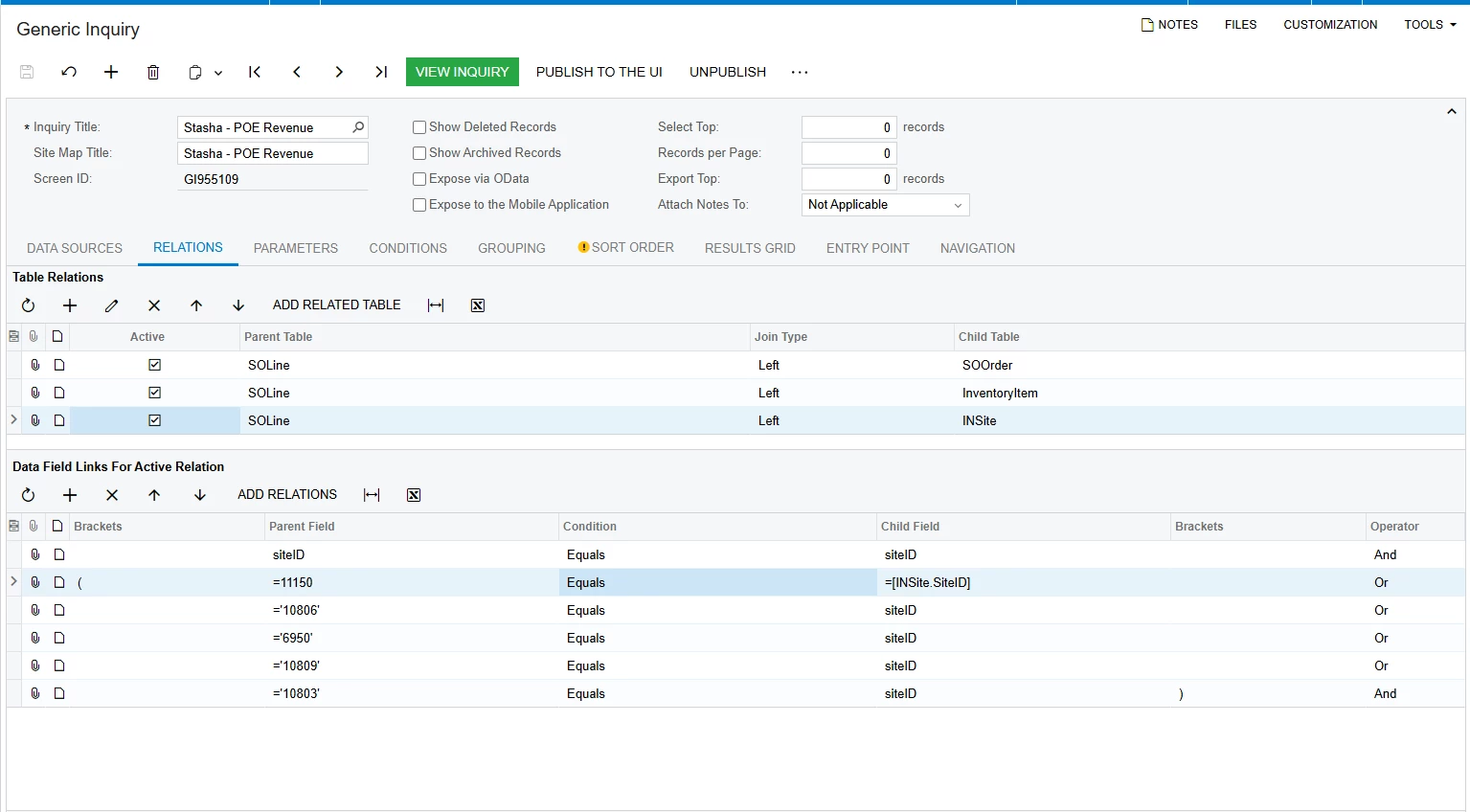
 

I’ve tried every variation I know (hence lines 2 and 3 are different in the child field. 

If creating this filter in the conditions tab will the direction I should go, then I don’t even need to link the SOLine and INSite tables.


Best answer by SBaldwin

So my coworker said that my table join needed to be an inner (instead of a left) that seems to have fixed the issue!

5 replies

BenjaminCrisman
Acumatica Employee
Forum|alt.badge.img+4
  • Acumatica Support Team
  • February 25, 2026

@SBaldwin I think for this to work you need to use the Child field on the parent side. If you click the dropdown on the Parent Field side you’ll notice that both Parent and Child fields are available. For INT values you don’t need to use the single quotes around the value since it works as either string or INT.

So it should look like INSite.SiteID  |  Equals |  =11150

and so on. Did you already try it like this?


Forum|alt.badge.img
  • Author
  • Varsity II
  • February 25, 2026

@SBaldwin I think for this to work you need to use the Child field on the parent side. If you click the dropdown on the Parent Field side you’ll notice that both Parent and Child fields are available. For INT values you don’t need to use the single quotes around the value since it works as either string or INT.

So it should look like INSite.SiteID  |  Equals |  =11150

and so on. Did you already try it like this?

I did not but I will try and update you!


Forum|alt.badge.img
  • Author
  • Varsity II
  • February 25, 2026

@SBaldwin I think for this to work you need to use the Child field on the parent side. If you click the dropdown on the Parent Field side you’ll notice that both Parent and Child fields are available. For INT values you don’t need to use the single quotes around the value since it works as either string or INT.

So it should look like INSite.SiteID  |  Equals |  =11150

and so on. Did you already try it like this?


That did not seem to work. 


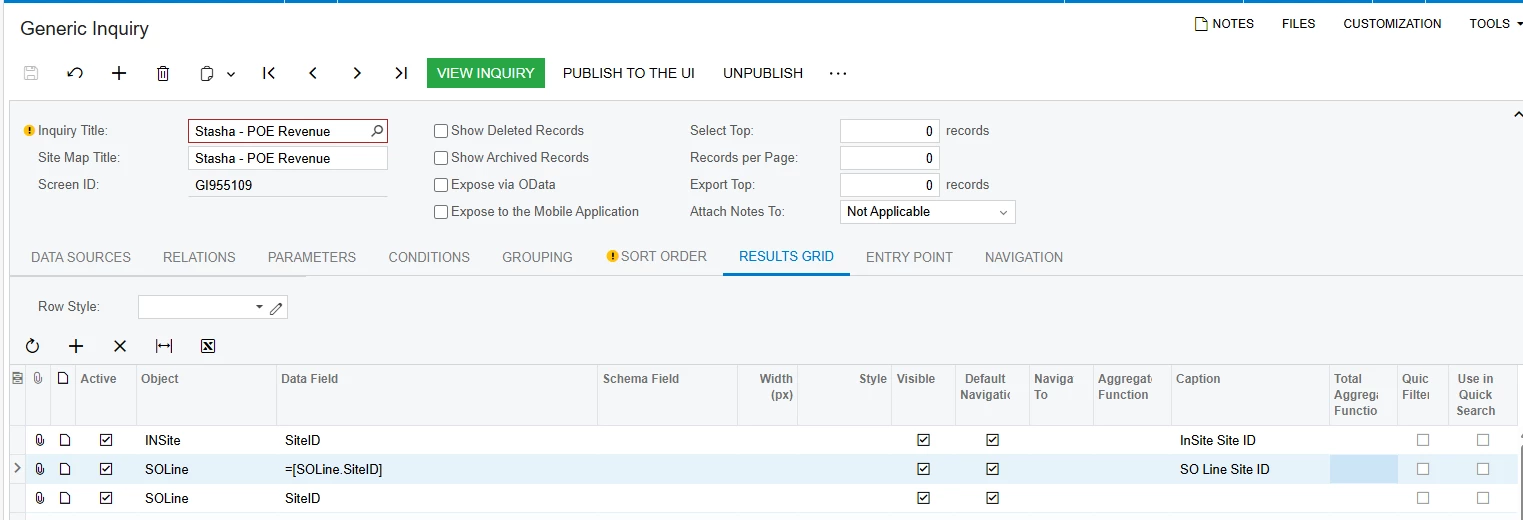
Here’s a snapshot of my results grid tying to figure out if its a formatting thing


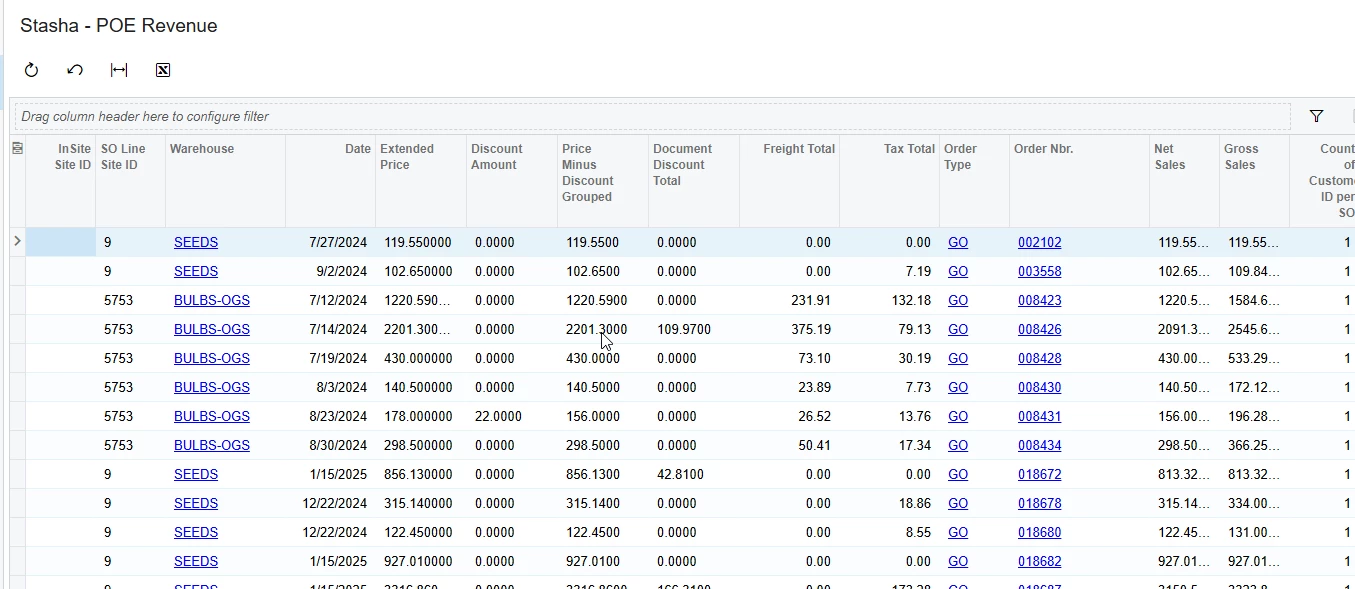
Results:


It doesn’t look like the INSite Site ID is coming thru I wonder if it has something to do with that.


Forum|alt.badge.img
  • Author
  • Varsity II
  • Answer
  • February 25, 2026

So my coworker said that my table join needed to be an inner (instead of a left) that seems to have fixed the issue!


Chris Hackett
Community Manager
Forum|alt.badge.img
  • Acumatica Community Manager
  • February 25, 2026

Thank you for sharing your solution with the community ​@SBaldwin!