Hello all, I have a generic inquiry created that is supposed to calculate the quote to order conversion rate. The formula we are using is (Number of SO orders with QT type as an original order type) / (Number of QT order type in the system).
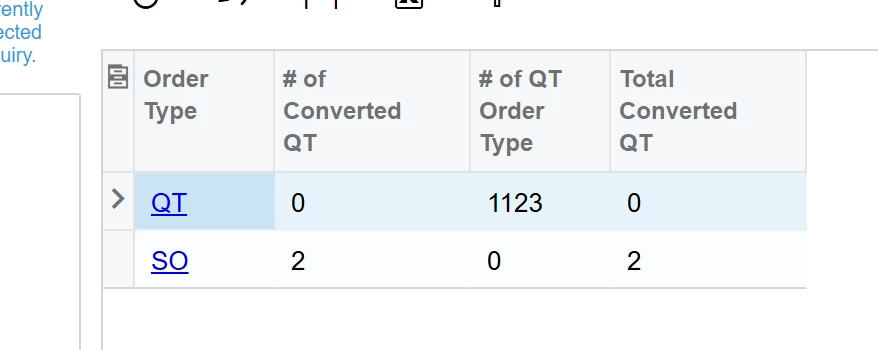
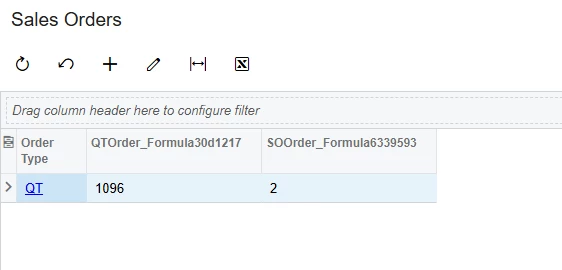
This is the result:
All three fields are calculated fields, using Sum() directly in the formula. Since I am using aggregate function, the GI requires a group by on Order Type. Else it would throw an error.
The calculations are all correct by order type, but I don’t want it to be by order type. Using the screenshot above, I want the GI to only have one line, where 2 / 1123 = 0.001809
Any idea on how this can be accomplished? Thanks all!
Best answer by npetrosov31
Hello,
I have tried something on the Generic Inquiries and it looked working, you can try that and see if it helps you:
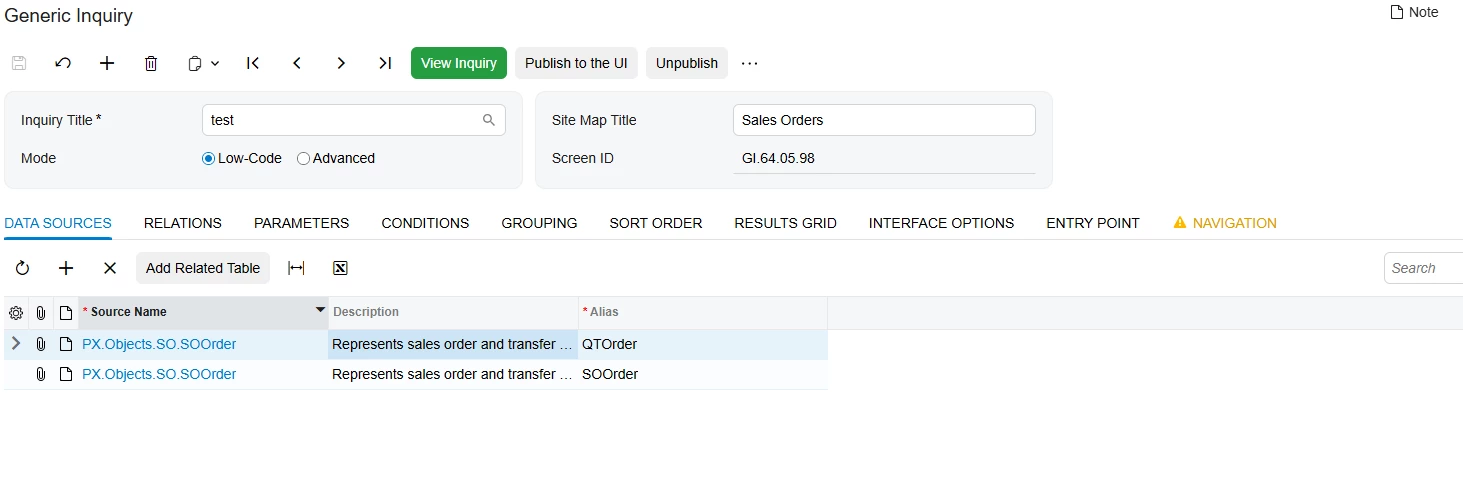
I have added SOOrder table twice, one should represent QT type orders, second the created SO(or other type) orders:
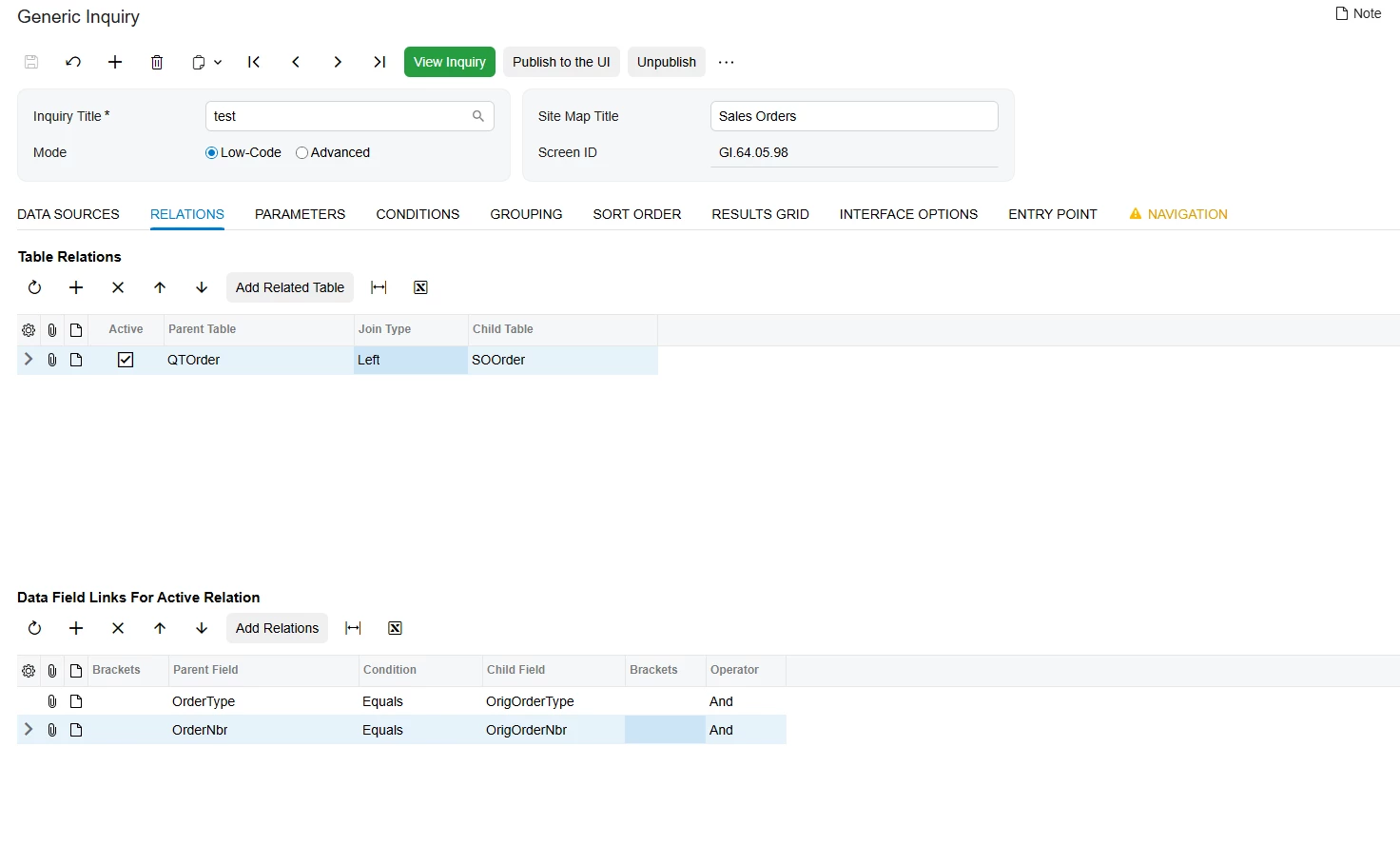
My Relations tab looks like this:
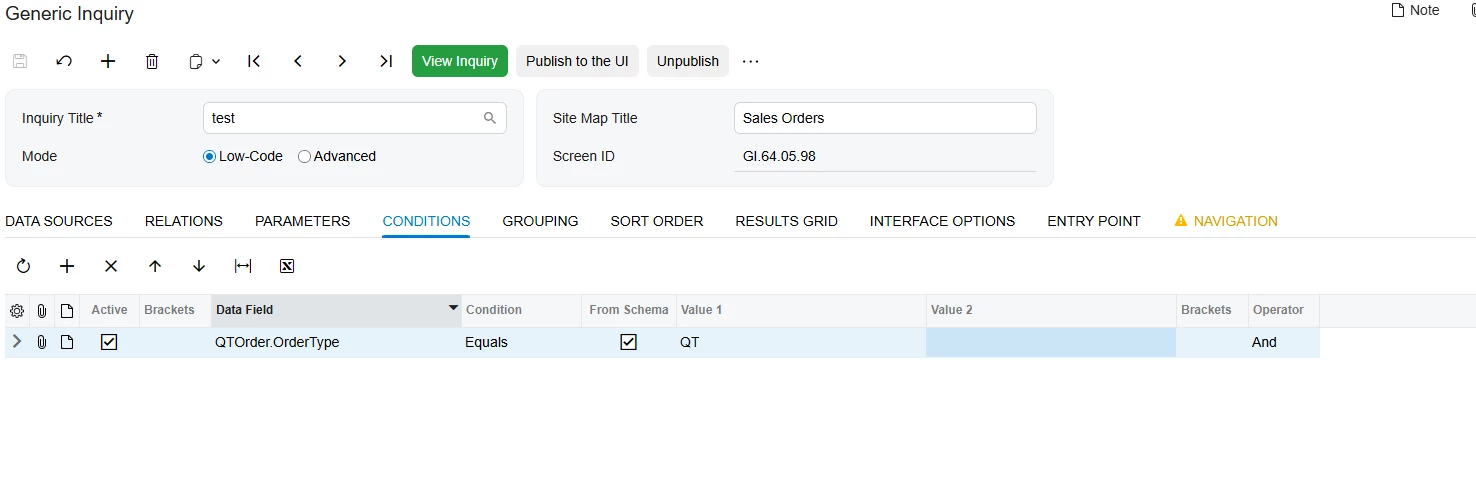
In conditions I added order type for QTOrder table to always be QT. That way I separated QT orders from others in that table:
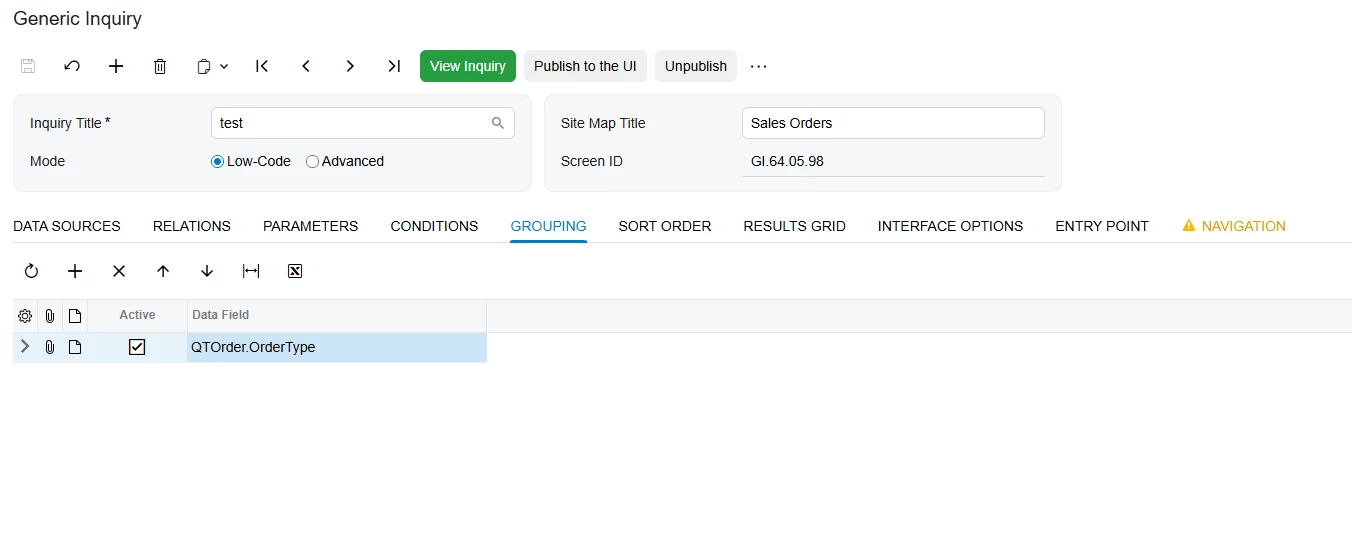
I left grouping by order type from the QTOrder table. That just groups all the records in one:
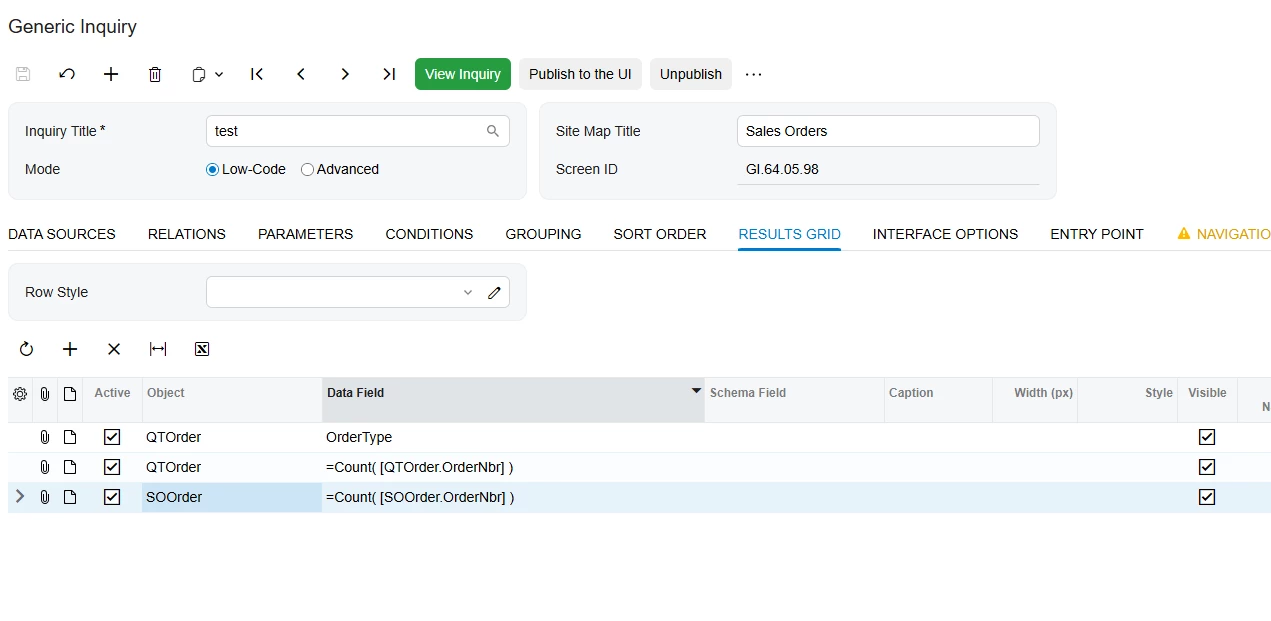
In results grid I made the needed calculations using Count function. Those can be changed to the ones you need. Just assume that counting SOOrder table returns the converted count, counting QTOrder table returns the QT orders count:
I have tried something on the Generic Inquiries and it looked working, you can try that and see if it helps you:
I have added SOOrder table twice, one should represent QT type orders, second the created SO(or other type) orders:
My Relations tab looks like this:
In conditions I added order type for QTOrder table to always be QT. That way I separated QT orders from others in that table:
I left grouping by order type from the QTOrder table. That just groups all the records in one:
In results grid I made the needed calculations using Count function. Those can be changed to the ones you need. Just assume that counting SOOrder table returns the converted count, counting QTOrder table returns the QT orders count:
Hi @npetrosov31 Thank you so much, you are amazing! This did get me what I needed in one line.
One more question if you have tried this before… I would like my calculated value to be at least four decimals. I have tried using the Schema Field in generic inquiry to match the format to another field, I have also tried using Round([formula], 4). Neither worked for me, any idea on how I could accomplish this?