Question

GI (Generic Inquiry) output with line/row number

  • December 9, 2025
  • 7 replies
  • 167 views

Hi All,

Is it possible to add a line number as a field item and use it to format the output of the GI? For e.g., I have a GI that lists 10 rows but I had like to use the line number to change the background color of each alternate row, which is not based on any conditiion. Since, the Row Number is available only for display, how to get a row number for any GI (not a report)?

Manish

7 replies

nickcerri32
Semi-Pro II
Forum|alt.badge.img+6
  • Semi-Pro II
  • December 9, 2025

@ManishPatel132008 Hey there - depending on the GI, the “Line Nbr.” exists (as an autonumbered field).  When you say Row Number what are you referring to?  Are you trying to format based on, say, an odd or even row but the Line Nbr. doesn’t necessarily reflect the display order?


cramesh00
Freshman II
Forum|alt.badge.img
  • Freshman II
  • December 9, 2025

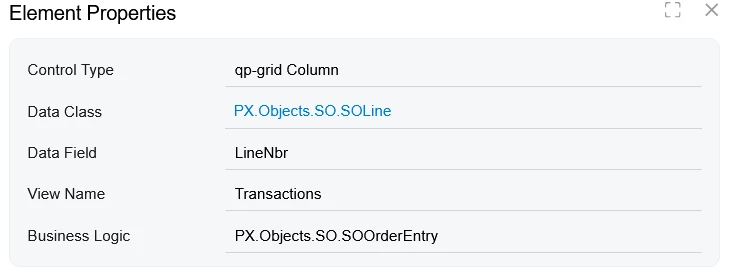
In order to reference the SO Line number, you need to reference the table SOLine and look for LineNbr


WillH
Semi-Pro I
Forum|alt.badge.img+4
  • Semi-Pro I
  • December 10, 2025

If you’re just trying to get a view of the raw ROW_NUMBER() of a result set, you might be able to make use of the ROW_NUMBER() SQL command, though I’m guessing that could get kind of temperamental.
Also be aware that resorting columns wouldn’t recalculate a ROW_NUMBER() function call.


lauraj46
Captain II
Forum|alt.badge.img+9
  • Captain II
  • December 10, 2025

Hi ​@ManishPatel132008 ,

The SOLine table also has a SortOrder field which I think is less likely to have gaps than LineNbr if the user has deleted or reordered the rows on the sales order.

Hope this helps!

Laura


Thanks to all of you for the responses.

What I however wanted was to add a sequential line number, in any or all GIs. So this line number may not necessarily be a value in any of the tables. If the GI output has 10 rows, the line number should start from 1 to 10 and be displayed as a row value. 

Hope I have explained this a little better, 

Thanks anyways.


Chris Hackett
Community Manager
Forum|alt.badge.img
  • Acumatica Community Manager
  • January 9, 2026

Hi ​@ManishPatel132008 were you able to find a solution? Thank you!


Yuriy Zaletskyy
Jr Varsity I
Forum|alt.badge.img+4

This can be accomplished with help of nesting Generic inquiry into Generic inquiry.

  1. Create Generic inquiry SalesOrdersBase:
FROM SOOrder
ORDER BY SOOrder.OrderNbr
SELECT
SOOrder.OrderNbr,
SOOrder.OrderDate,
SOOrder.CustomerID
  1. Then Generic inquiry SalesOrdersWithRowNum
FROM [GI.SalesOrdersBase] AS B
LEFT JOIN [GI.SalesOrdersBase] AS A
ON 'B.orderNbr' <= 'A.orderNbr'
GROUP BY
'A.SOOrder_orderNbr',
'A.SOOrder_orderDate',
'A.SOOrder_customerID'
ORDER BY
'A.SOOrder_orderNbr'
SELECT
COUNT(B.OrderNbr),
'A.orderNbr',
'A.orderDate',
'A.customerID'

execute SalesOrdersWithRowNum and you will see row numbers. The only big caveat would be performance issue, so I’d rather go with SQL View if performance will become important.