Question

Generic Inquiry - VENDOR STATUS on VENDOR generic inquiry

  • December 22, 2025
  • 3 replies
  • 18 views

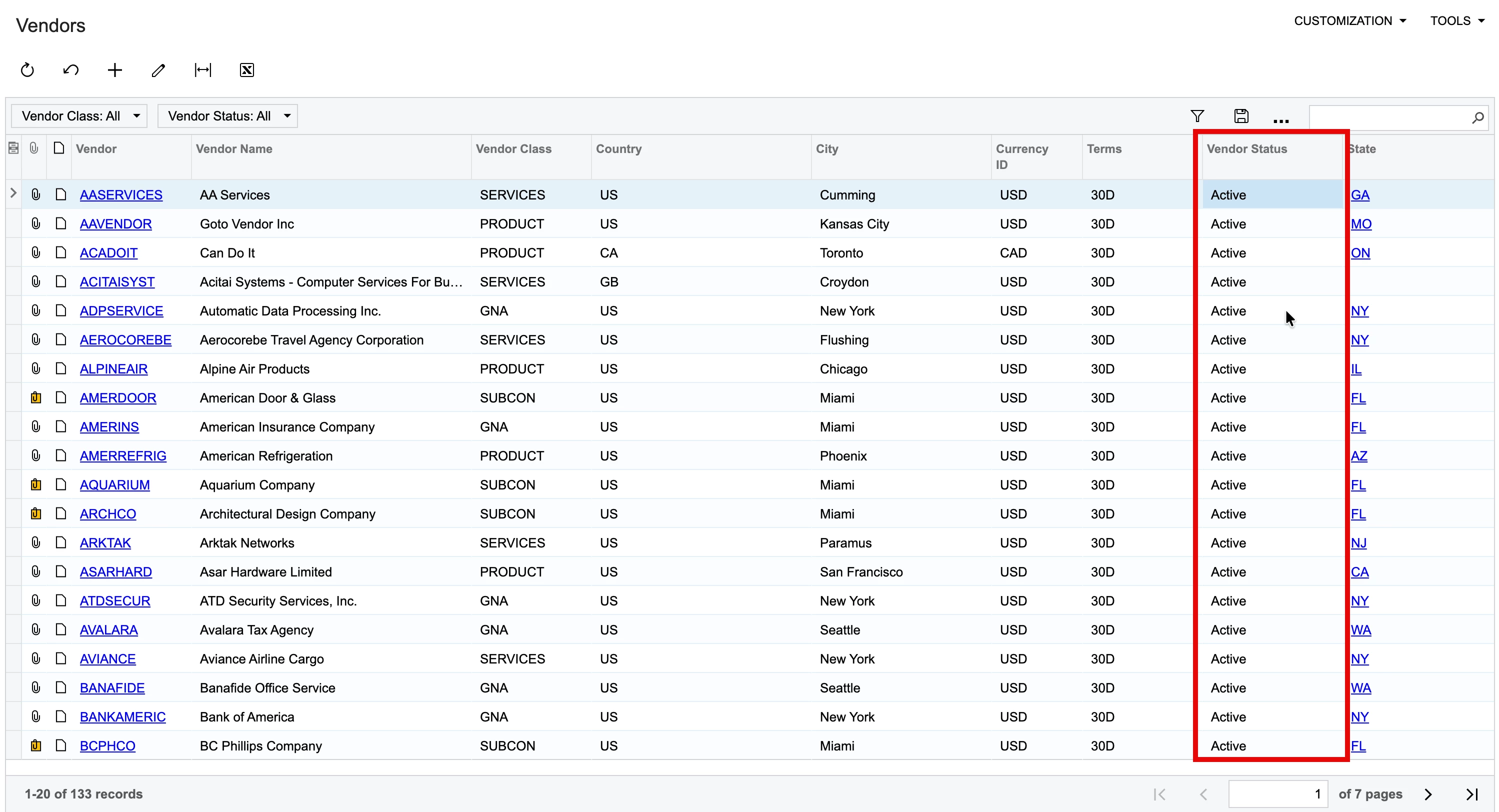
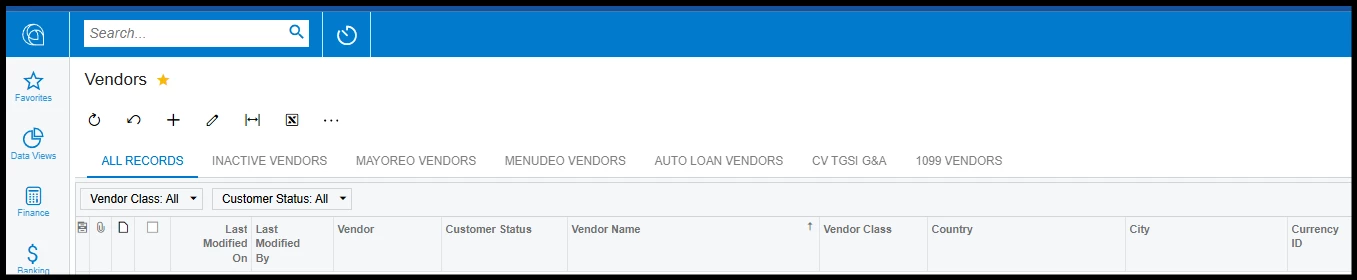
We are trying to clean up old vendors from our list vendor but do not have a way to identify the VENDOR status without having to drill down and open each one which is rather inefficient and not as useful as “VENDOR” status.  This may be to do a user before my time messing with the generic inquiry schema or is that how everyone’s vendor report appears. We do have MASS EDIT option SELECTED and can INACITIVE the VENDOR(s) accounts all at the same time once we have the VENDOR STATUS column available in the GENERIC INQUIRY.

Does anyone know our VENDOR GENERIC INQUIRY would have a column for CUSTOMER STATUS rather than VENDOR STATUS?  The Vendor status also does not appear in the list of fields that can be selected to be visible in the report edit options.  

3 replies

Forum|alt.badge.img
  • Semi-Pro III
  • December 22, 2025

Hi ​@HenryU The standard Vendor Generic Inquiry in Acumatica should contain the Vendor Status column. It is possible someone added the customer status to your GI or captioned a field “customer status.”

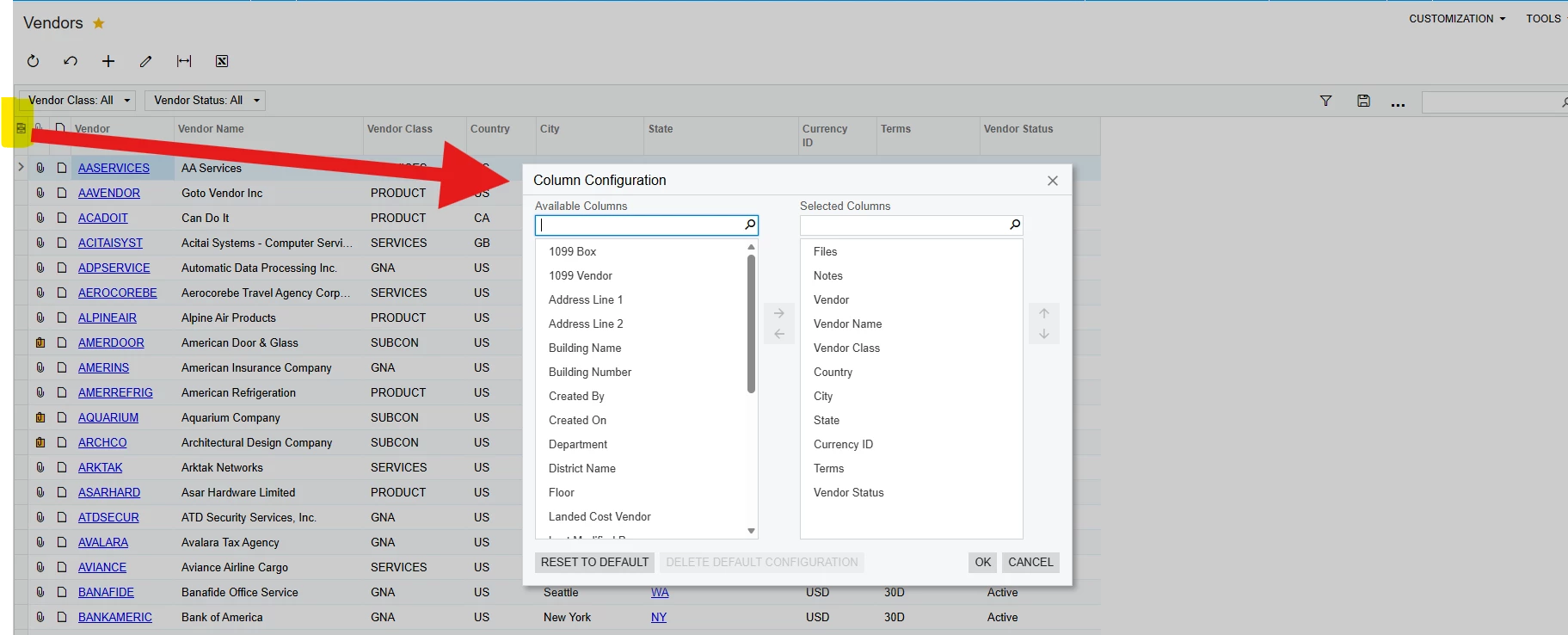
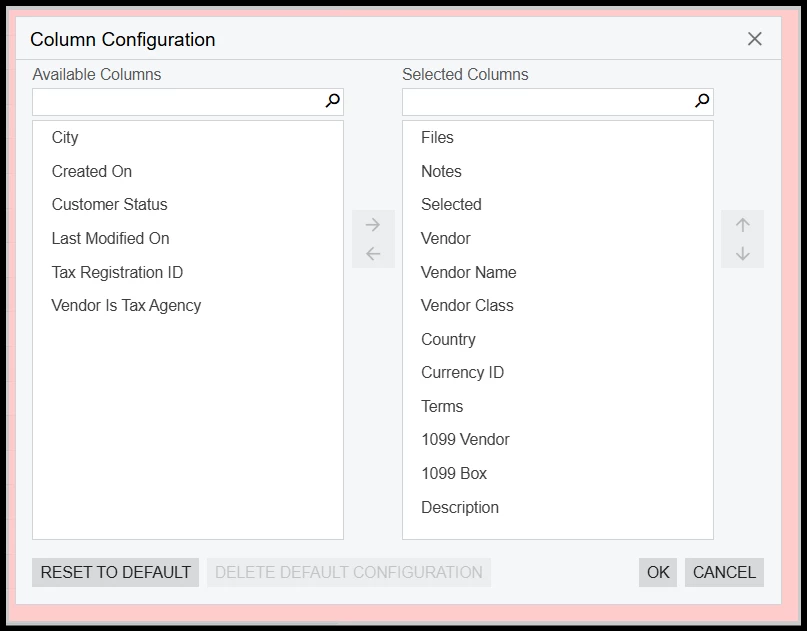
Have you tried checking the column configuration to see if the vendor status field is there or not?


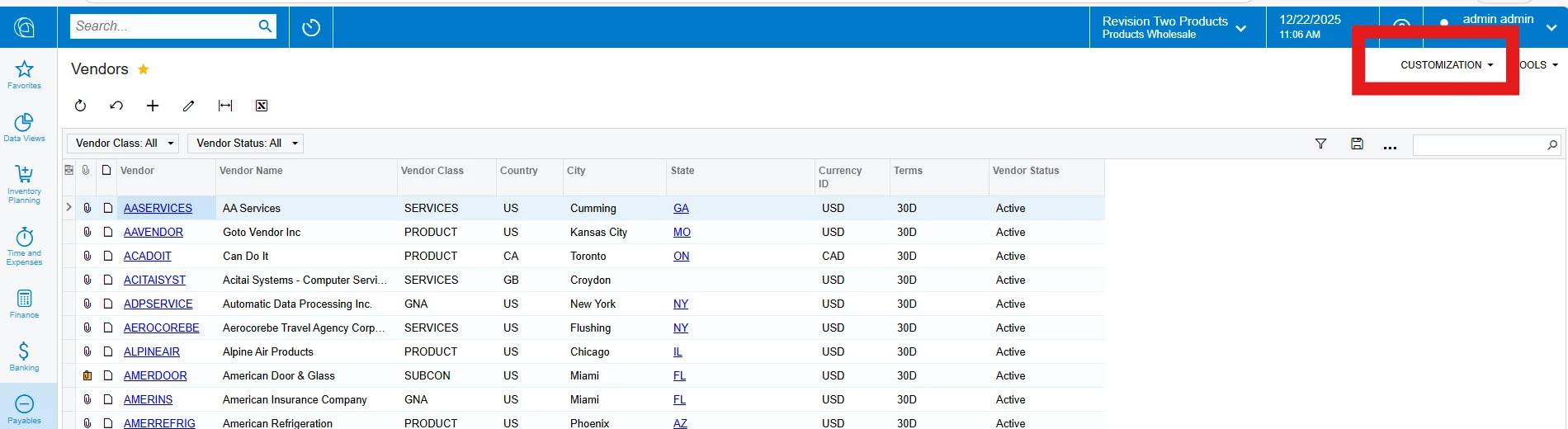
If you don’t see it in the column configuration, to add the vendor status back into the GI you can click on ‘Customization’ in the top right corner:


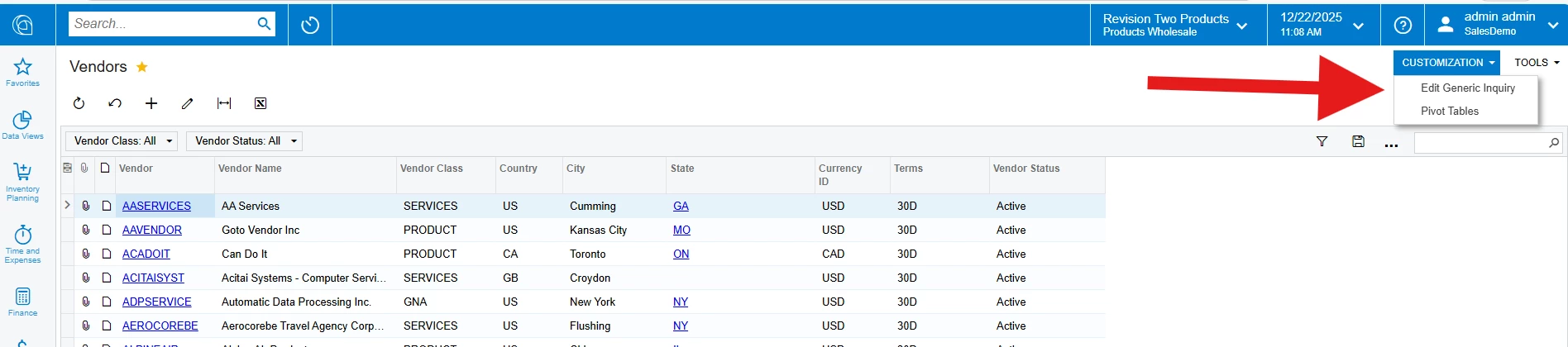
Then select the Edit Generic Inquiry option:


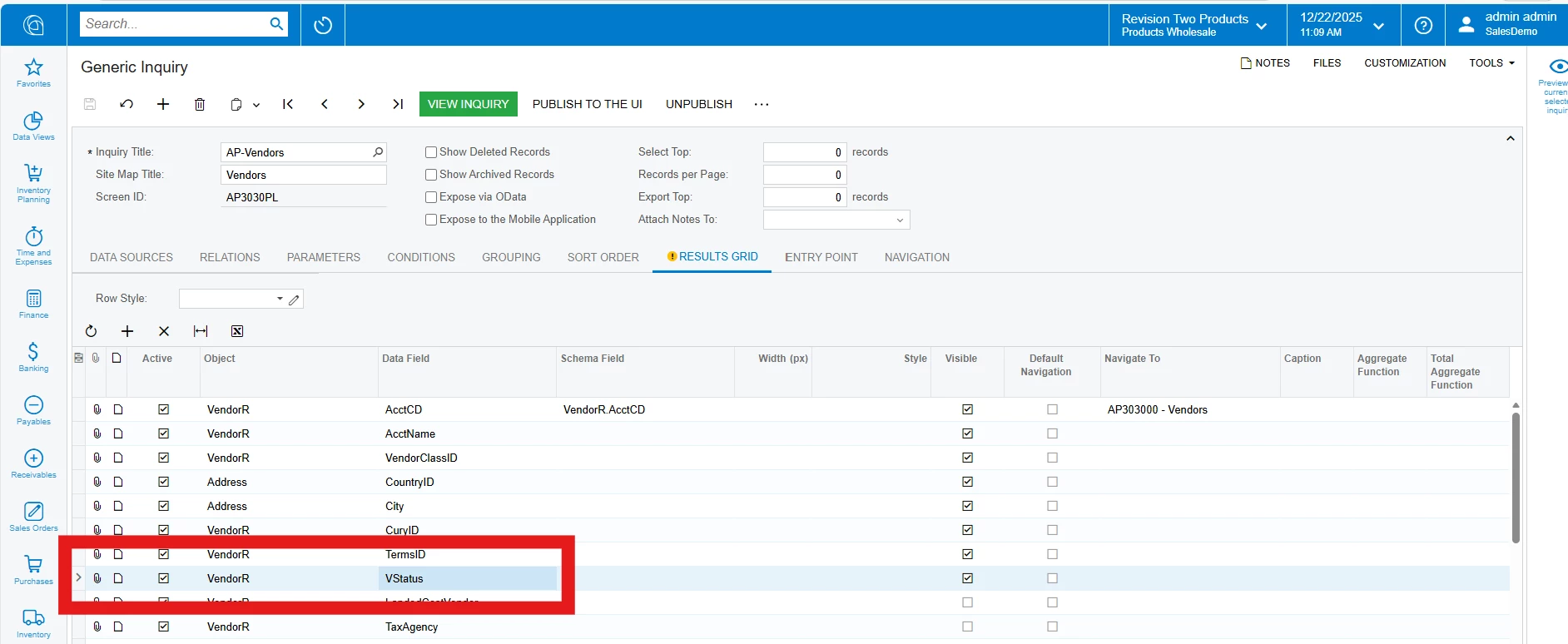
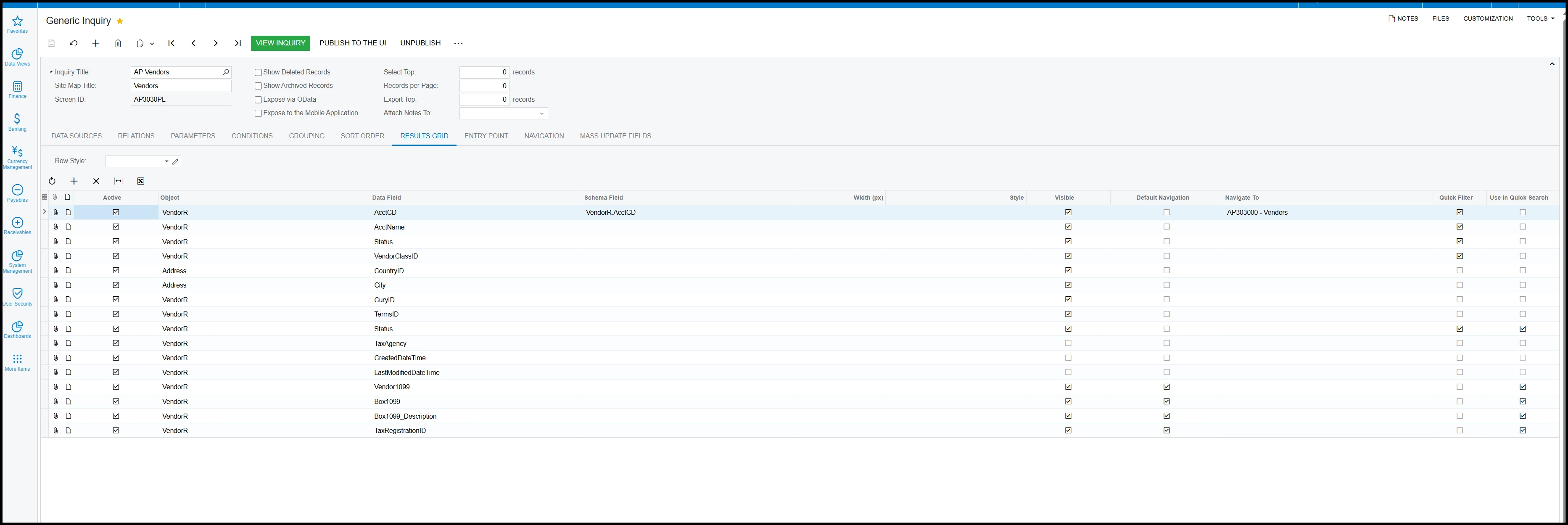
In the result grid, you can add the vendor status field here if you don’t see it already. 


I hope this helps, if you still don’t see the vendor status, please provide some screenshots to what you result grid looks like right now and we can help you out from there. 

Thanks!


  • Author
  • Freshman II
  • December 22, 2025

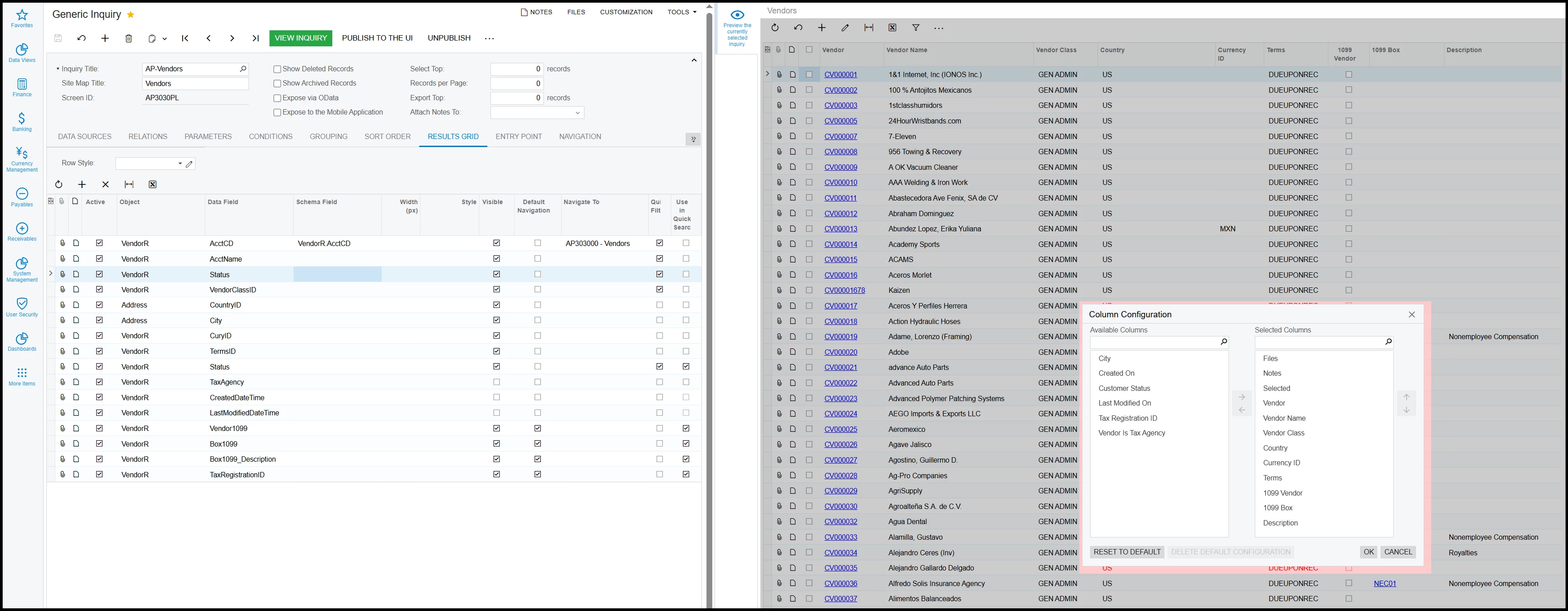
@jzhu Thank you for the quick response.  I checked the various screens you mentioned. 

  1.  
  2. VENDOR STATUS is not an option in the COLUMN CONFIGURATIONS
    1. I added the status but the COLUMN still doesn’t become an option in the COLUMN CONFIGRATIONS.

Any other Ideas? Or notice something else that may be the issue in the SCREENSHOTS?


jharris
Semi-Pro I
Forum|alt.badge.img+7
  • Semi-Pro I
  • December 22, 2025

@jzhu Thank you for the quick response.  I checked the various screens you mentioned. 

  1.  
  2. VENDOR STATUS is not an option in the COLUMN CONFIGURATIONS
    1. I added the status but the COLUMN still doesn’t become an option in the COLUMN CONFIGRATIONS.

Any other Ideas? Or notice something else that may be the issue in the SCREENSHOTS?


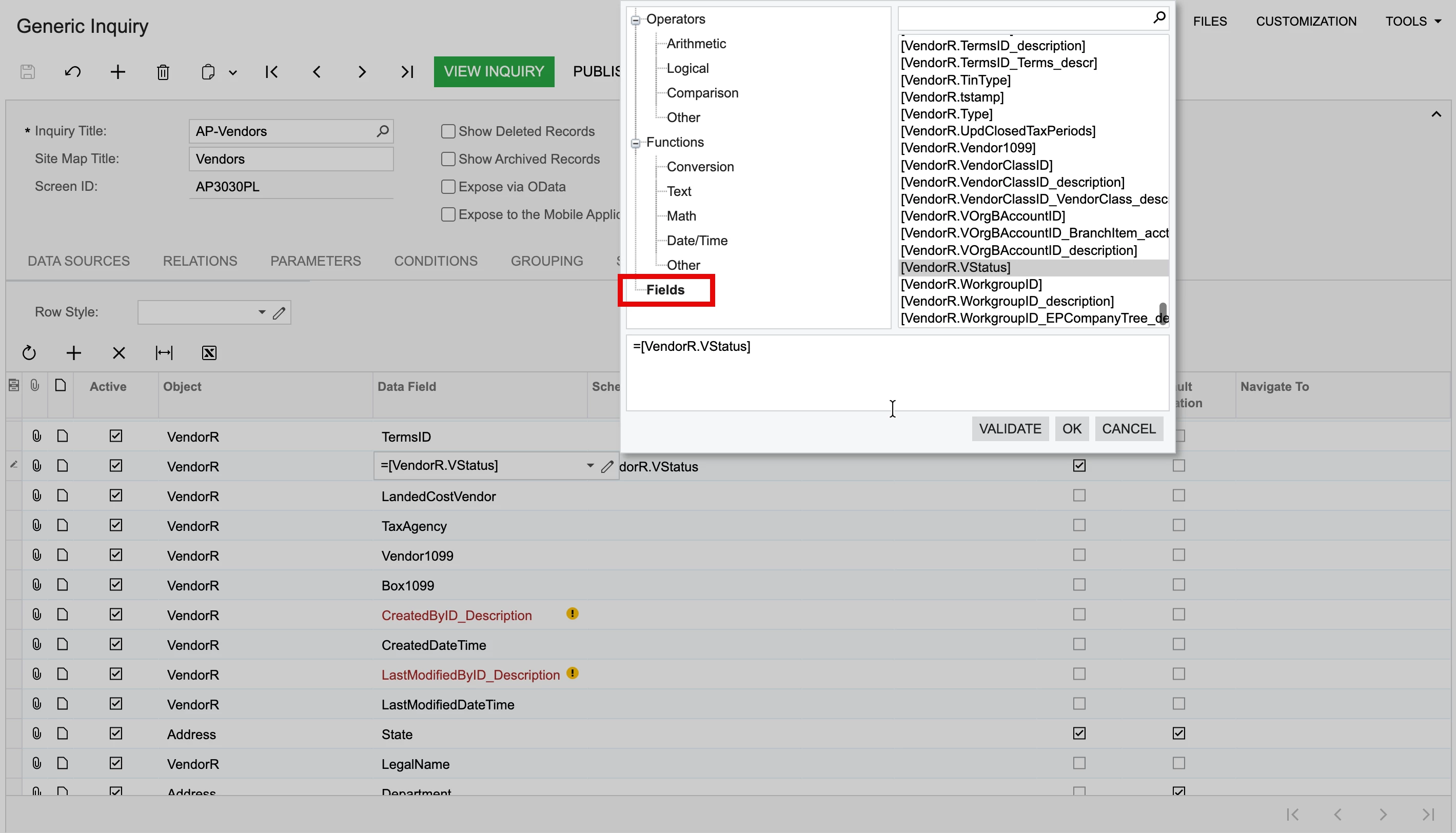
@HenryU  Hi there! To call this field is slightly different. You’ll edit the GI in the same way, but you’ll select the field by clicking on the pencil, then select fields, and scrolling down you’ll see [VendorR.VStatus], select that one by double clicking and it’ll put it in the formula box (Or manually type it in). Click Ok.


Under Schema Field, select VendorR.VStatus, save and you should now see the properly formatted vendor status show up on your GI.


Let me know if this helps.