Question

Generic Inquiry that is an exact copy of an existing one that work doesn't pull any records

  • July 9, 2026
  • 6 replies
  • 59 views

Forum|alt.badge.img

I have an existing GI that works and pulls records correctly.  I wanted to use it as a base for another GI.  I tried copy and paste from the clipboard,  I tried saving it as a template and I tried copying it by recreating from scratch using the same tables, conditions etc but the new one pulls no records before I even made any changes. I am completely stumped.  Has anyone else run into this issue?  We are on 2025 R2

6 replies

BenjaminCrisman
Acumatica Employee
Forum|alt.badge.img+4

@eucciferri35 Probably need to attach the before and after GIs or show some screenshots since I can’t be sure just based on the provided information.


bwhite49
Captain II
Forum|alt.badge.img+12
  • Captain II
  • July 9, 2026

There could be a number of things wrong I suppose. Is there a combo box parameter in the GI? I find copying and pasting no longer copies those combo box values, so that could be a possibility. 


Forum|alt.badge.img
  • Author
  • Varsity I
  • July 9, 2026

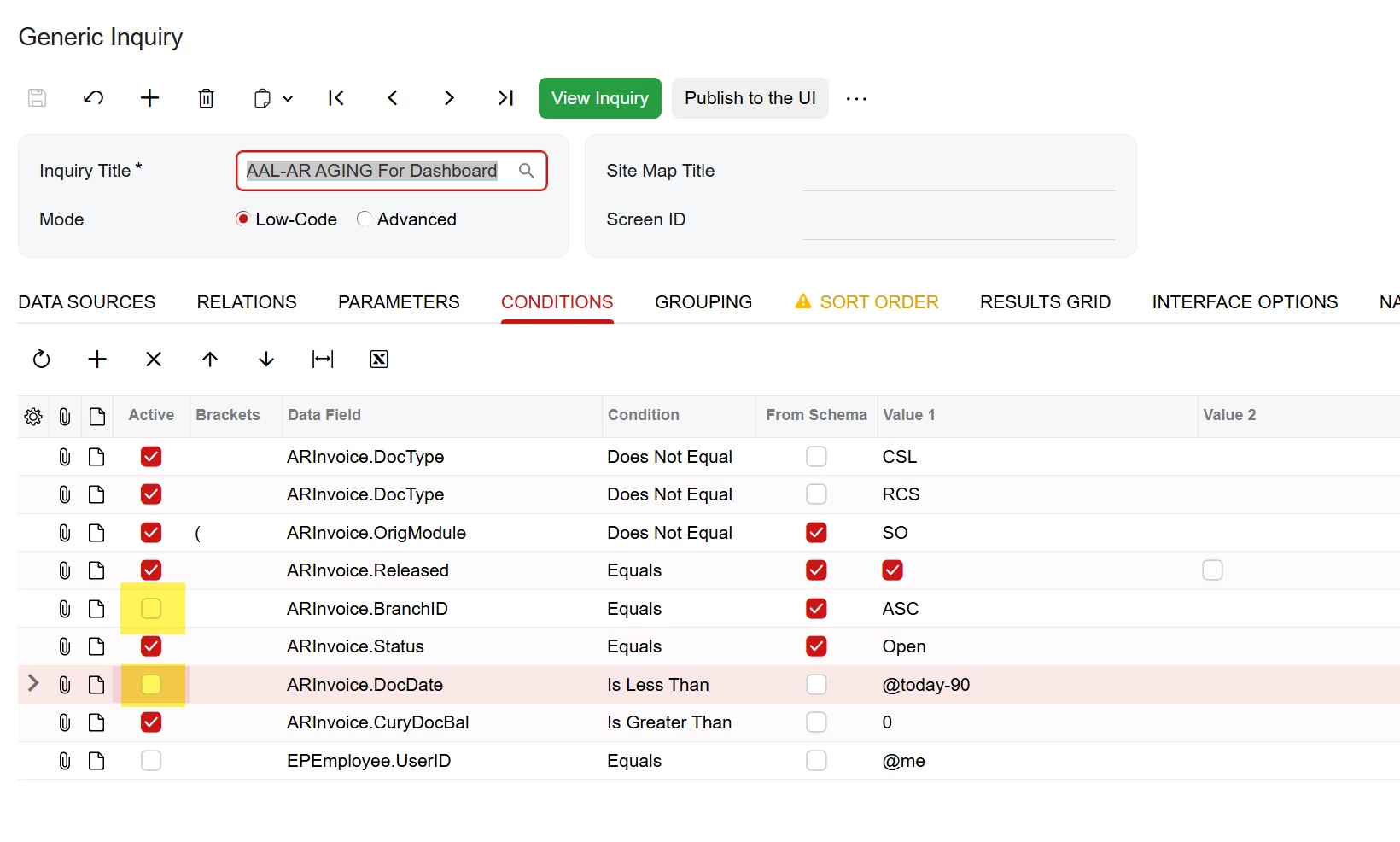
The one that works is AAL - AR Over 90 Days FINANCEDB(1) is the one that works.  The AAL-AR AGING for Dashboard(1) is the one that doesn’t return any results.


This is not the first time that this has happened.  In prior versions of Acumatica I was able to copy existing GI as a base to create new ones but for some reason there are hidden field or something where it doesn’t seem to work in 2025 R2.


bwhite49
Captain II
Forum|alt.badge.img+12
  • Captain II
  • July 9, 2026

I received results by turning off branch. I would turn off conditions until you receive results and then go from there.


BenjaminCrisman
Acumatica Employee
Forum|alt.badge.img+4
  • Acumatica Support Team
  • July 10, 2026

@eucciferri35 Same as ​@bwhite49 Typically when something is not working correctly in the GI it’s best to roll back conditions, relations, and fields/functions until you can get results, then add the layers back on until it’s clear where the issue is stemming from.


WillH
Semi-Pro II
Forum|alt.badge.img+4
  • Semi-Pro II
  • July 15, 2026

@eucciferri35 
4 questions for my own curiosity:

  1. Is your Generic Inquiry screen on Classic UI or Modern UI mode?
  2. To create your new GI Are you using:
    1. Copy/Paste  process
    2. Export/Import process
      Note, if doing this, you need to modify the XML to change the database keys


  3. Does using the other method (Export Import instead of Copy paste, vice versa) resolve the issue?
  4. What exact build are you on? While it doesn’t come up often, there are a lot of exact builds you could be on for any given version of Acumatica.