Solved

Generic inquiry for Sales (Open and invoiced lines)

  • February 17, 2026
  • 7 replies
  • 4 views

Forum|alt.badge.img

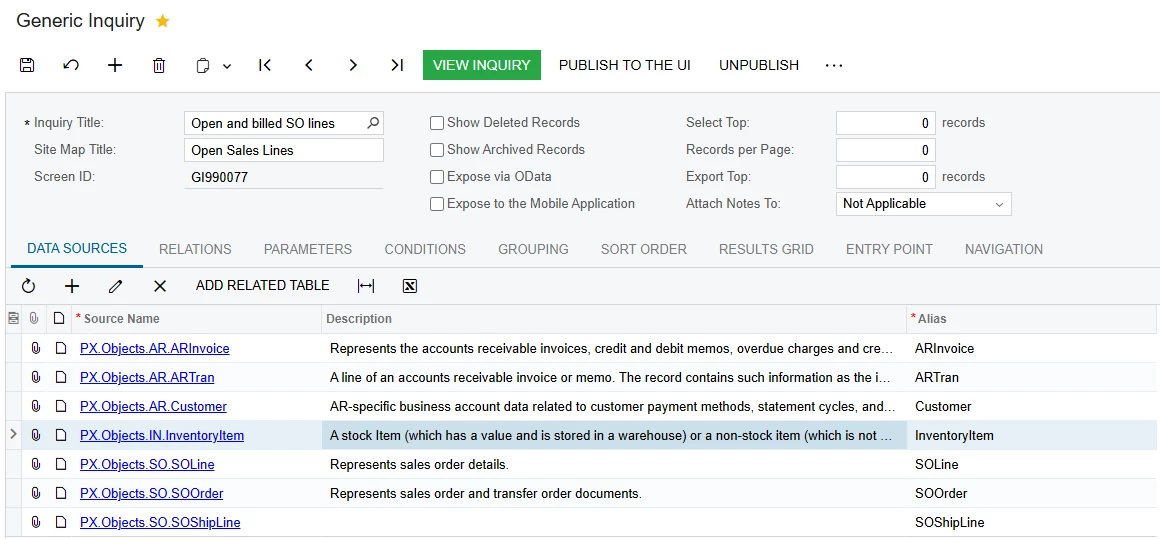
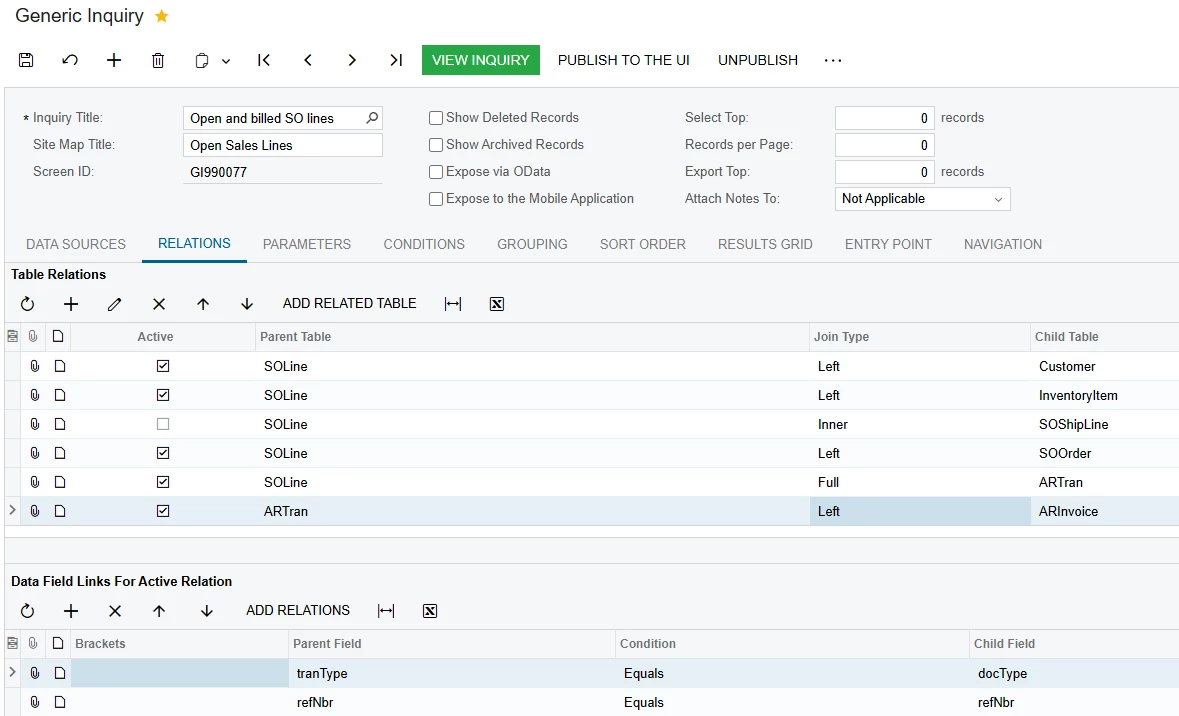
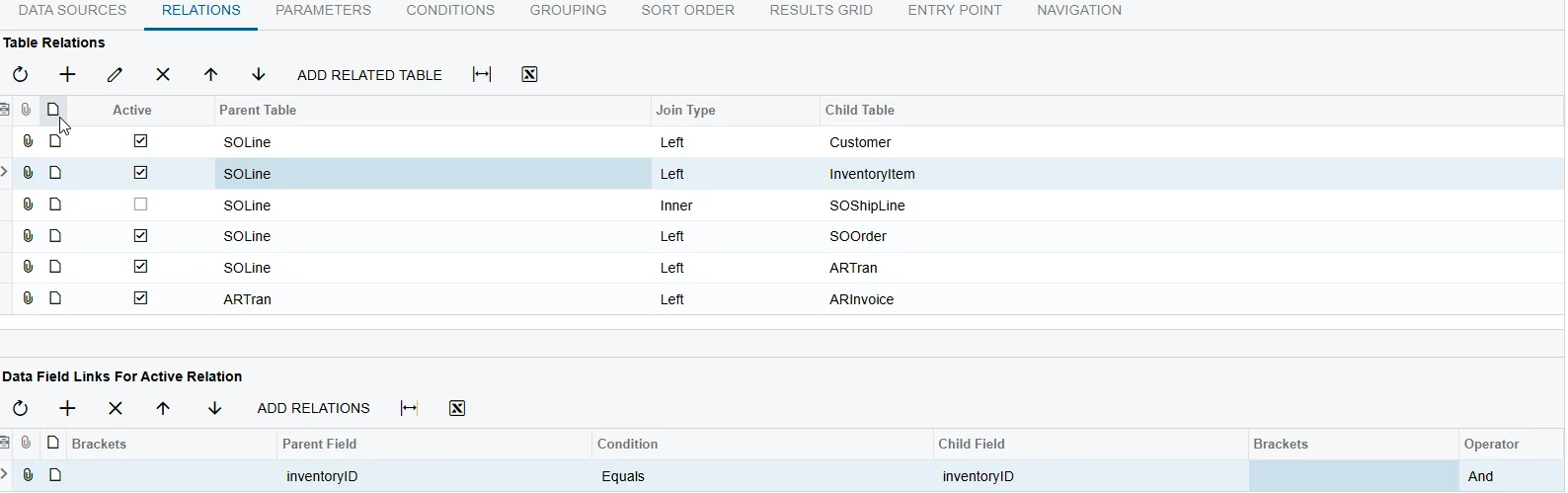
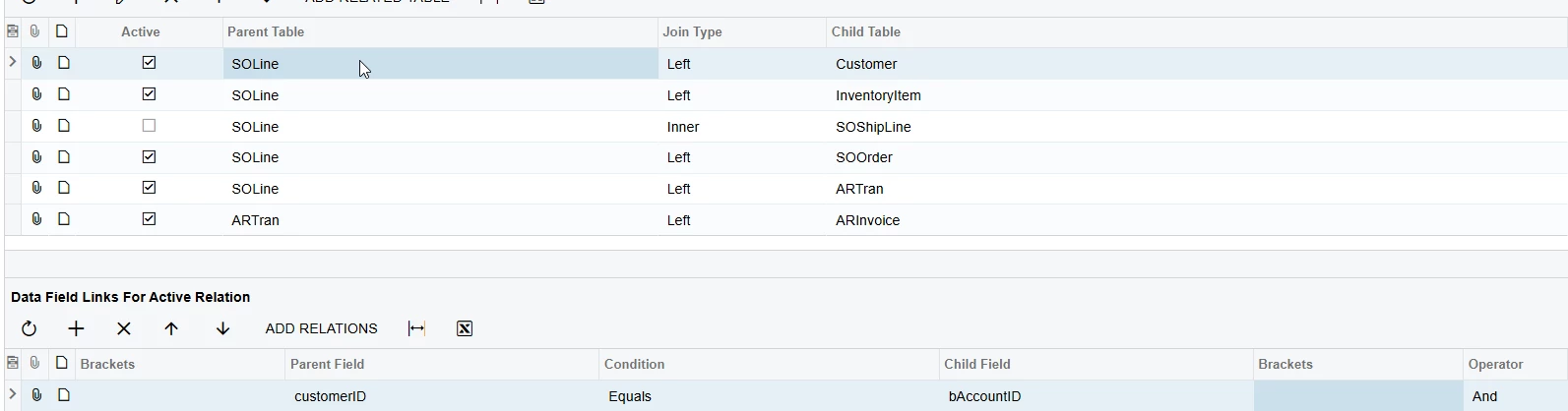
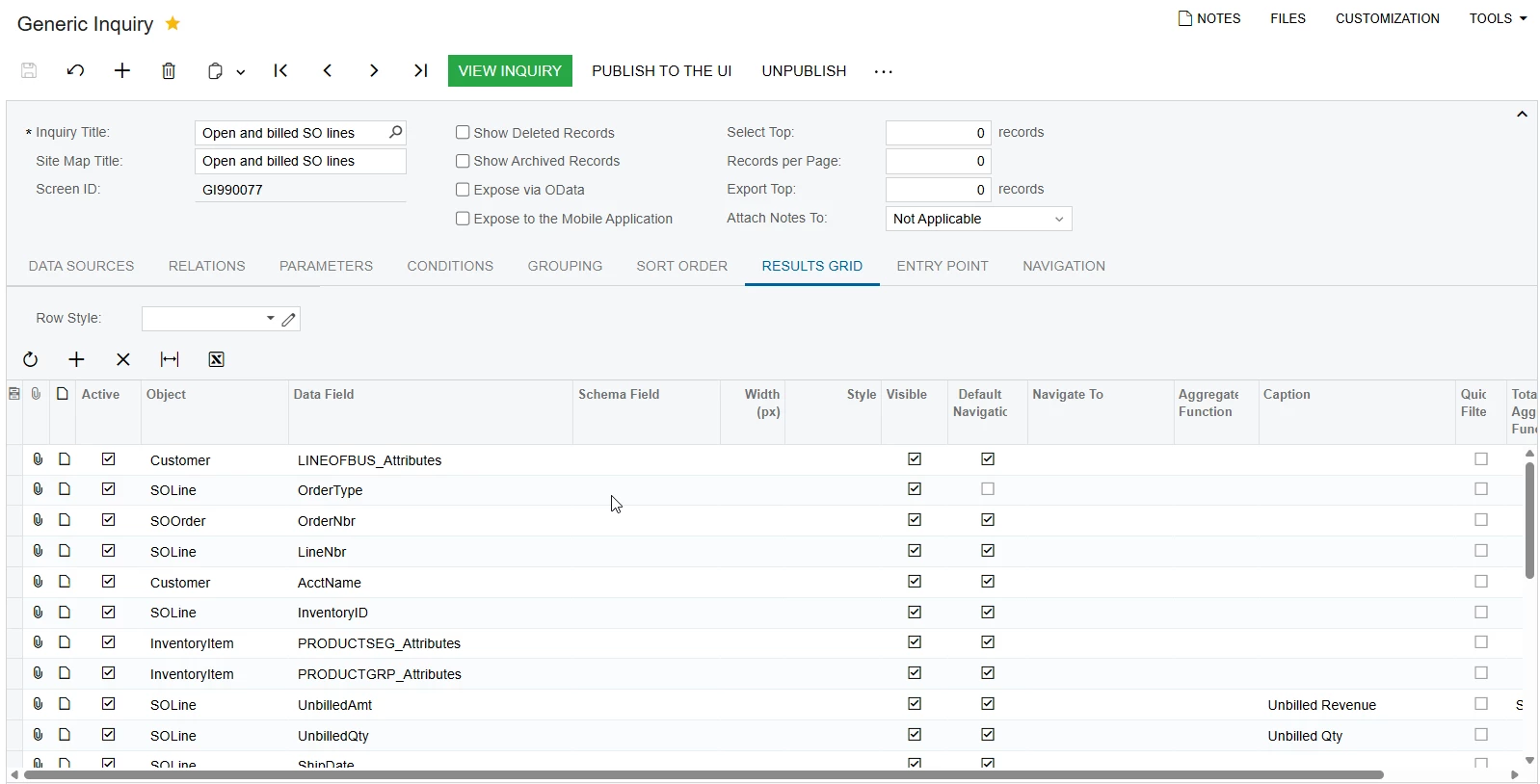
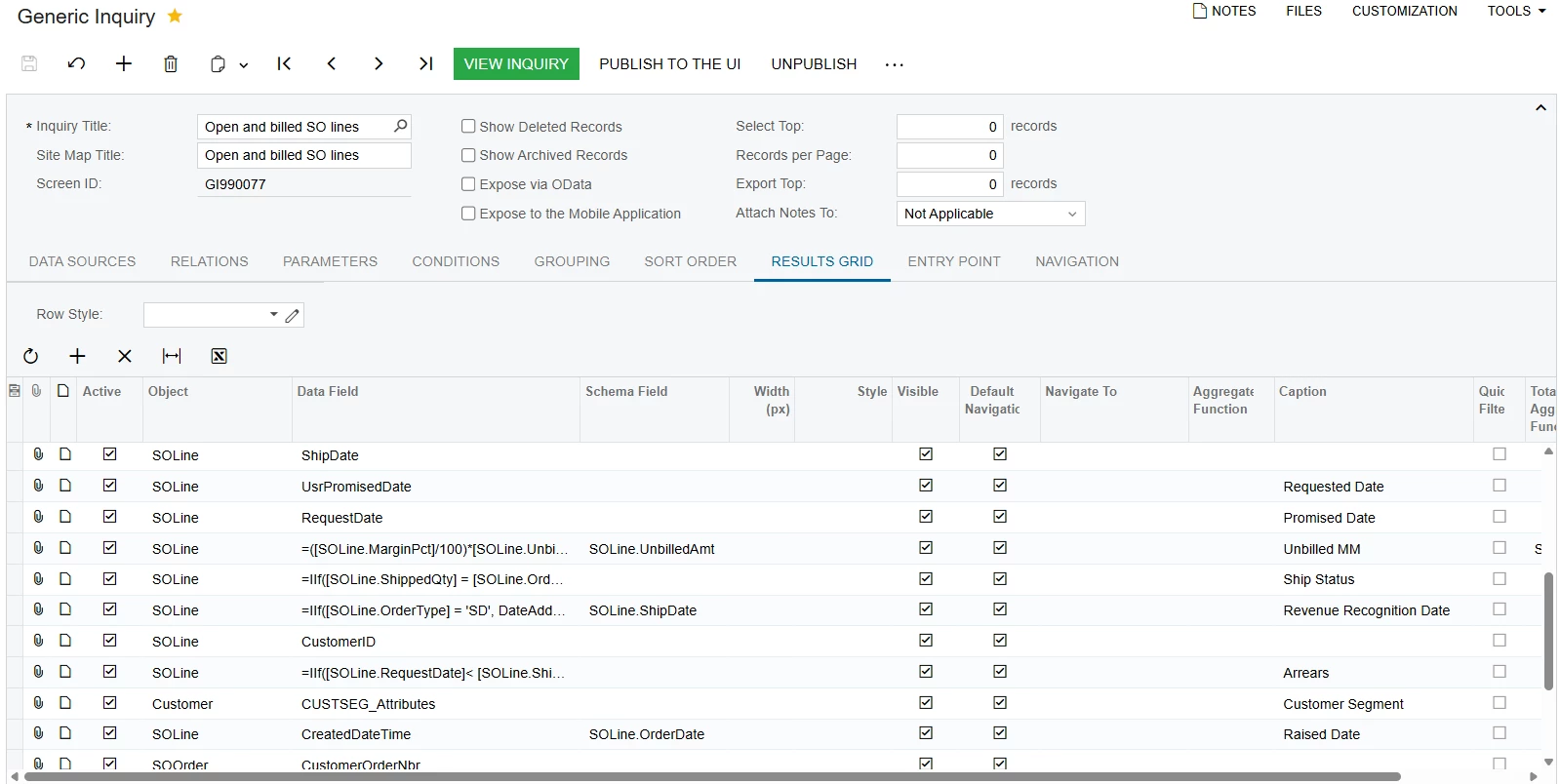
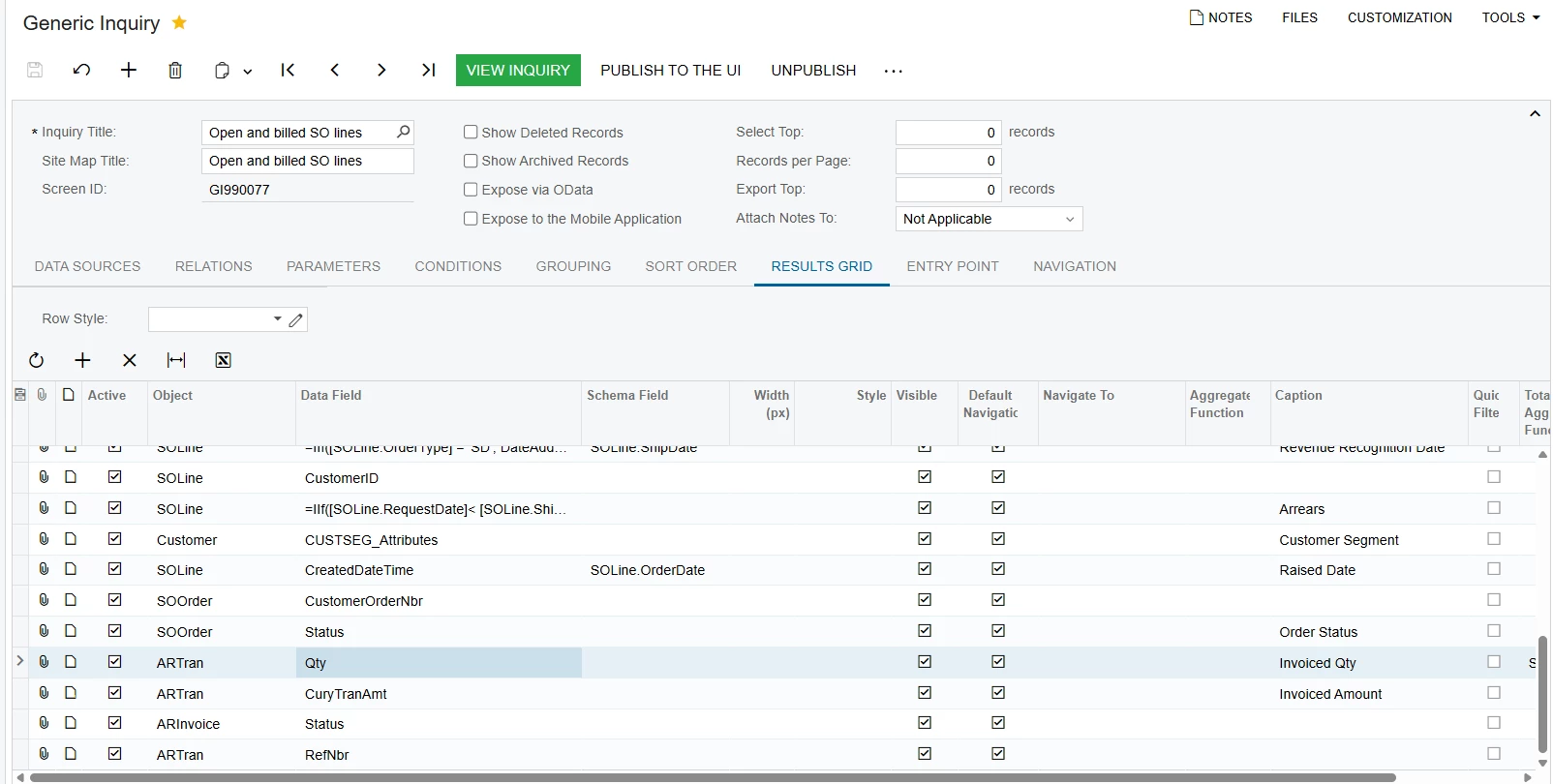
I would like to know if anyone has already created a GI report for sales to monitor both open and already realized items for planning purposes. I have started building a new GI by copying an existing GI for open sales positions from sales orders, and I would now like to add invoiced positions as well. I am encountering difficulties, as it seems that the relationships are not set up correctly. Could someone here assist me with this?


Best answer by aryanjadhav50

@aryanjadhav50 we noticed that the report is not showing correctly when there has ben made split shipments. 

Notice that we sent (and invoiced) 64 boxes in August, and the other 64 boxes in July.  So the revenue for this sales line was split across different months

GI shows the total line revenue as one transaction with the revenue for all 125 boxes in August:


This happens because your GI is grouped at the SOLine level, so all related ARTran records are summed into one total and shown under a single month.

With split shipments and invoices, revenue must be analyzed at the ARTran level.

To fix this, either:

  1. Add ARInvoice.DocDate or ARInvoice.FinPeriodID to the grouping along with:
    SOLine.OrderType
    SOLine.OrderNbr
    SOLine.LineNbr

This will separate July and August into different rows.

Or better:

Use ARTran as the base table, then join to SOLine and ARInvoice. Since revenue lives in ARTran, each invoice transaction will appear separately, and the revenue will be correctly split by month.

If you summarize only from SOLine, split invoices will always collapse into one total.

7 replies

abhimanyuprajapati52
Jr Varsity I
Forum|alt.badge.img

Hi ​@aspindler,

  1. Keep SOLine as the primary table.

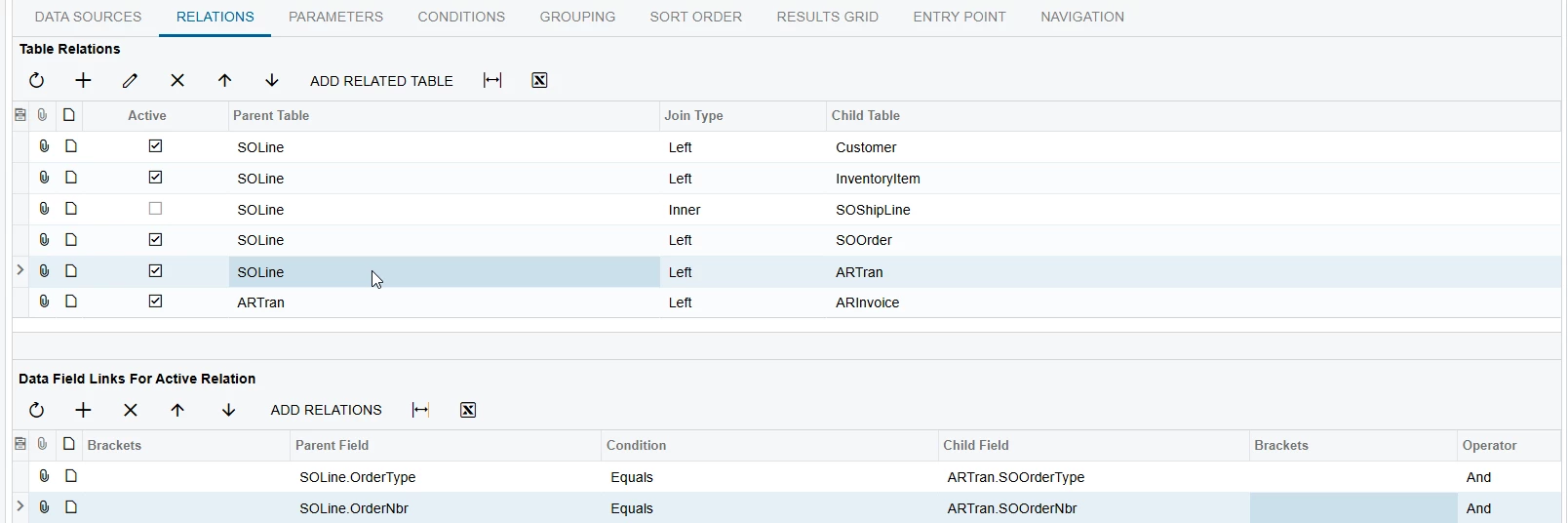
  2. Add ARTran with a Left Join.

  3. Join using:

    • SOLine.OrderType = ARTran.SOOrderType

    • SOLine.OrderNbr = ARTran.SOOrderNbr

    • SOLine.LineNbr = ARTran.SOOrderLineNbr

  4. Then join ARInvoice to ARTran using:

    • ARTran.TranType = ARInvoice.DocType

    • ARTran.RefNbr = ARInvoice.RefNbr

Using these SO reference fields ensures invoiced lines link correctly while still showing open lines (because of the Left Join).


aryanjadhav50
Jr Varsity I
Forum|alt.badge.img
  • Jr Varsity I
  • February 17, 2026

Hi ​@aspindler 
 

Yes, this is possible. The issue is only the relationship setup.

Base table
SO.SOLine

Required joins

  1. SOLine → SOOrder
    Join Type: Inner
    SOLine.OrderType = SOOrder.OrderType
    SOLine.OrderNbr = SOOrder.OrderNbr

  2. SOLine → ARTran
    Join Type: Left
    ARTran.SOOrderType = SOLine.OrderType
    ARTran.SOOrderNbr = SOLine.OrderNbr
    ARTran.SOOrderLineNbr = SOLine.LineNbr

This is the correct link between invoice lines and sales order lines. Do not join ARTran only by RefNbr.

  1. ARTran → ARInvoice
    Join Type: Left
    ARTran.TranType = ARInvoice.DocType
    ARTran.RefNbr = ARInvoice.RefNbr

To identify status
If ARTran.RefNbr is null → Open
If ARTran.RefNbr is not null → Invoiced

For partial invoices, group by SOLine keys and sum ARTran.Qty to get total invoiced quantity.

With this structure, the GI will correctly show open, partially invoiced, and fully invoiced sales order lines in one inquiry.


Forum|alt.badge.img
  • Author
  • Freshman I
  • February 17, 2026

Thank you ​@aryanjadhav50 and ​@abhimanyuprajapati52 

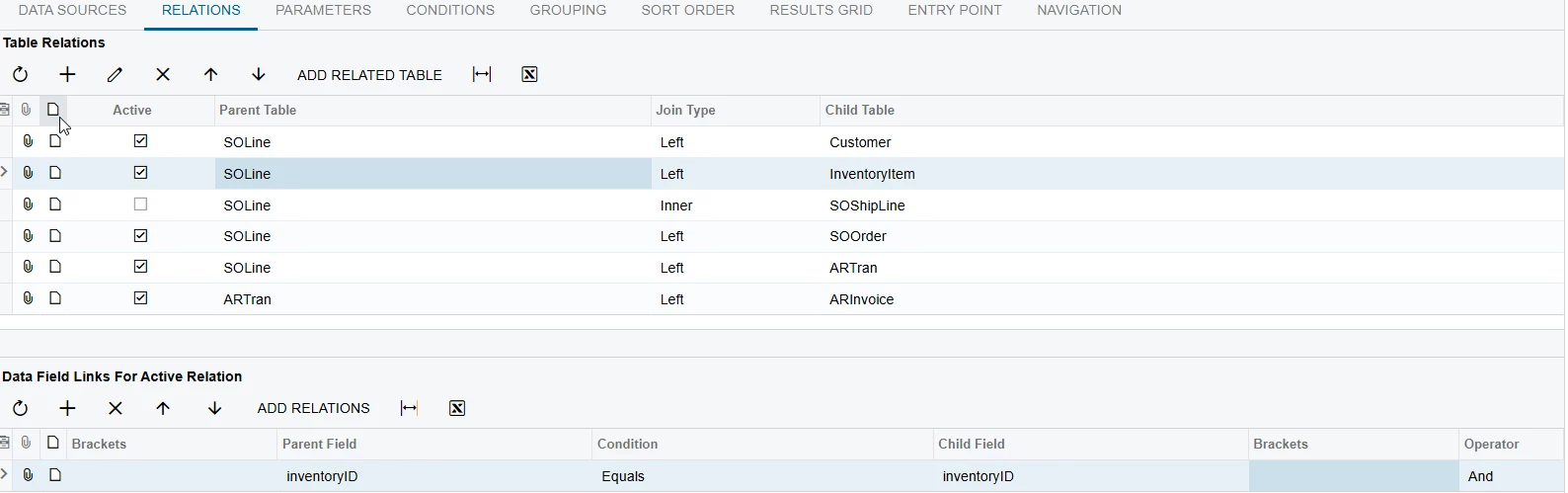
I set up as you mentioned, but still i didnt get all other invoiced lines. Dont know what is still missing or is wrong?


aryanjadhav50
Jr Varsity I
Forum|alt.badge.img
  • Jr Varsity I
  • February 17, 2026

Thank you ​@aryanjadhav50 and ​@abhimanyuprajapati52 

I set up as you mentioned, but still i didnt get all other invoiced lines. Dont know what is still missing or is wrong?


The missing invoiced lines are usually caused by the join setup.

Use the following structure:

Base table
SOLine

Relations

SOLine → SOOrder
Join Type: Inner
SOLine.OrderType = SOOrder.OrderType
SOLine.OrderNbr = SOOrder.OrderNbr

SOLine → ARTran
Join Type: Left
ARTran.SOOrderType = SOLine.OrderType
ARTran.SOOrderNbr = SOLine.OrderNbr
ARTran.SOOrderLineNbr = SOLine.LineNbr

This is the correct link between sales order lines and invoice lines. Do not join ARTran by RefNbr only.

ARTran → ARInvoice
Join Type: Left
ARTran.TranType = ARInvoice.DocType
ARTran.RefNbr = ARInvoice.RefNbr

Important checks

Make sure you do not add conditions on ARTran fields in the Conditions tab (for example ARTran.Released = True), because this will turn the Left join into an Inner join and remove open lines.

If you need only released invoices, use:
ARInvoice.Released = True

For partial invoices, group by:
SOLine.OrderType
SOLine.OrderNbr
SOLine.LineNbr

Sum ARTran.Qty and ARTran.CuryTranAmt to get total invoiced quantity and amount.

If some invoiced lines are still missing, verify in ARTran that the fields SOOrderType, SOOrderNbr, and SOOrderLineNbr are populated. If these fields are empty, the invoice was not created from the sales order and cannot be linked to SOLine.

With this setup, the GI will show open, partially invoiced, and fully invoiced sales order lines correctly in one inquiry.

Try this once.


Forum|alt.badge.img
  • Author
  • Freshman I
  • February 17, 2026

Thank you ​@aryanjadhav50 will try and test with the users and will let you know. Thank you.


Forum|alt.badge.img
  • Author
  • Freshman I
  • February 19, 2026

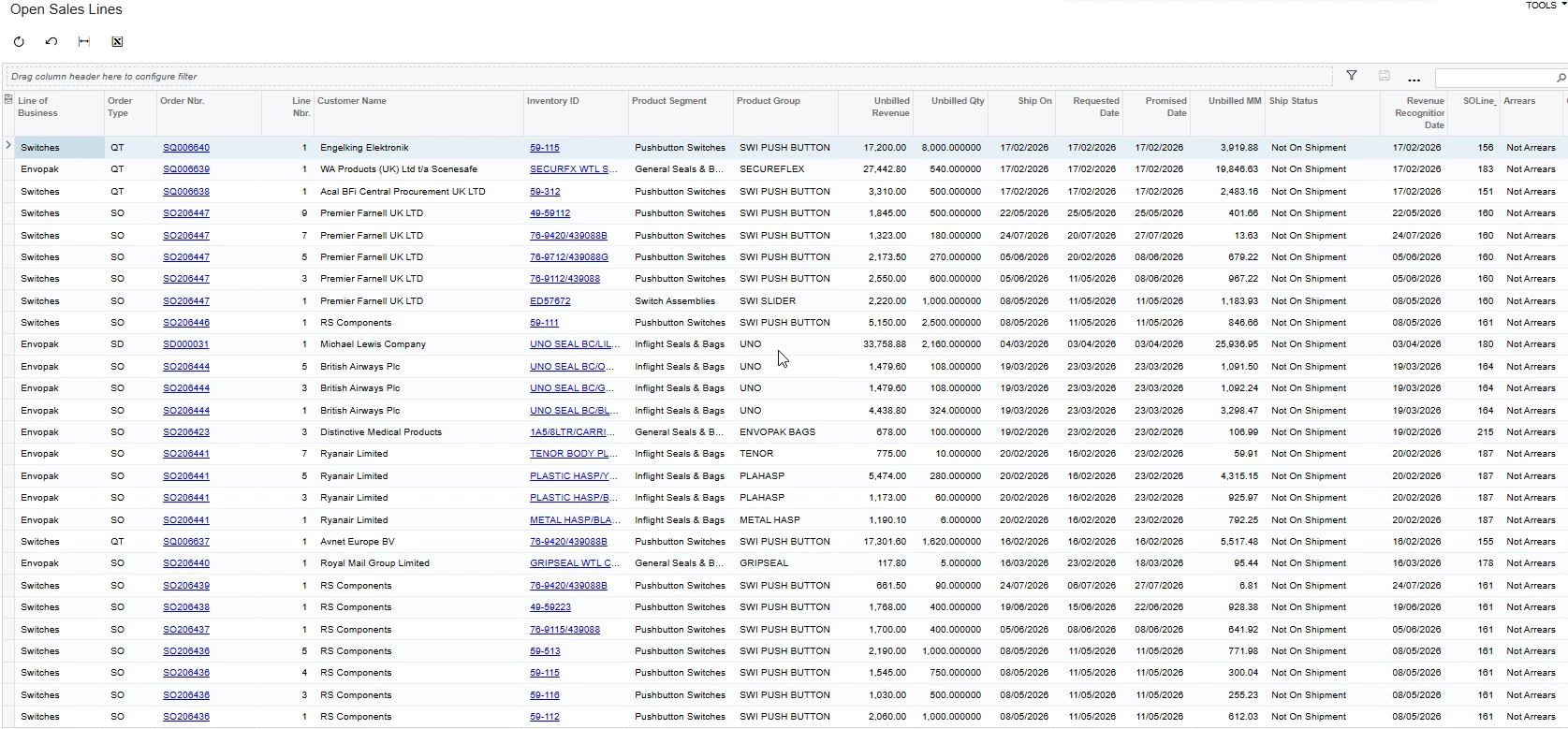
@aryanjadhav50 we noticed that the report is not showing correctly when there has ben made split shipments. 

Notice that we sent (and invoiced) 64 boxes in August, and the other 64 boxes in July.  So the revenue for this sales line was split across different months

GI shows the total line revenue as one transaction with the revenue for all 125 boxes in August:


aryanjadhav50
Jr Varsity I
Forum|alt.badge.img
  • Jr Varsity I
  • Answer
  • February 19, 2026

@aryanjadhav50 we noticed that the report is not showing correctly when there has ben made split shipments. 

Notice that we sent (and invoiced) 64 boxes in August, and the other 64 boxes in July.  So the revenue for this sales line was split across different months

GI shows the total line revenue as one transaction with the revenue for all 125 boxes in August:


This happens because your GI is grouped at the SOLine level, so all related ARTran records are summed into one total and shown under a single month.

With split shipments and invoices, revenue must be analyzed at the ARTran level.

To fix this, either:

  1. Add ARInvoice.DocDate or ARInvoice.FinPeriodID to the grouping along with:
    SOLine.OrderType
    SOLine.OrderNbr
    SOLine.LineNbr

This will separate July and August into different rows.

Or better:

Use ARTran as the base table, then join to SOLine and ARInvoice. Since revenue lives in ARTran, each invoice transaction will appear separately, and the revenue will be correctly split by month.

If you summarize only from SOLine, split invoices will always collapse into one total.