Answer

Generic Inquiry - Adding selectable customer attributes

  • August 29, 2025
  • 8 replies
  • 176 views

jyounes
Jr Varsity II
Forum|alt.badge.img+1

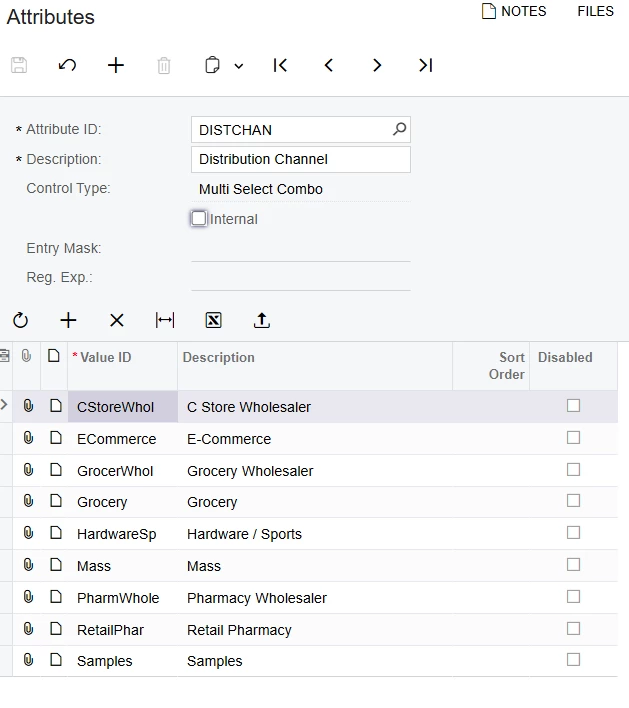
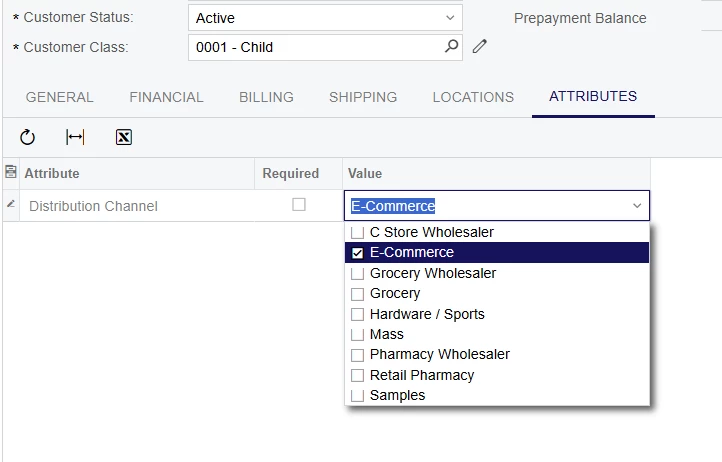
Im trying to add this field to sales order Generic Inquiry.  Currently its duplicating the results for each line by every possible Attribute Value and not the one that is selected.  Is there an option or formula for it to display only the selected value?


Best answer by bwhite49

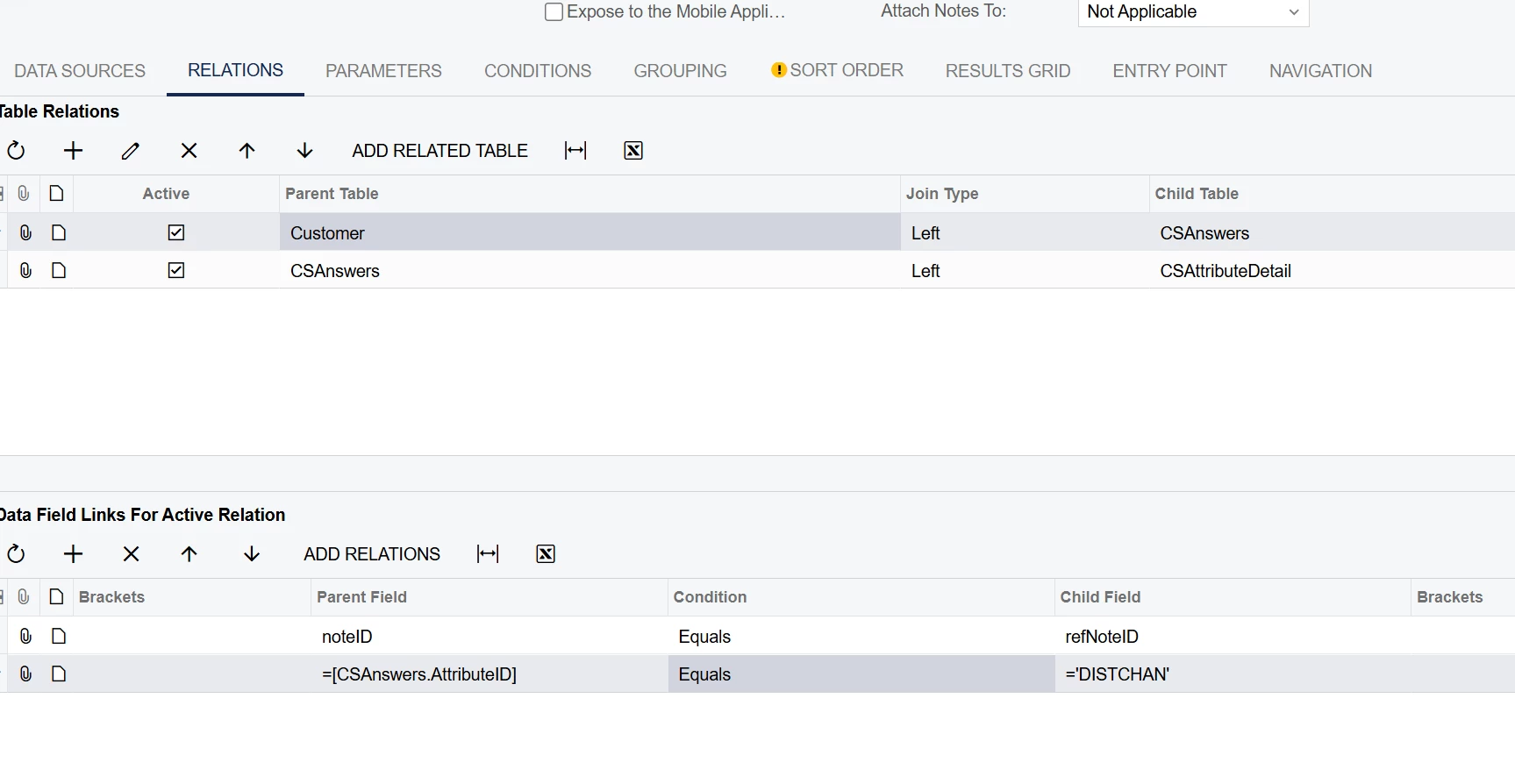
You are missing the CSAnswers table where the actual values are stored for the customer. To get those values use this join...

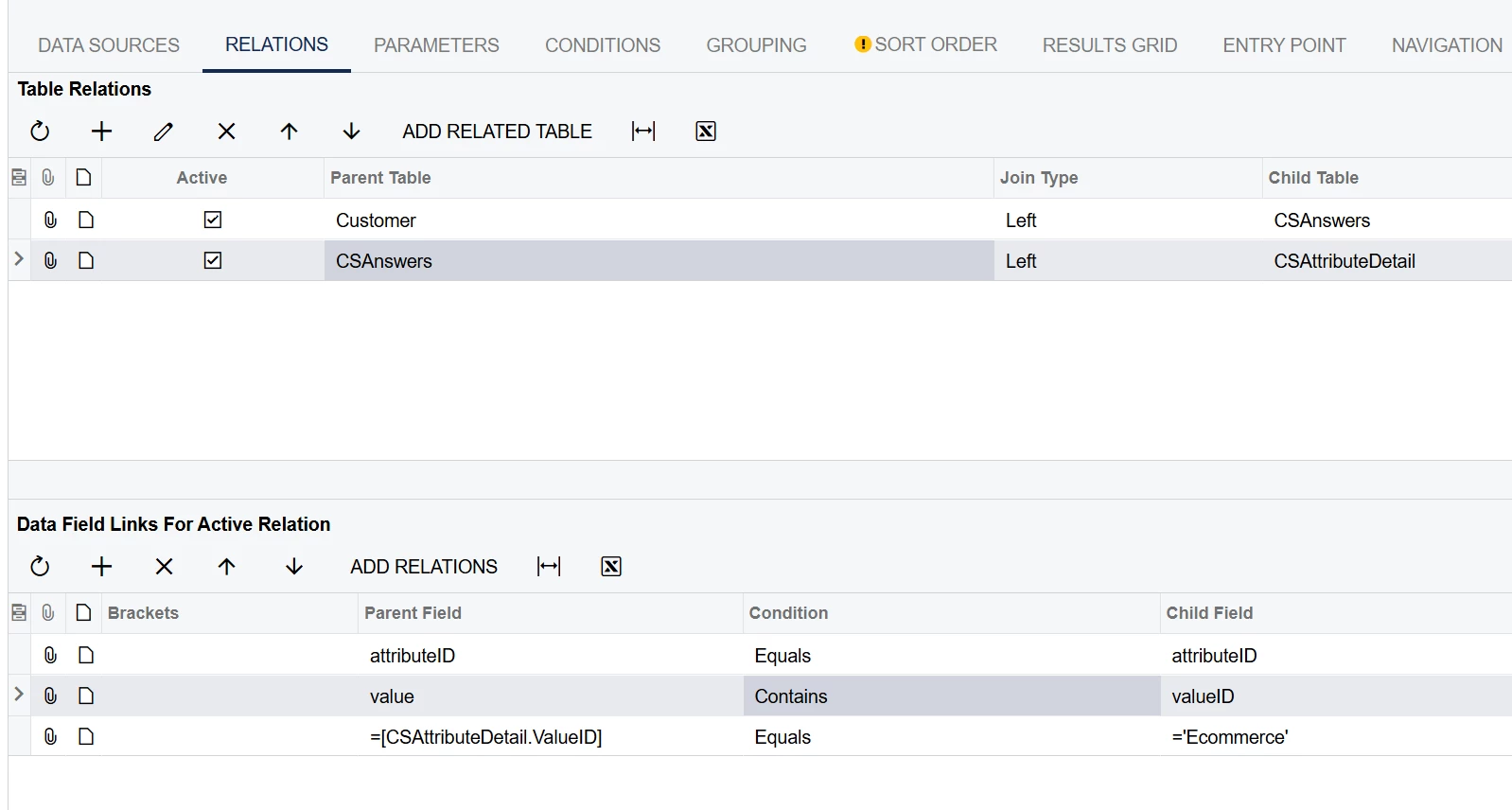
That might be all you need, but if you need the description from the detail table you could try below, but you would need a join for every value ID. Hopefully you can just work with the first join.


8 replies

BenjaminCrisman
Acumatica Employee
Forum|alt.badge.img+4
  • Acumatica Support Team
  • August 29, 2025

Hi @jyounes! If you only want to display a single value, E-Commerce, then you’ll need to have this in the relations where you’re joining in CSAttributeDetail. Otherwise all attribute values will be brought in and no amount of functions or clever tricks will stop them.

Add a line like [CSAttributeDetail.ValueID] |  Equals  |  =’E-Commerce’


jyounes
Jr Varsity II
Forum|alt.badge.img+1
  • Author
  • Jr Varsity II
  • August 29, 2025

Not to display A single value but the value that is selected.


BenjaminCrisman
Acumatica Employee
Forum|alt.badge.img+4
  • Acumatica Support Team
  • August 29, 2025

I see, well with multi-combo box values that could be a little tricky but maybe you could try something like =IIF([CSAttriubteDetail.ValueID]<>’’, [CSAttributeDetail.ValueID], ‘’). The could be a better way I’m not thinking of right now due to the utter lack of sleep I am experiencing, but otherwise I think you may need to chain IIFs or ORs together like; =IIF([CSAttriubteDetail.ValueID]=’E-Commerce’, [CSAttributeDetail.ValueID], IIF([CSAttriubteDetail.ValueID]=’C Store Wholesaler’, [CSAttriubteDetail.ValueID], IIF([CSAttriubteDetail.ValueID]=’Grocery’, [CSAttriubteDetail.ValueID], ...etc


jyounes
Jr Varsity II
Forum|alt.badge.img+1
  • Author
  • Jr Varsity II
  • August 29, 2025

I see, well with multi-combo box values that could be a little tricky but maybe you could try something like =IIF([CSAttriubteDetail.ValueID]<>’’, [CSAttributeDetail.ValueID], ‘’). The could be a better way I’m not thinking of right now due to the utter lack of sleep I am experiencing, but otherwise I think you may need to chain IIFs or ORs together like; =IIF([CSAttriubteDetail.ValueID]=’E-Commerce’, [CSAttributeDetail.ValueID], IIF([CSAttriubteDetail.ValueID]=’C Store Wholesaler’, [CSAttriubteDetail.ValueID], IIF([CSAttriubteDetail.ValueID]=’Grocery’, [CSAttriubteDetail.ValueID], ...etc

Tried both, The first one doesn't work, and the second one still duplicates the lines but for each attribute on the list but only displays one (I only did one IF for e-commerce to test it)


bwhite49
Captain II
Forum|alt.badge.img+10
  • Captain II
  • Answer
  • August 29, 2025

You are missing the CSAnswers table where the actual values are stored for the customer. To get those values use this join...

That might be all you need, but if you need the description from the detail table you could try below, but you would need a join for every value ID. Hopefully you can just work with the first join.


jyounes
Jr Varsity II
Forum|alt.badge.img+1
  • Author
  • Jr Varsity II
  • August 29, 2025

This looked like it worked, I excluded the last fata field because I want more than just Ecommerce and it shows the correct attribute per customer without duplicating now.


Preeti Rayen
Freshman I
  • Freshman I
  • September 4, 2025

@jyounes  - Can you please send the screenshot of relations tab for each join , grouping and results grid? I am trying to build a similar GI and the attribute will have multi-selection. Hope the multi-selection works too for you.


jyounes
Jr Varsity II
Forum|alt.badge.img+1
  • Author
  • Jr Varsity II
  • September 4, 2025

You are missing the CSAnswers table where the actual values are stored for the customer. To get those values use this join...

That might be all you need, but if you need the description from the detail table you could try below, but you would need a join for every value ID. Hopefully you can just work with the first join.


@Preeti Rayen I used this, but didn't include the =[CSAttributedetail.valueID] Lines.  His example pulls specific selections, if its not included it should display what is selected for the multi attribute.  

However, we only select one from the multi list, I do not know if it works for multiple selections or how it displays.