Answer

Filtering multiple values in generic inquiry

  • August 12, 2025
  • 5 replies
  • 95 views

Forum|alt.badge.img

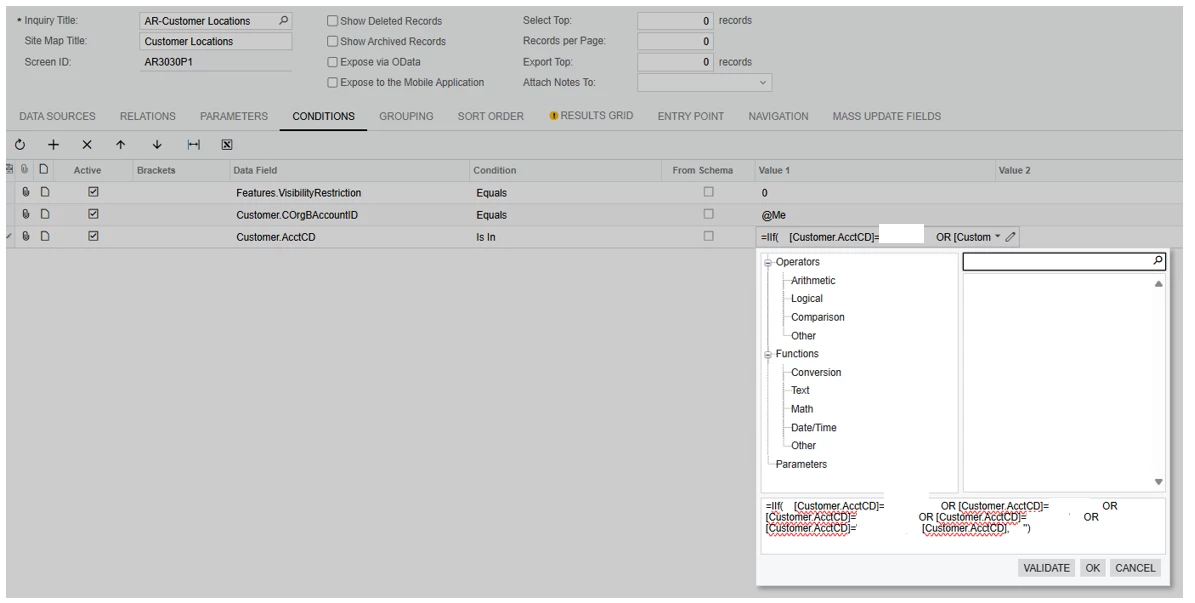
I have a list of customer ID that I need to filter. Instead of entering them one by one in the Condition tab, is there a way to upload or write the list of Customer ID in a formula so that the result of my GI would only show from the list? Is in condition does not seem to be working for me or am I doing something wrong? 

Thank you for your help. 
 

Best answer by Crisel

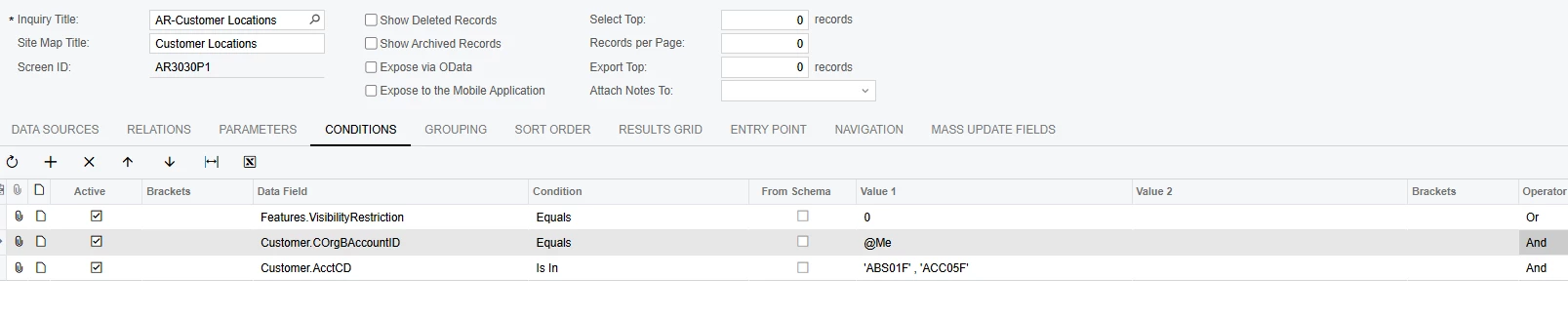
I was able to make the ‘IS IN’ work for multiple value filters, I made it like so: 


5 replies

lbarker
Semi-Pro II
Forum|alt.badge.img+3
  • Semi-Pro II
  • August 13, 2025

You need to open brackets, and then do a line for each customer with operator OR, and then close the brackets after listing them.

Another method is dont add a condition, but create filter tab on your GI so you can alter the accounts at any time with the presented data


Forum|alt.badge.img
  • Author
  • Jr Varsity III
  • August 13, 2025

You need to open brackets, and then do a line for each customer with operator OR, and then close the brackets after listing them.

Another method is dont add a condition, but create filter tab on your GI so you can alter the accounts at any time with the presented data

I understand but if I got like 20 or more, I would have to enter then 1 by 1 per each line. I was hoping I can do an OR statement in 1 line or parameter. 


lbarker
Semi-Pro II
Forum|alt.badge.img+3
  • Semi-Pro II
  • August 14, 2025

Sorry but that is not possible. 

Things you can do though is setup an ATTRIBUTE that is of combo box value and put your accounts in there as values, then in your inquiry join to that attribute data with inner so it only selects the item in that attribute values list.


JSpikowski
Jr Varsity II
Forum|alt.badge.img
  • Jr Varsity II
  • August 14, 2025

SQL is a power language once you understand it's syntax.


Forum|alt.badge.img
  • Author
  • Jr Varsity III
  • Answer
  • August 14, 2025

I was able to make the ‘IS IN’ work for multiple value filters, I made it like so: