


Solved

Evaluating Line Sums

  • October 7, 2025
  • 2 replies
  • 33 views

chrislower
Jr Varsity III
Forum|alt.badge.img

I am working on a GI that will evaluate the Labor Price on our quotes and display on a SidePanel Dashboard whether the price matches the required amounts.  There may be a more elegant way to achieve this but we are doing things a little manually right now with quotes and pricing.

We have two Non-Stock Item Numbers that will be used:

12974 - Install Labor

12976 - Install Travel


What i would like the GI to do is evaluate a Project Quote and “add up” all the Quantities for these two line items. They may be in the quote once or twenty times.  

If the total is greater than 8 then the labor price on each of these lines should be 100 and if it is less than 8, it should be 110.


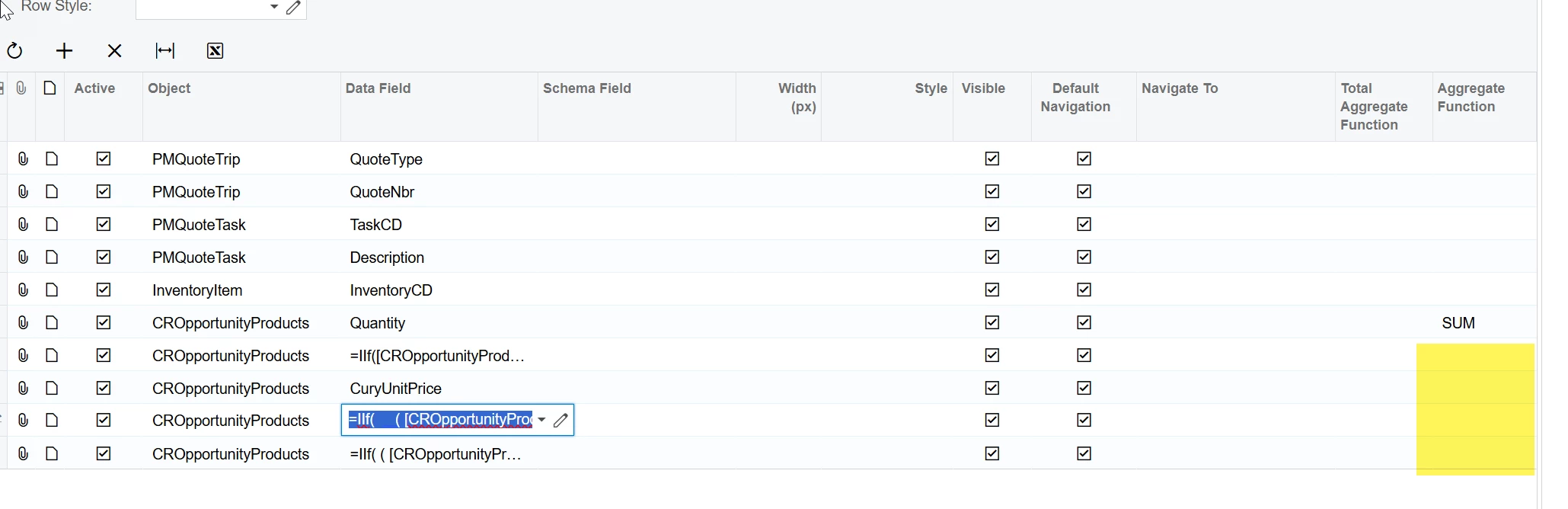
I have it evaluating each line but cannot get it to evaluate the SUM of the all the lines.  I have attached my GI for reference.  Any help would be appreciated.


site.png Acumatica 2023 R2
Build 23.210.0017 Customization: AcumaticaESignIntegration23.213.0,DXCustomLoginImages,SWKSidePanel,AFS0030[23r2][122024],AMO0011[23R2][052324],SWK001[23r2][061124],SWK002[23r2][022825],DXCBSICustomizations[23.200][092325]


Best answer by bwhite49

Hi Chris,

You should remove the aggregation across the entire column and only add the appropriate aggregate value in the formula to each specific field. 

I can’t really test this out, but that seems to be the primary issue here

=IIf(     ( SUM([CROpportunityProducts.Quantity]) > 8 AND [CROpportunityProducts.CuryUnitPrice] = 100 )     OR     ( SUM([CROpportunityProducts.Quantity]) <= 8 AND [CROpportunityProducts.CuryUnitPrice] = 110 ),     'Correct Labor Price',     'Incorrect Labor Price' )


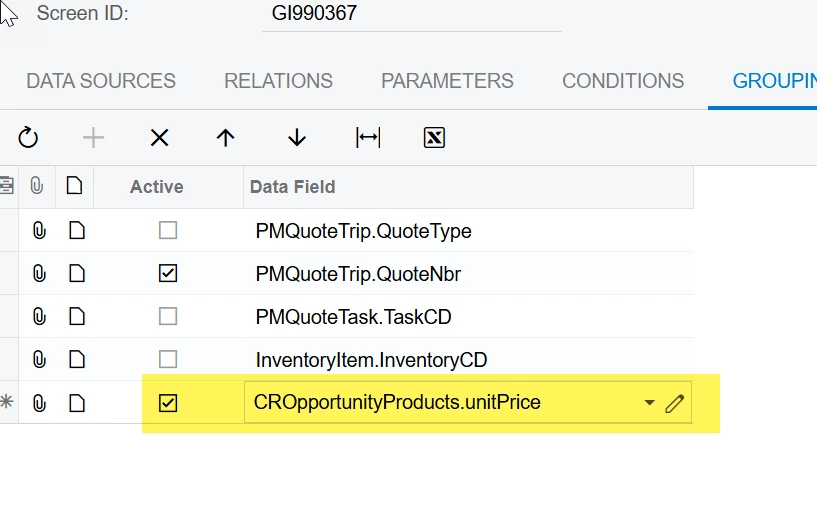
Also, when you don’t want a field to aggregate (sum, count, etc.) on a field, you need to add it to the GI grouping… Unit Price for example. You never want the unit price to aggregate, so these types of fields need to be added into the grouping to prevent aggregation. Placing this field in the grouping will also prevent an error. You can’t have aggregation for one field and either not have grouping or aggregation declared for all of the other fields in that calculated field.


2 replies

bwhite49
Captain II
Forum|alt.badge.img+10
  • Captain II
  • 310 replies
  • Answer
  • October 7, 2025

Hi Chris,

You should remove the aggregation across the entire column and only add the appropriate aggregate value in the formula to each specific field. 

I can’t really test this out, but that seems to be the primary issue here

=IIf(     ( SUM([CROpportunityProducts.Quantity]) > 8 AND [CROpportunityProducts.CuryUnitPrice] = 100 )     OR     ( SUM([CROpportunityProducts.Quantity]) <= 8 AND [CROpportunityProducts.CuryUnitPrice] = 110 ),     'Correct Labor Price',     'Incorrect Labor Price' )


Also, when you don’t want a field to aggregate (sum, count, etc.) on a field, you need to add it to the GI grouping… Unit Price for example. You never want the unit price to aggregate, so these types of fields need to be added into the grouping to prevent aggregation. Placing this field in the grouping will also prevent an error. You can’t have aggregation for one field and either not have grouping or aggregation declared for all of the other fields in that calculated field.


chrislower
Jr Varsity III
Forum|alt.badge.img
  • Author
  • Jr Varsity III
  • 27 replies
  • October 7, 2025

@bwhite49 


I believe that did the trick! Thanks!

