Answer

Error with GI formulas

  • November 15, 2024
  • 8 replies
  • 141 views

Forum|alt.badge.img

Hello! 

I am using the formula below to calculate kit availability: 

=Floor((IsNull(  [INSiteStatus.QtyOnHand], 0 )  /  IIF( [INKitSpecStkDet.DfltCompQty] >0, [INKitSpecStkDet.DfltCompQty],1 )))

I have a parameter for InventoryCD so user can search for the inventory ID if needed. 

The GI would run fine and there are records that show up, however, every time I click to search for an inventory ID, I receive the following error:
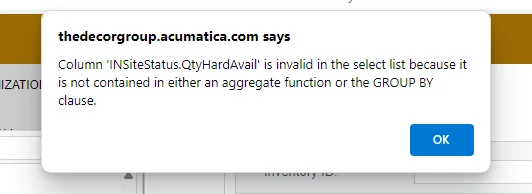
 

I’m not sure I understand the error and what I need to change in the formula. Any help would be appreciated!

Another note: originally the formula looks like: =Floor((IsNull(  [INSiteStatus.QtyAvail], 0 )  / IsNull( [INKitSpecStkDet.DfltCompQty], 1 )))

This formula does not give me the above error, instead it gives a different error saying “Divide by zero error encountered.” 

Best answer by Laura03

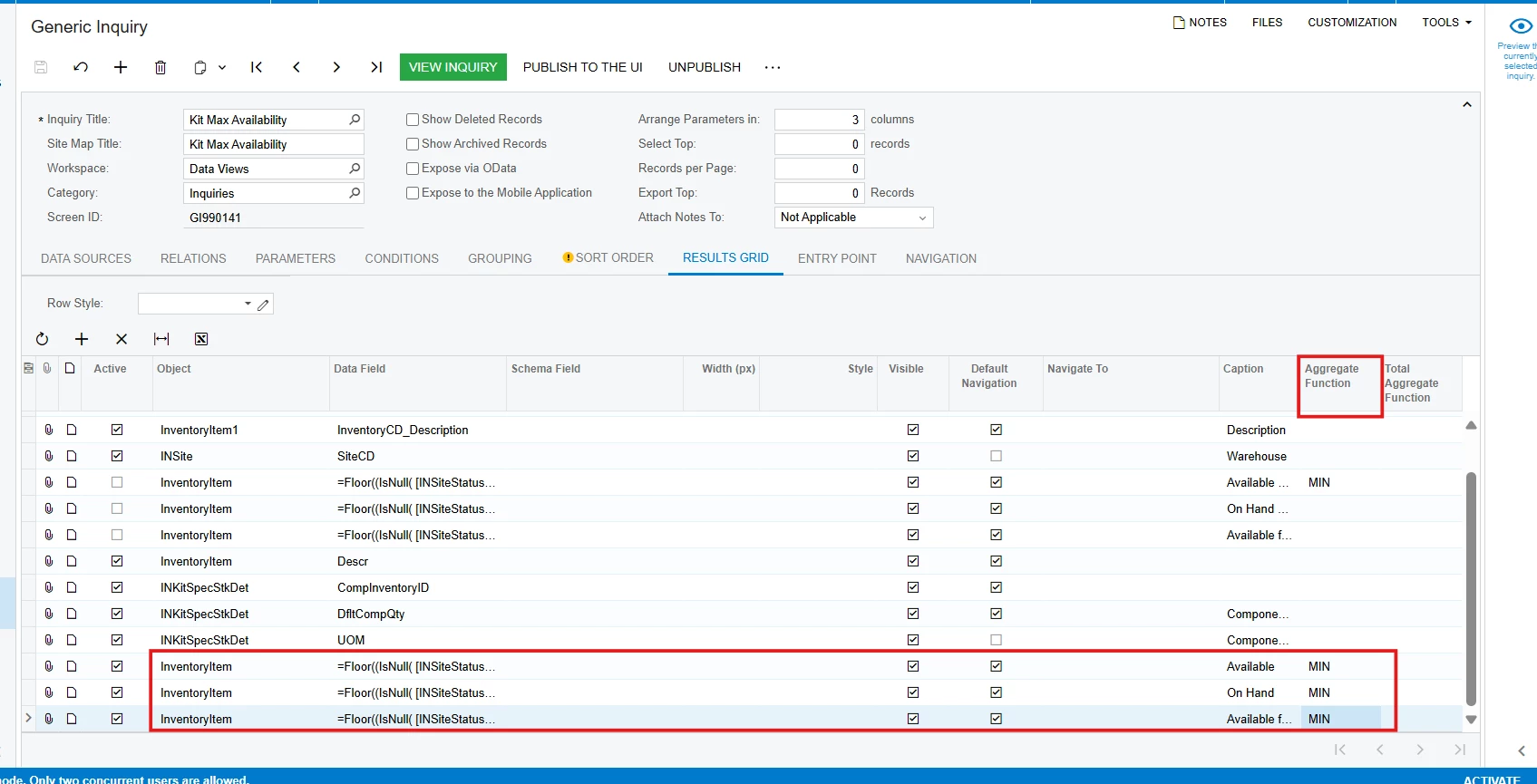
Hello, I think Acumatica is asking you to populate the Aggregate column on Results tab of your GI for the QtyHardAvail field, or to include the QtyHardAvail field in the Groups tab of your GI, or both.

Laura

8 replies

Laura03
Captain II
Forum|alt.badge.img+19
  • Captain II
  • Answer
  • November 16, 2024

Hello, I think Acumatica is asking you to populate the Aggregate column on Results tab of your GI for the QtyHardAvail field, or to include the QtyHardAvail field in the Groups tab of your GI, or both.

Laura


DipakNilkanth
Pro III
Forum|alt.badge.img+13

Hi ​@jzhu,

Both formulas are working for me for the SalesDemo data. It might be an issue with the data.

Could you share your Generic Inquiry XML file here?


Forum|alt.badge.img
  • Author
  • Semi-Pro III
  • November 18, 2024

@Dipak Nilkanth Hello! Please see the attached xml file. Thank you for your help!


DipakNilkanth
Pro III
Forum|alt.badge.img+13

Hi ​@jzhu,

I gone through your GI and able to find that you need to add appropriate Aggregate Function in your GI for the Formula fields to resolve the error on GI.
 

Hope, it helps!


Laura03
Captain II
Forum|alt.badge.img+19
  • Captain II
  • November 18, 2024

@Dipak Nilkanth  ,  Thank you for confirming my answer. 

@jzhu , Good luck!


Laura


Forum|alt.badge.img
  • Author
  • Semi-Pro III
  • November 18, 2024

Hi ​@Dipak Nilkanth and ​@Laura02 

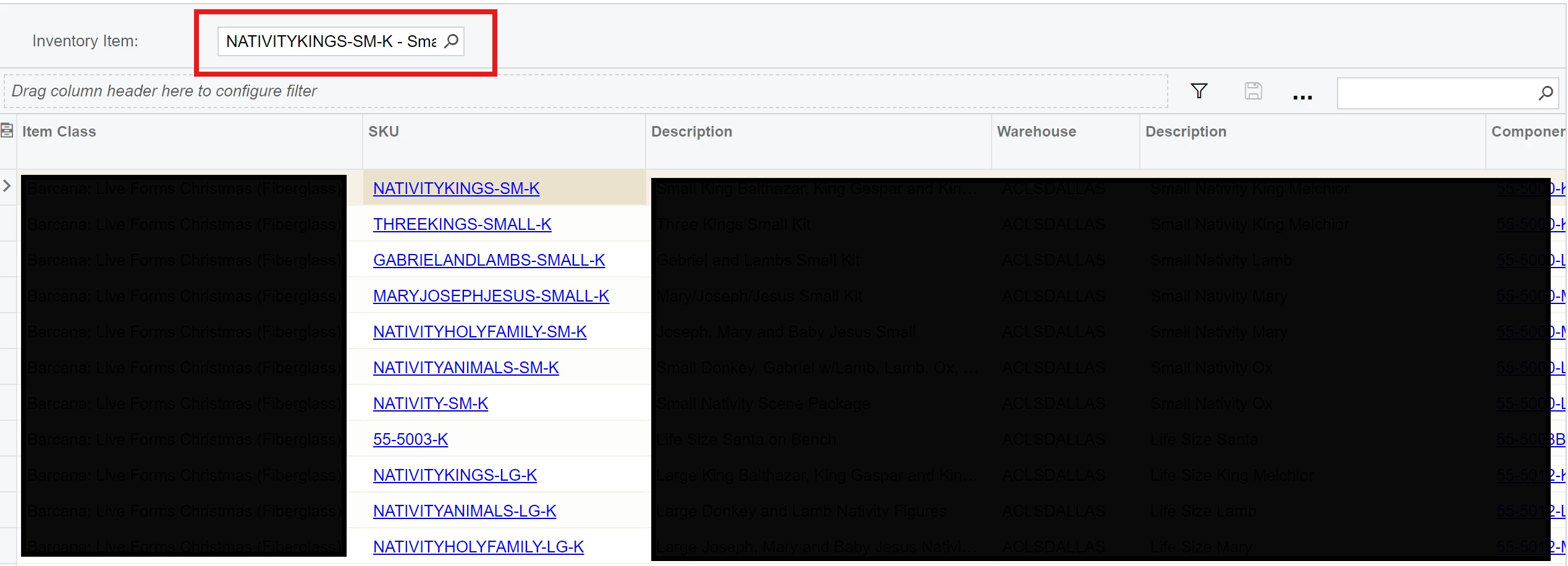
Thank you both for your help! I have tried putting aggregate functions for these fields, while it doesn’t return the error message, the search still doesn’t seem to work properly. It does not return back with the correct list of inventory Item. 


Laura03
Captain II
Forum|alt.badge.img+19
  • Captain II
  • November 18, 2024

Hello,

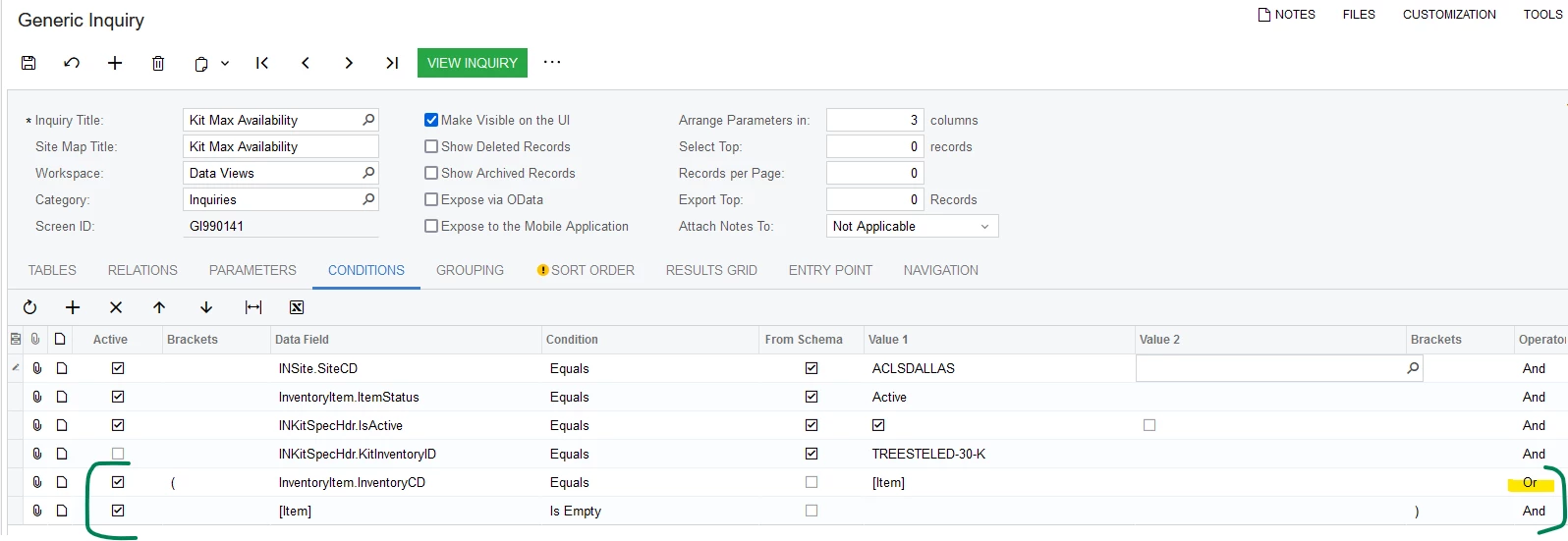
Please connect your Parameter to a Condition like this:

Laura


Forum|alt.badge.img
  • Author
  • Semi-Pro III
  • November 18, 2024

Hi ​@Laura02 Thank you so much! That’s the other thing I was missing.