Answer

Email wont send; no errors; no idea why

  • October 22, 2025
  • 24 replies
  • 181 views

Forum|alt.badge.img

I can’t figure out why my business event wont trigger…no matter how much i google and click on ‘this is how you set up business events” videos and walk through. 
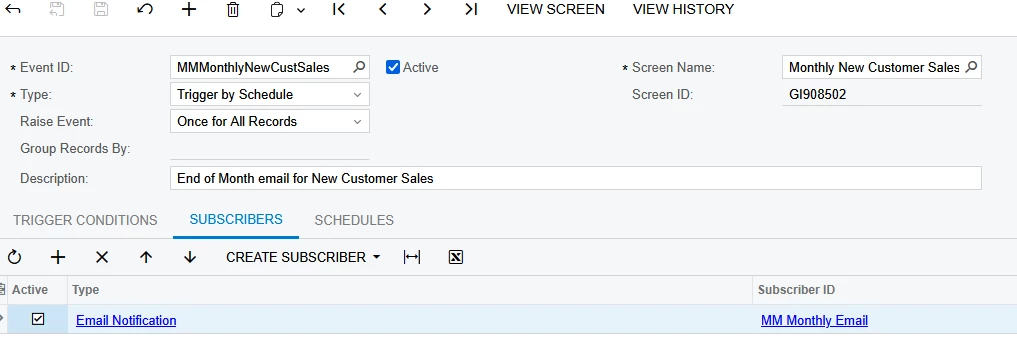
 

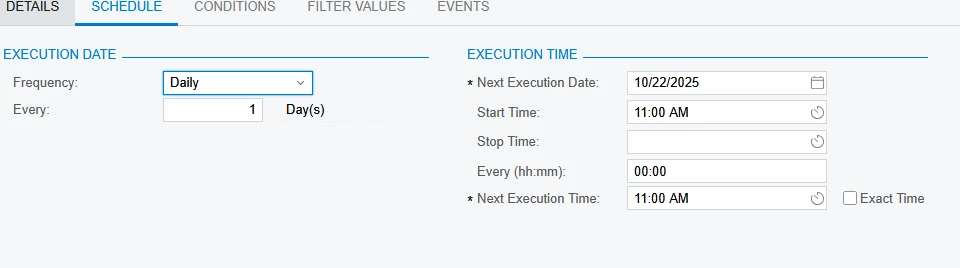
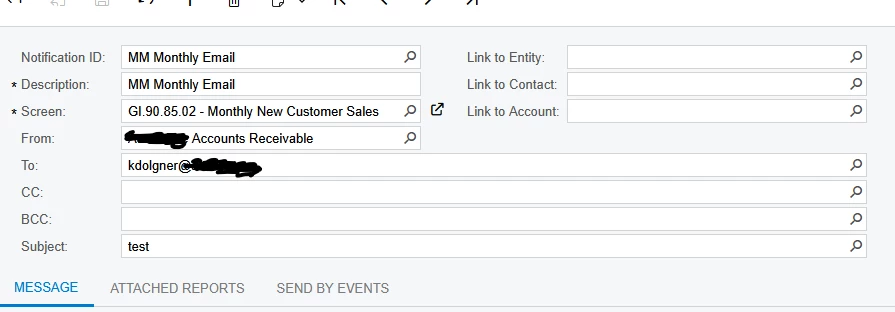
Everything I see online is “set up where you want it to point to, who you want it to email, and when you want it to email” and yet it wont send….

Best answer by bwhite49

With a trigger by action, you do have to select one or all rows in order for the business event to trigger. I might have forgot to write that before.

It sounds like if the email is generating, then you can switch it back to a “trigger by schedule”

Once you do a few of these business events, it does get easier. I really struggled with my first few trying to understand the limitations and quirks.

24 replies

miguel80
Semi-Pro III
Forum|alt.badge.img+3
  • Semi-Pro III
  • October 22, 2025

Hi,

What are the trigger conditions?


Forum|alt.badge.img
  • Author
  • Freshman II
  • October 22, 2025

Hi,

What are the trigger conditions?

From my understanding; it should be trigger by schedule.

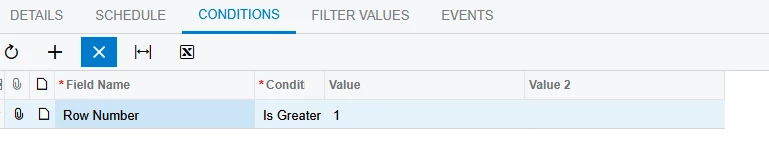
When i look at the conditions tab it looks like these would be assigned to changes in those variables? From my research i didn’t think i needed those as they’re not triggering off of any changes. 


bwhite49
Captain II
Forum|alt.badge.img+11
  • Captain II
  • October 22, 2025

I usually start with “Trigger by Action” business event. This creates a button at the top of the generic inquiry and makes it easier to test. Once you know it works, THEN make it a “trigger by schedule”

Automation schedules can be weird. Often times they don’t run the first day for whatever reason. Sometimes the GI needs to be refreshed by adding a field and removing a field from the GI grid.

You might have everything setup correctly, and it might just be failing on the first day glitch. 


Forum|alt.badge.img
  • Author
  • Freshman II
  • October 22, 2025

I usually start with “Trigger by Action” business event. This creates a button at the top of the generic inquiry and makes it easier to test. Once you know it works, THEN make it a “trigger by schedule”

Automation schedules can be weird. Often times they don’t run the first day for whatever reason. Sometimes the GI needs to be refreshed by adding a field and removing a field from the GI grid.

You might have everything setup correctly, and it might just be failing on the first day glitch. 

Thank you! This help testing immensely vs changing the time and waiting. i went through idk how many forum posts and blogs and this was never mentioned once...

Now to figure out why my email isn’t sending when i press the button...im sure i messed something up along the way. 


bwhite49
Captain II
Forum|alt.badge.img+11
  • Captain II
  • October 22, 2025

No problem,

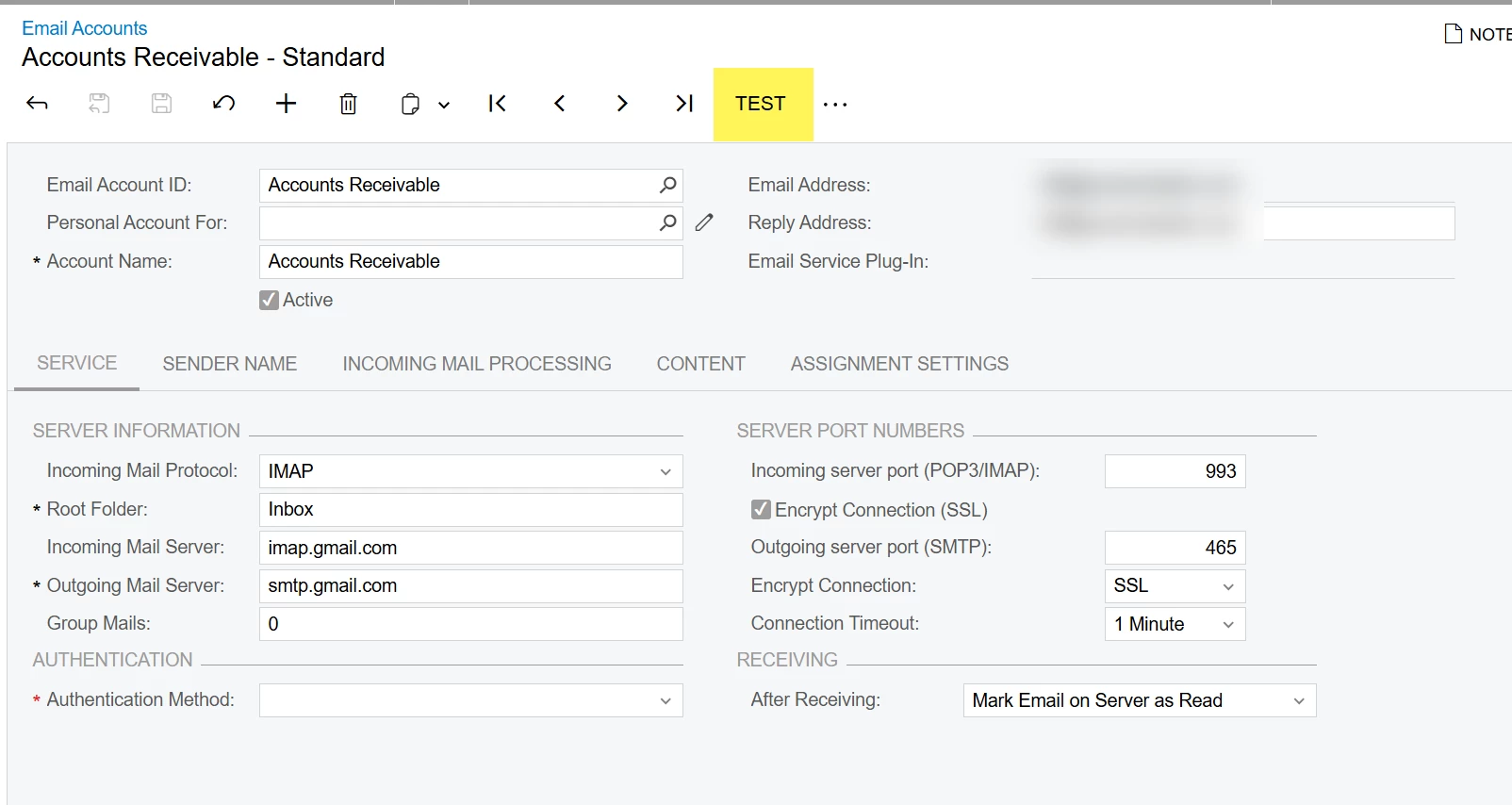
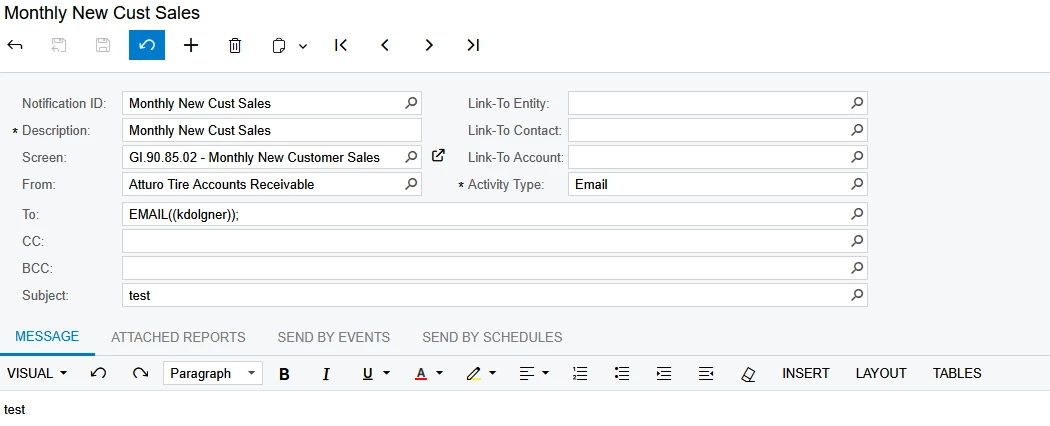
Often this issue is caused by the “From email.” When you click “test” on that email on the email account screen, make sure you get a green processed box and not a red error.

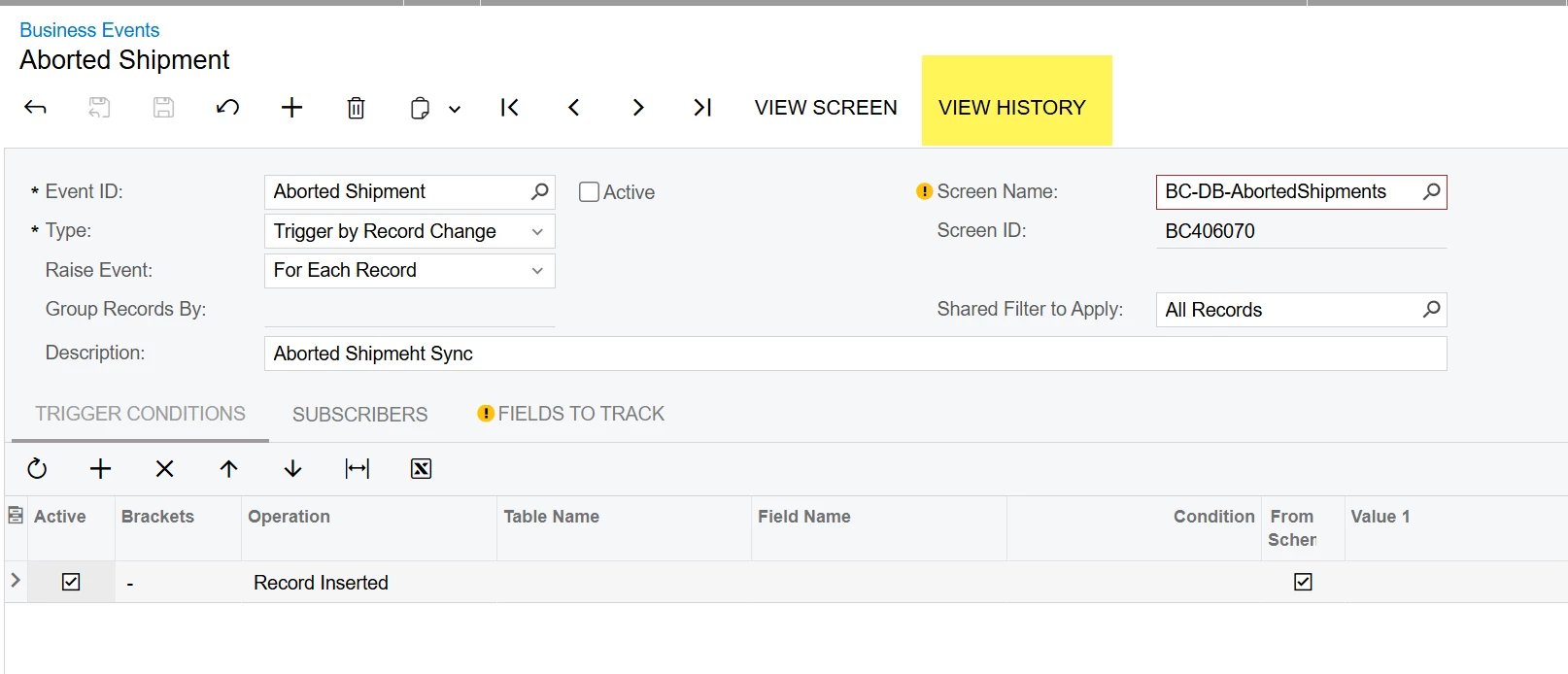
If you click the button below on the business events screen, there should be some error info on this screen for your past attempts. Also as ​@miguel80 wrote, make sure your trigger conditions are completely empty. All of your conditions should be controlled in the GI when running by schedule. 


Forum|alt.badge.img
  • Author
  • Freshman II
  • October 23, 2025

No problem,

Often this issue is caused by the “From email.” When you click “test” on that email on the email account screen, make sure you get a green processed box and not a red error.

If you click the button below on the business events screen, there should be some error info on this screen for your past attempts. Also as ​@miguel80 wrote, make sure your trigger conditions are completely empty. All of your conditions should be controlled in the GI when running by schedule. 


So i see what you mean by “first day glitch.” Yesterday, the status was blank. Now it has a green checkmark and it says it was ran last night at 9:22pm, after hours. I have this set up for manual action now as you suggested, not sure how it ran it self.

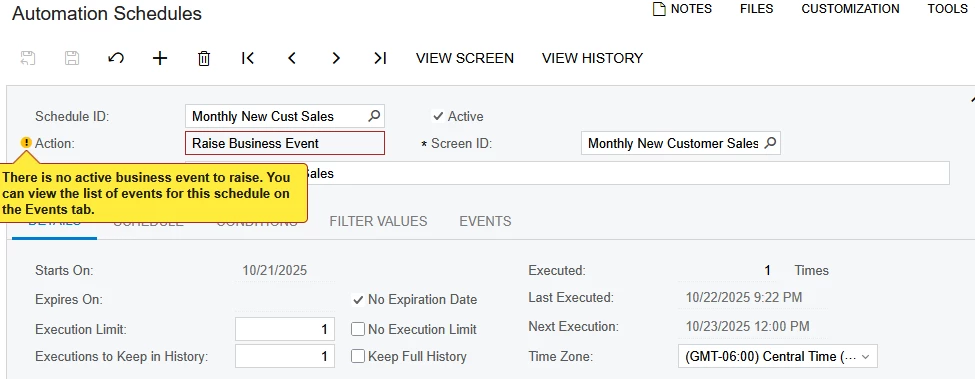
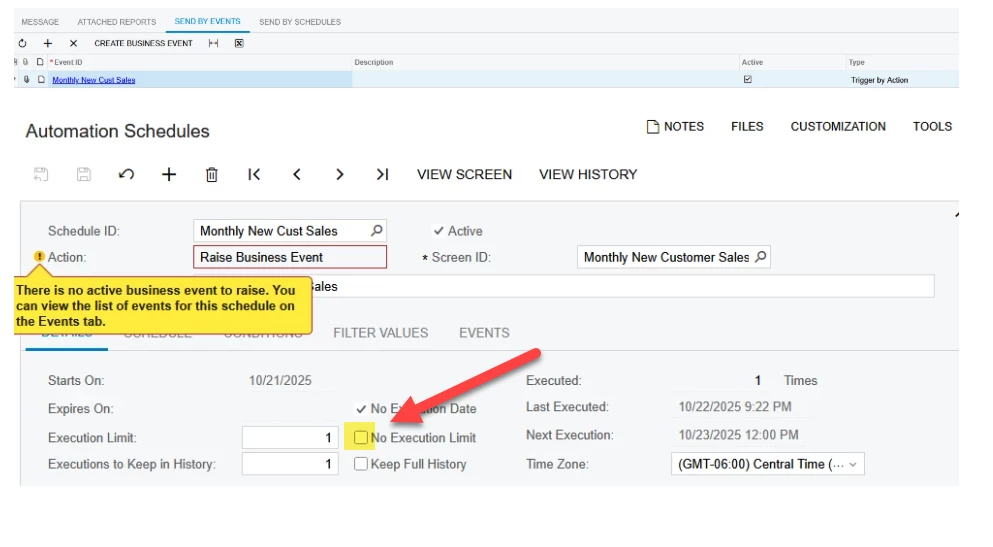
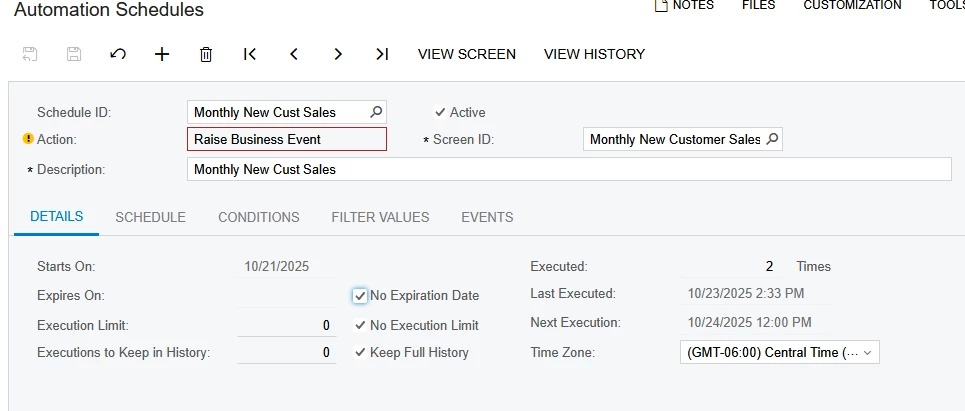
However, today doing more investigation, i’m seeing on my automation schedule, it says i need to raise an event. The + boutton is greyed out and it will not allow me to double click an add an event.

My email schedule has the event listed on there, not sure how to connect the two.


Forum|alt.badge.img+2
  • Captain II
  • October 23, 2025

Take a look at the Execution Limit - That limits the automation to one instance and then it stops


Click the “No Execution Limit” box and you should see it working again


bwhite49
Captain II
Forum|alt.badge.img+11
  • Captain II
  • October 23, 2025

So the import error messages are the ones from the business event history screen - there are two history screens to review. The automation schedule runs separate from the business event. The schedule can run successfully, but the business event might error out. 

When you change the BE back to “schedule” from “action” then that warning message will go away. 

Also, as Kyle wrote. This needs to be turned on for the schedule to run every day...


Forum|alt.badge.img
  • Author
  • Freshman II
  • October 24, 2025

I checked the boxes; i broke it, i deleted it, i rebuilt it. I still can’t get my test email to send.

I truthfully font understand what i could be doing wrong.

The automation schedule says it’s processing; but it’s on action and when i click the action button it doesn’t work. Events history show nothing. And the system queue shows that there is no back log in the queue and the other events we have are running flawlessly, but those were built by acumatica


bwhite49
Captain II
Forum|alt.badge.img+11
  • Captain II
  • October 24, 2025

Are you sending other email through that email address? Usually if the BE does not attempt to send it’s because of an issue with the from email.


Forum|alt.badge.img
  • Author
  • Freshman II
  • October 24, 2025

Are you sending other email through that email address? Usually if the BE does not attempt to send it’s because of an issue with the from email.

All of our outbound emails from acumatica are from the address i’m using in the “from.” I even tested it and verified that that email is sending to everyone. 


bwhite49
Captain II
Forum|alt.badge.img+11
  • Captain II
  • October 24, 2025

Sorry, that’s frustrating. 

I’m not sure how to troubleshoot further without access to the system.

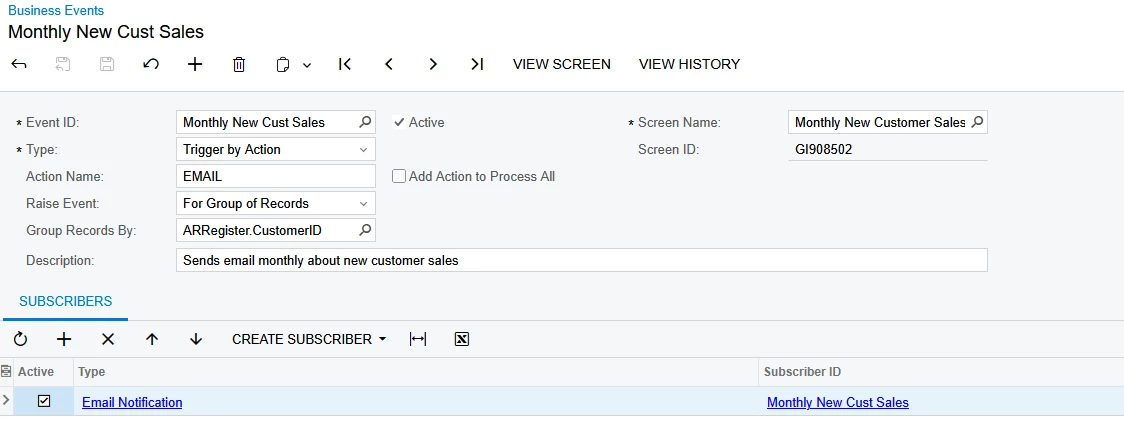
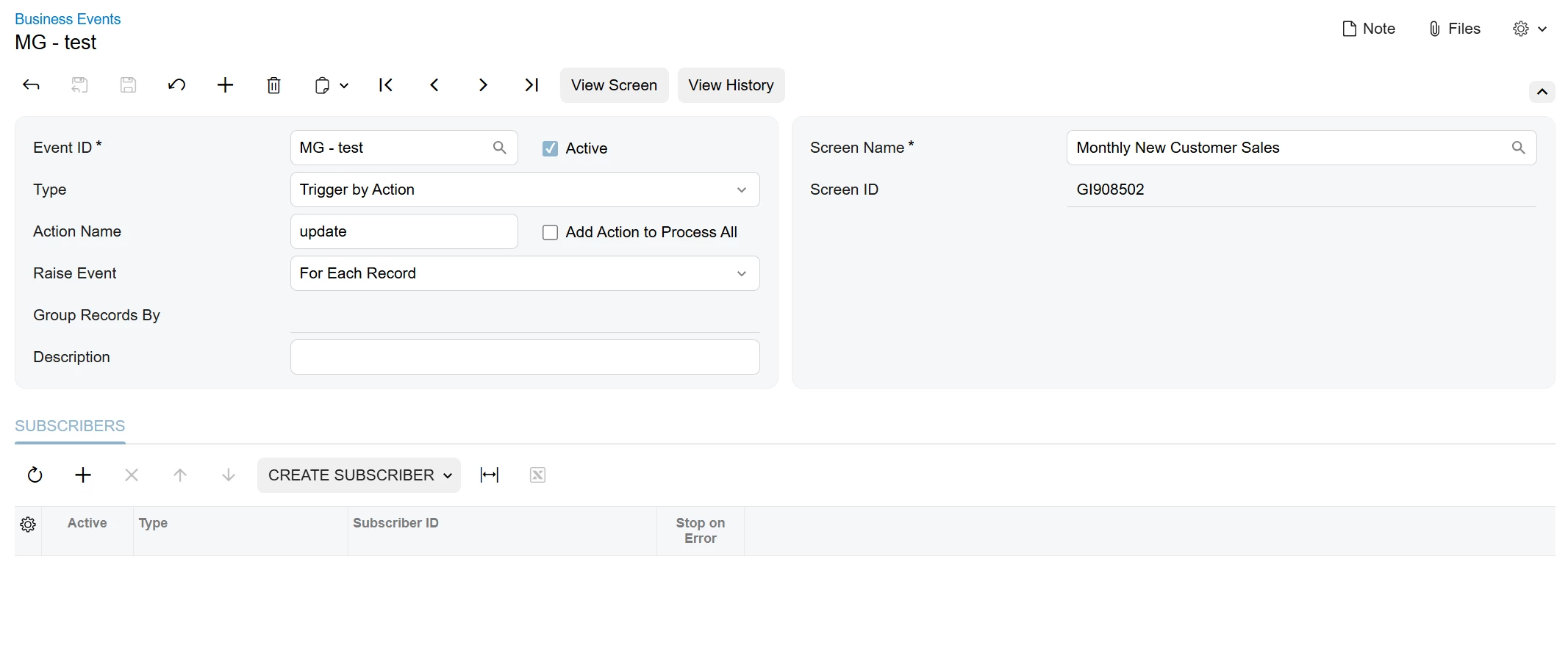
I see that the BE is setup to send once for all records…. Is the BE sending a report or an embedded HTML table? 

I’m wondering what the GI looks like and maybe the issue is in the GI. For a BE sending out a report, you really only need a GI with 1 row and 1 column. It does not matter what the data source is. The important thing is that the BE will not trigger if the GI is EMPTY.

The value of sending from a list would be the option to embed the list into the email body or to trigger for each record of the list. Otherwise, there is no value in sending from a long list.


Forum|alt.badge.img
  • Author
  • Freshman II
  • October 24, 2025

I’ll be honest, acumatica has been nothing but frustration now that i’m being forced to look in the back end and understand how it “works”. The documentation on everything is so vague that once any sort of complexity is introduced it becomes useless. Forums are so focused on their issues it’s hard to use those as reference to what i’m dealing with.


Attached is my XML file (with no conditions active just pure pulled data) for my GI and all screen shots for my BE. I’ve tested every aspect of this and it works. But when i hit the “EMAIL” action on my GI, nothing happens. i dont even get a confirmation pop up in the top right. 


bwhite49
Captain II
Forum|alt.badge.img+11
  • Captain II
  • October 24, 2025

Ah, sorry, can you add a field to the GI, save, then delete the field from the GI, then save.

The issue is the GI needs to be refreshed from when we switched it from a schedule. Once you do this, and click the button again, you should see a green processed box in the top right screen of the GI.


Forum|alt.badge.img
  • Author
  • Freshman II
  • October 24, 2025

Ah, sorry, can you add a field to the GI, save, then delete the field from the GI, then save.

The issue is the GI needs to be refreshed from when we switched it from a schedule. Once you do this, and click the button again, you should see a green processed box in the top right screen of the GI.


this has been suggested to me, by you previously when you let me know about switching to action trigger.


I just again added a data source, saved it, removed it, saved it, nothing.

Then i added a result grid item. same thing. 

then i did BOTH. same thing. 


bwhite49
Captain II
Forum|alt.badge.img+11
  • Captain II
  • October 24, 2025

I took a look at your GI, and it looks good.

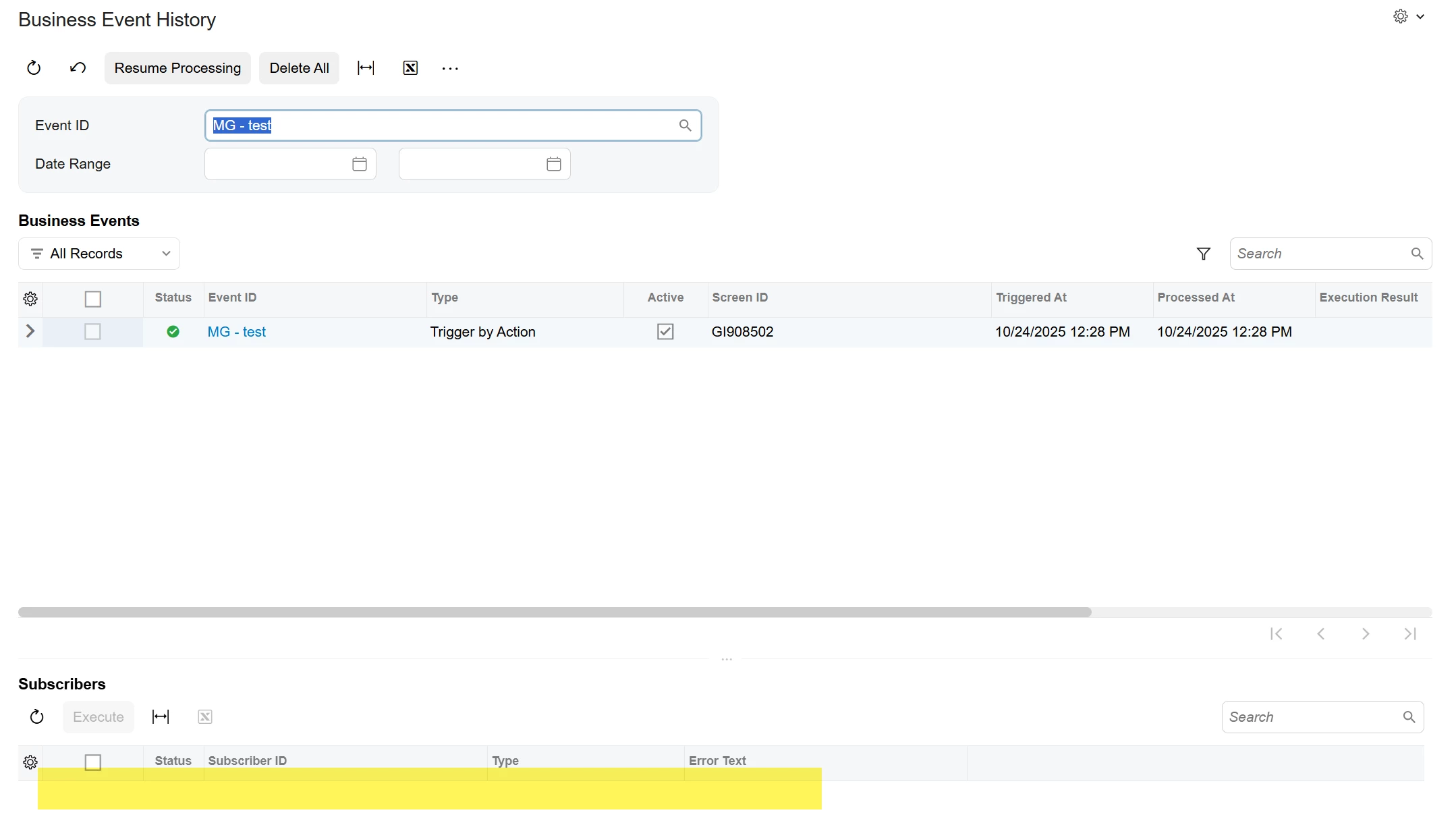
I added a trigger by action BE with no subscriber and it processed as expected.


Any errors would show in the highlighted area


The only thing I can think of that might be causing an issue would be user permissions. If the Admin account does not have full permissions to the GI I don’t think it can run the BE.


Forum|alt.badge.img
  • Author
  • Freshman II
  • October 24, 2025

I took a look at your GI, and it looks good.

I added a trigger by action BE with no subscriber and it processed as expected.


Any errors would show in the highlighted area


The only thing I can think of that might be causing an issue would be user permissions. If the Admin account does not have full permissions to the GI I don’t think it can run the BE.

I can’t process this without a subscriber. It errors out and forces me to add one. I’ve gone through my permissions and i see nothing on my GI that i’m not allowed to see. Also went into users and made sure i’m a system admin.


bwhite49
Captain II
Forum|alt.badge.img+11
  • Captain II
  • October 24, 2025

So, business events run from your Admin user account (your partners account), not your specific user. There might be permissions set for your user, but maybe not your partner. Are you in 2025 R1 or R2? I’m not sure why you are getting an error when there is no subscriber. I tested this with 2025 R2.

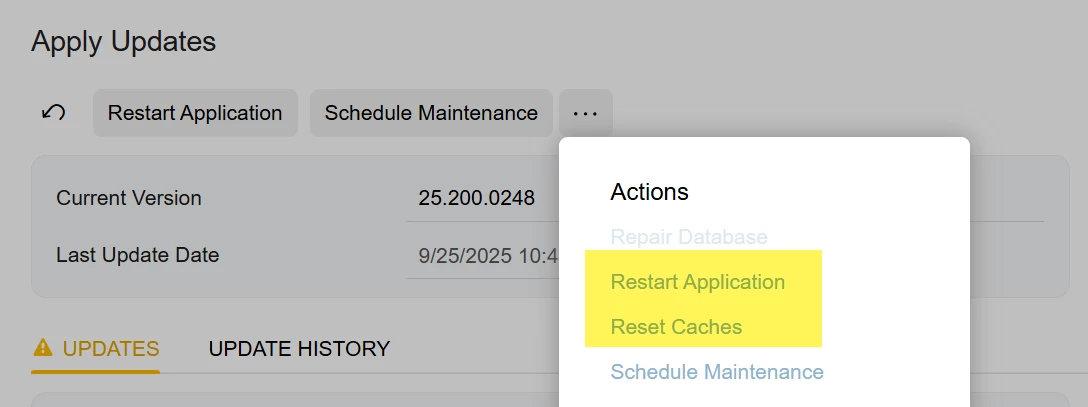
One last thing I would try is to reset your site’s cache and maybe doing a site restart. These two buttons will fix 99% of any really strange things/errors occurring on your site.


Forum|alt.badge.img
  • Author
  • Freshman II
  • October 24, 2025

So, business events run from your Admin user account (your partners account), not your specific user. There might be permissions set for your user, but maybe not your partner. Are you in 2025 R1 or R2? I’m not sure why you are getting an error when there is no subscriber. I tested this with 2025 R2.

One last thing I would try is to reset your site’s cache and maybe doing a site restart. These two buttons will fix 99% of any really strange things/errors occurring on your site.


We just upgraded to R251 this week. We just came into Acumatica in June. I’ll try to clear cache and reset application later this afternoon. Too many people concurrently on it to attempt either of those.

I appreciate your help. Sorry for being a bother with this. 


Forum|alt.badge.img
  • Author
  • Freshman II
  • October 24, 2025

So far the ONLY way i have gotten this to trigger is to include conditions on the automation schedule.


Forum|alt.badge.img
  • Author
  • Freshman II
  • October 24, 2025

So far the ONLY way i have gotten this to trigger is to include conditions on the automation schedule.


an after testing and reenabling my conditoins on my GI and eveytihng. 


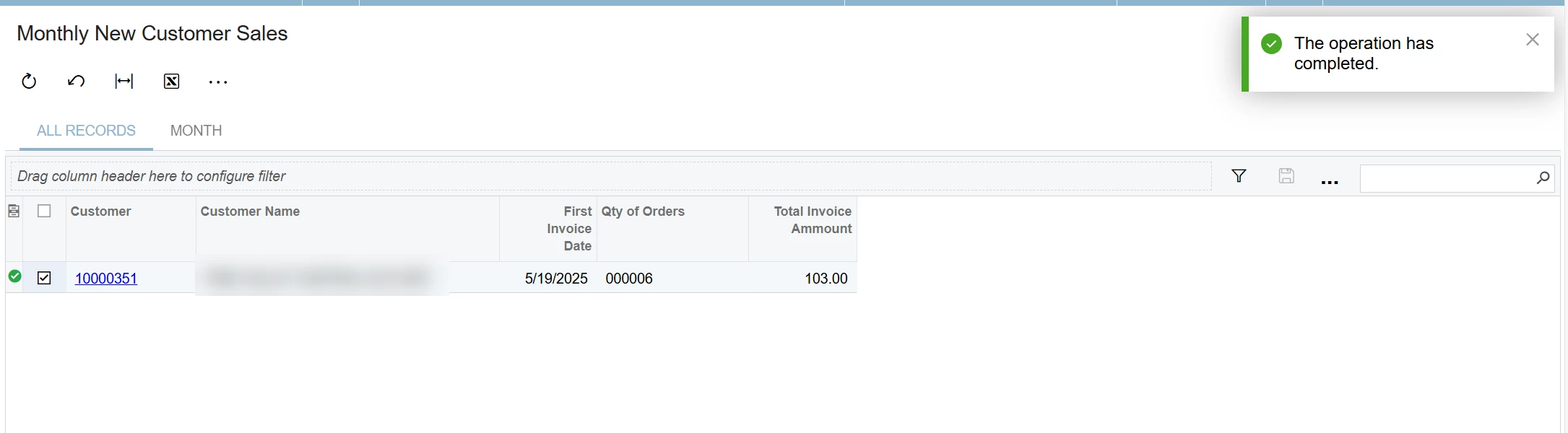
Now it seems the ONLY way to trigger this is by selecting which ones i want to run via the check boxes under “selected”

This is now monday’s problem but at least i’m getting it to trigger. now it makes less sense than it did to me before. 


bwhite49
Captain II
Forum|alt.badge.img+11
  • Captain II
  • Answer
  • October 24, 2025

With a trigger by action, you do have to select one or all rows in order for the business event to trigger. I might have forgot to write that before.

It sounds like if the email is generating, then you can switch it back to a “trigger by schedule”

Once you do a few of these business events, it does get easier. I really struggled with my first few trying to understand the limitations and quirks.


Forum|alt.badge.img
  • Author
  • Freshman II
  • October 28, 2025

With a trigger by action, you do have to select one or all rows in order for the business event to trigger. I might have forgot to write that before.

It sounds like if the email is generating, then you can switch it back to a “trigger by schedule”

Once you do a few of these business events, it does get easier. I really struggled with my first few trying to understand the limitations and quirks.

It works!
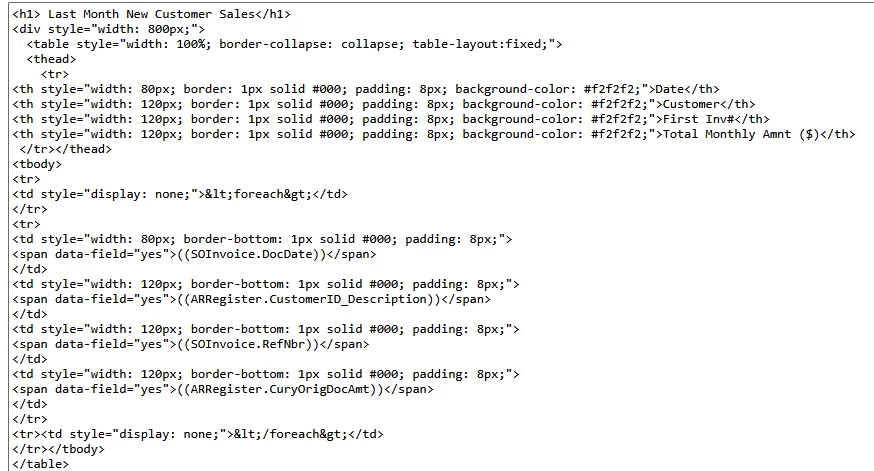
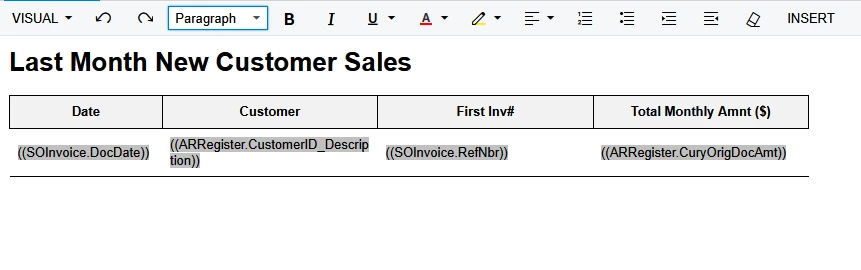
I have tested and stolen / rewrote some HTML code and now the emails sent flawlessly when he action is pushed through.

With this I can now email custom GIs including groupings, aggregates, and post result filters.


Thank you all for your help, and sorry again for annoying you.


bwhite49
Captain II
Forum|alt.badge.img+11
  • Captain II
  • October 28, 2025

Good news! Happy to have helped. BEs get much easier once you have a couple under your belt.