Answer

Displaying Serial Numbers on Shipment Confirmation

  • January 23, 2025
  • 9 replies
  • 127 views

Forum|alt.badge.img

Hi Acumatica,

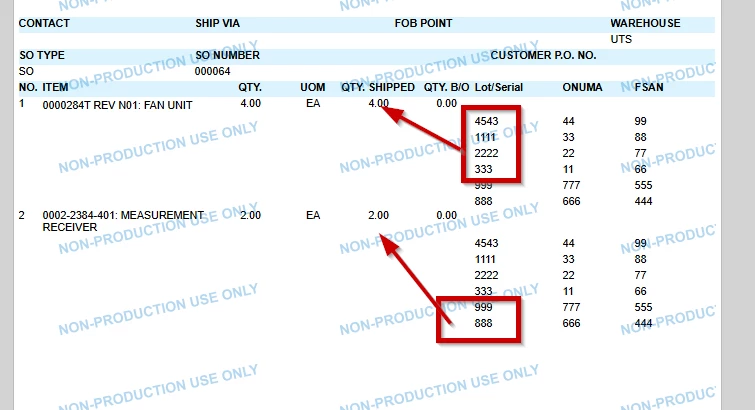
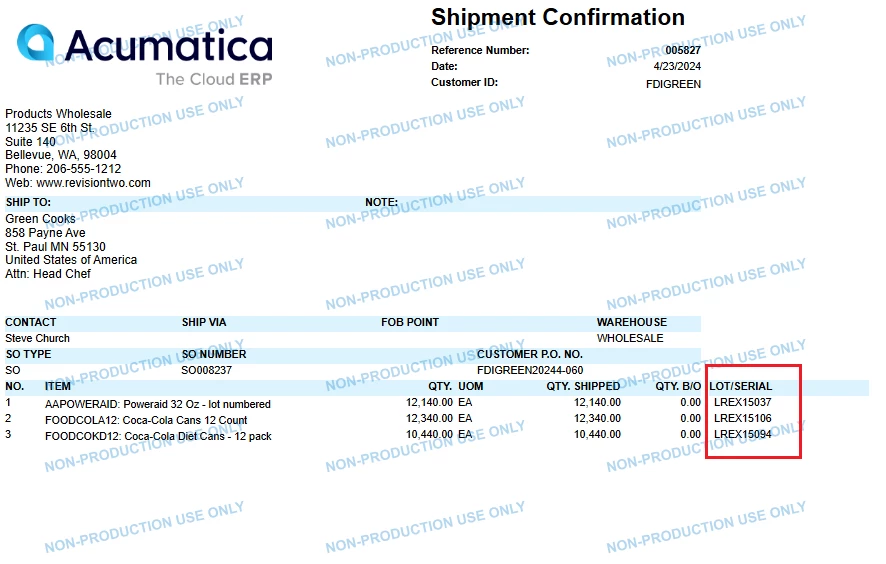
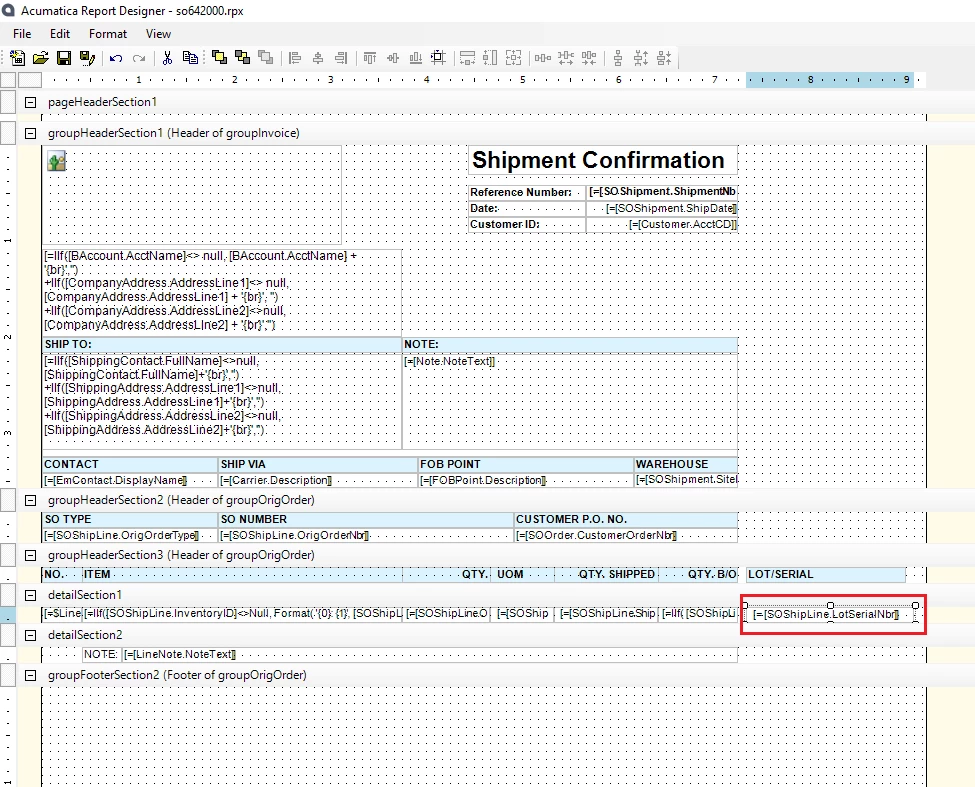
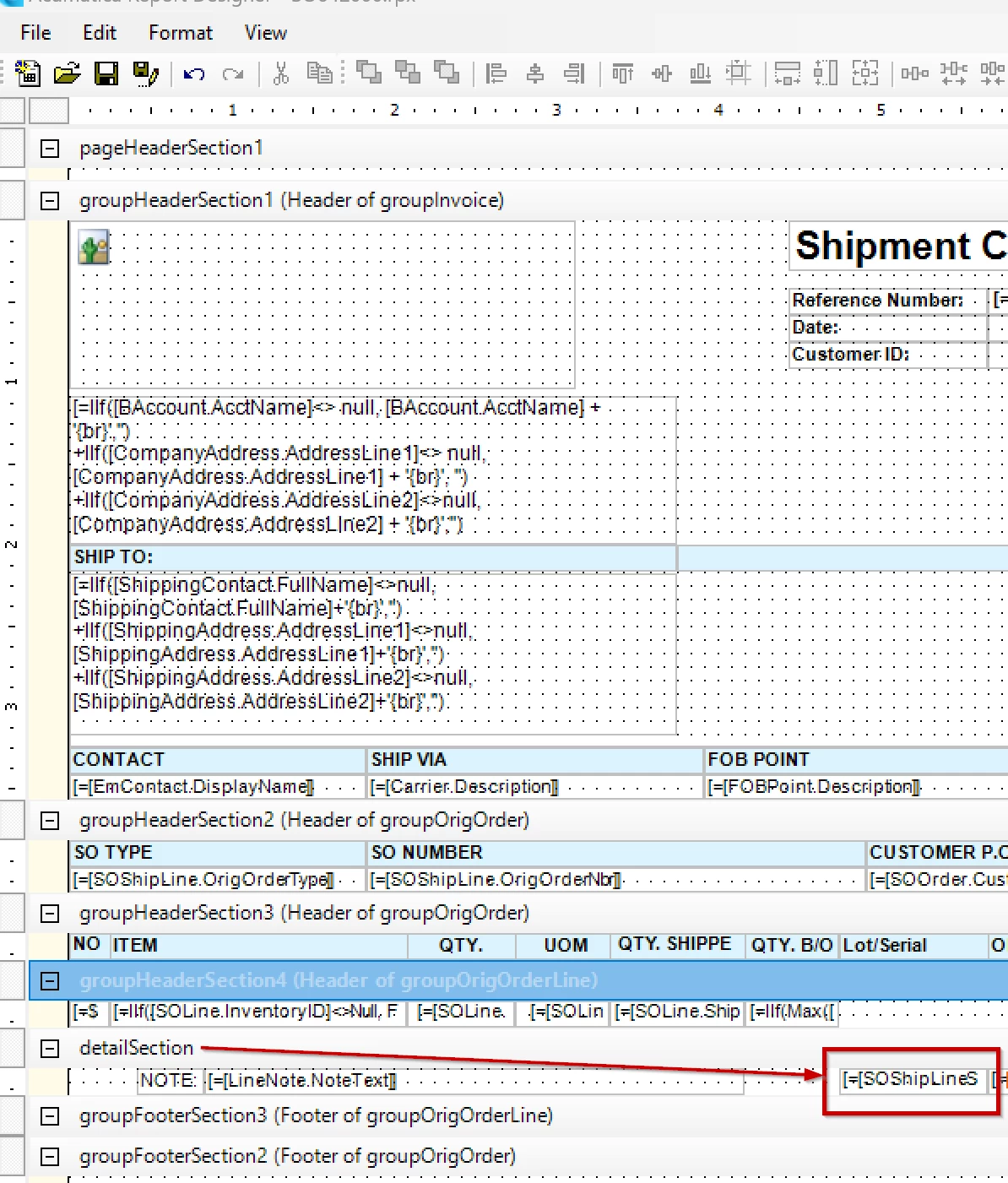
I am trying to display Serial Numbers on a Shipment Confirmation, but I am running into an issue. When I put this field under the Group Header Section4, it will only display the first number from the list. When I put it in the Details Section, it displays all numbers for all items.


I am sure I cannot be the only one with needing this on a Confirmation. Any suggestions would be appreciated.


Thank you!
Best answer by rkenna

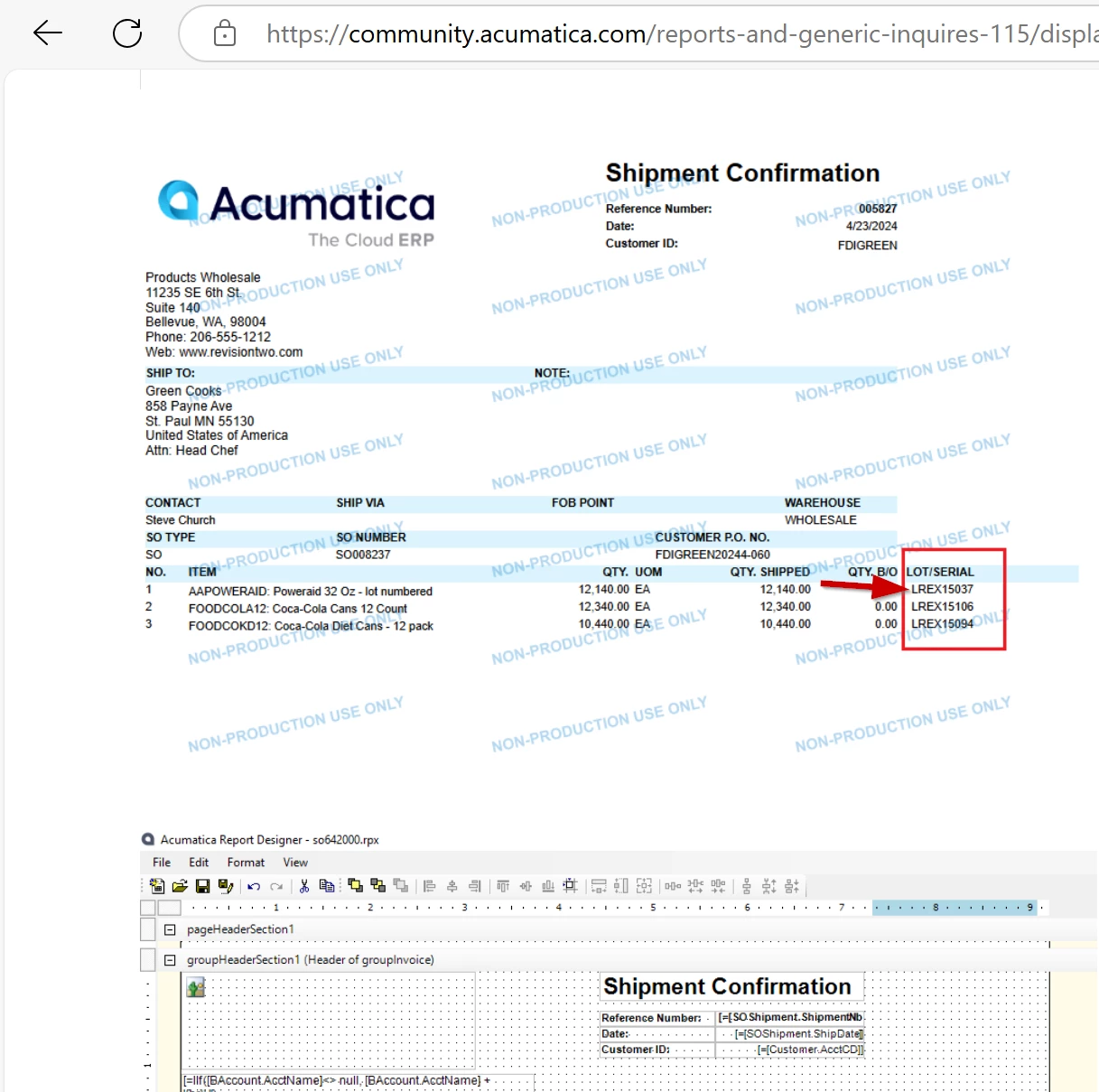
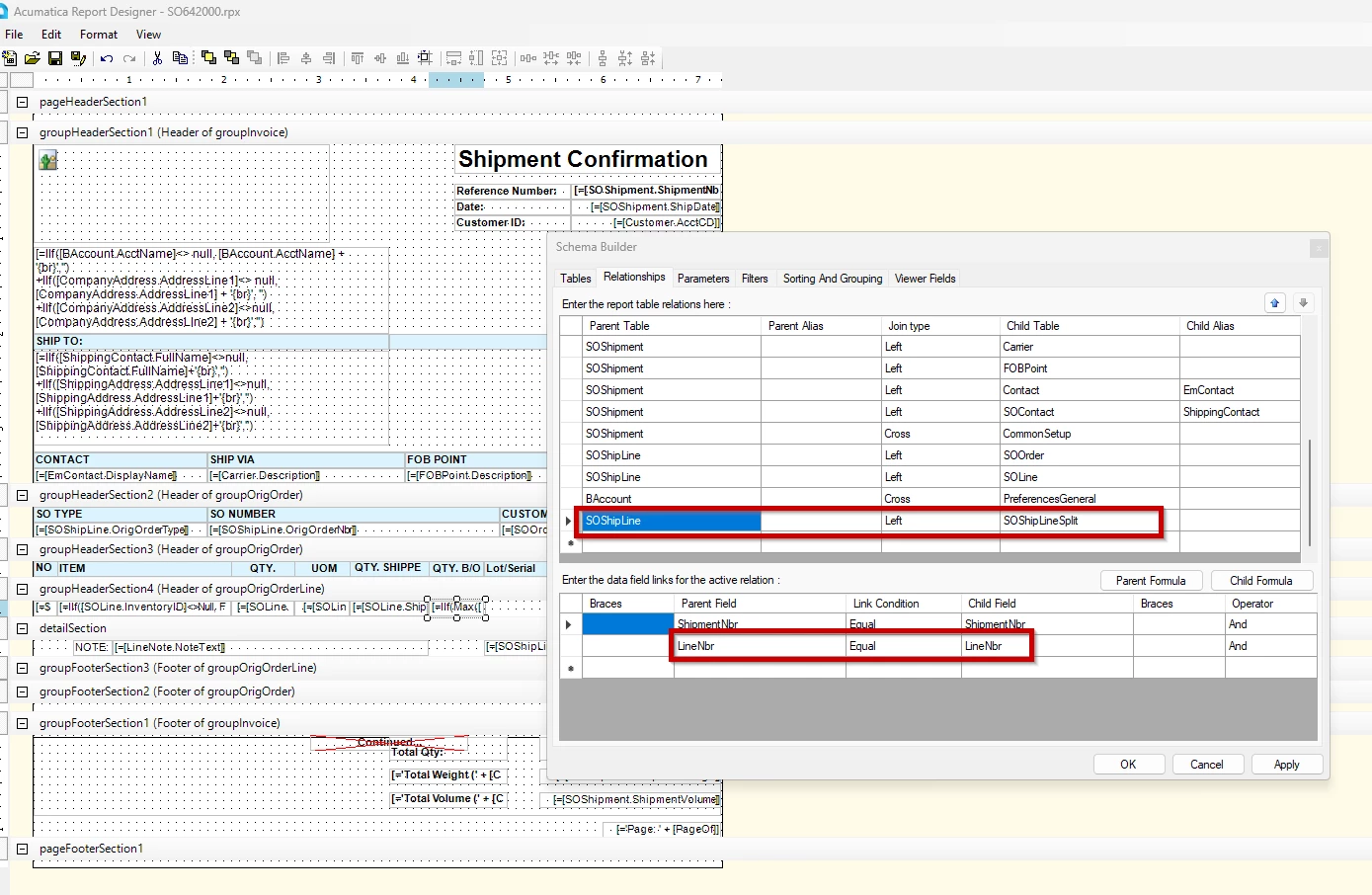
I just wanted to share that I have a resolution to this. In the Relationships, I have added the LineNbr for the data field links. This way, when they display, the Line Details are associated with the Line Number they go with, and they don’t all display on every item… only the ones that should display.


Final result:


9 replies

Forum|alt.badge.img+2

@rkenna, If you add any detailed or line-level information to the group headers, it will group the detailed information and display only one record from that group. I recommend creating a separate detail section and replicating this to verify if the same issue occurs.


Forum|alt.badge.img
  • Author
  • Captain I
  • January 23, 2025

@ranjithduraisamy72 

I did do this, but it gave me the same result unfortunately.


Forum|alt.badge.img+2

It seems like Lot serial attribute package published in your instance. Can you please share your xml file of your report? So, I can check, when I have time.


meganfriesen37
Captain II
Forum|alt.badge.img+12

I’d check to see how you’ve joined the Shipment table to the Lot/Serial table - It seems like maybe you need to add an additional relationship about the order line or something similar.


Forum|alt.badge.img+2

It looks like you are using lotserialattribute package, that might be problem. you need to add the lot serial attribute table in your joint condition.


nhatnghetinh
Captain II
Forum|alt.badge.img+11
  • Captain II
  • January 24, 2025

Hi ​@rkenna 

I tested on version 2024.R1 and it works fine. Please refer to the .rpx file I attached.


Best Regards,

NNT


Forum|alt.badge.img
  • Author
  • Captain I
  • January 24, 2025

Hi ​@nhatnghetinh 

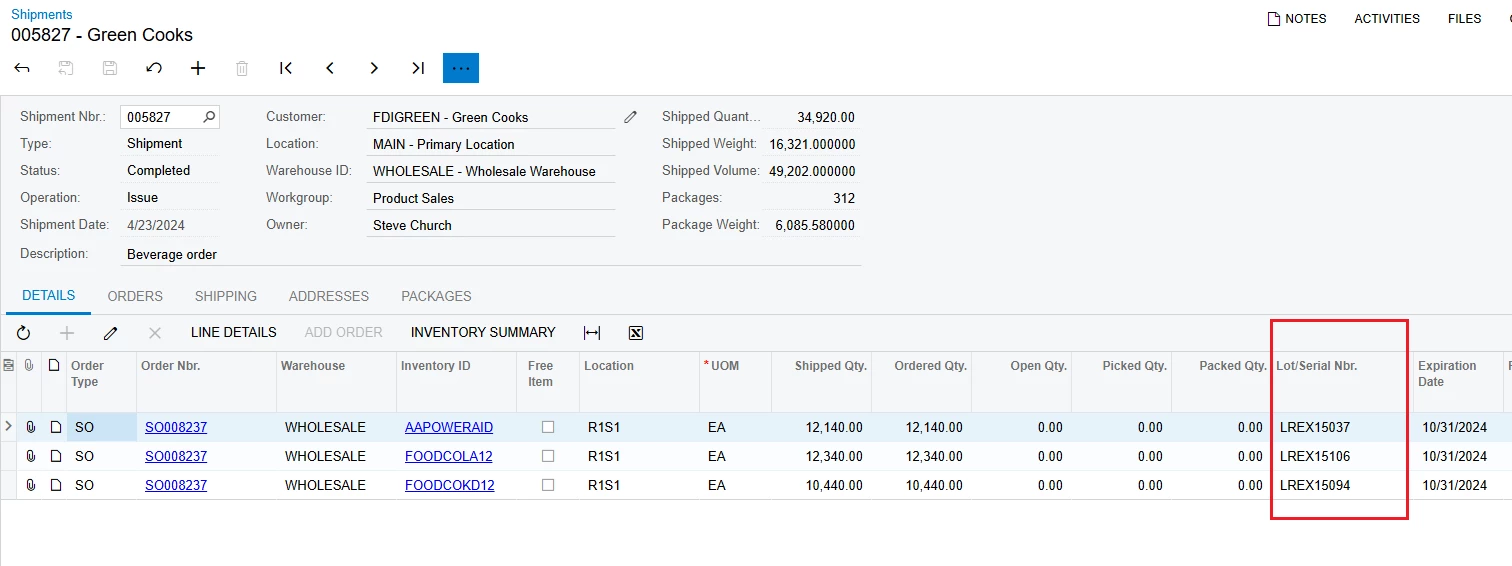
Thank you for your response. The issue I see with what you sent is it is pulling in only one lot/serial, even though the quantity is more than one (see screenshot). 

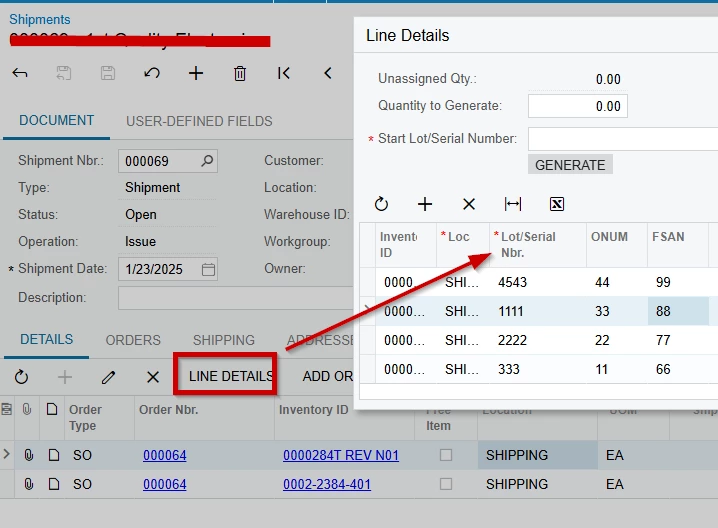
If items are serialized, and there is a quantity of 5, then there will be 5 serial numbers listed. See my screenshot above in my initial post, but these are assigned on the Line Details. 

Thank you,

RJ


Forum|alt.badge.img
  • Author
  • Captain I
  • Answer
  • January 24, 2025

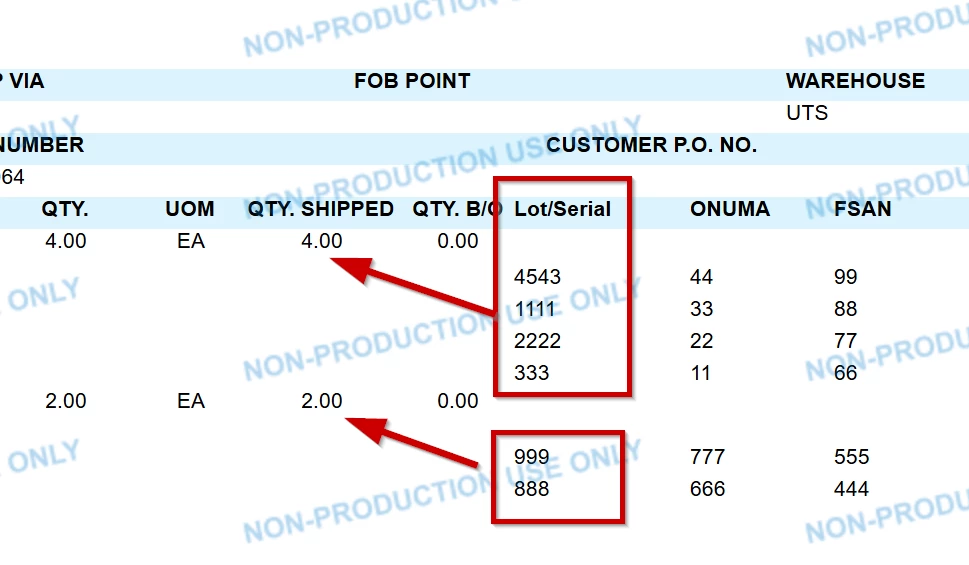
I just wanted to share that I have a resolution to this. In the Relationships, I have added the LineNbr for the data field links. This way, when they display, the Line Details are associated with the Line Number they go with, and they don’t all display on every item… only the ones that should display.


Final result:


Chris Hackett
Community Manager
Forum|alt.badge.img
  • Acumatica Community Manager
  • January 31, 2025

Thank you for sharing your solution with the community ​@rkenna!