Hello everybody,
I have the following scenario:
A set consists of two components:
-
a certificate,
-
a 20-item box, which can contain one or more lot/serial numbers.
In the delivery note, the information should be displayed as follows:
-
Line for the certificate
-
Line for the item (20-item box)
-
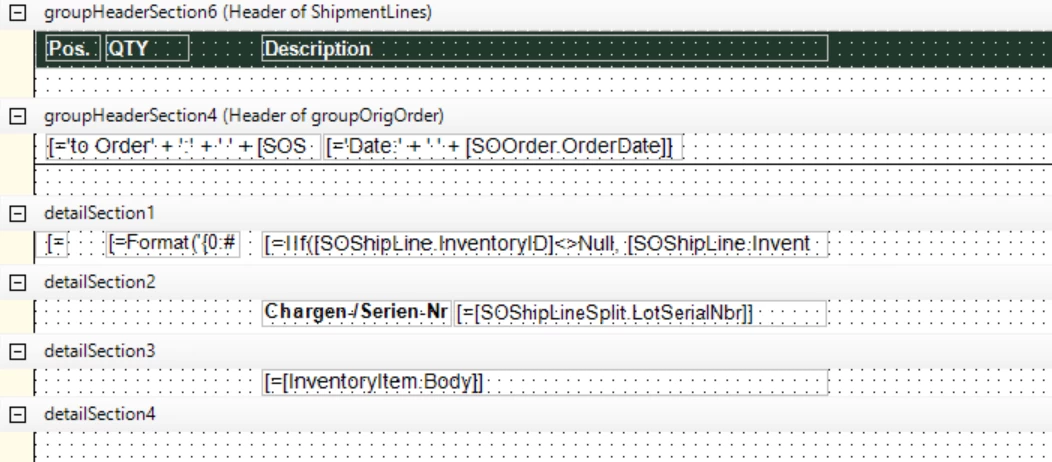
Below the item line, a list of all associated lot/serial numbers should appear – regardless of whether there is one or multiple lots.
The lot/serial numbers come from the field:[SOShipLineSplit.LotSerialNbr]
Problem:
When I use a separate detail section for the lot/serial numbers in the report, Acumatica repeats the item line for each lot/serial number. This causes duplicate or multiple item lines, which is not desired.
I need a way to display the item line only once and list all associated lot/serial numbers below it in a single consolidated view.
Question:
What is the recommended approach or report setting to display the item line only once and show a consolidated list of all lot/serial numbers from the SOShipLineSplits underneath?
Thank you for your support!
Pantea