Answer

Display All Subaccount/Analysis Keys on Invoice in Report Designer

  • September 9, 2025
  • 4 replies
  • 64 views

Forum|alt.badge.img

Hi everyone,

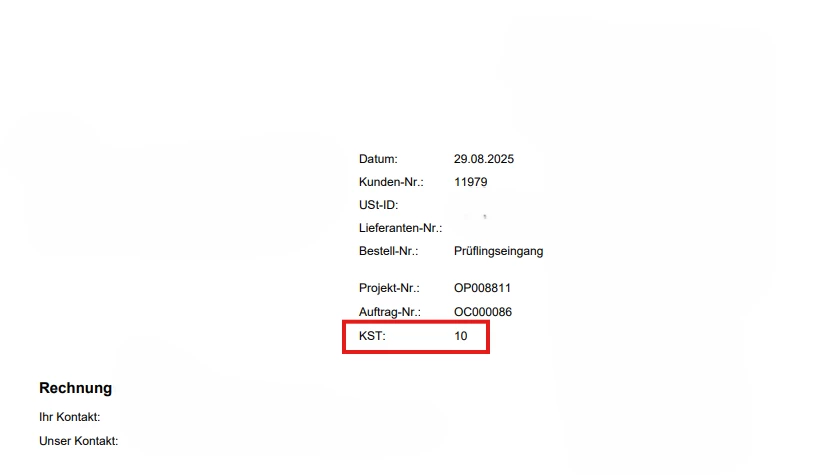
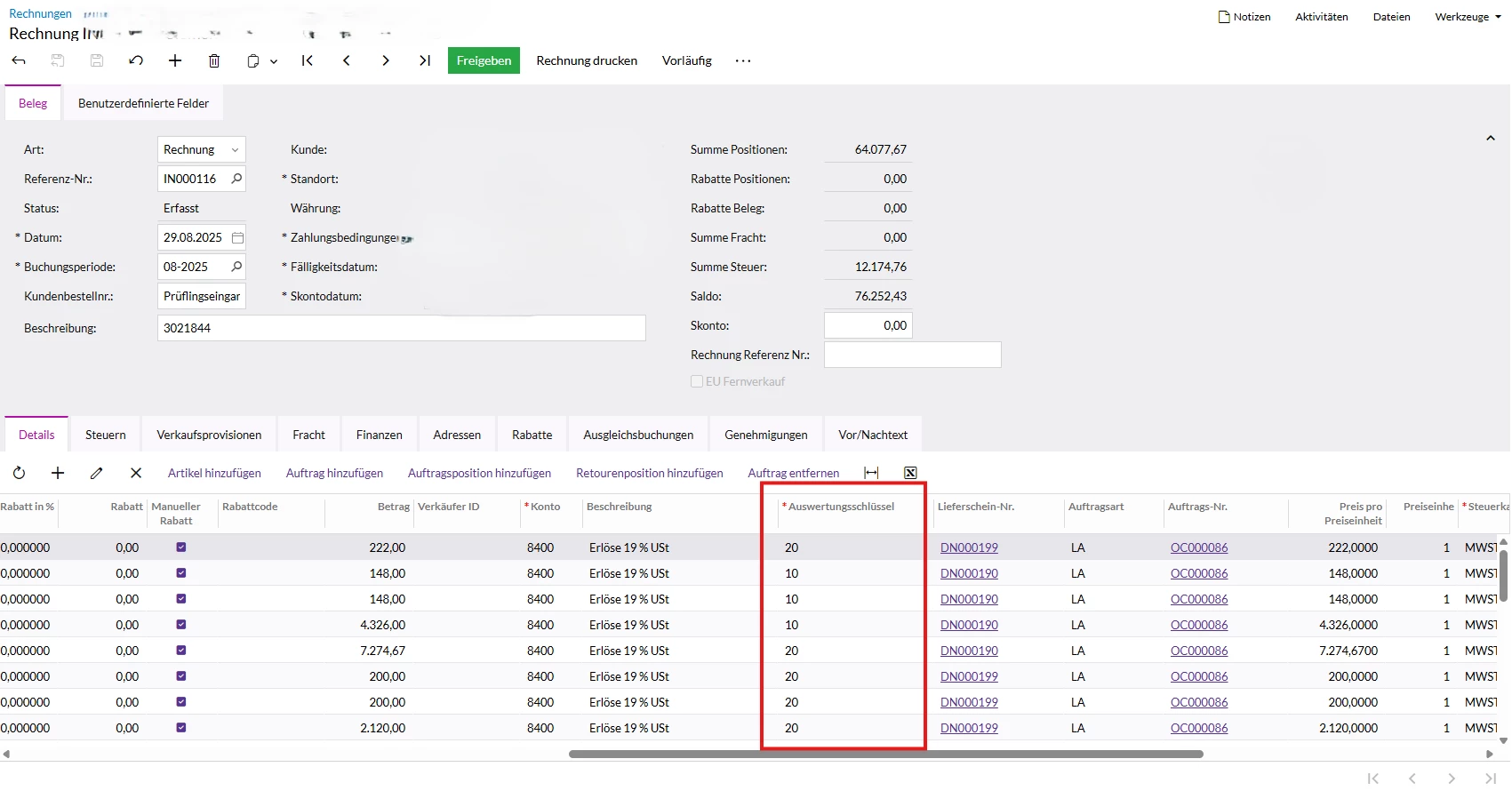
I’ve encountered an issue with invoice printing in Acumatica. For invoices that contain multiple analysis keys (subaccounts), only one key is currently printed on the invoice.

I would like to display all analysis keys that appear on the invoice, separated by commas (e.g., 10, 20).

The challenge is that the Report Designer doesn’t support loops or iterative logic, so a manually written expression would have to check and concatenate each line individually. This quickly becomes impractical for invoices with many lines.

Has anyone found a reliable way to display all analysis keys for an invoice in a single field on the report? Any guidance or workarounds would be greatly appreciated.

Thank you in advance!


Best answer by lauraj46

Hi ​@PanteaShahrian ,

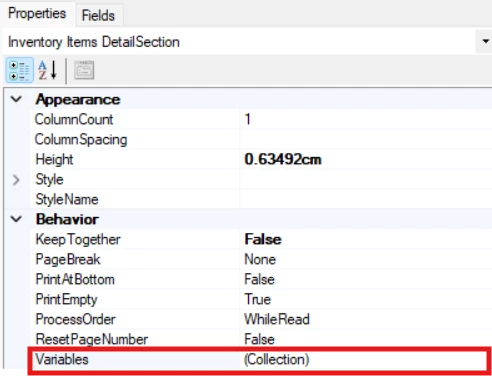
You can add the variables to the Variables collection in the section properties.


Hope this helps!

Laura

4 replies

lauraj46
Captain II
Forum|alt.badge.img+8
  • Captain II
  • September 15, 2025

Hi ​@PanteaShahrian ,

I’m not sure about your specific scenario, but in general you can use variables in the Report Designer to populate a single field with multiple comma separated values. 

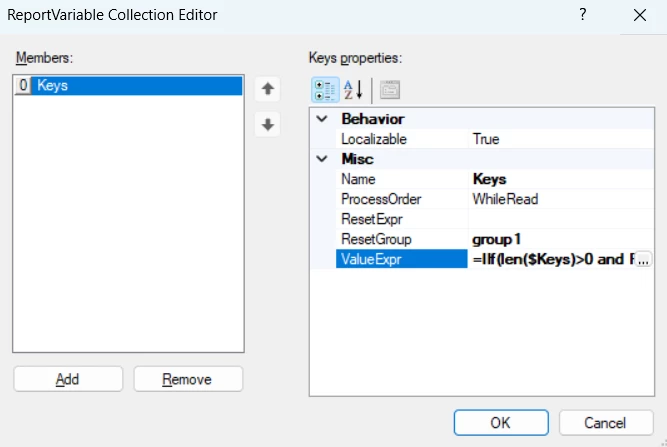
In the detail section of the report define a variable in the Variables collection.  To avoid duplicate subaccounts, you could sort the detail lines by subaccount, in which case the formula would be something like this:

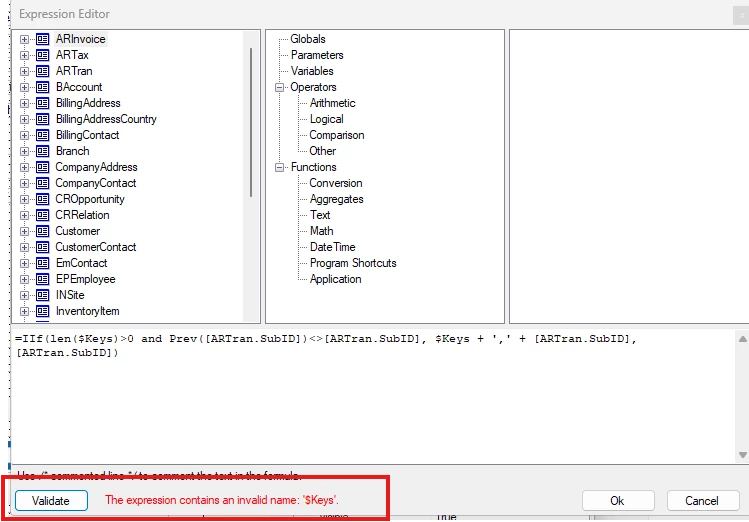
=IIf(len($Keys)>0 and Prev([ARTran.SubID])<>[ARTran.SubID], $Keys + ',' + [ARTran.SubID], [ARTran.SubID])

Use $Key as the value for a text control in the footer section.

Another option to consider would be a subreport - in that case you wouldn’t need to worry about the sort order in the main report.

Hope this helps!

Laura


Forum|alt.badge.img
  • Author
  • Jr Varsity III
  • September 16, 2025

Hi ​@lauraj46 ,

I tested your suggestion, but it seems that $Keys doesn’t exist in the Acumatica Report Designer, and I couldn’t find a way to add a new variable there. Could you let me know how I can create a variable like $Keys, or if there is another way to achieve the same result?

Thanks a lot for your help!
Pantea


lauraj46
Captain II
Forum|alt.badge.img+8
  • Captain II
  • Answer
  • September 16, 2025

Hi ​@PanteaShahrian ,

You can add the variables to the Variables collection in the section properties.


Hope this helps!

Laura


Forum|alt.badge.img
  • Author
  • Jr Varsity III
  • September 26, 2025

@lauraj46 
Thank you for your support.