Solved

Date range for 2 different years 2025 and 2026 YTD

  • September 29, 2026
  • 4 replies
  • 20 views

Forum|alt.badge.img

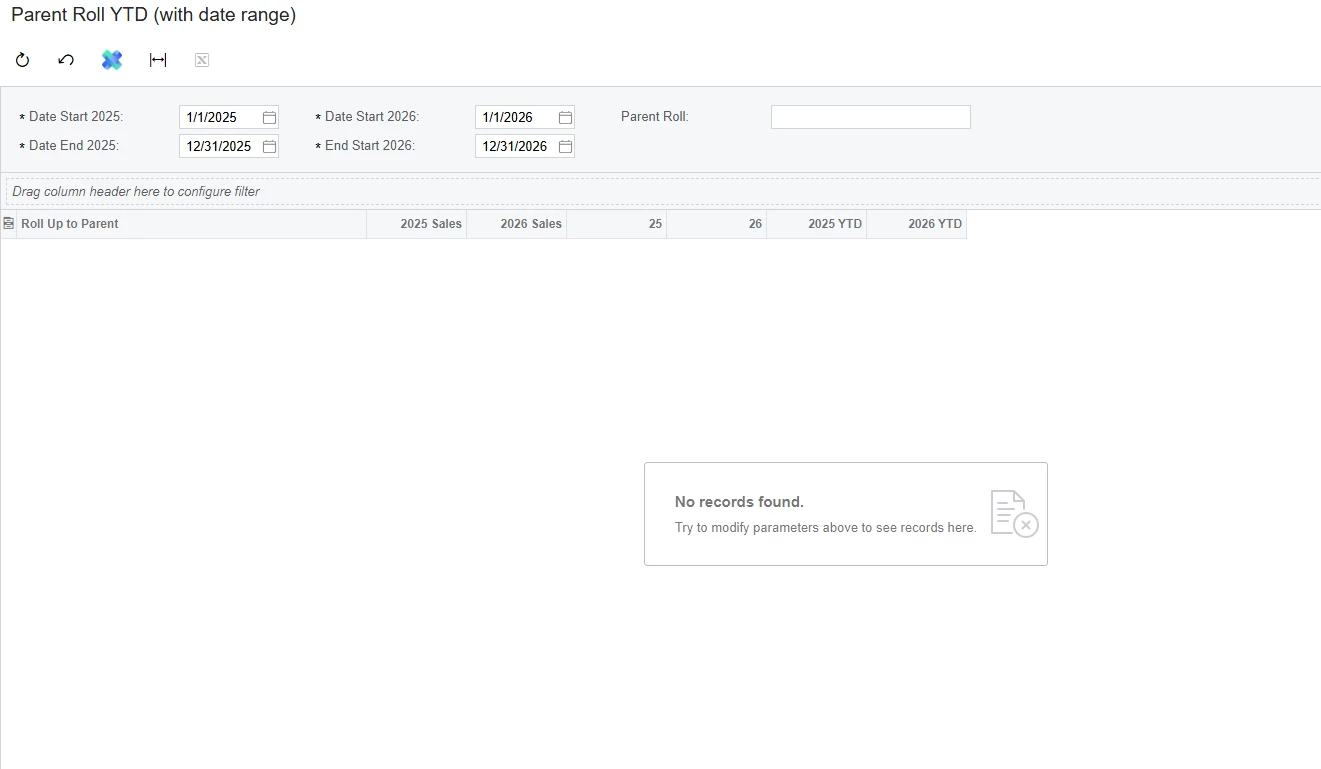
Hi, so i have created this YTD GI report. I'm trying to insert in date ranges that can make me see both years at the same time. But when I finish no data is showing. Can I get help please
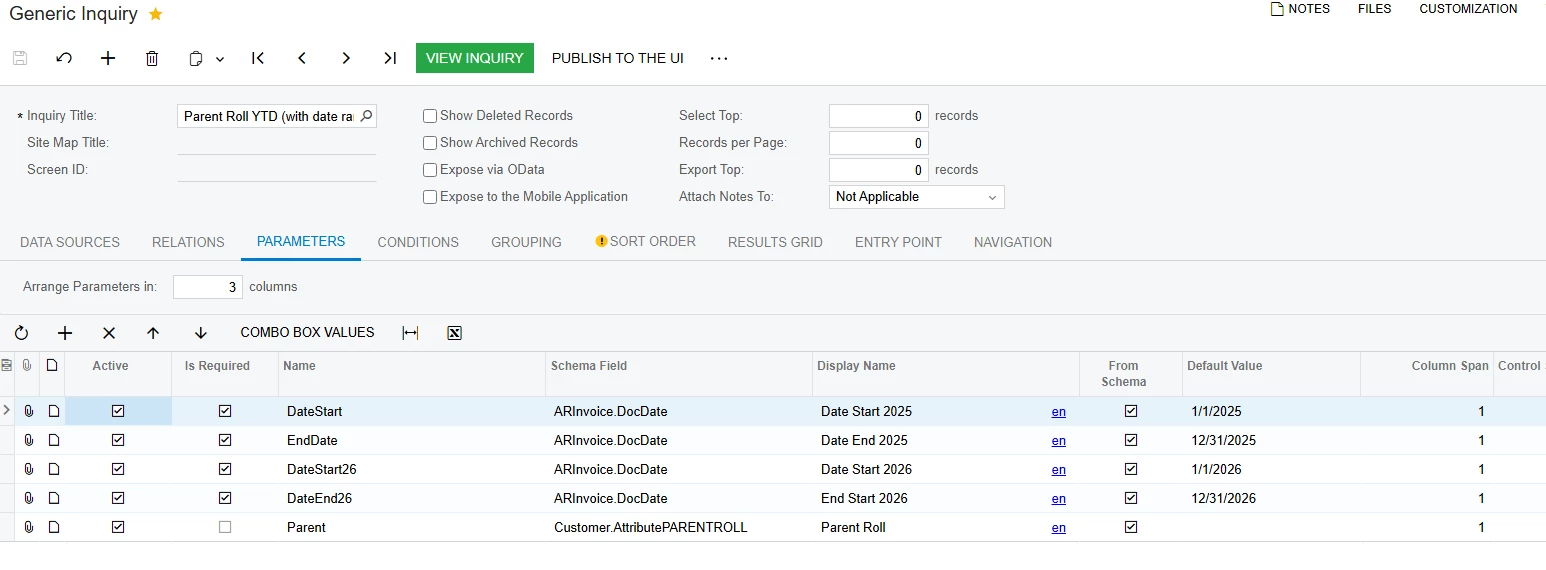
 

Best answer by BenjaminCrisman

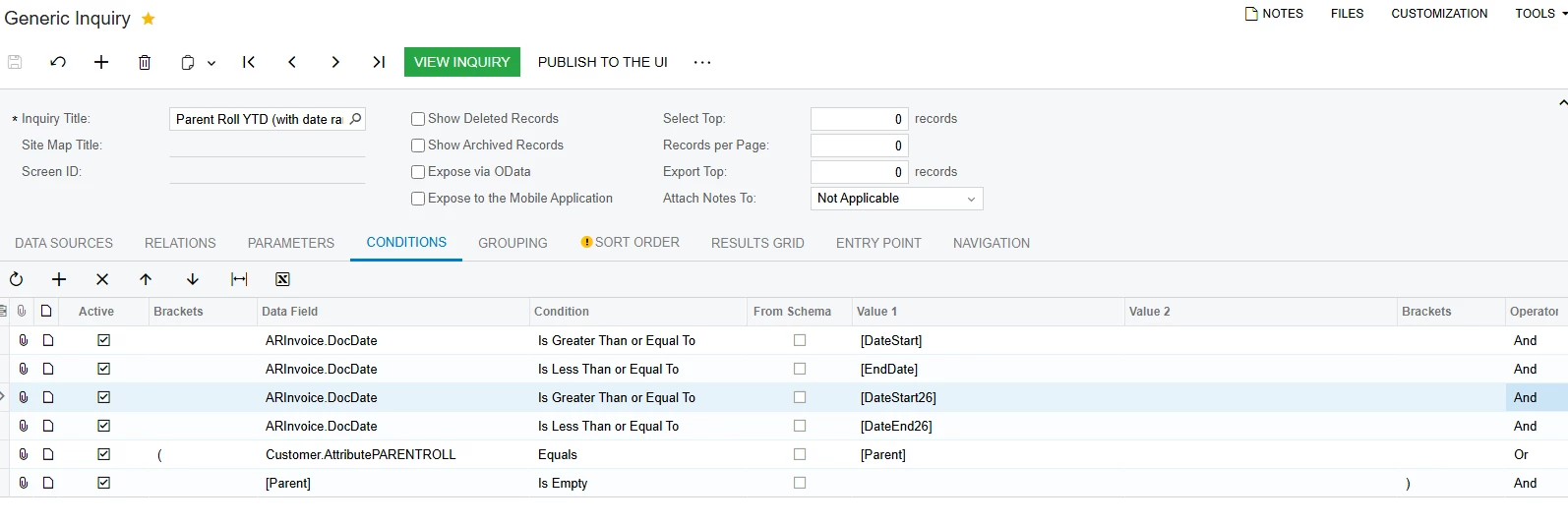
​@SandyA I think you need brackets around your date conditions and then use an OR operator because no date will exist between both of those sets or ranges simultaneous, which is what AND requires

4 replies

BenjaminCrisman
Acumatica Employee
Forum|alt.badge.img+4
  • Acumatica Support Team
  • Answer
  • September 29, 2026

​@SandyA I think you need brackets around your date conditions and then use an OR operator because no date will exist between both of those sets or ranges simultaneous, which is what AND requires


Forum|alt.badge.img
  • Author
  • Freshman II
  • September 29, 2026

​@BenjaminCrisman  thanks a lot. that part has been solved. I see data now. But the date range is only working for 2025


Forum|alt.badge.img
  • Author
  • Freshman II
  • September 29, 2026

​@BenjaminCrisman Hey, I’ve figured out thanks a lot. I just had to change the formula in the Results Grid for 2026 YTD


BenjaminCrisman
Acumatica Employee
Forum|alt.badge.img+4
  • Acumatica Support Team
  • September 29, 2026

​@SandyA Excellent! Glad it’s working now!