



Is there a way to make the Date Rounding “Weeks” have a format that displays the beginning date of that week? For example, instead of showing “2024 W52”, I’d like to show “12/23/2024” (which is the date for Monday of W52).
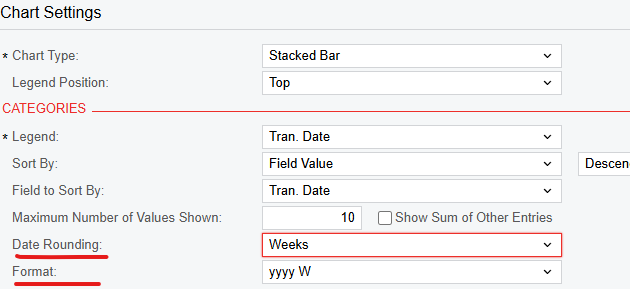
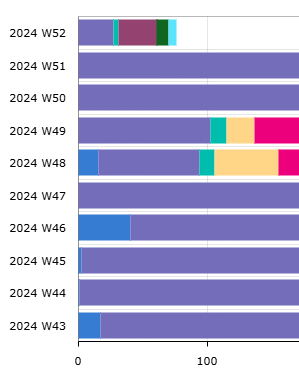
Is there a way to make the Date Rounding “Weeks” have a format that displays the beginning date of that week? For example, instead of showing “2024 W52”, I’d like to show “12/23/2024” (which is the date for Monday of W52).
Best answer by lauraj46
Hi
You could add a formula field to your GI with a calculation, something like this:
=DateAdd([CRCase.ReportedOnDateTime], 'd', (-1*DayOfWeek([CRCase.ReportedOnDateTime])+1))
This example will return a Sunday.
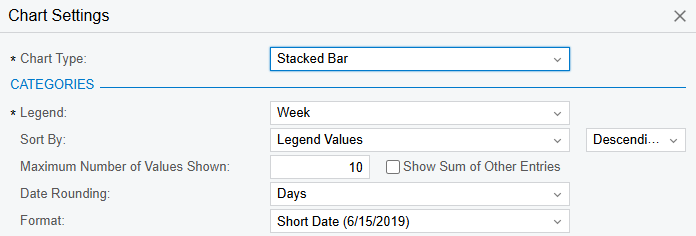
Give the formula field a caption such as ‘Week’, and choose a schema for the formula field that is a date.
On the dashboard, you can then round and format by Days and Short Date.
Hope this helps!
Laura
No account yet? Create an account
Enter your E-mail address. We'll send you an e-mail with instructions to reset your password.


