



In a report I use FABookBalance.BookID field. According to its definition it is an integer type, when I print it in the report it displays the FABook.BookCode field’s value. It is string type. But FABook table did not contains in the table schema of the report. I need to add a filter based on FABookBalance.BookID.
Following screenshot shows the data exist in both of tables
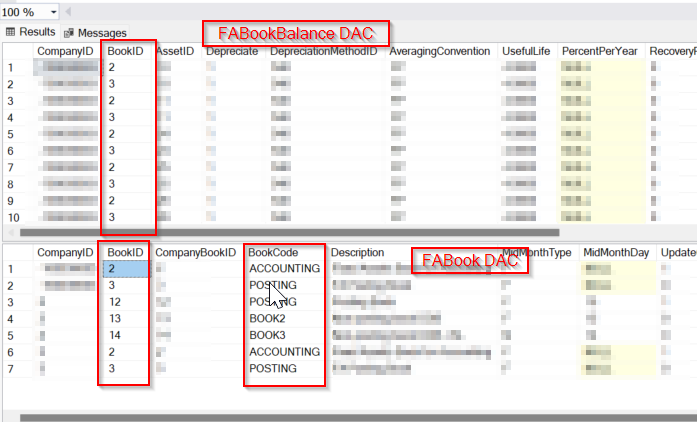
Following is FABookBalance.BookID field definition
		public abstract class bookID : PX.Data.BQL.BqlInt.Field<bookID> { }
		protected Int32? _BookID;
		[PXDBInt(IsKey = true)]
		[PXDefault()]
		[PXSelector(typeof(Search2<FABook.bookID,
								InnerJoin<FABookSettings, On<FABookSettings.bookID, Equal<FABook.bookID>>>,
								Where<FABookSettings.assetID, Equal<Current<FixedAsset.classID>>>>),
					SubstituteKey = typeof(FABook.bookCode),
					DescriptionField = typeof(FABook.description), CacheGlobal = true)]
		[PXUIField(DisplayName = "Book")]
		public virtual Int32? BookID
		{
			get
			{
				return this._BookID;
			}
			set
			{
				this._BookID = value;
			}
		}
I need to filter only the rows which satisfy FABookBalance.BookID equals 2 condition.


