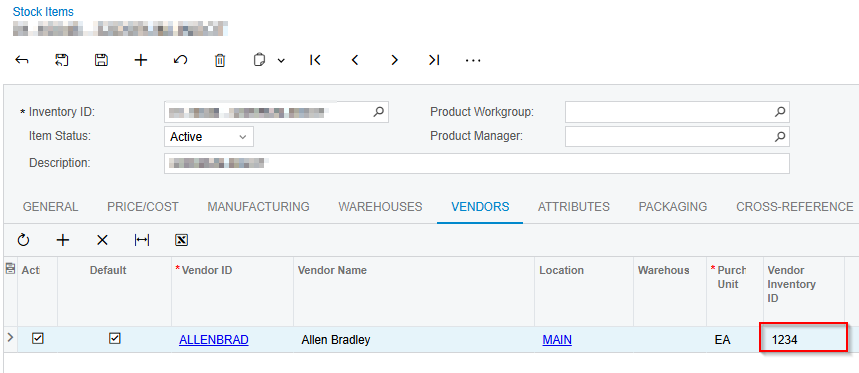
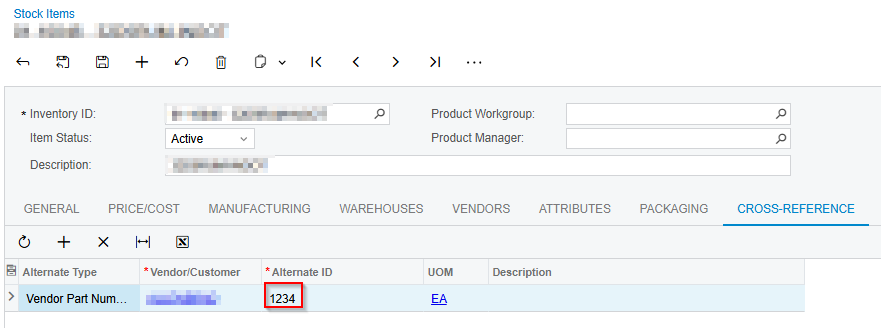
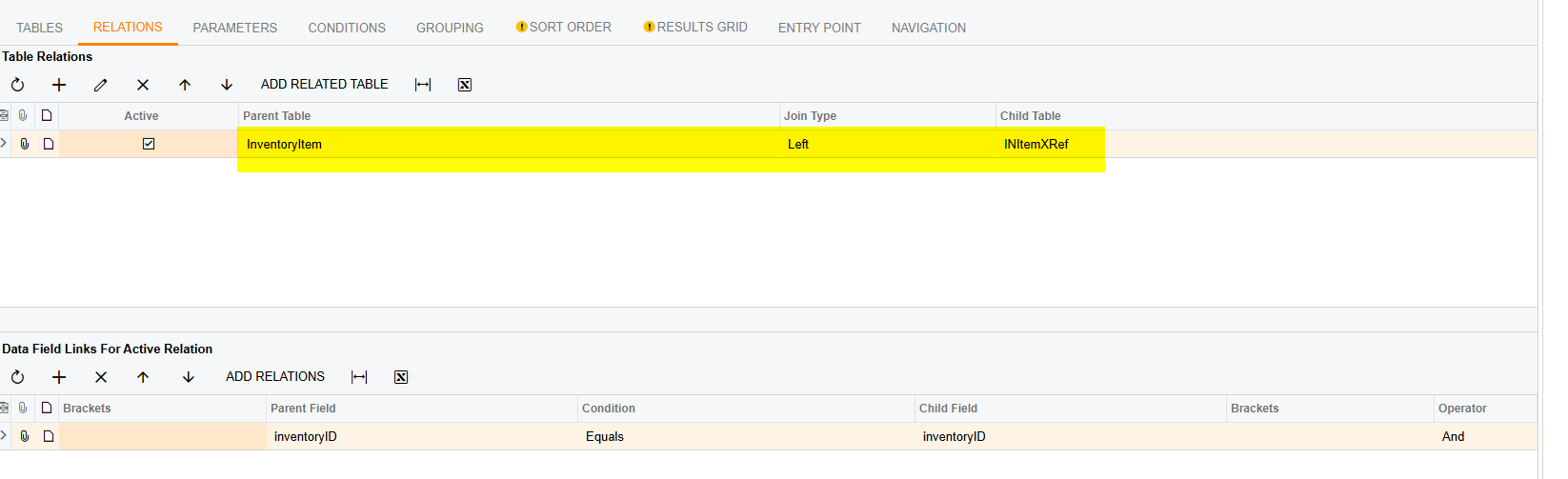
I am trying to add our Customer Alternate ID to our Purchase Order Report and it is not appearing. Any help appreciated!
I am trying to add our Customer Alternate ID to our Purchase Order Report and it is not appearing. Any help appreciated!
Best answer by Michaelh
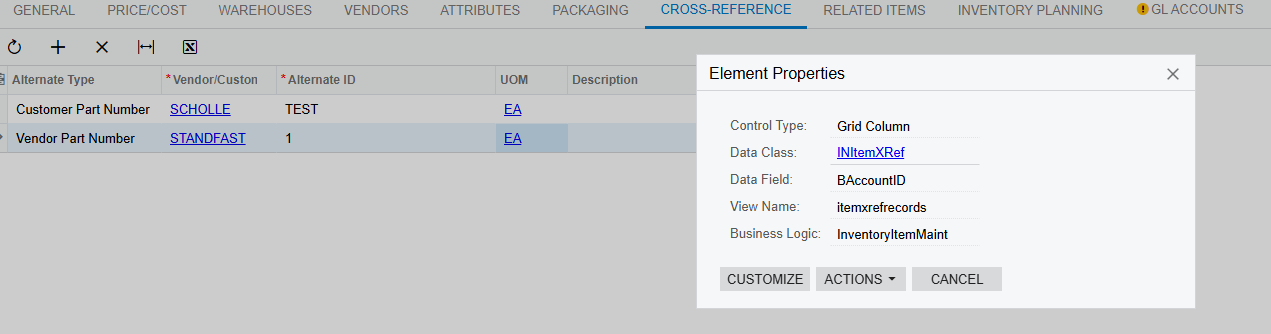
What we want to do is access the INItemXRef table, which is shown when we use the CTRL+ALT+CLICK function on the cross-reference grid on the STOCK ITEM screen.
Just like when we enter a row manually on the STOCK ITEM, we need to isolate the row’s “uniqueness” in our joins.
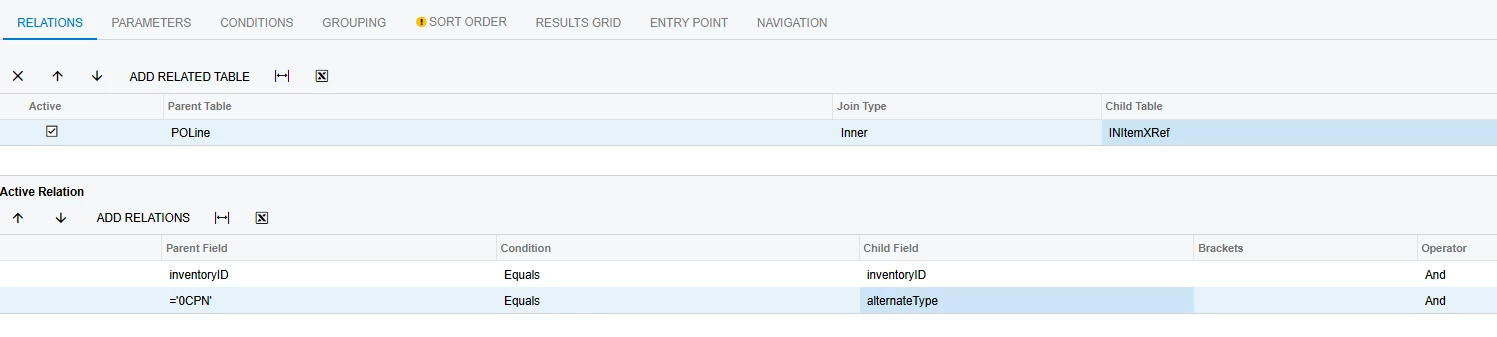
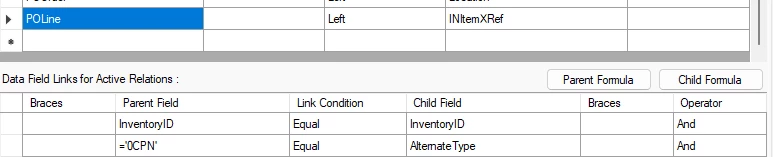
INItemXRef.InventoryID
INItemXRef.AlternateType

If you have one customer part number per item, that’s it for joins. BUT…...
Below are the joins you want:
Generic Inquiry (use left join not inner, bad image sorry):
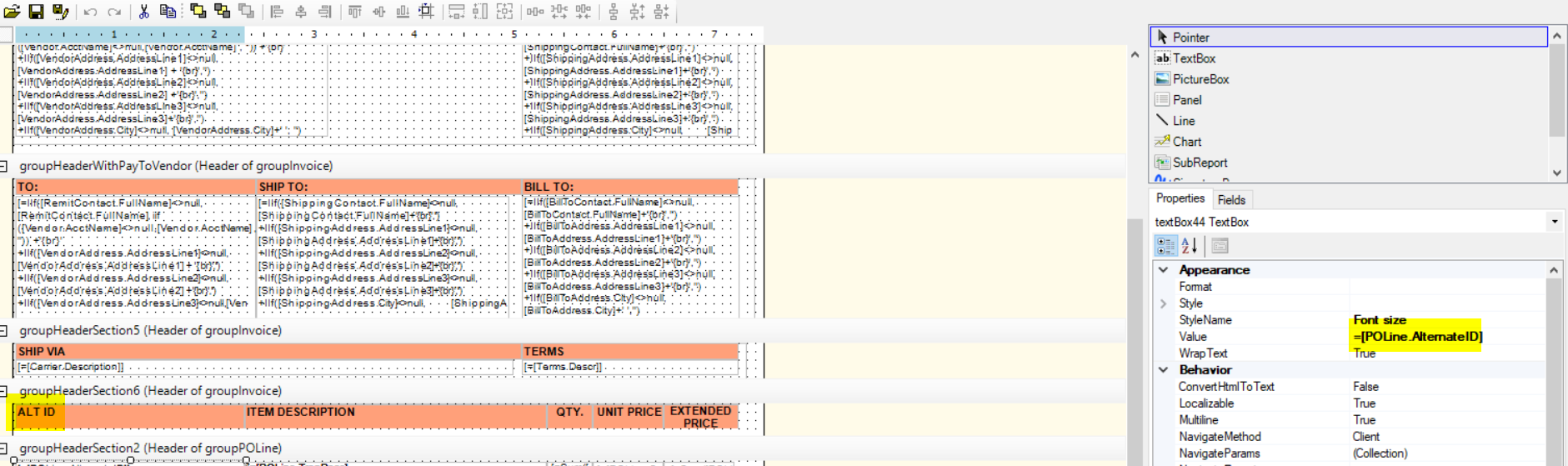
Report Designer:
Good luck friends!
Enter your E-mail address. We'll send you an e-mail with instructions to reset your password.