Question

Credit / Debit Memo Invoice File Blank only when Emailed

  • May 18, 2026
  • 6 replies
  • 32 views

nickcerri32
Captain II
Forum|alt.badge.img+7

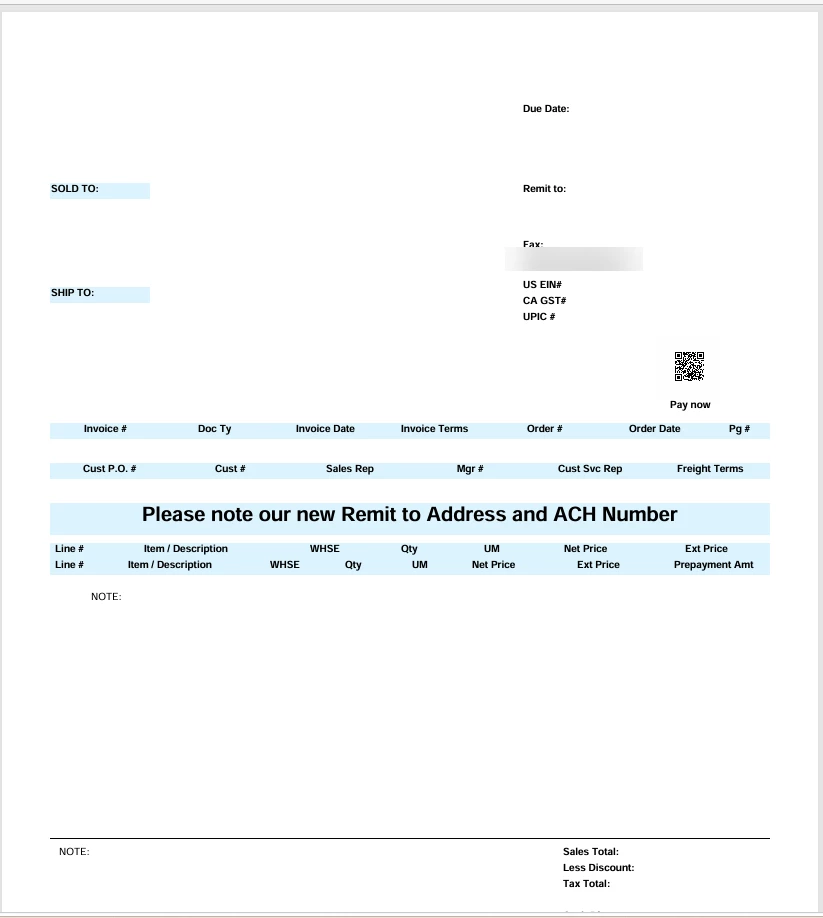
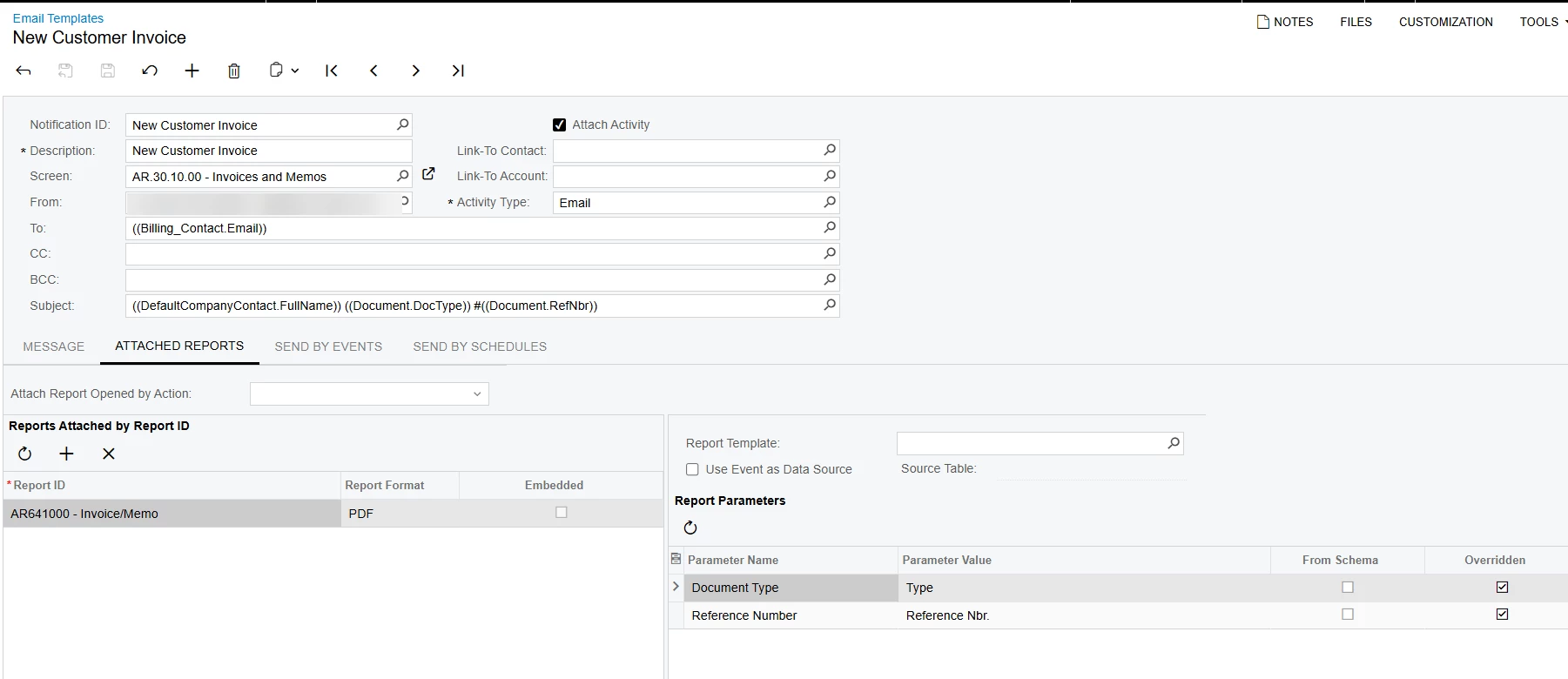
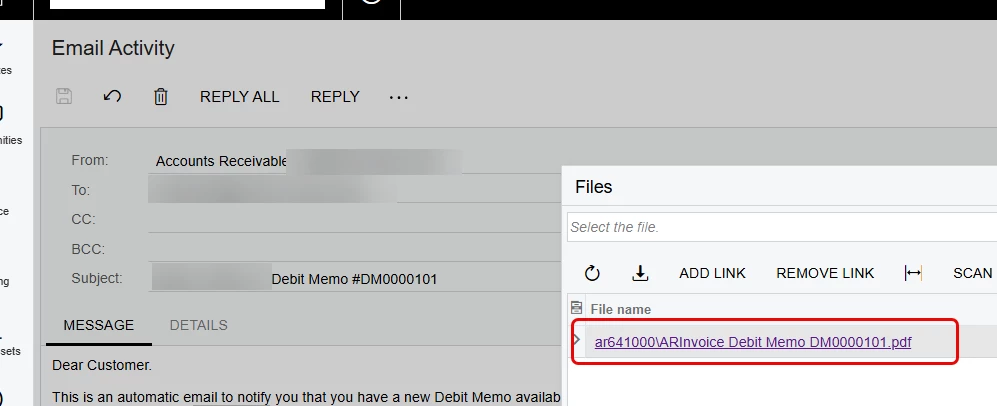
Hey, Gang - recently noticed for a customer that when the invoice report AR641000 goes out for Credit and Debit Memos, the report doesn’t display any values.  It displays just fine when I attempt to print it from the Invoices and Memos screen.  Issue is at the email.  Not sure what’s going on here.  I’ve attached the report and Email Template.  Any thoughts would be greatly appreciated. 
 

6 replies

Manikanta Dhulipudi
Captain II
Forum|alt.badge.img+16

@nickcerri32 Did you make any modifications to the report or workflow? As the system is trying to fill the type and document number, it is getting a blank response.

Did you try to manually print from the Print invoice and memo screen?


nickcerri32
Captain II
Forum|alt.badge.img+7
  • Author
  • Captain II
  • May 18, 2026

@nickcerri32 Did you make any modifications to the report or workflow? As the system is trying to fill the type and document number, it is getting a blank response.

Did you try to manually print from the Print invoice and memo screen?


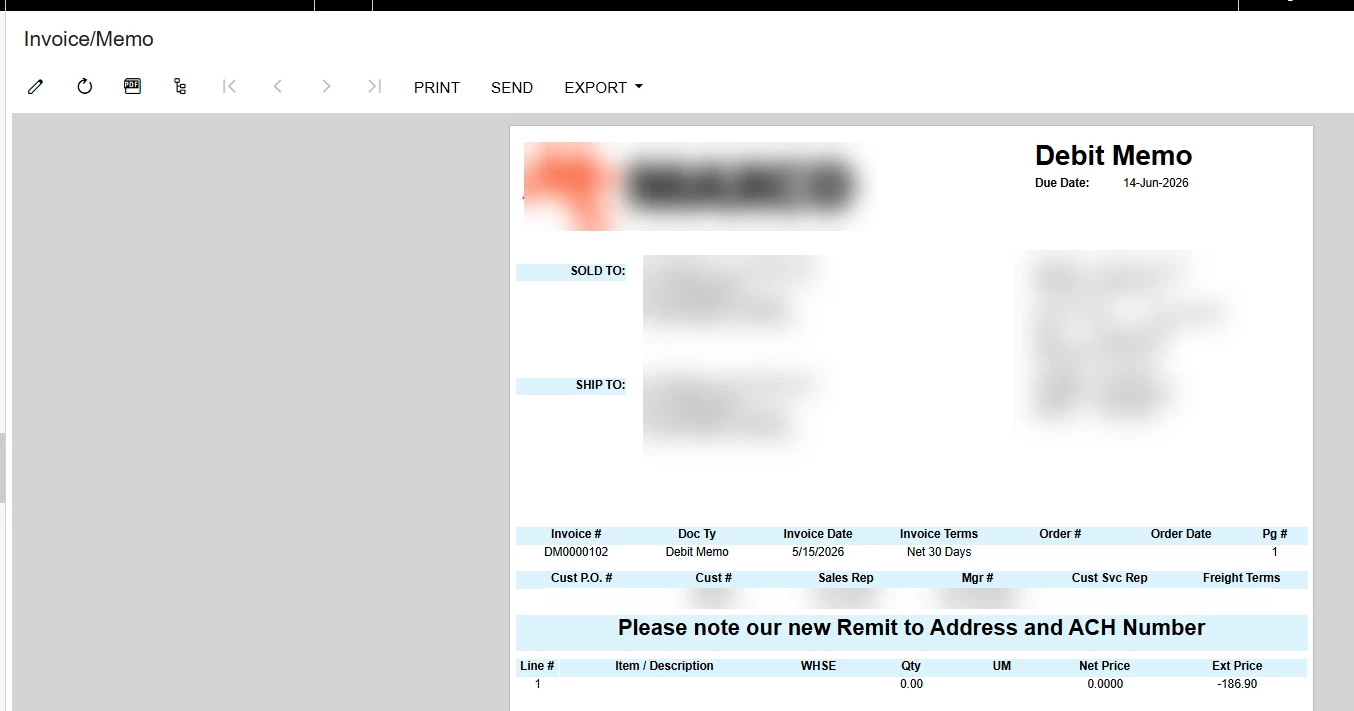
I did modify the report by moving fields around, adding new fields, and some additional joins, but no edits were made to the Behavior or design of the report itself.  When I manually print from the Invoices and Memos screen, it prints out without issue.


Manikanta Dhulipudi
Captain II
Forum|alt.badge.img+16

@nickcerri32 Can you remove the added Joins and verify the issue, Also did you modify the parameters ?


nickcerri32
Captain II
Forum|alt.badge.img+7
  • Author
  • Captain II
  • May 18, 2026

@Manikanta Dhulipudi - I didn’t make any update to the parameters.  However, I need to keep the joins (all Left) included for invoices that are associated with Sales Orders.  When I print a credit or debit memo, these fields are just blank - is there something else I’m missing in the report?


LeanneM
Semi-Pro III
Forum|alt.badge.img+4
  • Semi-Pro III
  • May 19, 2026

If you press the PDF button to see it as pdf does that all show correctly?  Might be the font used and the PDF needs to use standard fonts only / cannot interpret it.


nickcerri32
Captain II
Forum|alt.badge.img+7
  • Author
  • Captain II
  • May 19, 2026

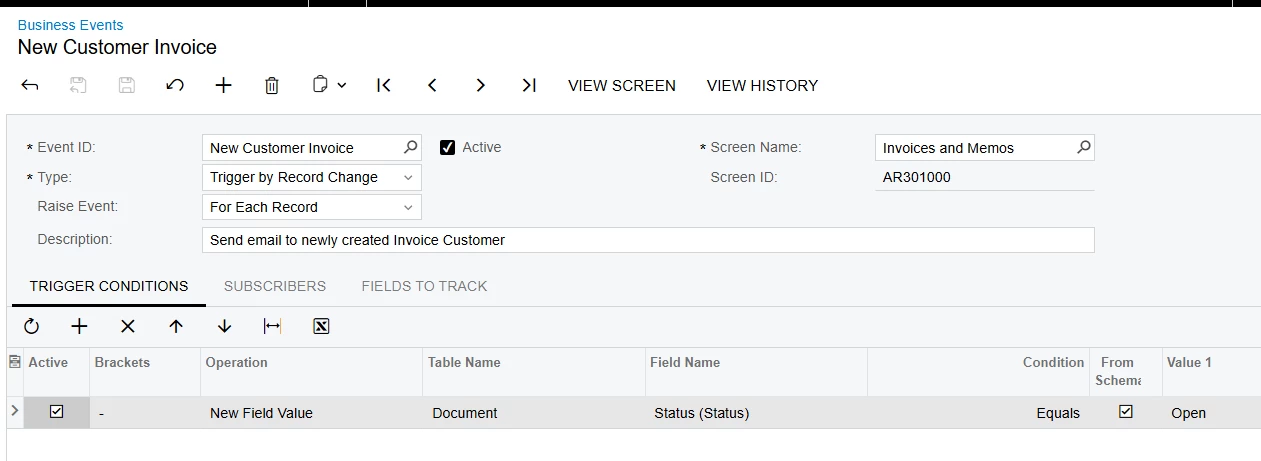
@LeanneM - When I print, email, (force) send, or export to pdf from the Invoices and Memos screen manually, the report displays correctly.  It’s only when the email is processed through a business event and sent through the send/receive emails process that it displays incorrectly.  Even then, it ONLY displays incorrectly for Debit or Credit Memos.  NOT Invoices.  For reference, here’s the BE and Email Template