Answer

Creating a Shipment Cut Report

  • February 10, 2023
  • 6 replies
  • 115 views

Forum|alt.badge.img

Working on creating a shipment cut GI, and I would like to know how I would add a condition that only shows me lines that SOShipline.Orderqty does not equal the SOshipline.Shippedqty. 


In other words I don’t want to see if an order was shipped complete only the ones where the ship qty does not equal order qty.


Thanks
Best answer by ChandraM

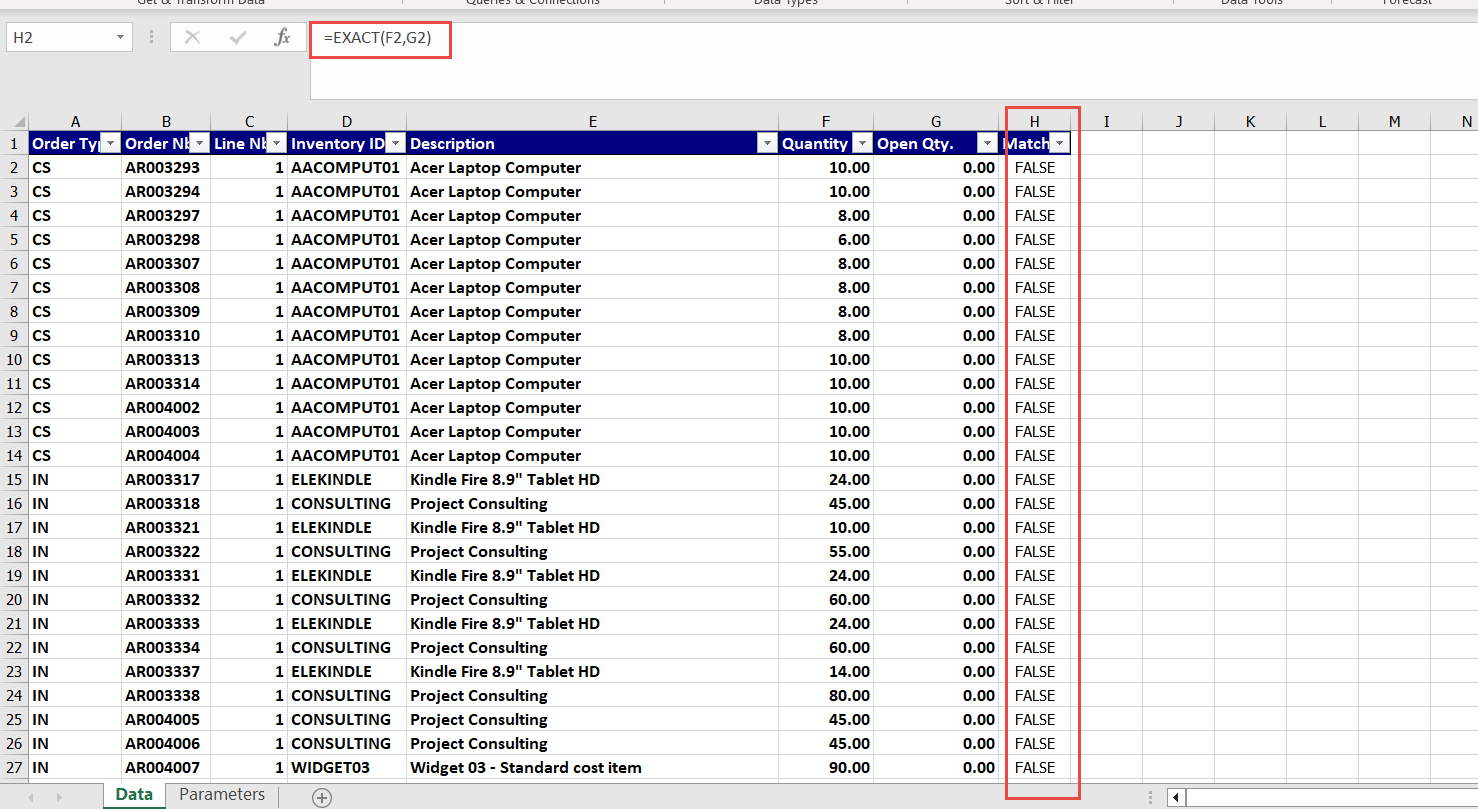
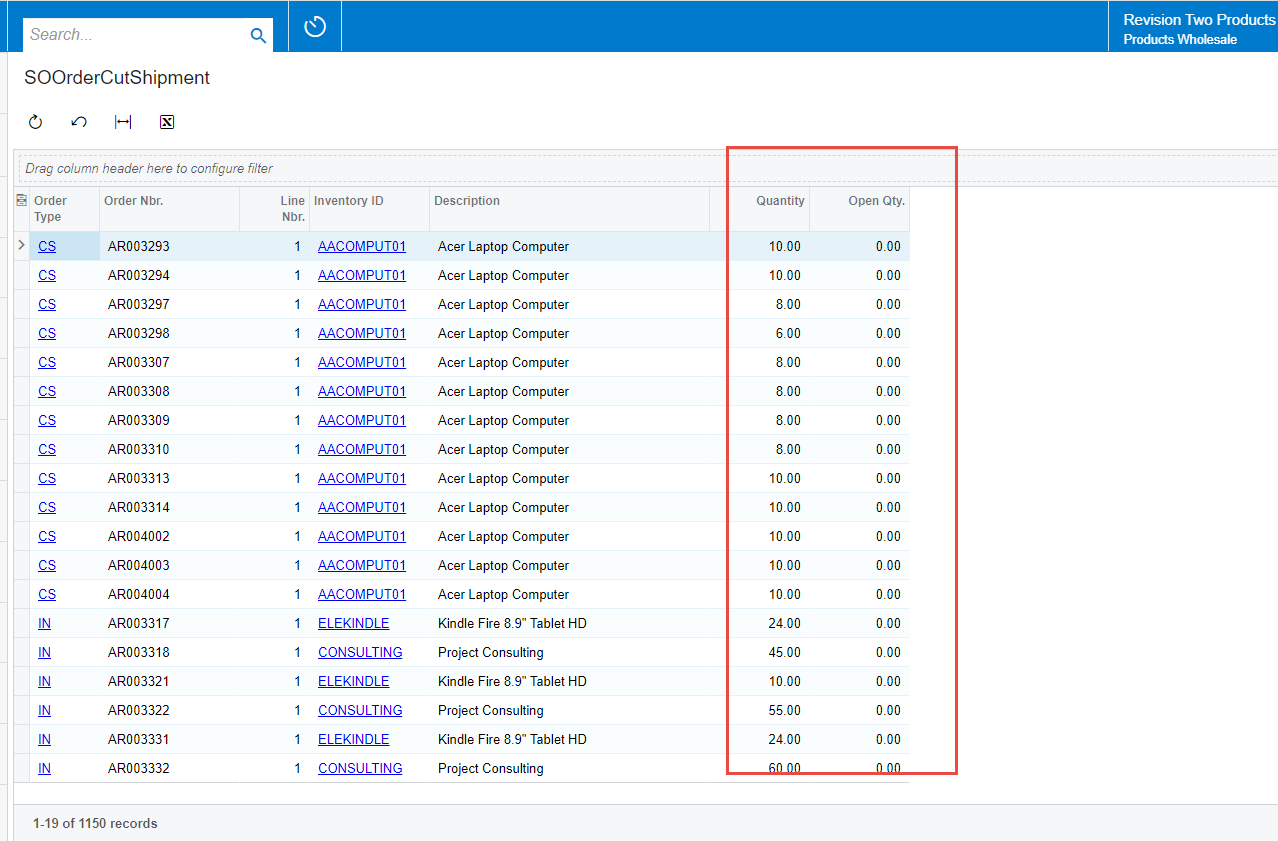
Hi @byates With the generic Inquiry posted in the previous post, please find the below results successfully showing only the Open items to be shipped.


Exported to Excel and verified the results.


6 replies

Forum|alt.badge.img+3
  • Jr Varsity I
  • February 12, 2023

Hi,

Is this what you are looking for?

SOShipLine.ShippedQty | Does Not Equal | =[SOShipLine.OrigOrderQty]


Naveen Boga
Captain II
Forum|alt.badge.img+19
  • Captain II
  • February 13, 2023

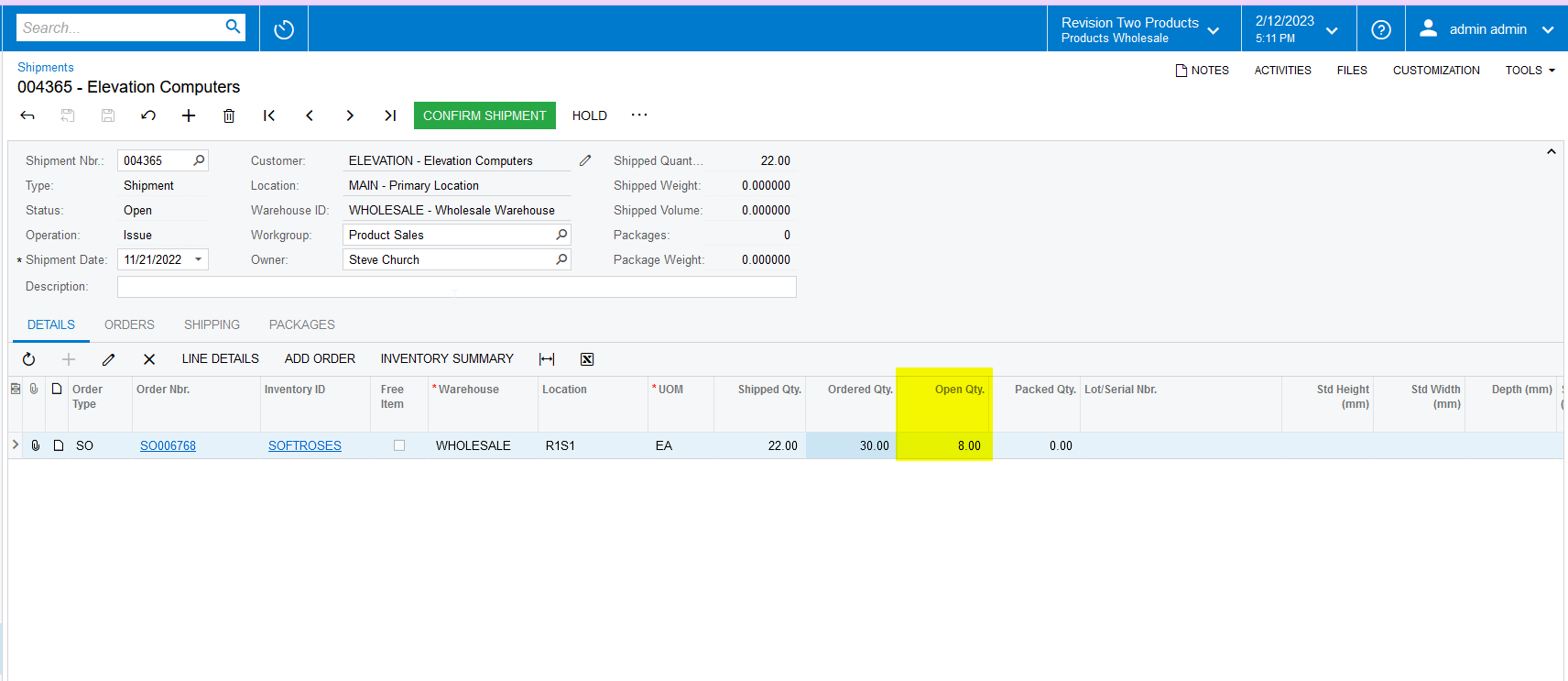
Hi @byates  You can also check with a single field i.e. OPEN QTY.


If OPEN QTY is greater than 0, which means there is Unshipped is available in the Sales Order. Please find the screenshot for reference.


Forum|alt.badge.img+8
  • Semi-Pro I
  • February 13, 2023

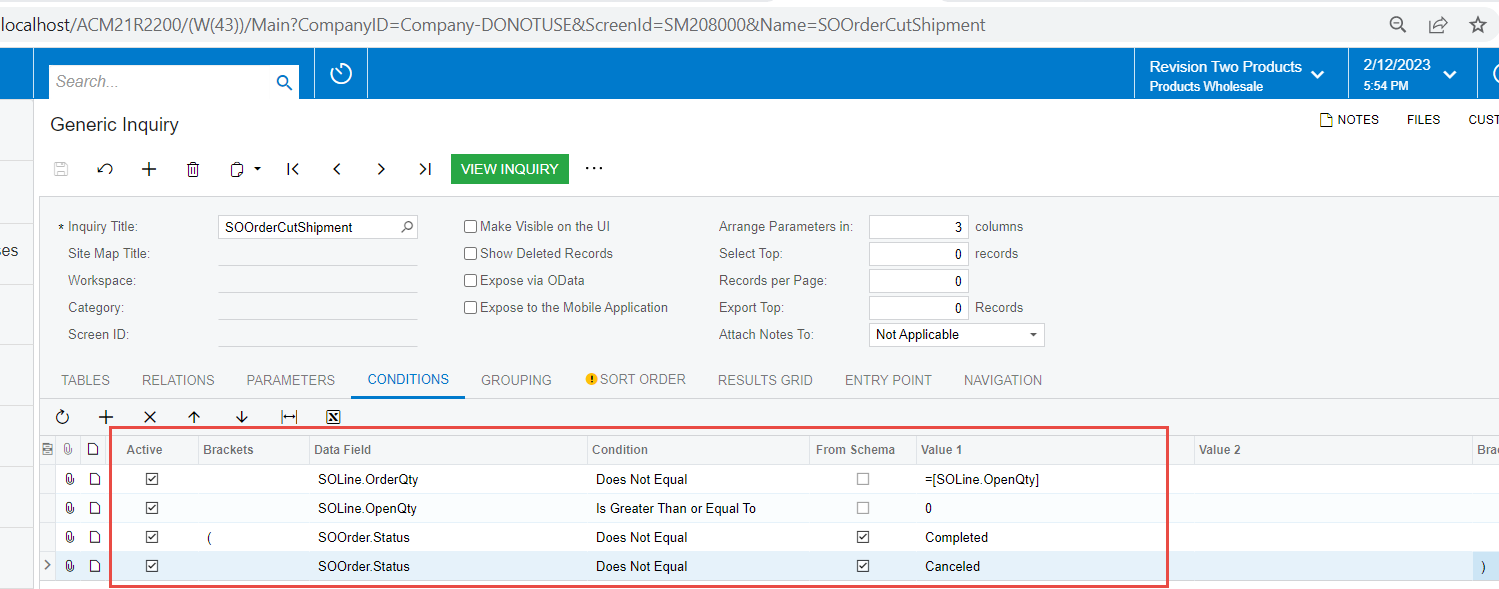
Hi @byates Assuming that you are looking for the Sales Order line items, please use the below condition.


Thanks


Forum|alt.badge.img+8
  • Semi-Pro I
  • February 13, 2023

Hi @byates Please find the attached Generic Inquiry created for your convenience and reference.


Forum|alt.badge.img+8
  • Semi-Pro I
  • Answer
  • February 13, 2023

Hi @byates With the generic Inquiry posted in the previous post, please find the below results successfully showing only the Open items to be shipped.


Exported to Excel and verified the results.


Forum|alt.badge.img
  • Author
  • February 13, 2023

Thank you all for the feedback!! Classic example of overthinking a solution, never thought about using the already available Open Qty.


@ChandrasekharM, thank you for the GI as well!!