Question

Create User Copy of Dashboard

  • September 9, 2025
  • 10 replies
  • 118 views

for most of the dashboards I can not click create user copy. Where do I found that and active it for select users? 

10 replies

bwhite49
Captain II
Forum|alt.badge.img+11
  • Captain II
  • September 9, 2025

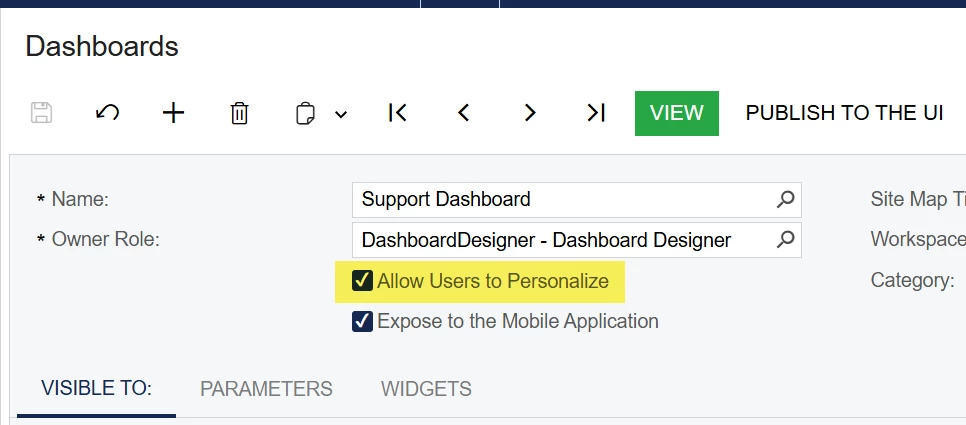
You can control this on the dashboard screen...


  • Author
  • September 9, 2025

@bwhite49 I did that and did not work. 


bwhite49
Captain II
Forum|alt.badge.img+11
  • Captain II
  • September 9, 2025

@bwhite49 I did that and did not work. 


I think it only works if the user does not have the “dashboard designer” role.

In your example, it looks like the user already has made a copy or has the dashboard designer role. If you click the design button, you should have the option to reset to default if it’s a copy. Resetting to default will make the create copy button available again. 


  • Author
  • September 9, 2025

what happens there is if I do that it takes away all the work done on the dashboard and it all disappears to the default. 


Chris Hackett
Community Manager
Forum|alt.badge.img
  • Acumatica Community Manager
  • September 30, 2025

Hi ​@SunnyM were you able to find a solution? Thank you!


  • Author
  • October 1, 2025

@Chris Hackett not yet. Doesn’t seem to work even if two sales people have access to different roles the copy dashboard does not appear. Still trying. 


ricoybanez
Jr Varsity III
Forum|alt.badge.img+3
  • Jr Varsity III
  • October 2, 2025

@SunnyM 

If you want to give access to same dashboard to other select users, do this

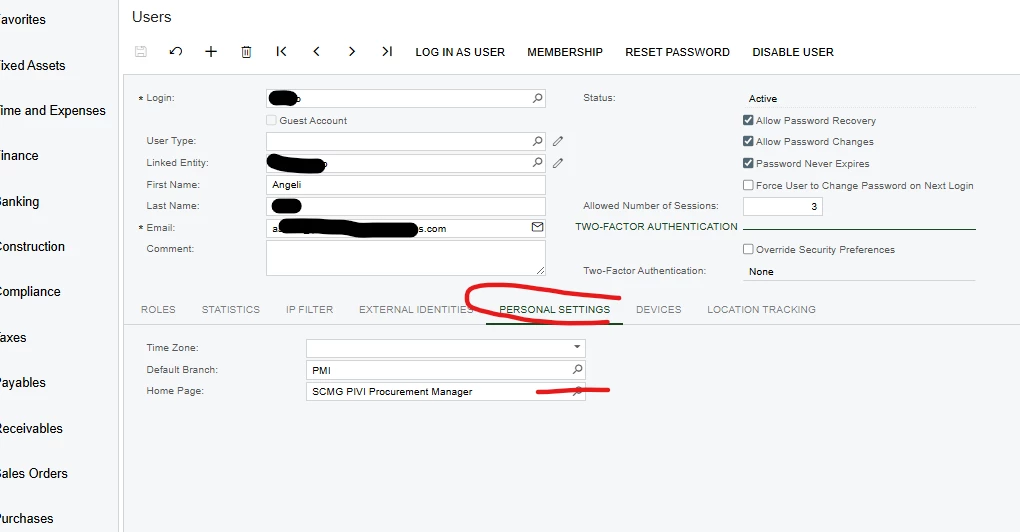
  1. Go to user Profile (select the username)
  2. Select [Personal Settings] Tab
  3. Under Home Page Field - select the specific dashboard created that you want to give access to the specific user.

see below screen capture:


Hope this helps.


  • Author
  • October 2, 2025

@ricoybanez thank you for that. I problem is that each person should be able to customize there dashboard which ever way they want. They all have the same role. Right now if one person makes a change it changes it for all of them. They have select access as well to the branch they work out of. 


ricoybanez
Jr Varsity III
Forum|alt.badge.img+3
  • Jr Varsity III
  • October 3, 2025

@SunnyM 

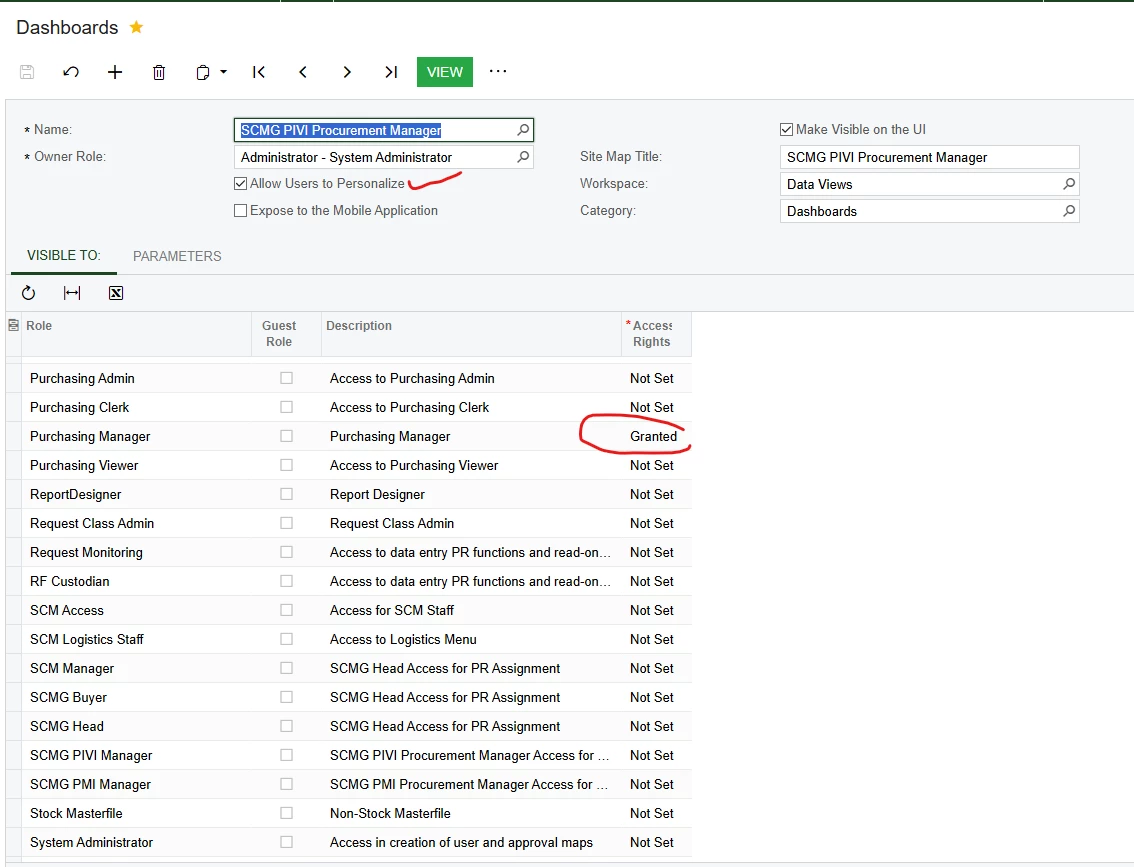
Do this:

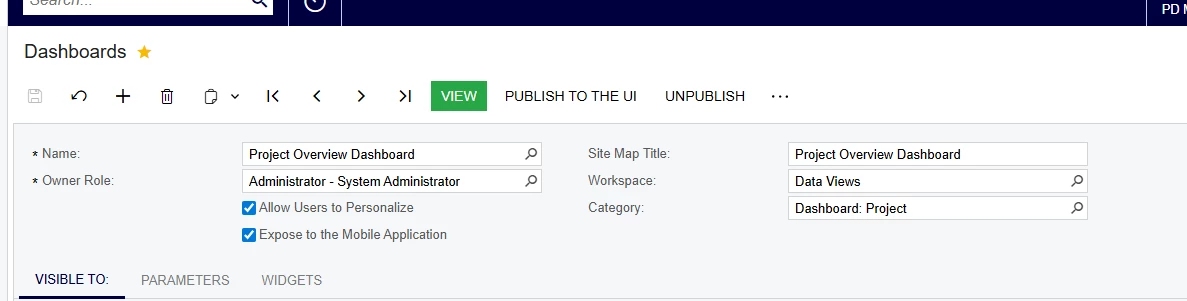
  1. On the Dashboard profile [CHECK] Allow User to Personalize
  2. Grant [ACCESS RIGHTS] to the specific role where your user belongs


  • Author
  • October 3, 2025

@ricoybanez I just did that for a one of the users and I go to that dashboard and create copy is not there.