Question

Counted document total in Pivot table is 1 off

  • February 9, 2026
  • 1 reply
  • 20 views

Forum|alt.badge.img

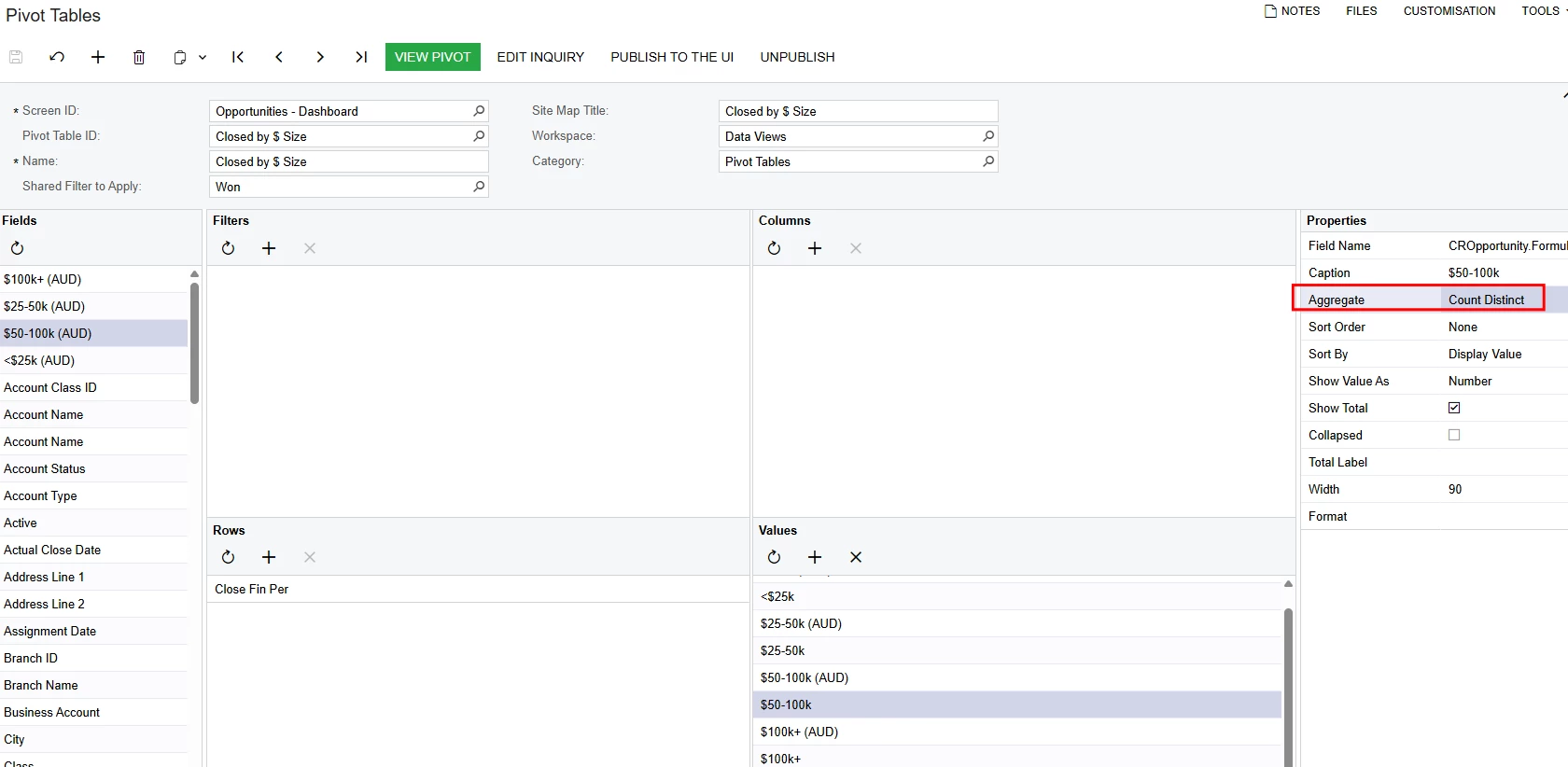
Hi, we have a GI that shows Won opportunities per period. Beside the $ value, there is a value that counts how many documents consists of it. However, it adds 1 count to in pivot tables. I’ve used all aggregate functions in Pivot table and Count Distinct is the best option which is still not correct as the value is still one off. If this is not a limitation, how do I correct this?
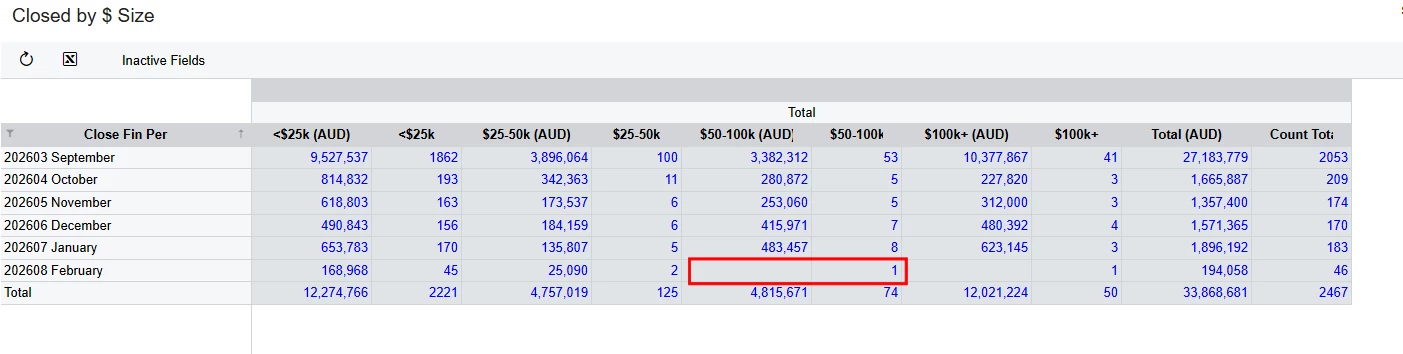
There is no won in opportunities $50-100k (AUD), but it is showing 1 in the count column beside it
Used Count Distinct as the best option to show the ‘closest’ correct option


1 reply

KrunalDoshi
Freshman II
Forum|alt.badge.img
  • Freshman II
  • February 10, 2026

Hi ​@MarkD,

Please upload your GI XML so I can verify and suggest you the solution. This will help to identify where is the exact issue.

However, it looks like not only that one off in the one cell which you have highlighted but it is 3 off in each line as the Count Total does not match for each line total. Looks like you are considering the whole numbers instead of starting from next number, meaning, you should have range like 0-25000, 25001-50000, 50001 to 100000, and so on to count. Please check the formula you have in GI and even for your $ value. Hopefully this resolves your issue.
