Answer

Correct way to use status in a conditional formula inside a GI

  • May 20, 2025
  • 4 replies
  • 89 views

Forum|alt.badge.img+1

I have a simple GI showing production orders and all I want to do is add some color to it based on the status.


This formula is currently not coloring anything and I tried a couple other ways too, the system seems to not recognize the Status ID as the actual words that I have in my condition.


Here is my formula:

=IIf( [AMProdItem.StatusID] = 'Released', 'green20', 
    IIf( [AMProdItem.StatusID] = 'In Process', 'blue20',
        IIf( [AMProdItem.StatusID] = 'On Hold', 'yellow20',
            IIf( [AMProdItem.StatusID] = 'Completed', 'green', 'default' ))))


Can a second pair of eyes show me what is wrong with this?
Best answer by Neil Cantral

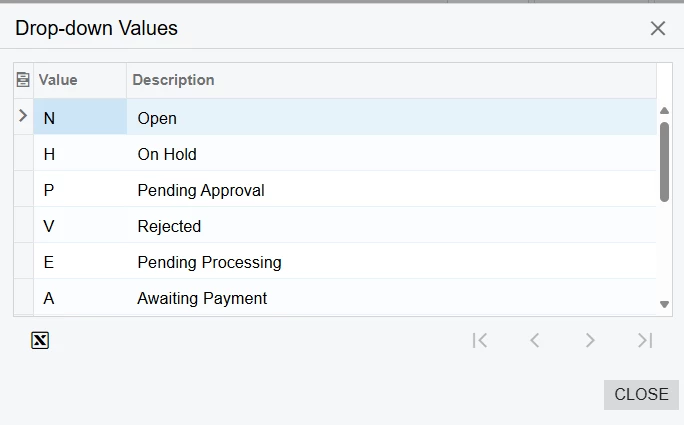
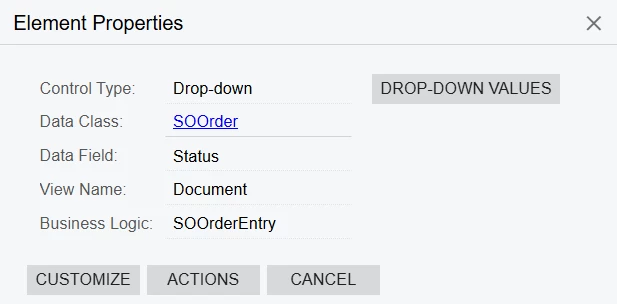
If you use the Acumatica inspect element (CTRL + ALT +click) on the field you can click the drop-down values button to see a list of all values.


4 replies

Forum|alt.badge.img+1
  • Author
  • Semi-Pro II
  • May 20, 2025

Update: 


I have found that I need to use the Internal Value for the statuses, however I cannot find the value for completed. “C” is for closed, does anyone know the internal value for “completed”?


=IIf( [AMProdItem.StatusID] = 'R', 'green20',     IIf( [AMProdItem.StatusID] = 'I', 'blue20',        IIf( [AMProdItem.StatusID] = 'H', 'yellow20',            IIf( [AMProdItem.StatusID] = 'C', 'green', 'default' ))))


Neil Cantral
Jr Varsity I
Forum|alt.badge.img+3
  • Jr Varsity I
  • Answer
  • May 20, 2025

If you use the Acumatica inspect element (CTRL + ALT +click) on the field you can click the drop-down values button to see a list of all values.


Forum|alt.badge.img+1
  • Author
  • Semi-Pro II
  • May 20, 2025

Thank you very much ​@Neil Cantral this is perfect, 

In case someone else is looking for the same thing, my value for completed is M


Forum|alt.badge.img+2
  • Captain II
  • May 21, 2025

I find a switch rule to be a little tidier than nested ifs for these sorts of things and less prone to killing a GI in case of a typo


Here’s our color coding of the exact same

=switch([AMProdItem.StatusID]='P','yellow20',[AMProdItem.StatusID]='R','green20',[AMProdItem.StatusID]='I','green60',[AMProdItem.StatusID]='X','red20',[AMProdItem.StatusID]='M','default',[AMProdItem.StatusID]='C','default')