Solved

CONVERT DATETIME FIELD TO DATE ONLY

  • December 20, 2023
  • 11 replies
  • 1793 views

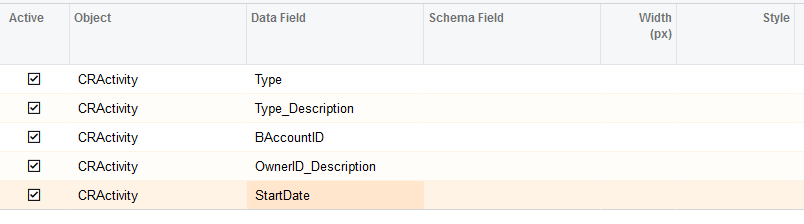
I am creating a GI and need to pull for a Date, however the field i need to use is a DATETIME field.  I feel like it should be easy to convert it to a DATE field only but it doesn’t seem to be.  Any hints?  I’ve tried every scenario that i can think of and google...I’ve added things to the Data Field, Schema Field, Style etc.  i can do a LEFT(Start Date,11) but then when i try to add a condition that it pulls @Today, nothing will show.  I am assuming it’s b/c of the timestamp attached to the Date.


Best answer by Naveen Boga

@koboldinst  That is a limitation here. If you wanted to try to filter Today(), then again it will brings up the time (like 12:00 AM) along with the date. Is this fine?


11 replies

Laura03
Captain II
Forum|alt.badge.img+20
  • Captain II
  • December 20, 2023

hello @koboldinst ,

I know Date formatting is tricky & I know I’ve seen similar questions asked before.  Did you notice this post answered by Gabriel Michaud?  Please keep reading beyond the “Best Answer” post because I think Brian McMillan posted the answer to your question above (removing time from a Date field to acheive a condition that recognizes a match and returns records with a certain filtered date), further down the thread.

I hope this helps you!

Laura


Forum|alt.badge.img+1

Hi,


You can use following parameters of Format function:

format('{0:MM/dd/yyyy}', [StartDate]) 


  • Author
  • Freshman I
  • December 20, 2023

@Laura02 Thanks, I had already found that answer and tried it.  If i put it into the Data field, it still returns the time.

@Yulias18 That did not work putting it into the Data field

Thanks though!


Naveen Boga
Captain II
Forum|alt.badge.img+20
  • Captain II
  • December 20, 2023

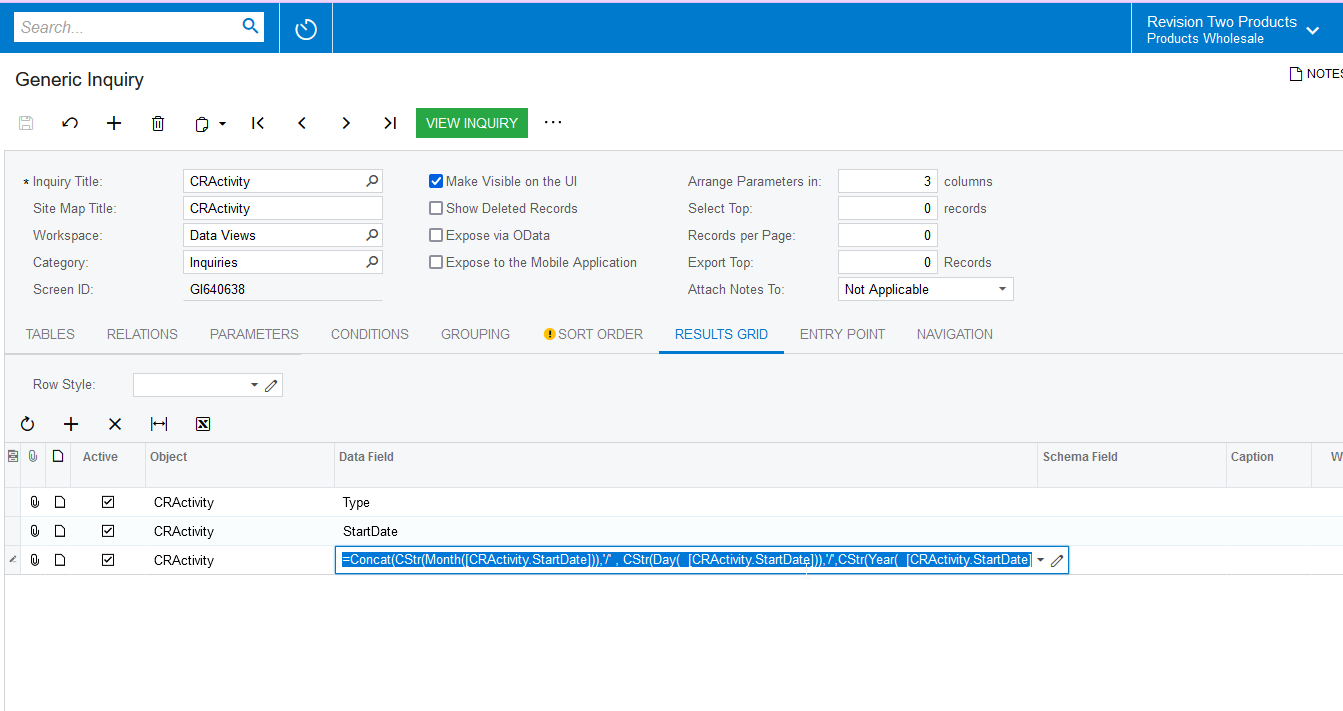
@koboldinst Can you please try this formula?


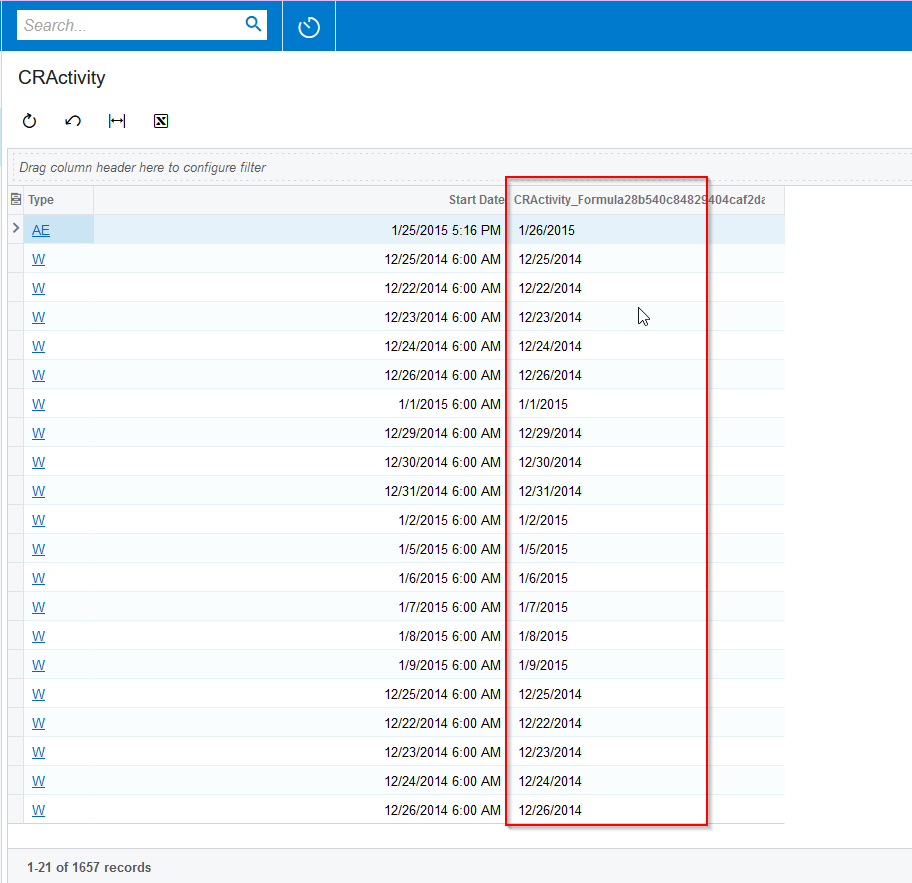
=Concat(CStr(Month([CRActivity.StartDate])),'/' , CStr(Day(  [CRActivity.StartDate])),'/',CStr(Year(  [CRActivity.StartDate])))


  • Author
  • Freshman I
  • December 27, 2023

Hi Naveen - Yes that works, I had already tried that but i need it to show just for today...and that GI data is then being brought into a master Velixo worksheet.  So i need it to filter  =today() somehow and that’s the part that’s not working.  I can filter on the results screen but that won’t help me use the data for a Velixo report.


Naveen Boga
Captain II
Forum|alt.badge.img+20
  • Captain II
  • Answer
  • December 28, 2023

@koboldinst  That is a limitation here. If you wanted to try to filter Today(), then again it will brings up the time (like 12:00 AM) along with the date. Is this fine?


dgodsill7348
Jr Varsity I
Forum|alt.badge.img
  • Jr Varsity I
  • December 3, 2024

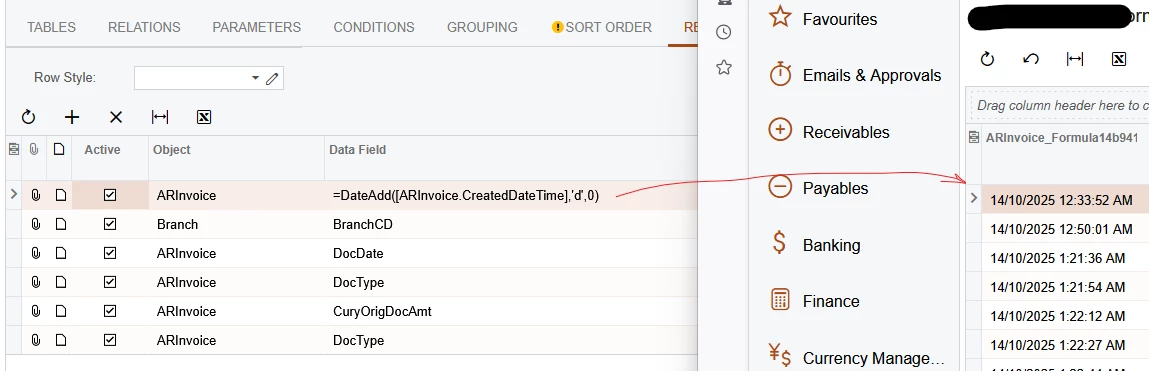
Use this to get a datetime field to just date so it can compare it to today() or any other smalldate field

=DateAdd( [POReceipt.CreatedDateTime],'d',0)


  • Freshman I
  • October 31, 2025

Use this to get a datetime field to just date so it can compare it to today() or any other smalldate field

=DateAdd( [POReceipt.CreatedDateTime],'d',0)


This still doesn’t work, it’s still carrying over the time.


  • Freshman I
  • November 18, 2025

This expression formats the date with two-digit day and month (dd/MM/yyyy):

=Concat(
    PadLeft(Day([Table.Date]), 2, '0'),
    '/',
    PadLeft(Month([Table.Date]), 2, '0'),
    '/',
    Year([Table.Date]))


Cheers,


dominicpolicicchio03
Freshman I
Forum|alt.badge.img

You can use the same datetime field but choose a schema that you know displays the date only. For example, if the field formula you use is “Today()”, it will show in date time 12/10/2025 12:00AM. However, if you add the schema field of ARTran.Date, the field will show only 12/10/2025. 


Hope this helps!

Dom


Forum|alt.badge.img
  • Freshman II
  • December 22, 2025

This is very frustrating Acumatica doesn’t have a simple formula function to do this frankly. Since they don’t give us direct SQL access to write queries yet at least, we are left to deal with GI and they are just not robust or powerful enough to handle anything beyond a couple joins. The aggregate functions don’t work well either.