



I would like to get some help with a conversion issue in the Results Grid. I have a Generic Inquiry that I was able to successfully pull in the customer name as the parent name if that field is empty (parent and child are the same company in some cases). I attempted to do something similar with the parent account number using the customer number in place but we have several parent accounts that are not “standard” numerics such as ‘AAMBER’, ‘INTMISC’, ‘C000012’, ‘C000013’, with several others similar to those few. My logic for the parent name substitution is: =ISNULL([BAccountR.ParentBAccountID_description], [BAccountR.AcctName], [BAccountR.ParentBAccountID_description]), the the logic for the Parent Account number is: =ISNULL([Customer.ParentBAccountID], [BAccountR.AcctCD], [Customer.ParentBAccountID]). A conversion error is popping up which I do understand why, but if there is a workaround I would appreciate any help.
Solved
Conversion issue(s)
Best answer by lauraj46
Hi
The ParentBAccountID field is an integer. Outside of a formula Acumatica automatically references the schema and displays the substitute key. Within a formula you need to join with the Customer DAC to find the account code.
In the GI you are able join the Customer DAC a second time and alias it as ‘Parent’. Your formula would be something like this:
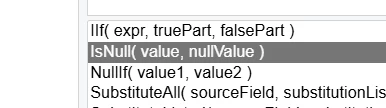
=IIF([Customer.ParentBAccountID] = NULL, [Customer.AcctCD], [Parent.AcctCD])
I still received a conversion error on the ISNULL and changed it to an IIF. See attached XML for your reference.
Hope this helps!
Laura




Login to the community
No account yet? Create an account
Social Login
Login with your Acumatica accountEnter your E-mail address. We'll send you an e-mail with instructions to reset your password.