Solved

Condition or Visble expression to hide zero lines in report

  • February 14, 2026
  • 6 replies
  • 0 views

Hi,

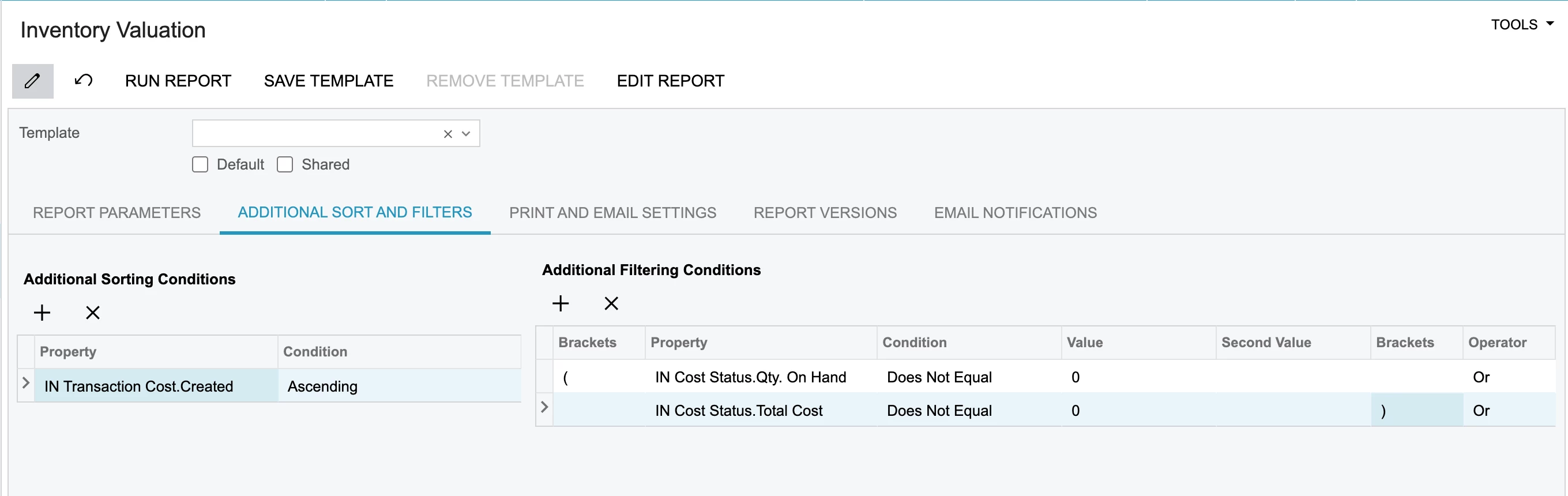
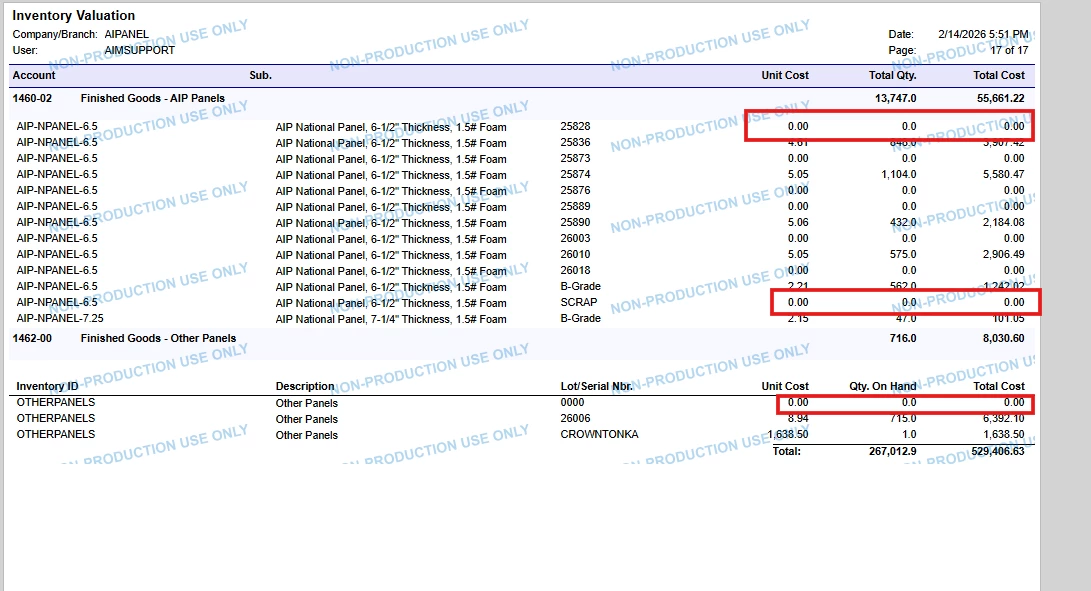
I’m trying to hide zero values in report through condition but there is a value difference when I run the report.

Could you please me to hide values through visbile expression. I tried some condition but it is showing true or false.

Please below image and RPX file


Best answer by aryanjadhav50

 Hi @ydasari

You can try modifying the VisibleExpr in the Group Header section.

Use this expression:

=IIf(IsNull([$TotalCost],0) = 0 OR IsNull([INCostStatus.QtyOnHand],0) = 0, False, True)

Make sure the Visible property is set to True.

This should hide the records where either TotalCost or QtyOnHand is zero.

6 replies

Forum|alt.badge.img+8
  • Semi-Pro I
  • February 14, 2026

Hi ​@ydasari The best option to hide the 0.00 would be to add  Build Schema → Filter section with a value like INTRAN.UnitCost NOT EQUAL 0.00

If you are looking for only the Visible expression. Please elaborate and if possible, share your report.


Forum|alt.badge.img+8
  • Semi-Pro I
  • February 14, 2026

@ydasari if you are still looking for additional help, can you confirm if it is the standard Inventory Valuation report. 


  • Author
  • Freshman I
  • February 15, 2026

Hi ​@ydasari The best option to hide the 0.00 would be to add  Build Schema → Filter section with a value like INTRAN.UnitCost NOT EQUAL 0.00

If you are looking for only the Visible expression. Please elaborate and if possible, share your report.

Hi ​@ChandraM ,


As I said in my post, I already tried all conditions but it is giving a disperancy in total cost 


Forum|alt.badge.img+1

hey ​@ydasari ,
have you tried using the below condition?

Hope this helps!!


aryanjadhav50
Jr Varsity I
Forum|alt.badge.img
  • Jr Varsity I
  • Answer
  • February 16, 2026

 Hi @ydasari

You can try modifying the VisibleExpr in the Group Header section.

Use this expression:

=IIf(IsNull([$TotalCost],0) = 0 OR IsNull([INCostStatus.QtyOnHand],0) = 0, False, True)

Make sure the Visible property is set to True.

This should hide the records where either TotalCost or QtyOnHand is zero.


  • Author
  • Freshman I
  • February 16, 2026

 Hi @ydasari

You can try modifying the VisibleExpr in the Group Header section.

Use this expression:

=IIf(IsNull([$TotalCost],0) = 0 OR IsNull([INCostStatus.QtyOnHand],0) = 0, False, True)

Make sure the Visible property is set to True.

This should hide the records where either TotalCost or QtyOnHand is zero.

Thanks Aryan. It worked!