

Solved

Can we condition after generic inquiry grouping

  • October 1, 2025
  • 2 replies
  • 43 views

Forum|alt.badge.img

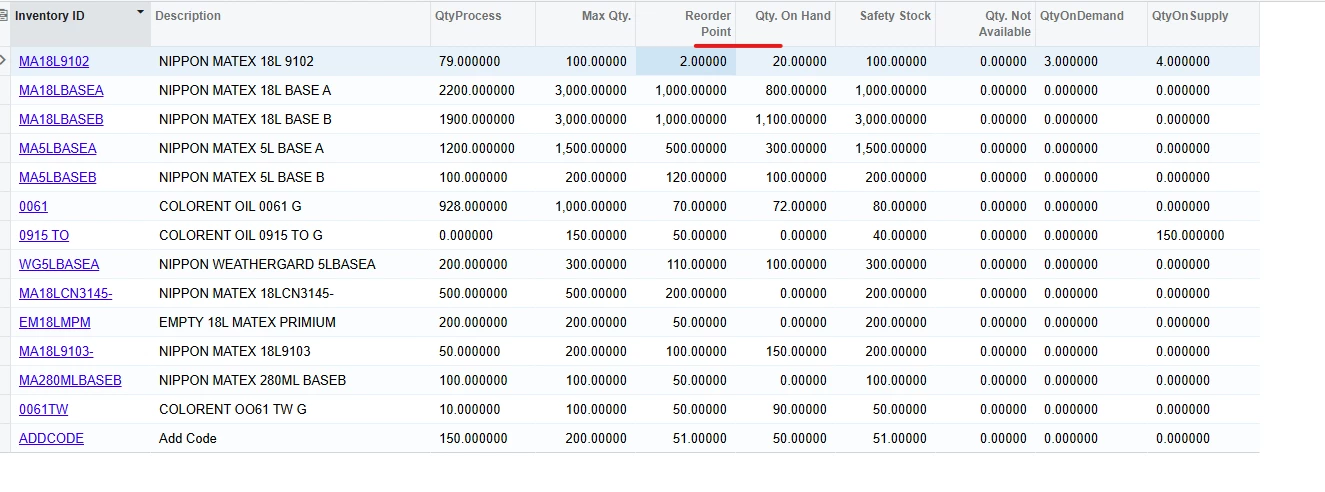
I create generic inquiry group by inventory id after group I want to filter Qty.On.Hand <= Reorder Point (this is the aggregate field)

Best answer by lauraj46

Hi ​@vannakheng ,

I have accomplished similar by using aggregate functions in a formula to calculate a new column on the Results Grid.  Once you have created this column in the results, then use a saved filter to select only the records that meet the criteria.  

This is an example of such a formula:

=iif(sum([INItemSite.MinQty])-sum([INSiteStatus.QtyAvail])>0, ‘Yes’, ‘No’)

You can also use max or min if you don’t want to sum certain fields.

Hope this helps!

Laura

2 replies

lauraj46
Captain II
Forum|alt.badge.img+8
  • Captain II
  • 743 replies
  • Answer
  • October 1, 2025

Hi ​@vannakheng ,

I have accomplished similar by using aggregate functions in a formula to calculate a new column on the Results Grid.  Once you have created this column in the results, then use a saved filter to select only the records that meet the criteria.  

This is an example of such a formula:

=iif(sum([INItemSite.MinQty])-sum([INSiteStatus.QtyAvail])>0, ‘Yes’, ‘No’)

You can also use max or min if you don’t want to sum certain fields.

Hope this helps!

Laura


Forum|alt.badge.img
  • Author
  • Freshman II
  • 33 replies
  • October 7, 2025

Hi ​@vannakheng ,

I have accomplished similar by using aggregate functions in a formula to calculate a new column on the Results Grid.  Once you have created this column in the results, then use a saved filter to select only the records that meet the criteria.  

This is an example of such a formula:

=iif(sum([INItemSite.MinQty])-sum([INSiteStatus.QtyAvail])>0, ‘Yes’, ‘No’)

You can also use max or min if you don’t want to sum certain fields.

Hope this helps!

Laura

Thanks

