Answer

Calculation in Generic Inquiry using Attributes issue with Data field

  • February 1, 2022
  • 13 replies
  • 615 views

Forum|alt.badge.img

Hi @Naveen B , All,


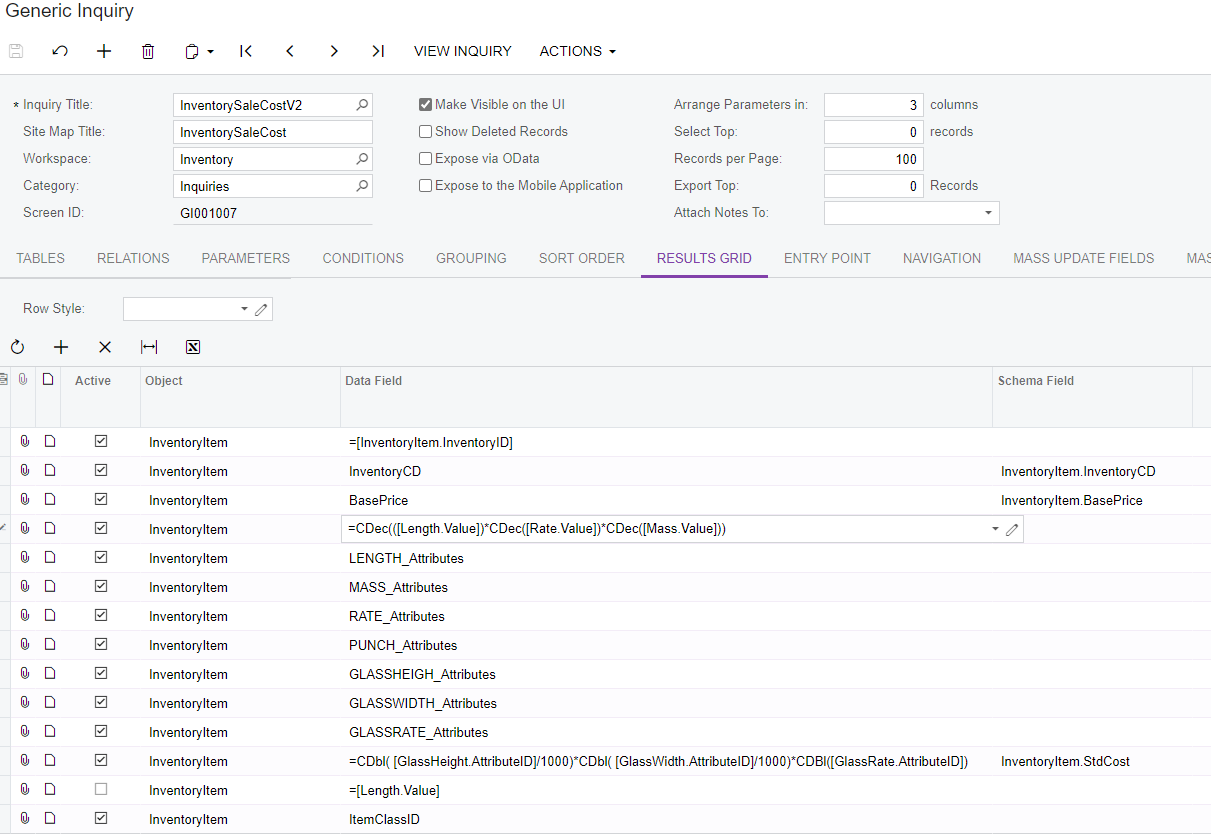
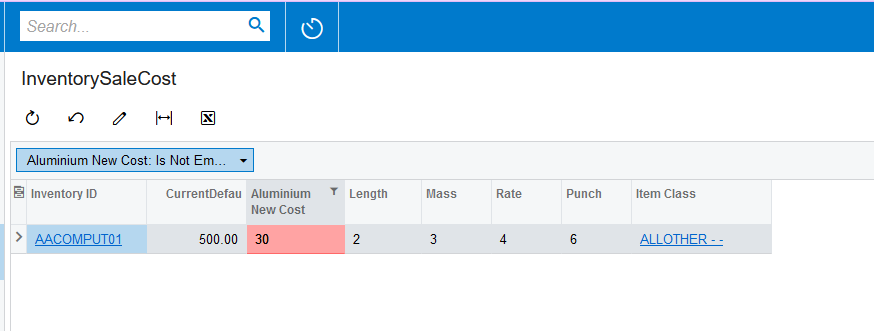
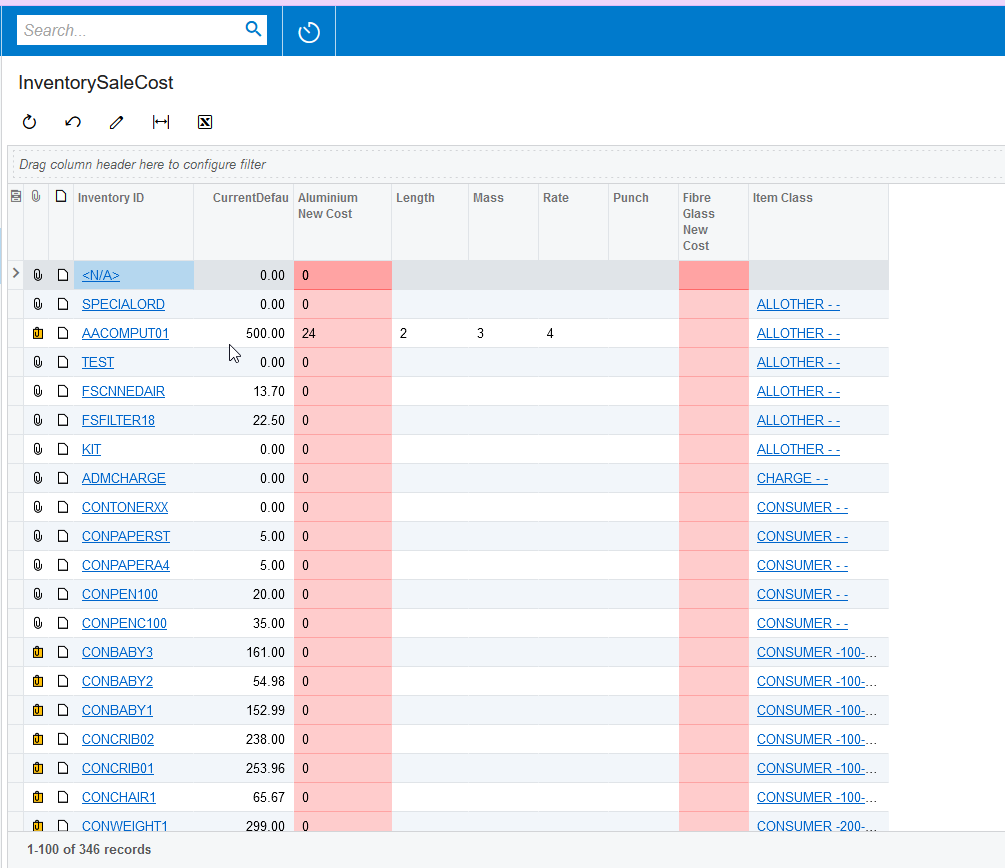
I have the following Generic Inquiry which I need to calculate a new cost from the attributes against the Item.  I think the calculation is not working due to the data types but am struggling with what prefix to use.

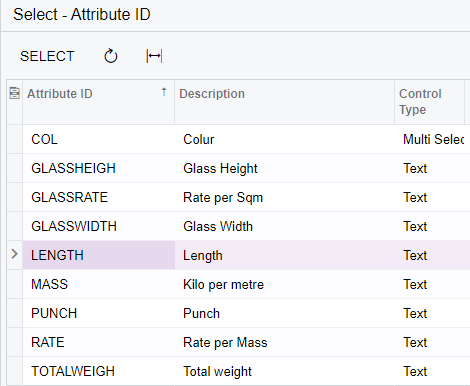
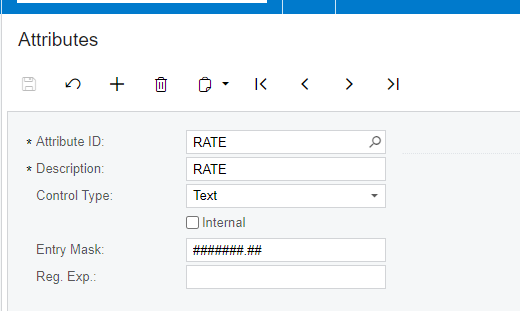
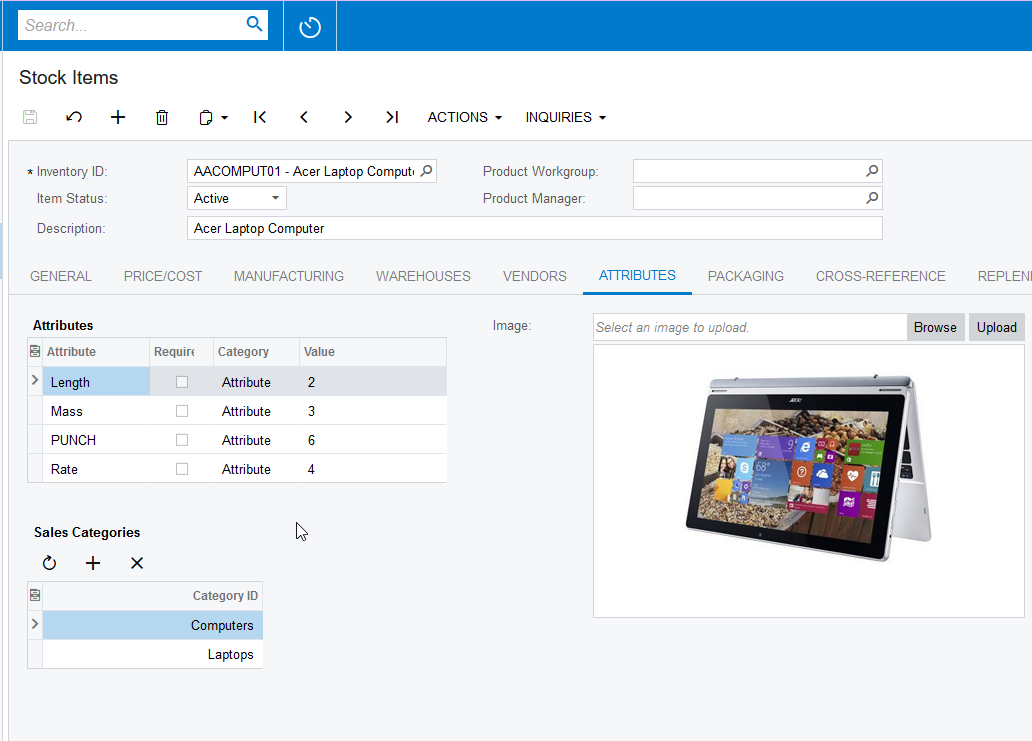
Attributes:-

I have tried using the Mask without luck also.  The generic inquiry is attached.

Any help appreciated.

Regards,

laura


Best answer by Naveen Boga

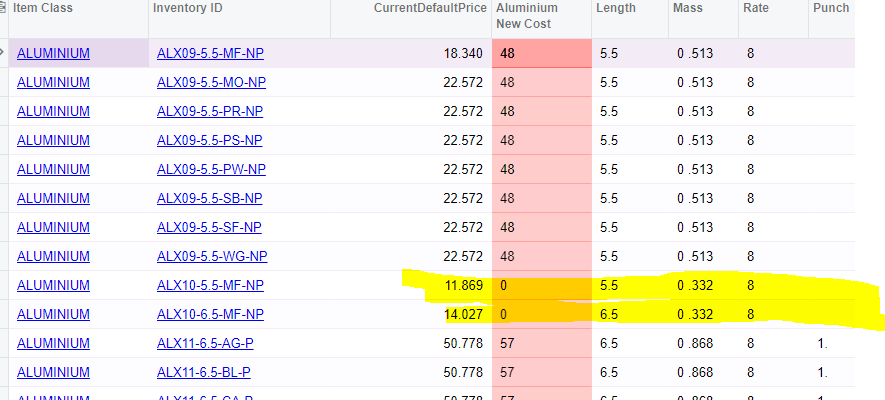
 Hi @lauracastagna    Since the Mass attribute value is less than 0.5 i.e., 0..3, it is considered 0 and getting the result as 0.

Please use the below formula and it will work with the 0.

Please use the CDbl instead of CDec conversion.

=CDbl((IsNull([Length.Value],0)))*CDbl((IsNull([Rate.Value],0)))*CDbl((IsNull([Mass.Value],0)))+ CDbl( (IsNull([Punch.Value],0)))


 Hi @lauracastagna  Since the Mass attribute value is less than 0.5 i.e., 0..3, it is considered 0 and getting result as 0.

Please use the below formula and it will work with the 0.

Please use the CDbl instead of CDec conversion.

=CDbl((IsNull([Length.Value],0)))*CDbl((IsNull([Rate.Value],0)))*CDbl((IsNull([Mass.Value],0)))+ CDbl( (IsNull([Punch.Value],0)))


13 replies

Forum|alt.badge.img+12
  • Acumatica Support Team
  • February 1, 2022

Hi @lauracastagna 

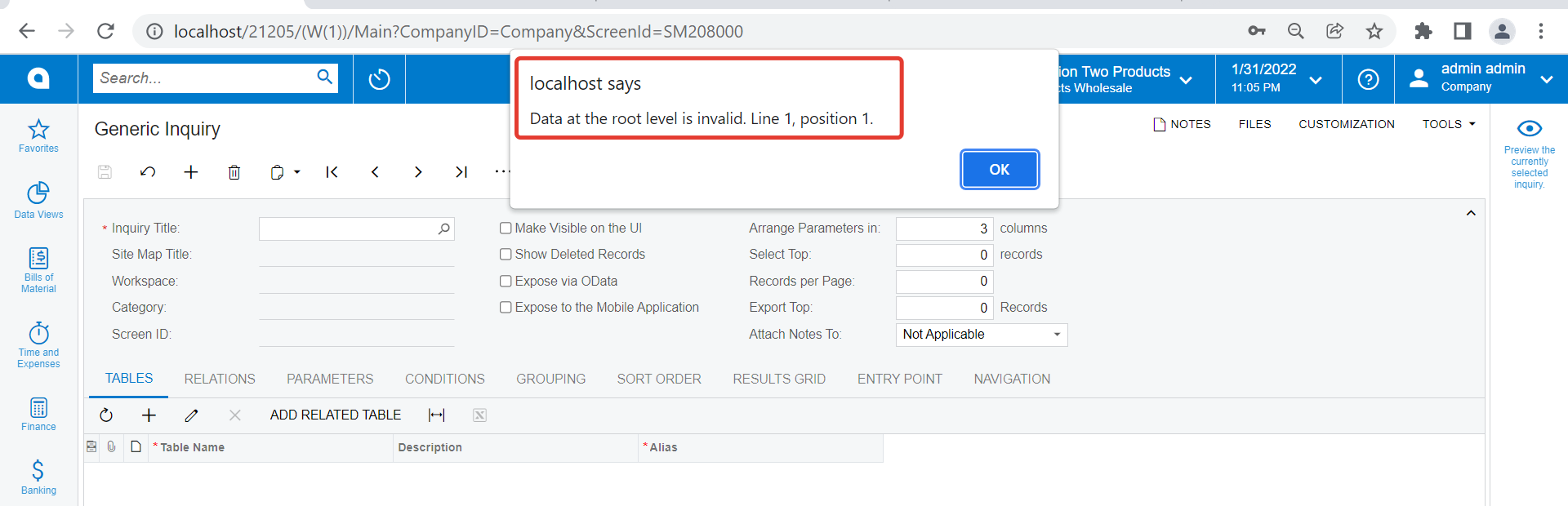
Could not open the GI, got following error. 


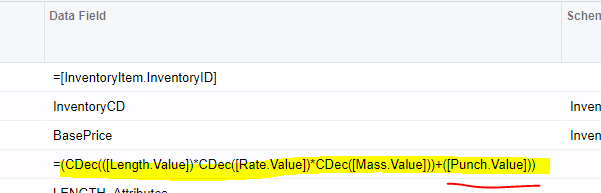
Just send the screenshot reflecting the expression you have used for specific column in question. 

Regards,


jinin
Pro I
Forum|alt.badge.img+11
  • Pro I
  • February 1, 2022

Hi @lauracastagna 

Please use the value field instead of attributeID

you wrote like below

=CDec(([Length.AttributeID])*CDec([Rate.AttributeID])*CDec([Mass.AttributeID]))

It should be 

=CDec(([Length.Value])*CDec([Rate.Value])*CDec([Mass.Value]))

I tried and was able to get the calculated value. 

We should use Entry Mask as well,


Forum|alt.badge.img
  • Author
  • Varsity I
  • February 1, 2022

Hi,

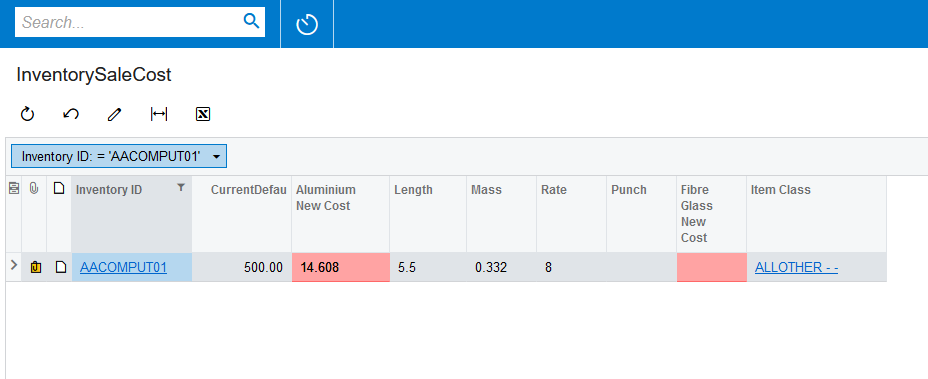
still no luck when i changed it.  including the mask on the Attribute:-


jinin
Pro I
Forum|alt.badge.img+11
  • Pro I
  • February 1, 2022

Hi @lauracastagna 

In your GI the Condition was added wrongly. I’ve corrected and verified. Please find the sample xml for your verification.


Naveen Boga
Captain II
Forum|alt.badge.img+19
  • Captain II
  • February 1, 2022

Hi, @lauracastagna Hope you are doing well!

The above solution provided by @jinin is working as expected! Do you see still error?


Forum|alt.badge.img
  • Author
  • Varsity I
  • February 2, 2022

Thank-you @jinin and  @Naveen B

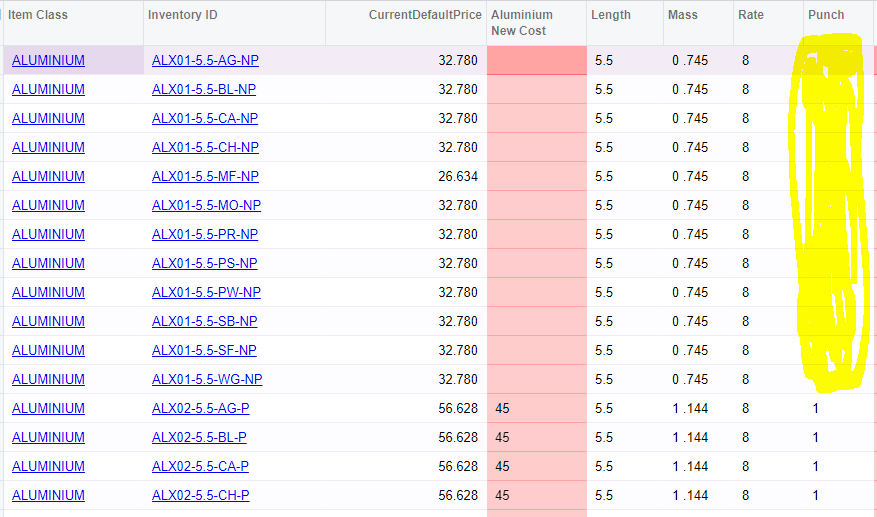
“some” don’t calculate still.  I cant work out the difference. 

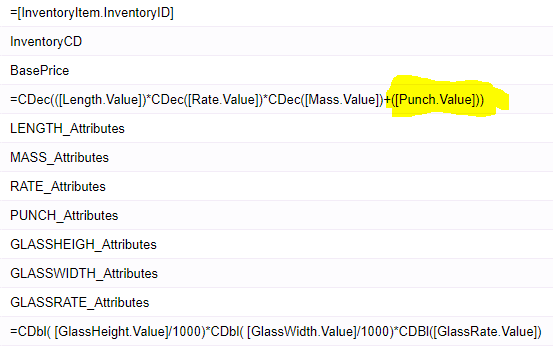
Also I had to add “+” Attribute Punch.

Could you please take a look?


Naveen Boga
Captain II
Forum|alt.badge.img+19
  • Captain II
  • February 2, 2022

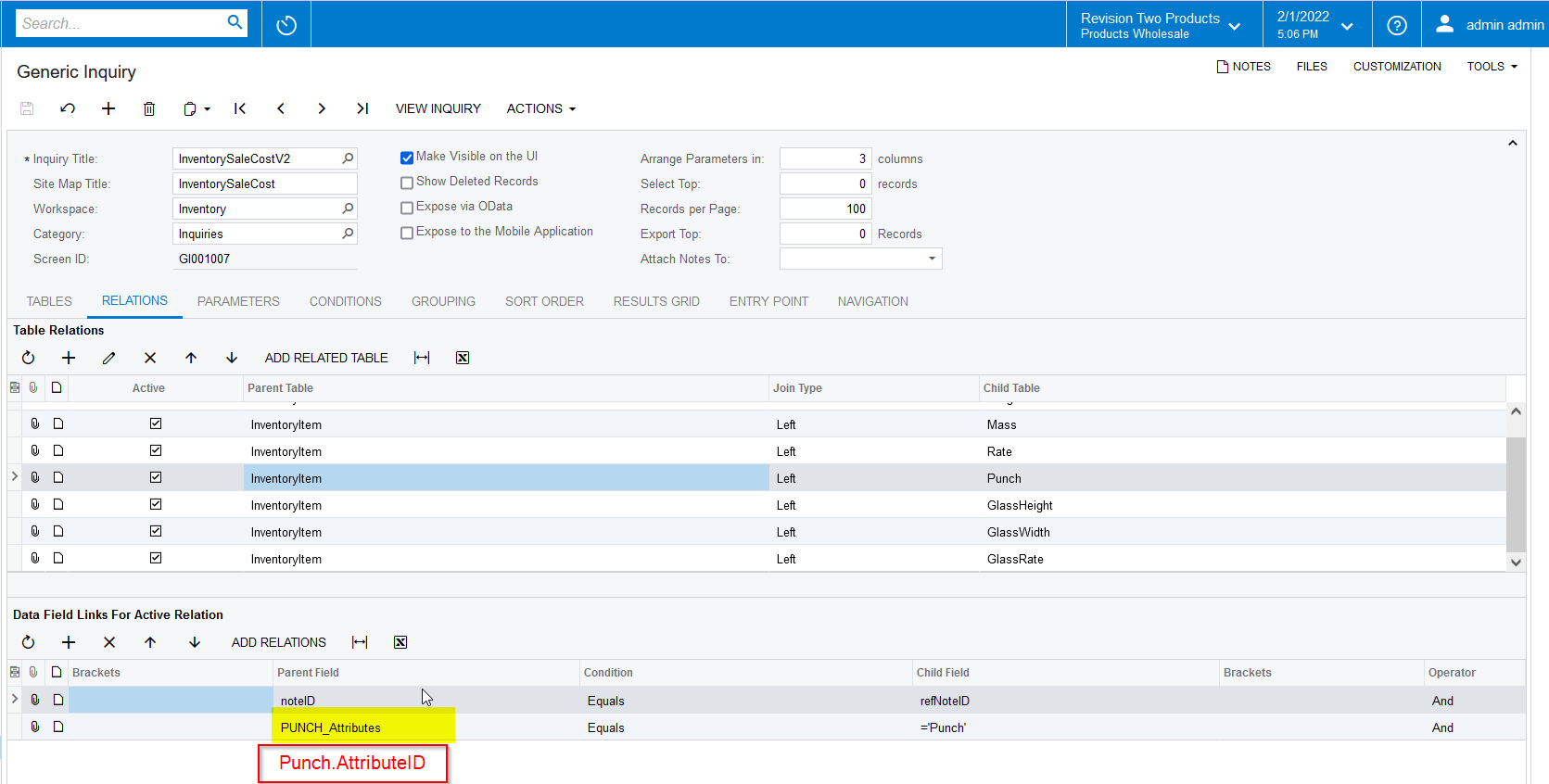
Hi, @lauracastagna  I see some issue with JOIN conditions and due to that you are not able to fetch the expected value. I have attached the working GI here, please verify.

Here are the issue and fix details

Join condition should be like → Punch.AttributeID Equals =’Punch’, and I have seen the same issue with the Glass related attributes and I have modified it. Please find the latest attached XML GI for your reference. 



Forum|alt.badge.img
  • Author
  • Varsity I
  • February 2, 2022

thanks @Naveen B .

hopefully the last thing……

when there is No punch value the calculation does not work.  I’m not multiplying just adding so not sure what I’ve missed.


Naveen Boga
Captain II
Forum|alt.badge.img+19
  • Captain II
  • February 2, 2022

Hi @lauracastagna  I have removed the grouping and added NULL conditions to the formula.

Please find the attached updated GI.


Forum|alt.badge.img
  • Author
  • Varsity I
  • February 2, 2022

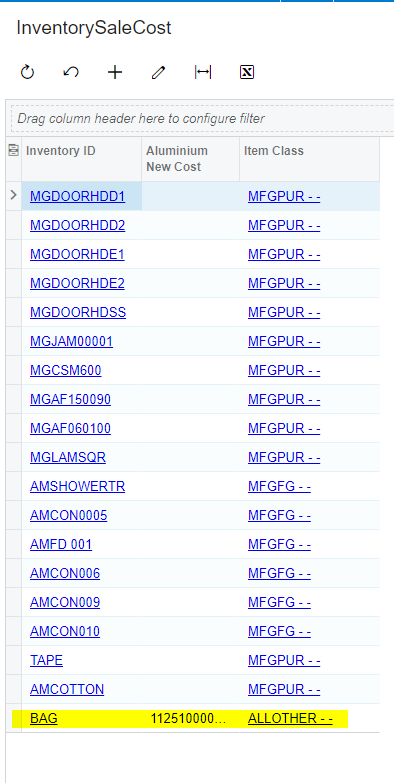
Hya,  still some that wont populate @Naveen B 


Naveen Boga
Captain II
Forum|alt.badge.img+19
  • Captain II
  • Answer
  • February 2, 2022

 Hi @lauracastagna    Since the Mass attribute value is less than 0.5 i.e., 0..3, it is considered 0 and getting the result as 0.

Please use the below formula and it will work with the 0.

Please use the CDbl instead of CDec conversion.

=CDbl((IsNull([Length.Value],0)))*CDbl((IsNull([Rate.Value],0)))*CDbl((IsNull([Mass.Value],0)))+ CDbl( (IsNull([Punch.Value],0)))


 Hi @lauracastagna  Since the Mass attribute value is less than 0.5 i.e., 0..3, it is considered 0 and getting result as 0.

Please use the below formula and it will work with the 0.

Please use the CDbl instead of CDec conversion.

=CDbl((IsNull([Length.Value],0)))*CDbl((IsNull([Rate.Value],0)))*CDbl((IsNull([Mass.Value],0)))+ CDbl( (IsNull([Punch.Value],0)))


Forum|alt.badge.img
  • Author
  • Varsity I
  • February 2, 2022

THANK YOU @Naveen B !


Naveen Boga
Captain II
Forum|alt.badge.img+19
  • Captain II
  • February 2, 2022

Most Welcome @lauracastagna