Solved

Business Event using schedule not working

  • October 18, 2024
  • 3 replies
  • 291 views

Forum|alt.badge.img

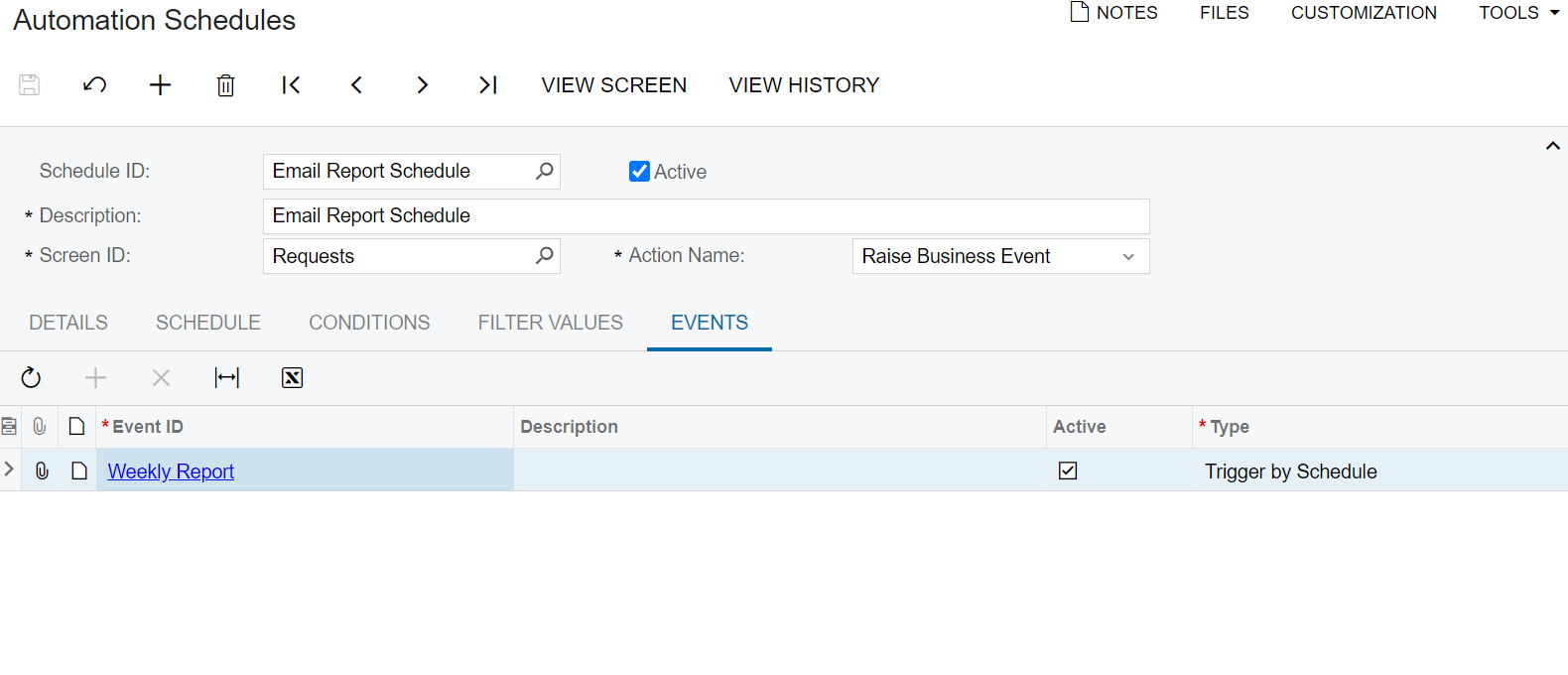
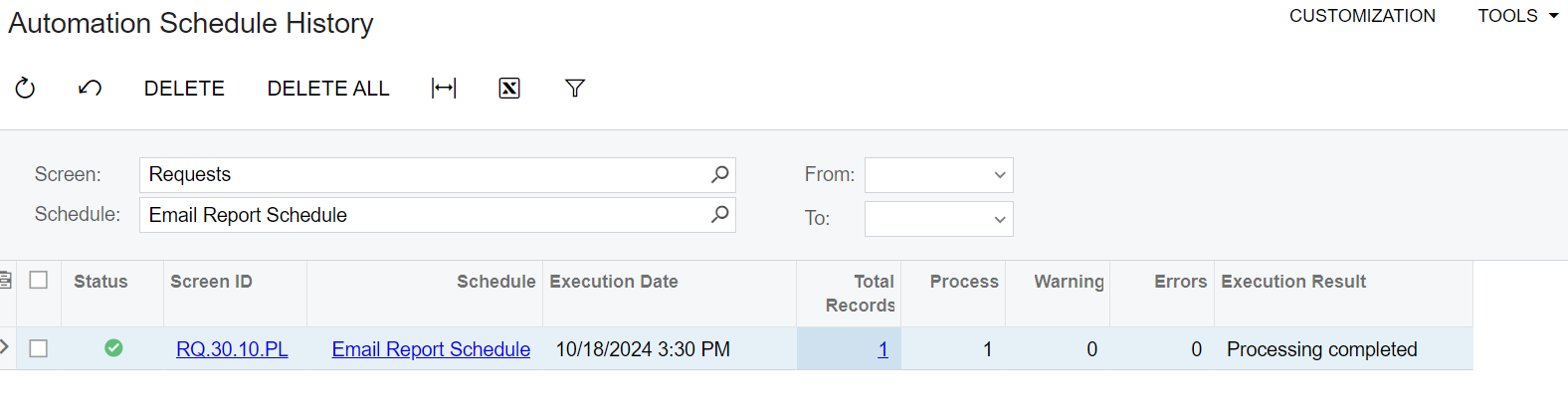
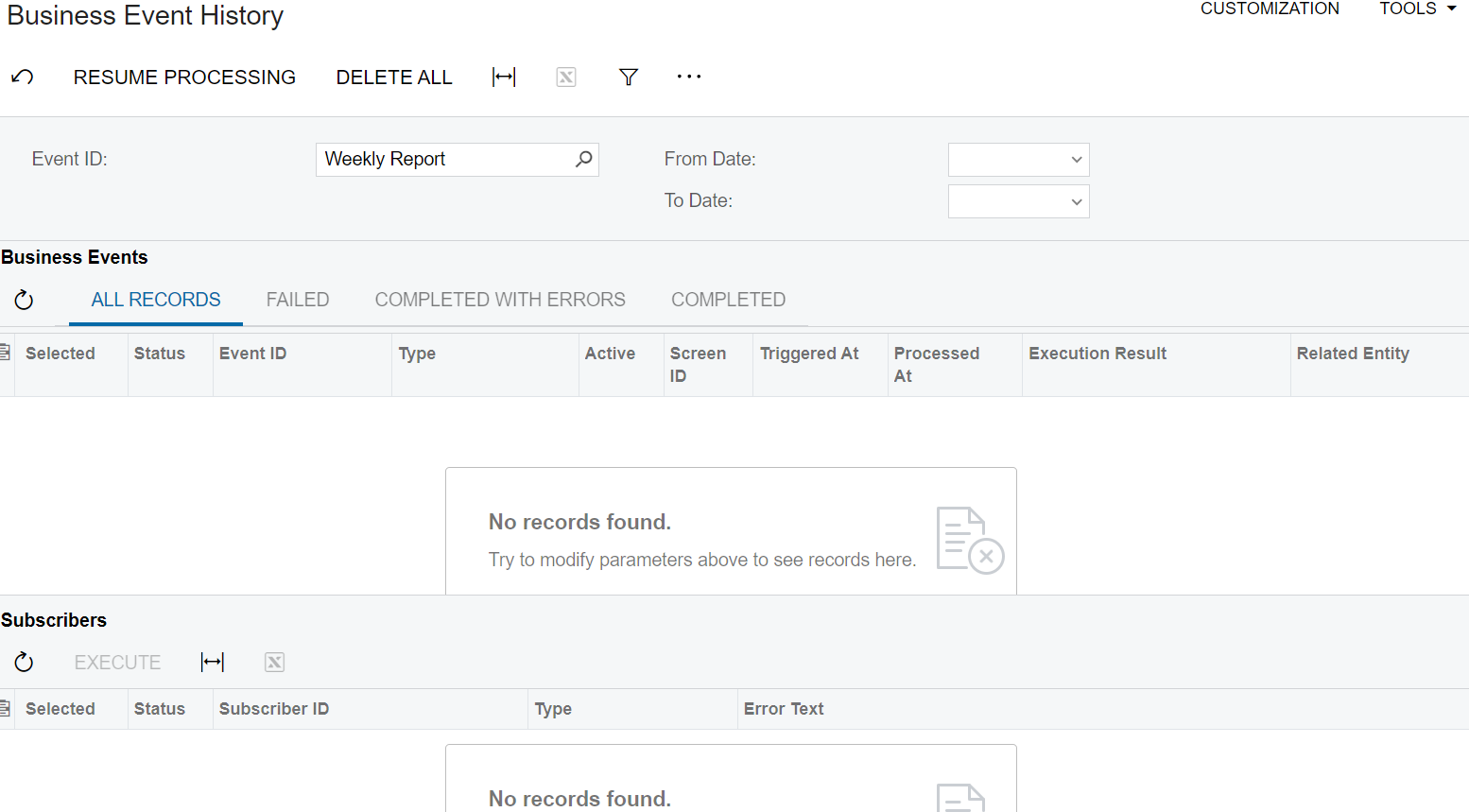
Trying to get a business event to trigger once a week, however, the process doesn’t seem to be working. The Automation Schedule is running, but the business event itself is not. Any troubleshooting ideas?
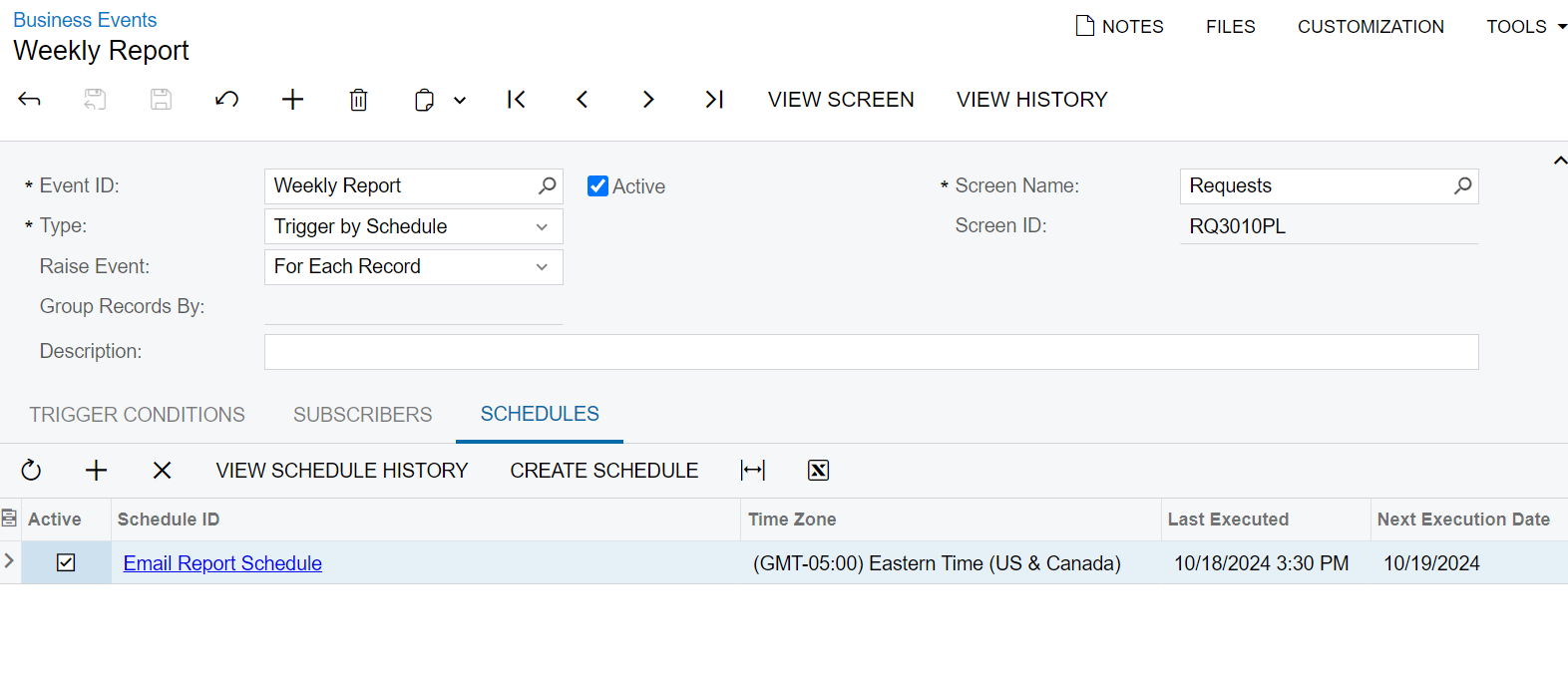
The Business Event
The Report Hasn’t Run
The Automation Schedule
The Schedule Has Run


Best answer by lauraj46

Hi @kkraus ,

The post below contains a step-by-step guide on how to configure a scheduled report using a business event.  It’s a bit old, but I think it still accurate.  I would suggest reviewing this info to a verify that your setup is correct.  If you’re still having issues, please upload the XML for your business event and GI.

Hope this helps!

Laura

3 replies

lauraj46
Captain II
Forum|alt.badge.img+8
  • Captain II
  • Answer
  • October 21, 2024

Hi @kkraus ,

The post below contains a step-by-step guide on how to configure a scheduled report using a business event.  It’s a bit old, but I think it still accurate.  I would suggest reviewing this info to a verify that your setup is correct.  If you’re still having issues, please upload the XML for your business event and GI.

Hope this helps!

Laura


Forum|alt.badge.img
  • Jr Varsity II
  • December 19, 2025

Hi ​@kkraus 

Even though I followed the same, The business event has not triggered even though the schedule has executed. What could be the reason? I

Thanks!


bwhite49
Captain II
Forum|alt.badge.img+11
  • Captain II
  • December 19, 2025

Generally, it’s best to not use a PL (primary list) generic inquiry for business events as these are updated regularly. I’m taking a guess that you added a bunch of trigger conditions to the business event as filters or conditions. This is likely where the failure is. Here are the steps I would take...

  1. Delete this business event
  2. Create a new generic inquiry. If the point of the email is simply to attach a document, all you need in the GI is to have 1 cell. I usually use PMReportRowsMultiplier as the only table in the GI. This table has 2 rows and two columns. I add a condition in the GI where Row Nbr = 1 and in the results grid I simply add the row number column. This creates a one cell GI.
  3. If you need the parameters to be populated by info from the GI, then you might need to modify this slightly. In a GI, It’s easy to calculate date ranges, add contact info etc. The GI gives you the control to define all of that, so add if needed.
  4. Next, you can create business event. I usually start with a trigger by action BE for testing. This creates a button at the top of the GI to allow you to test the output. You just click the button, and you should get the email.
  5. Create your email template or copy the old one
  6. Test the business event. Sometimes trigger by action BEs are glitchy. If the action does not run or the action is not visible, add the 2nd field into the results grid in the GI and then delete it. This refreshes the GI. Can’t explain why that happens, but I have to “refresh” GIs all of the time when creating them.
  7. If the trigger by action BE is running ok, then switch it to a schedule. Sometimes the schedule will not run the first day. That’s another weird glitch.  I don’t know what that is about, but they always seem to run the next day and beyond. Once they start running, they are very reliable.