Solved

Business event not firing even when generic inquiry is updating

  • March 26, 2026
  • 7 replies
  • 52 views

Forum|alt.badge.img+1

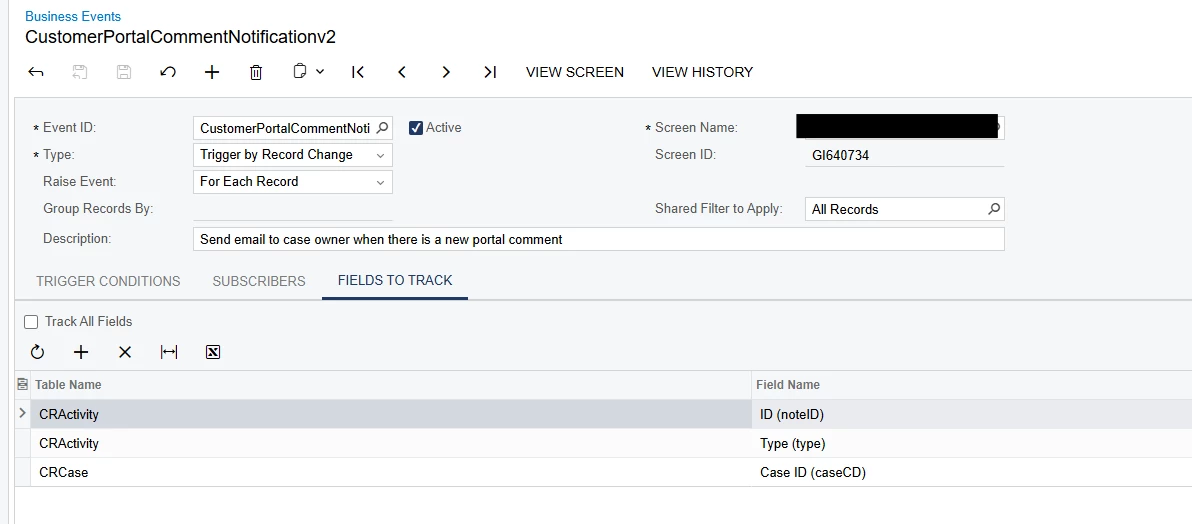
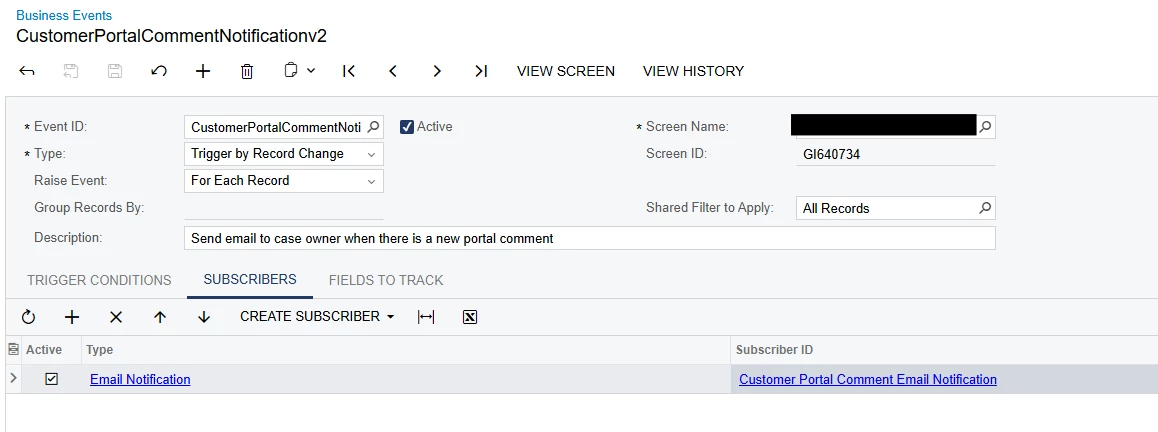
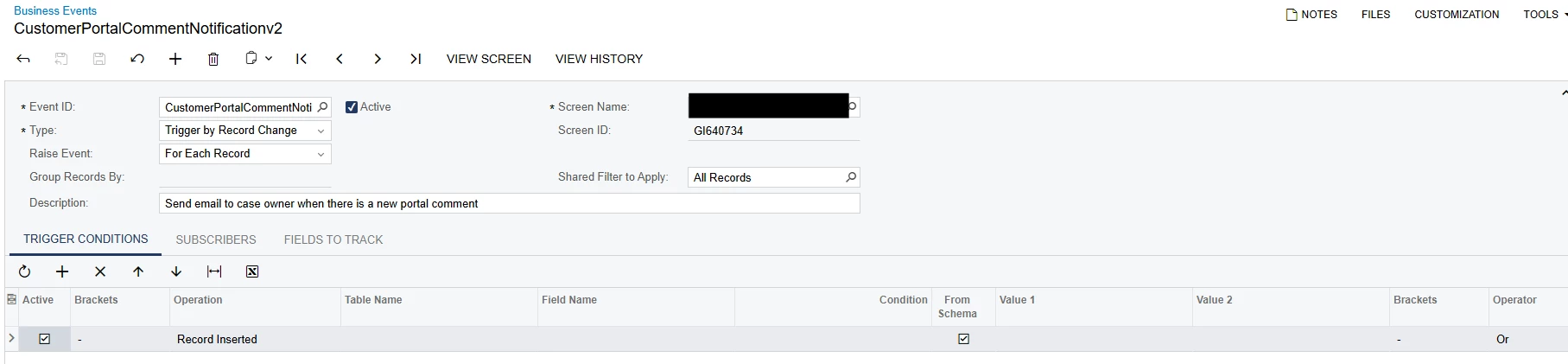
Hello! I created a business event to trigger based on record inserted into a generic inquiry. The goal is to notify case owners when there is a comment submitted on the customer portal. 

The generic inquiry is only showing customer portal comments, so ideally when a record is inserted, then the business event would fire and send an email. 

Currently the GI is working as I see new records being inserted each time a new comment is submitted from the portal. But when I look in the business event history, nothing has fired, there is no history… The GI is also published to all user roles. And the email used in the subscriber is an active working email. 

Any idea why this is happening?
 

Best answer by jzhu

Hi all- just sharing our solution for this

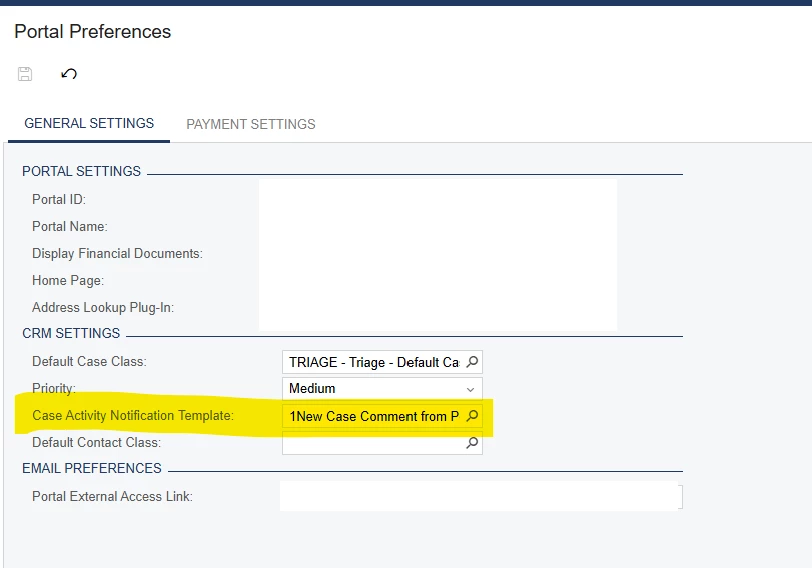
What we found was that customer portal activities behave differently from the activities inside the ERP. You can’t use business event to trigger records inserted in portal. To make this work, you would need to create an email template using the cases screen, select this email template for the Case Activity Notification Template field in the customer portal preference, then this template will be used in an email to a case owner if a new comment has been added from the customer porta. 

You can track outgoing email directly in your ERP. 


7 replies

nickcerri32
Pro III
Forum|alt.badge.img+7
  • Pro III
  • March 26, 2026

@jzhu What does your subscriber email template look like?  I’ve had BE’s not fire because it didn’t recognize who the email was supposed to be sent to.  That may be something to verify first.


jhalling52
Jr Varsity I
Forum|alt.badge.img
  • Jr Varsity I
  • March 26, 2026

Hi ​@jzhu,


This is an older article, but still a good starting point:

Troubleshooting business events | Community


Forum|alt.badge.img+1
  • Author
  • Pro I
  • March 26, 2026

@jzhu What does your subscriber email template look like?  I’ve had BE’s not fire because it didn’t recognize who the email was supposed to be sent to.  That may be something to verify first.

Hi ​@nickcerri32 I tried with my email instead of using the email field from the GI and it still did not work unfortunately. 


nickcerri32
Pro III
Forum|alt.badge.img+7
  • Pro III
  • March 26, 2026

@jzhu Shoot over a screenshot of the email template, if you can.  

Does the GI have any conditions or grouping?

Is the system email (From:) setup appropriately?


Forum|alt.badge.img+1
  • Author
  • Pro I
  • March 26, 2026

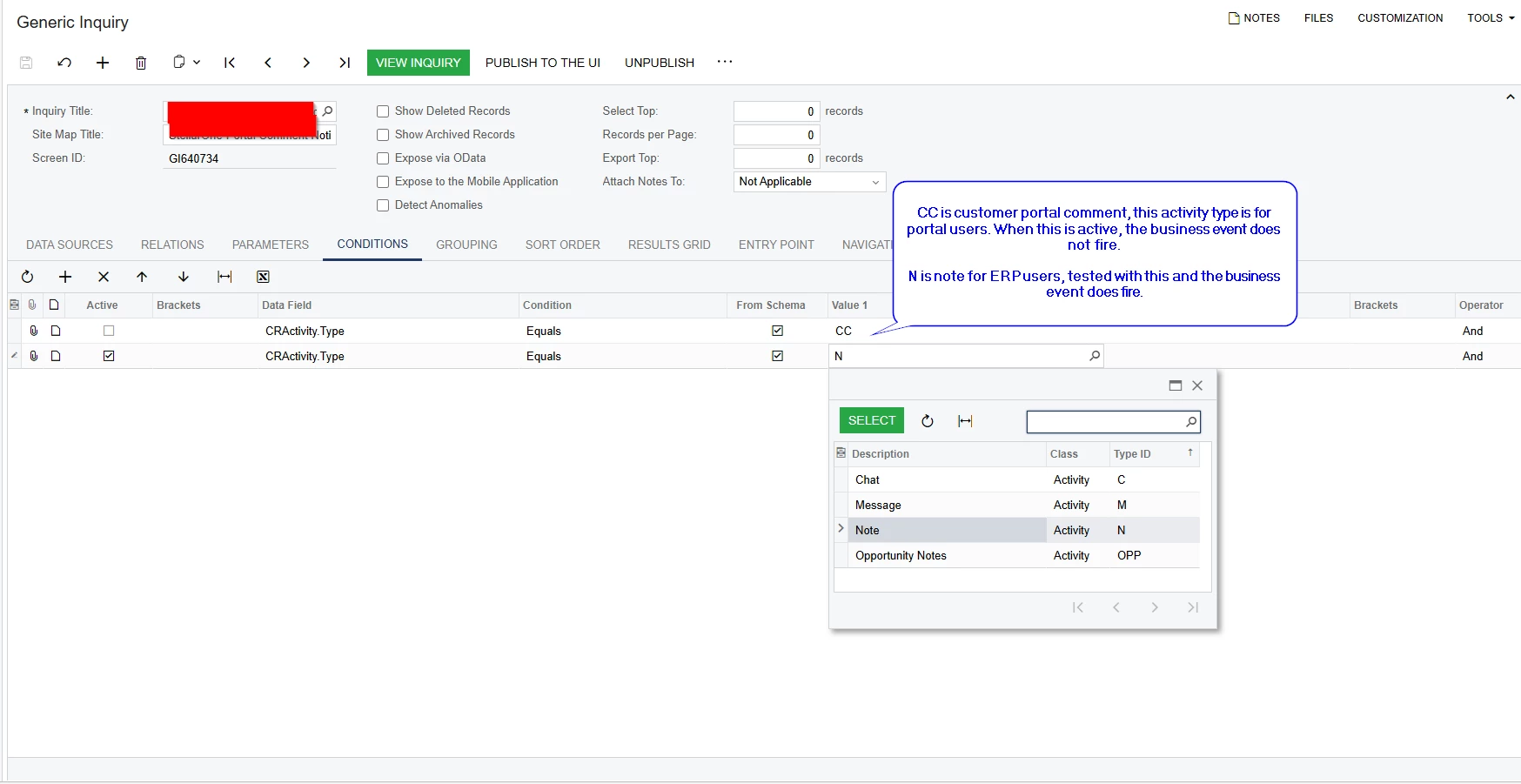
Something interesting I found but don’t understand, hoping someone could help explain: When an activity type is set for portal user, it doesn’t show up in the list of activity types for me to use in condition. See screenshot, chat, message, note, and opportunity note show up because they are set for ERP users. But CC, which is customer portal comment is for portal user and it does not show in the list. However, you could hard code CC and the GI would still show the correct records.

I think this is the issue with the BE not firing, but I don’t understand or have a workaround for the CC activity type.. any ideas? 


Forum|alt.badge.img+1
  • Author
  • Pro I
  • March 26, 2026

@jzhu Shoot over a screenshot of the email template, if you can.  

Does the GI have any conditions or grouping?

Is the system email (From:) setup appropriately?

The GI does have conditions, where CActivity.Type = CC which is customer portal comment. I believe this is the issue, but I’m not sure the solution for it. 

I tested CActivity.Type = N for note and the BE was fine. The difference between the two is that CC is assigned portal user, N is for ERP users on the activity type screen. 


Forum|alt.badge.img+1
  • Author
  • Pro I
  • Answer
  • April 10, 2026

Hi all- just sharing our solution for this

What we found was that customer portal activities behave differently from the activities inside the ERP. You can’t use business event to trigger records inserted in portal. To make this work, you would need to create an email template using the cases screen, select this email template for the Case Activity Notification Template field in the customer portal preference, then this template will be used in an email to a case owner if a new comment has been added from the customer porta. 

You can track outgoing email directly in your ERP.