Answer

Box Label Line

  • May 15, 2024
  • 6 replies
  • 51 views

ngerst
Freshman II
Forum|alt.badge.img

I am working on a box label when I noticed something odd and can’t seem to figure it out. Within our database our shipment packages might have many lines. 
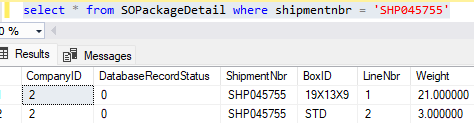


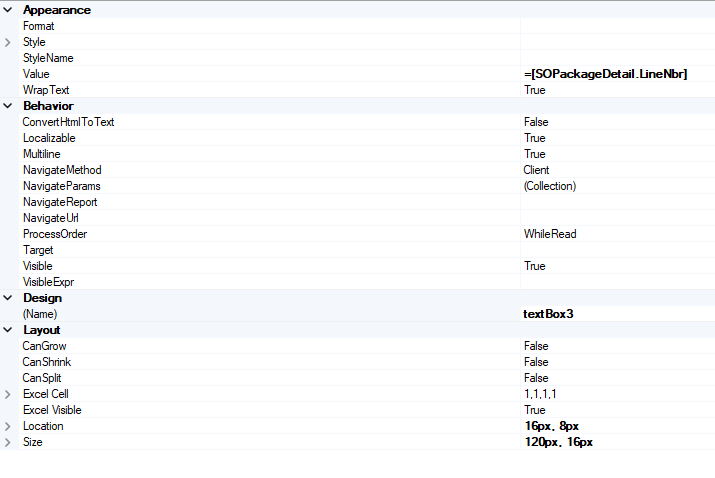
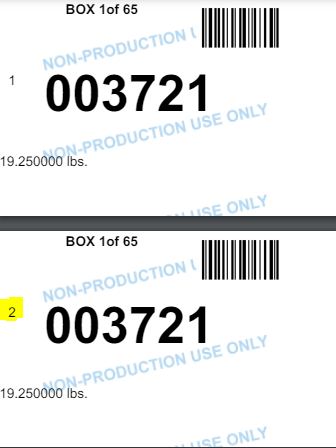
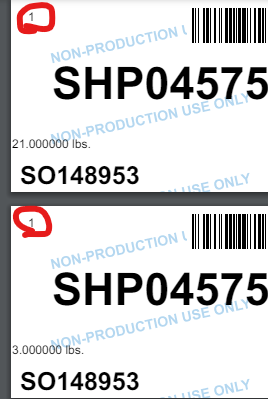
However, when I go to pull that field =[SOPackageDetail.LineNbr] on the Box Label I only get 1 line showing everytime. However, you can see the details below pull different information, specifically the weight. I am joining two tables SOShipment and SOPackageDetail. For whatever reason I can get the weight to pull correctly, and even the BoxID if I try. But the LineNbr always shows one. 
 

Best answer by lauraj46

Hi @ngerst ,

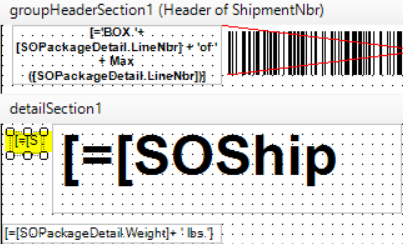
On your report the formula with the line number is in the Shipment Header section.  That’s why it’s the same for each package line.  If you need to display the line number, you will need to place this control in a detail section.

Hope this helps!

Laura

6 replies

lauraj46
Captain II
Forum|alt.badge.img+8
  • Captain II
  • May 16, 2024

Hi @ngerst ,

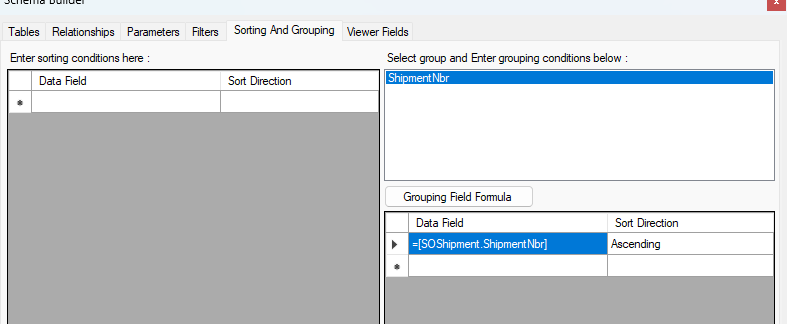
Do you have any groupings in your report?  Is the label in the “detail” section of the report? 

Laura


ngerst
Freshman II
Forum|alt.badge.img
  • Author
  • Freshman II
  • May 16, 2024

Yes just the ShipmentNbr


lauraj46
Captain II
Forum|alt.badge.img+8
  • Captain II
  • May 16, 2024

@ngerst Is your label in the “detail” section of the report?  Please upload the rpx file and I will have a look.

Laura


ngerst
Freshman II
Forum|alt.badge.img
  • Author
  • Freshman II
  • May 16, 2024

Here you go...Thanks!


lauraj46
Captain II
Forum|alt.badge.img+8
  • Captain II
  • Answer
  • May 16, 2024

Hi @ngerst ,

On your report the formula with the line number is in the Shipment Header section.  That’s why it’s the same for each package line.  If you need to display the line number, you will need to place this control in a detail section.

Hope this helps!

Laura


ngerst
Freshman II
Forum|alt.badge.img
  • Author
  • Freshman II
  • May 16, 2024

Thank you, I can’t be I overlooked that!