Answer

Bill to on PO Layout

  • December 13, 2024
  • 1 reply
  • 33 views

Forum|alt.badge.img

Hello,


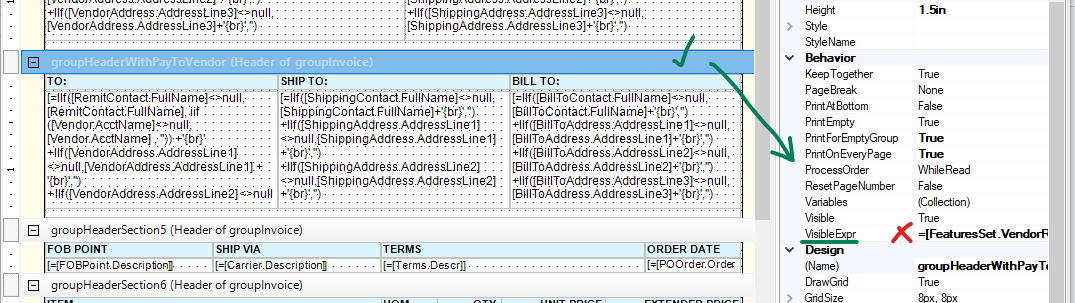
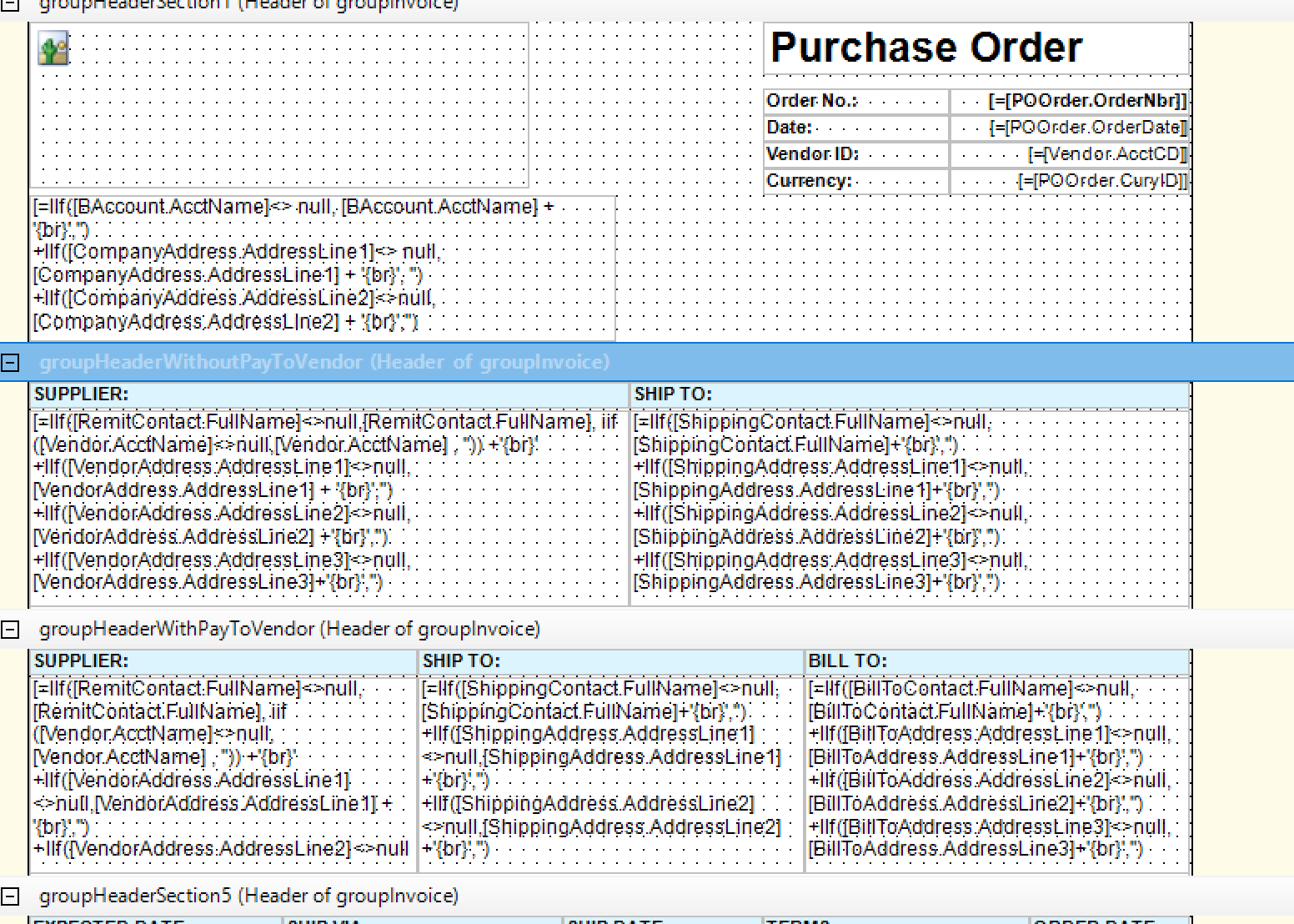
I can see the Bill To on the Report Layout, and there are visible expressions.

First header has:  =[FeaturesSet.VendorRelations]<>1 or [POOrder.PayToVendorID] = [POOrder.VendorID]

Second header has: =[FeaturesSet.VendorRelations]=1 and [POOrder.PayToVendorID] <> [POOrder.VendorID]


I understand the =1 and not =1, but can someone please explain what these mean? And what do I need to do to get the second header to show up with the Bill To?
 

Thank you!
Best answer by Laura03

Hello,

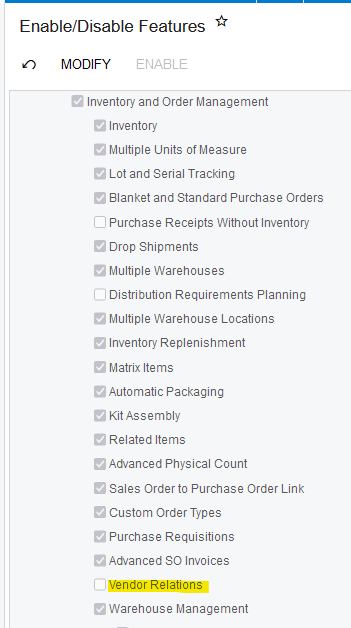
When Vendor Relations feature is in use (1) then some sections of reports become visible.

Vendor Relations allows one vendor to Supply goods while paying a different vendor for some or all of the amount.

If you want the second header to always appear, whether or not Vendor Relations are used, click on the header and remove the Visibility restriction in the report.

Laura

1 reply

Laura03
Captain II
Forum|alt.badge.img+19
  • Captain II
  • Answer
  • December 13, 2024

Hello,

When Vendor Relations feature is in use (1) then some sections of reports become visible.

Vendor Relations allows one vendor to Supply goods while paying a different vendor for some or all of the amount.

If you want the second header to always appear, whether or not Vendor Relations are used, click on the header and remove the Visibility restriction in the report.

Laura