Question

Automation schedule runs but email is not sending

  • January 7, 2026
  • 9 replies
  • 95 views

lauraj46
Captain II
Forum|alt.badge.img+9

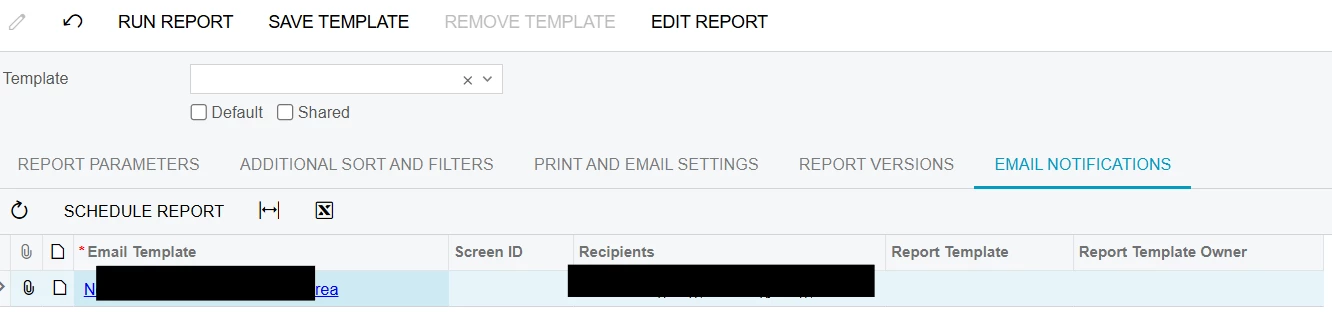
Recently we have discovered a couple of automation schedules that use the new Email Notifications functionality on the report screen have stopped sending the emails in the last week.  they were working previously.  The automation schedule history shows that the schedule fired and was successful.  The attached report in question does not have any parameters, and runs without errors when run separately.  The email addresses are hard coded into the Email Template.  There is no record of the email on the All Emails screen.

Has anyone else seen this issue?
Thanks,

Laura

9 replies

OshadhiJayasundara82
Acumatica Employee
Forum|alt.badge.img

Hi ​@lauraj46,

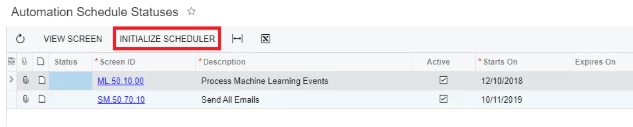
Please check the Automation Schedule status Screen and Initialize scheduler. If this doesn't works, then try Restart application from the apply update screen. 


Hope this helps clarify!

Best Regards,
Oshadhi


lauraj46
Captain II
Forum|alt.badge.img+9
  • Author
  • Captain II
  • January 16, 2026

Hi ​@OshadhiJayasundara82 ,

Thanks for the response.  The Restart Scheduler button is not available.  We did try restarting the application but it didn't make a difference.  


Forum|alt.badge.img
  • Varsity I
  • January 16, 2026

Is the Send Emails automation schedule active? 


lauraj46
Captain II
Forum|alt.badge.img+9
  • Author
  • Captain II
  • January 16, 2026

Hi ​@dgranger70 ,

Thanks.  Yes, the Send Emails schedule is active. The email message is not created.   We don't see it in All Emails.


Forum|alt.badge.img+3

@lauraj46 have you tried remove the things and step again. I also, expirencied the same long ago and tried remove and add it again.


lauraj46
Captain II
Forum|alt.badge.img+9
  • Author
  • Captain II
  • February 11, 2026

Hi ​@ranjithduraisamy72 ,

I have tried that but it still isn’t working.  Thanks for the suggestion.

Laura


KrunalDoshi
Freshman II
Forum|alt.badge.img
  • Freshman II
  • February 11, 2026

Hi ​@lauraj46,

Here is what I have tried in 2025 R2 environment and it is working as expected. I do see the email triggered in All Emails (CO409070) screen. From my experience, maybe you can try disabling your email processing or account and then enabling. Also, check your exchange queue and clear it.

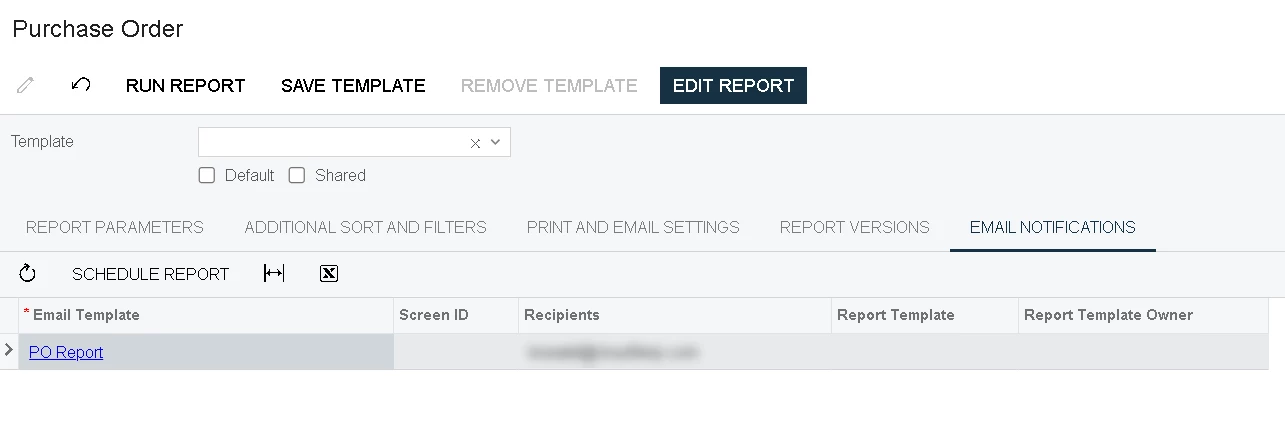
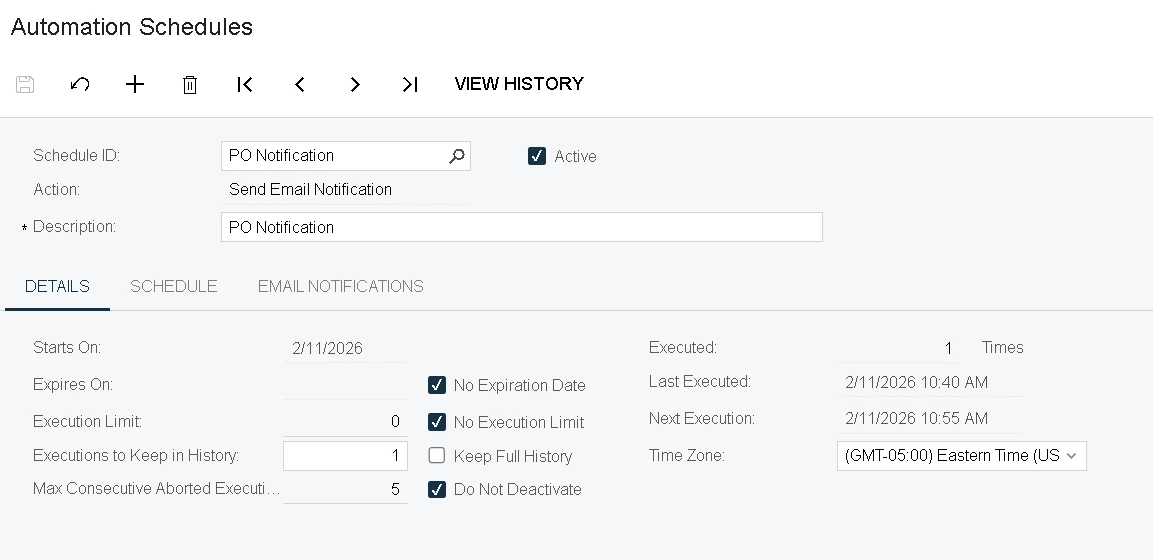
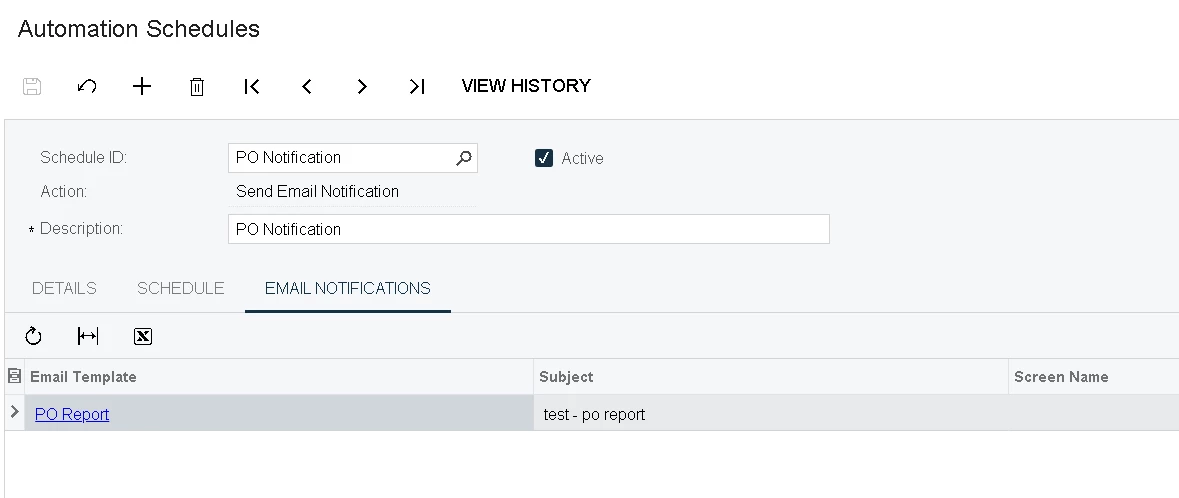
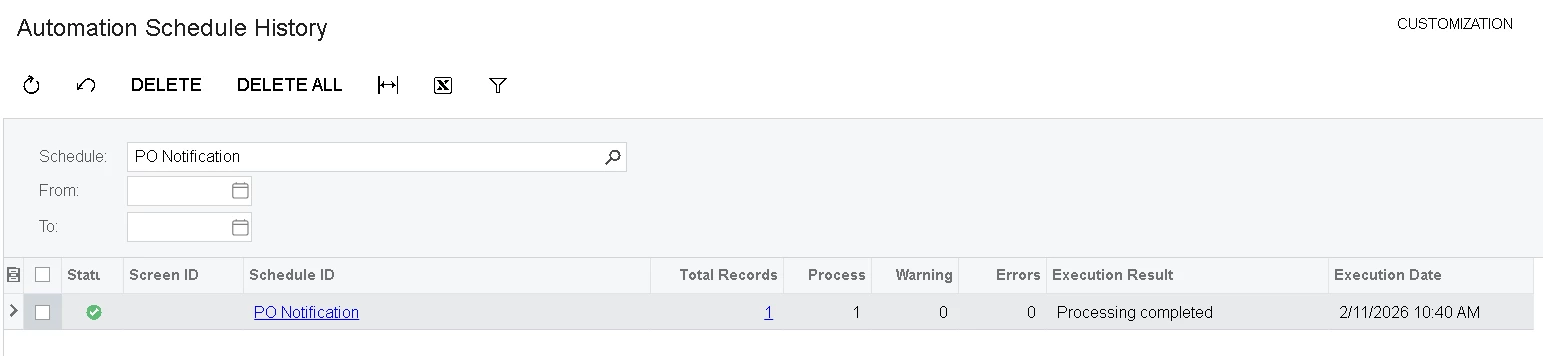
  1. Used Email Notifications on PO report
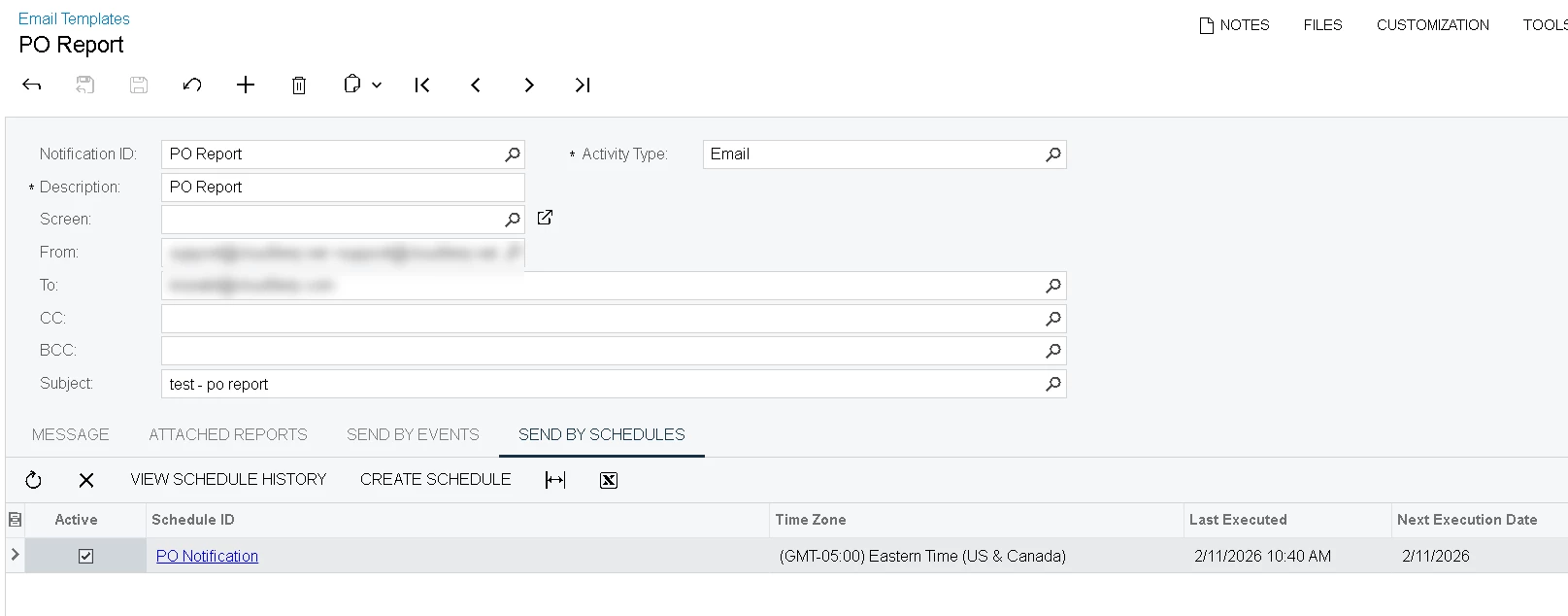
  1. Email Template attached to PO Report
  1. Automation Schedule


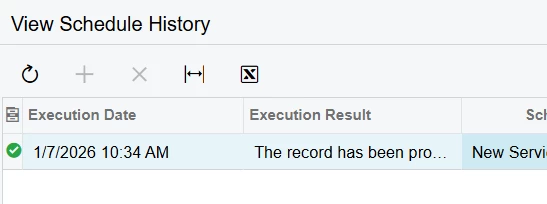
  1. Automation Schedule History


  1. Email triggered and showed up in All Emails screen


lauraj46
Captain II
Forum|alt.badge.img+9
  • Author
  • Captain II
  • February 11, 2026

Hi ​@KrunalDoshi ,

Thanks for the advice and screenshots.  The customer is on 2025 R1 so that might be a difference.  Our setup is the same as yours and the business event history shows success same as your screenshot, but no email appears in All Emails.  What’s odd is that this was working properly and then suddenly stopped working for multiple scheduled reports in both tenants.  The instance has been restarted and I have tried recreating the schedules and notification templates multiple times.  As a workaround we have configured these reports to go out as scheduled business events and that works properly but I would like to get to the bottom of this.

Where do you find the Exchange Queue?

Laura


KrunalDoshi
Freshman II
Forum|alt.badge.img
  • Freshman II
  • February 11, 2026

Hi ​@lauraj46,

I am not very sure about Exchange Queue but in the past, it has happed and our admin use to clear the queue with some stuck emails. May be similar to Messaging queue (MSMQ). But it looks like email does gets trigger and is working from your BE, so I believe exchange queue will not be the case here. Try switching to different email account (if you have multiple emails configured) for sending this email to see if that works.