Answer

@Me function in Report Designer

  • December 14, 2021
  • 10 replies
  • 954 views

Forum|alt.badge.img

Does anyone know if there is an equivalent function in the report designer to the @Me function in generic inquiries?  I need to restrict salespeople/ users so they only see their sales information.  


thanks !

Best answer by vkumar

Hi @alicia23 

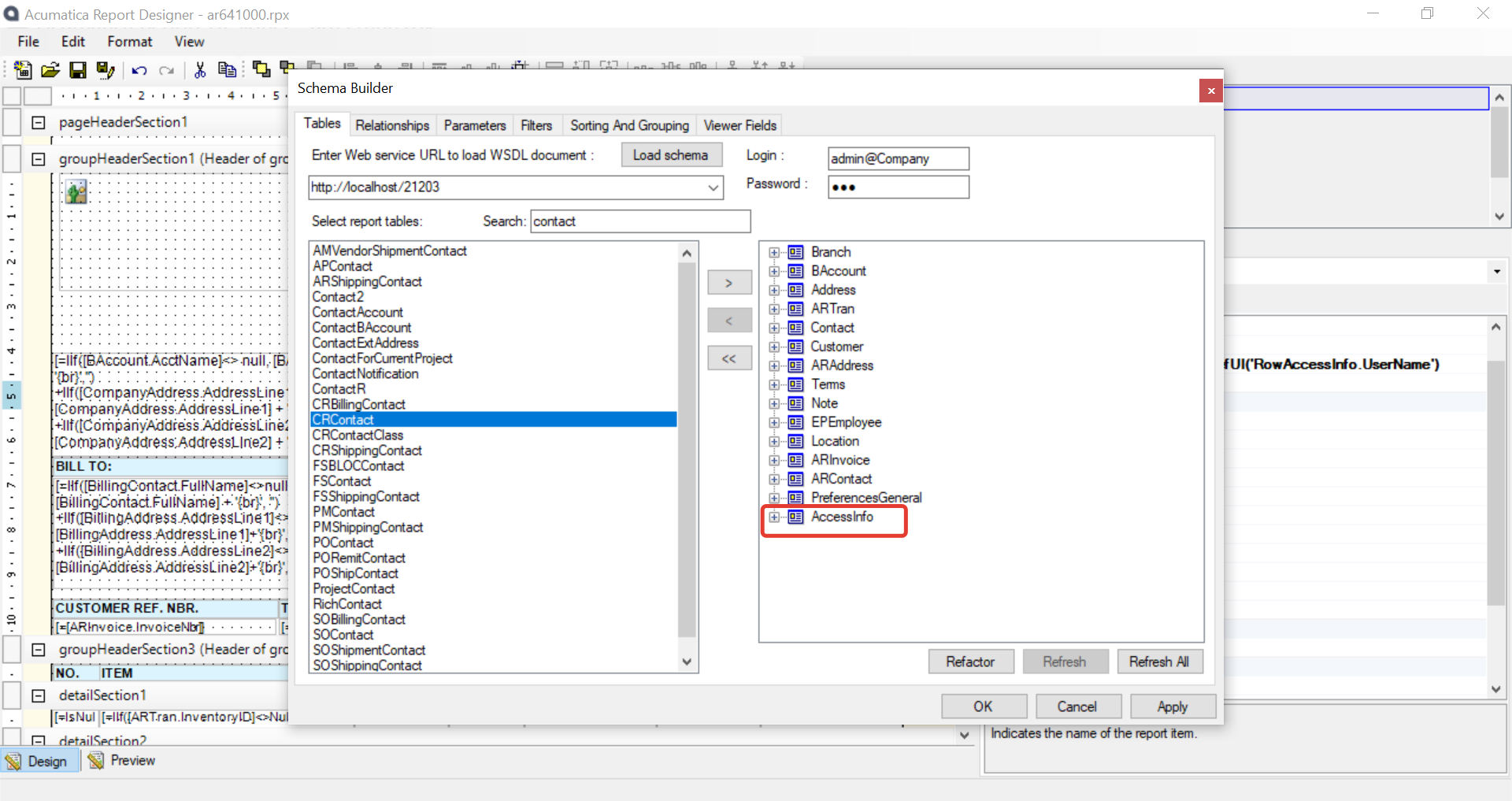
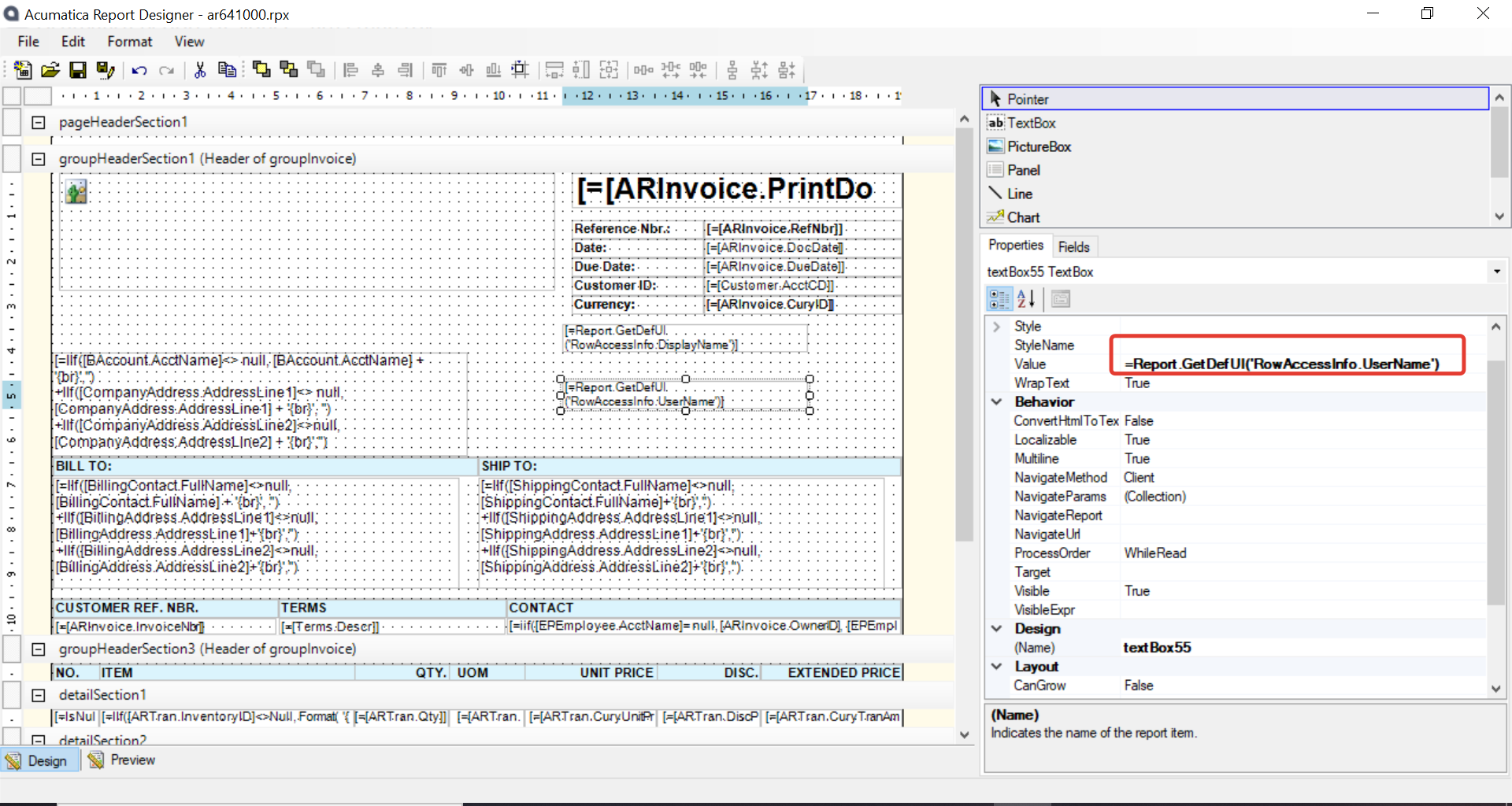
You can use ‘AccessInfo’ DAC ( the values in this table are dynamically generated, no permanent data exists in this DAC/table ), and an expression : =Report.GetDefUI('RowAccessInfo.UserName')  to fetch the logged on user name (login name). 

I have added this column on an AR Invoice report to test and here are relevant screenshots :

Added the DAC on schema builder
Added the UserName field 


Hope this helps. 

Regards,

10 replies

Naveen Boga
Captain II
Forum|alt.badge.img+19
  • Captain II
  • December 15, 2021

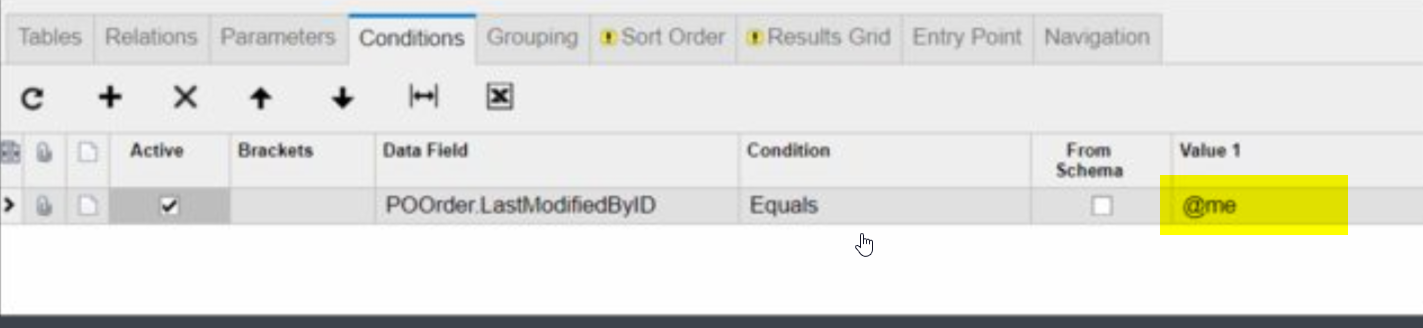
Hi @alicia23  You can use @me in generic inquiry as well and it works. Here is the screenshot for your reference.


Forum|alt.badge.img
  • Author
  • Jr Varsity III
  • December 15, 2021

Hi Naveen , 


Thanks for the response.  I am able to use the @Me in the generic inquiry.  My problem is that i need to use the same function in report design but it doesn’t work in the report designer. So , i am looking for something that will work the same.  So i can restrict the current user.  


Naveen Boga
Captain II
Forum|alt.badge.img+19
  • Captain II
  • December 15, 2021

.


Naveen Boga
Captain II
Forum|alt.badge.img+19
  • Captain II
  • December 15, 2021

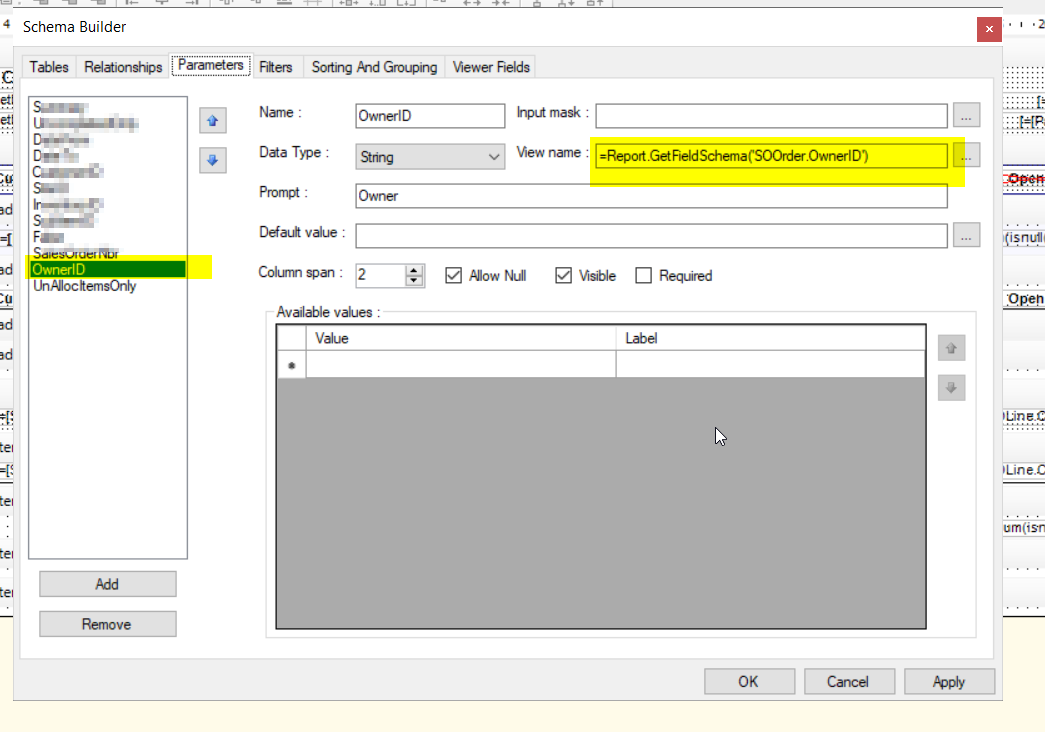
@alicia23  I have not tried this but as an alternate, have you tried with the OwnerID in reports?
 

hope this helps!


Forum|alt.badge.img+12
  • Acumatica Support Team
  • Answer
  • December 15, 2021

Hi @alicia23 

You can use ‘AccessInfo’ DAC ( the values in this table are dynamically generated, no permanent data exists in this DAC/table ), and an expression : =Report.GetDefUI('RowAccessInfo.UserName')  to fetch the logged on user name (login name). 

I have added this column on an AR Invoice report to test and here are relevant screenshots :

Added the DAC on schema builder

Added the UserName field 
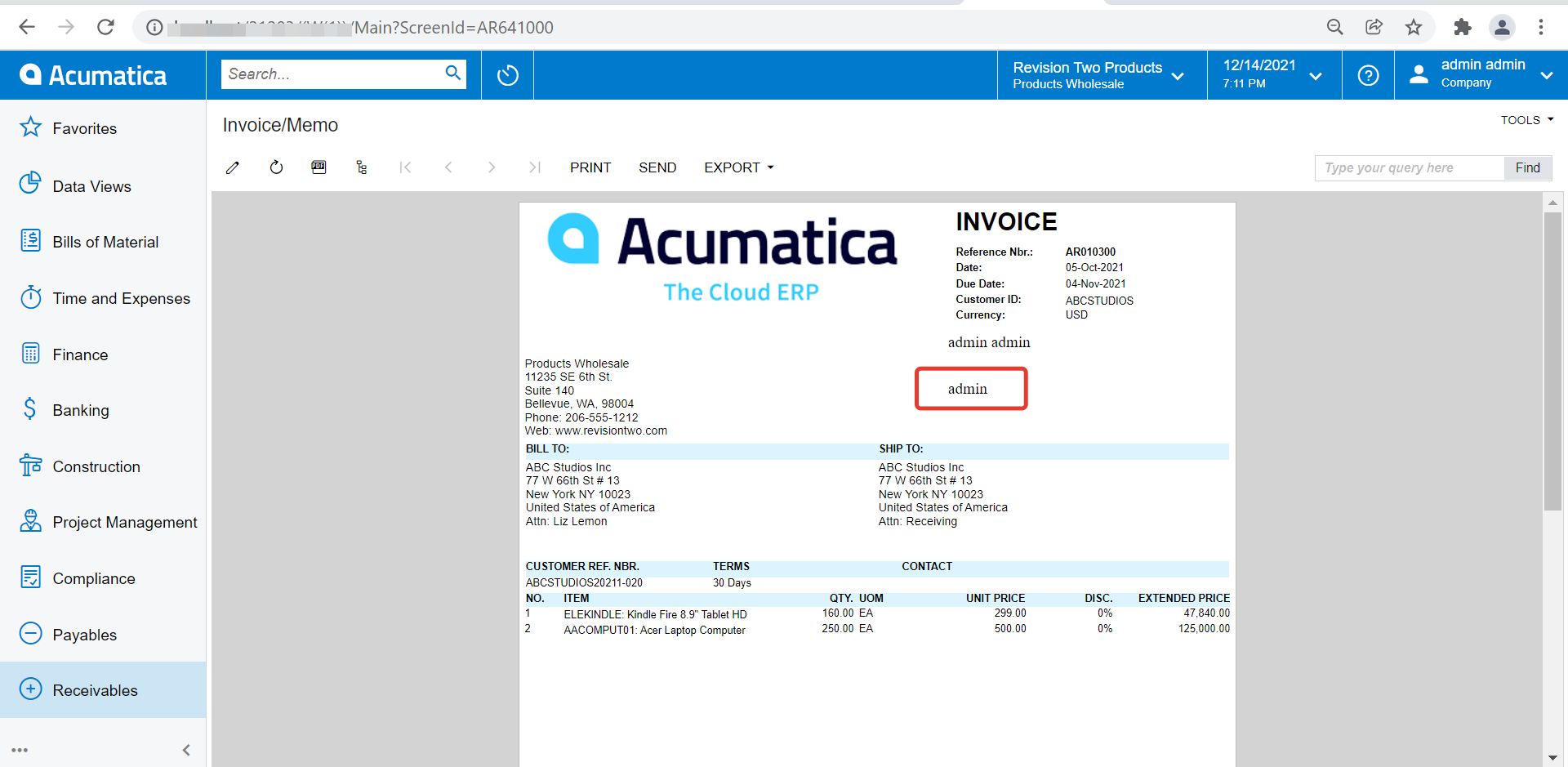


Hope this helps. 

Regards,


Forum|alt.badge.img
  • Author
  • Jr Varsity III
  • December 15, 2021

thanks vkumar,


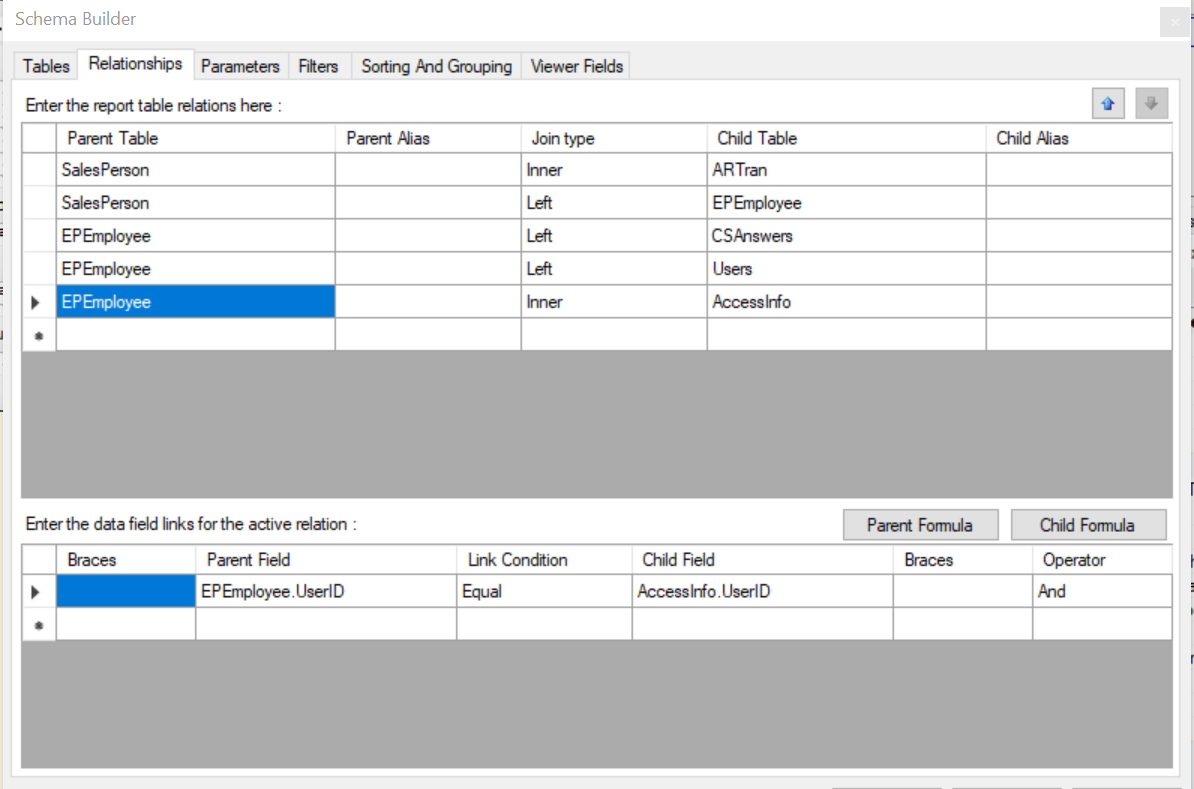
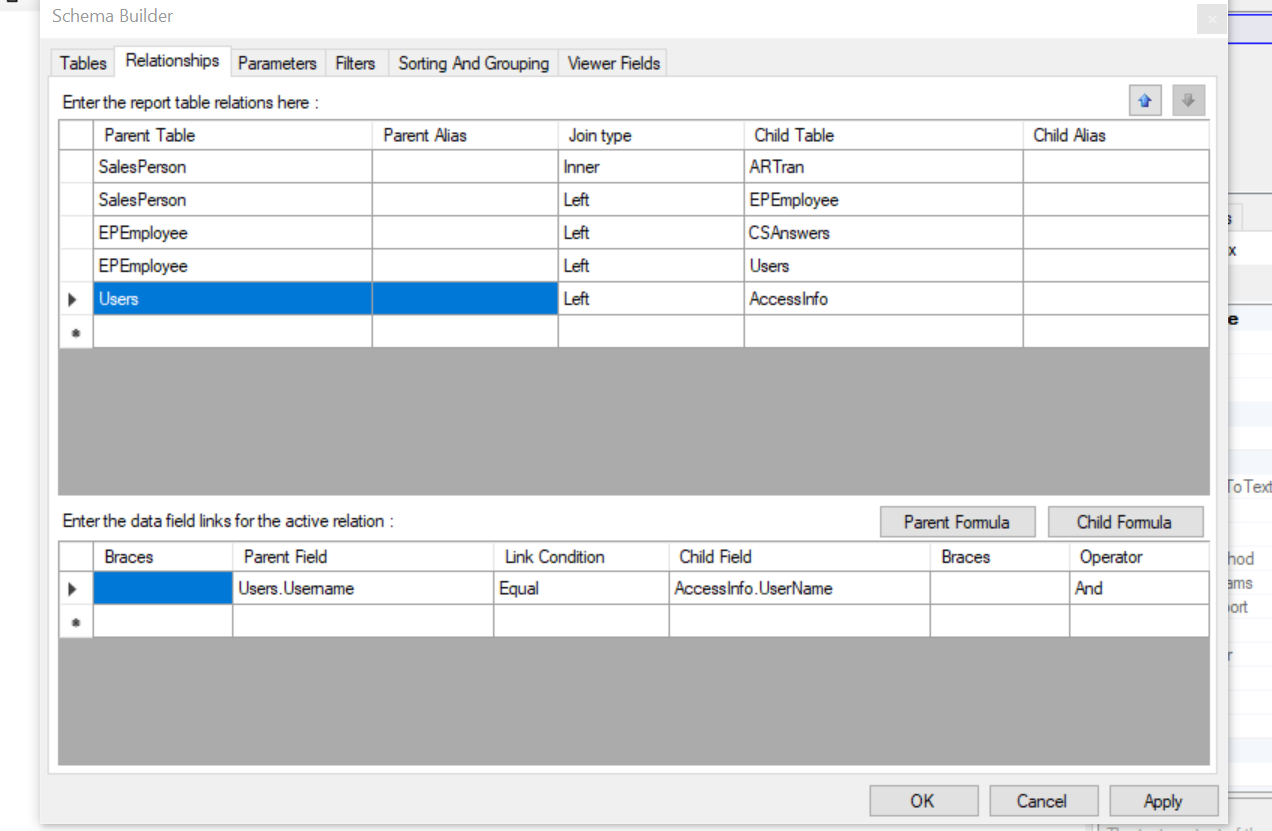
That is what i am looking for, but when i put it in my report i get an error Invalid object name 'AccessInfo'.   i tried joining using the below two options 


Forum|alt.badge.img
  • Author
  • Jr Varsity III
  • December 15, 2021

Never mind …… i see that i don’t join it !


Forum|alt.badge.img+12
  • Acumatica Support Team
  • December 16, 2021

Hi @alicia23 

You are right. No need to join, it can be just added to list of selected DACs.

Regards,


  • Freshman I
  • May 3, 2023

I have a similar problem, I need to get the code of the logged employee.

How can I do it?


  • Freshman I
  • February 27, 2024

Team,
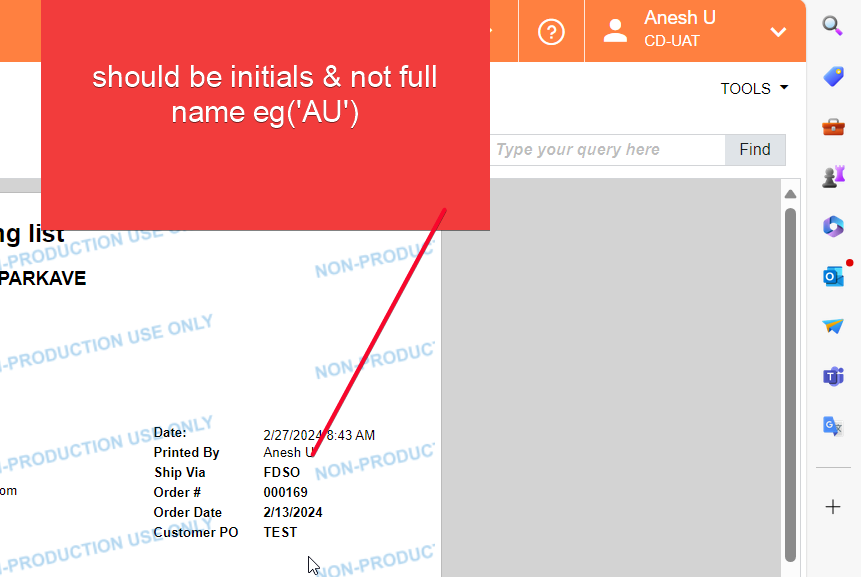
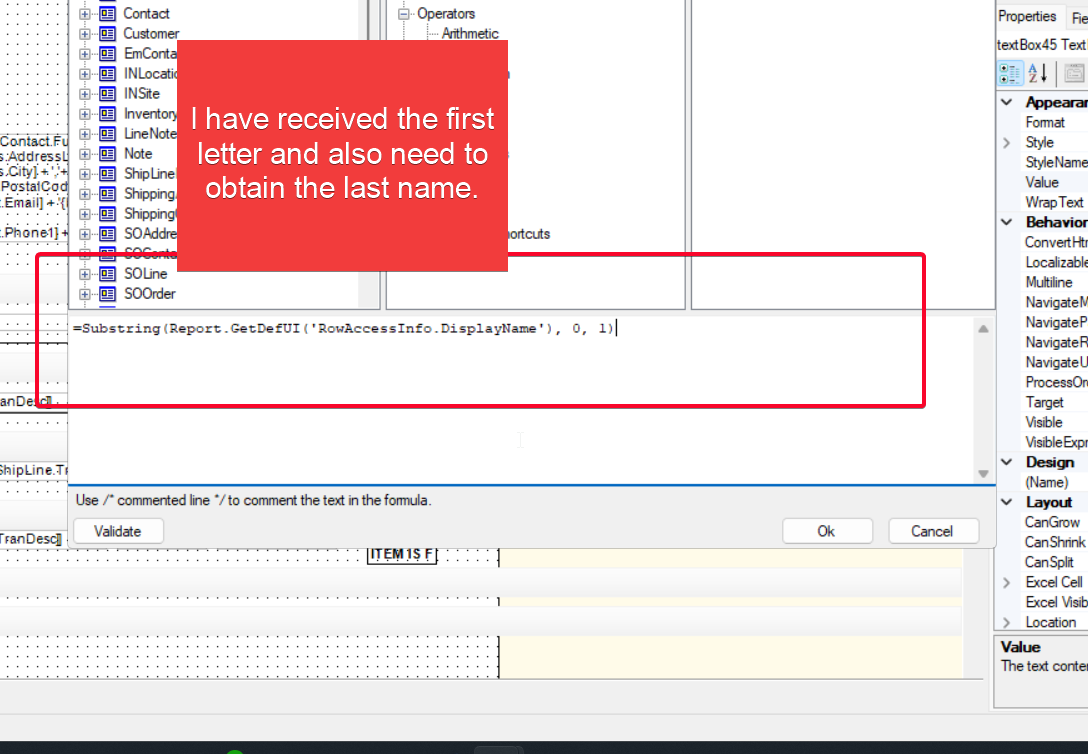
I have a requirement for the report, where I need to obtain the code of the logged user and print it.

Could you please assist with this

Regards