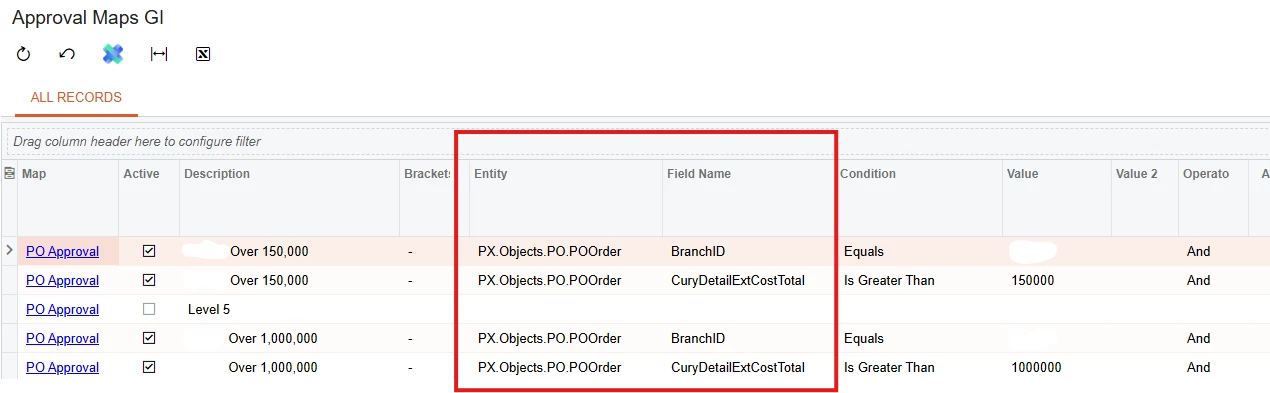
Hi, I created a GI to show approval maps (XML attached). How do I set the sorting of Steps and Rules in ascending? Note that sorting of Rule description to ‘ascending’ won’t work. Also, how do I show the Entity and Field name from schema instead of DAC name?
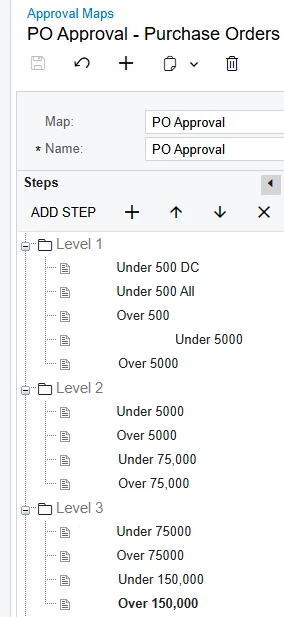
Approval Maps Steps and RulesShowing DAC name instead of SchemaSchema name
Best answer by arpine08
Hi @MarkD,
I suggest the following approach for sorting Approval Map steps/rules and displaying the Entity and Field display names in a Generic Inquiry.
Sorting - Steps: 1. Data Sources
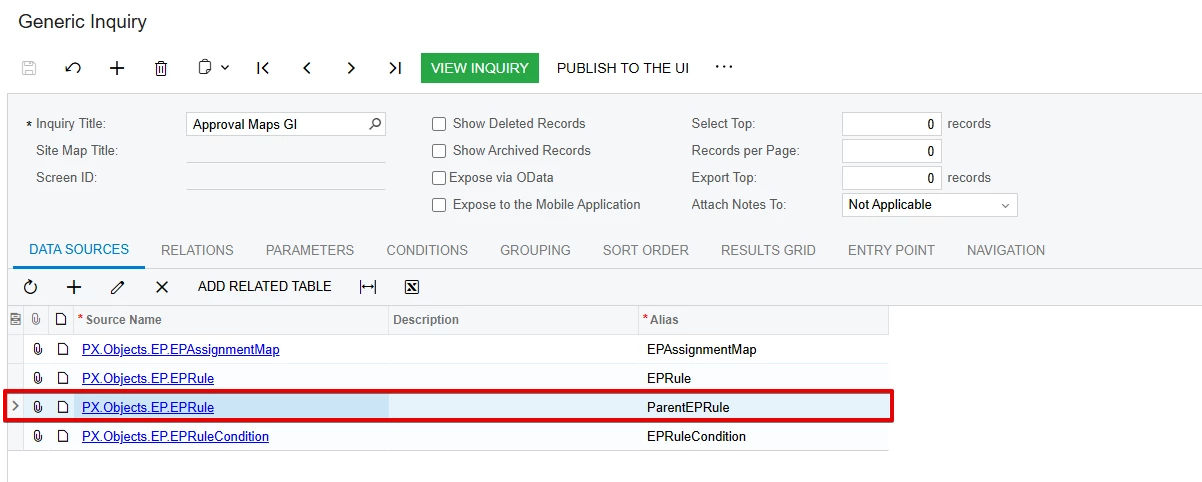
Add PX.Objects.EP.EPRule as an additional data source using the alias ParentEPRule.
2. Relations
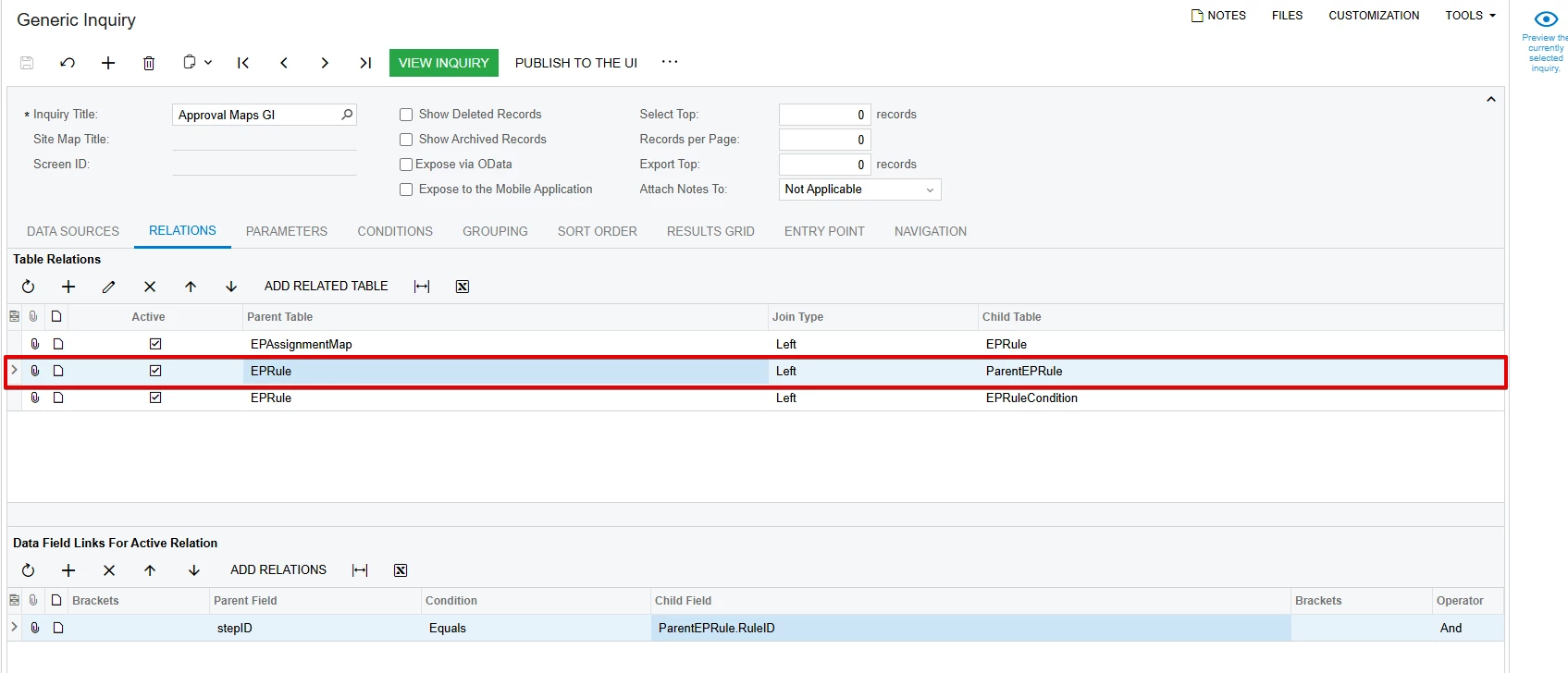
Create a LEFT JOIN using the following relation:
EPRule.StepID = ParentEPRule.RuleID
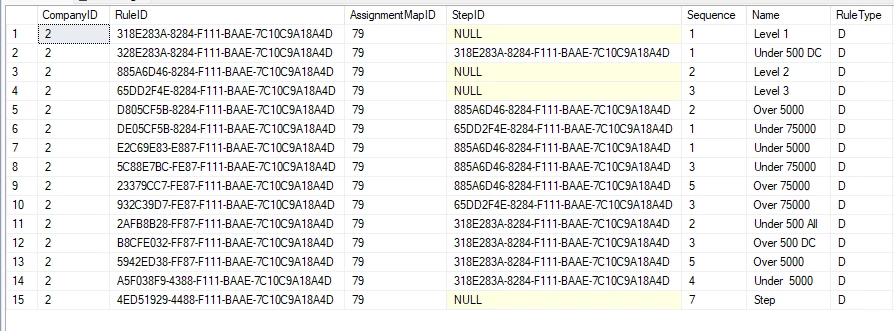
Note: As shown in the SQL → table: EPRule screenshot, Approval Map Steps and Rules are stored differently. For a Step, StepID is NULL. For a Rule, StepID contains the parent Step's RuleID.
3. Sort Order
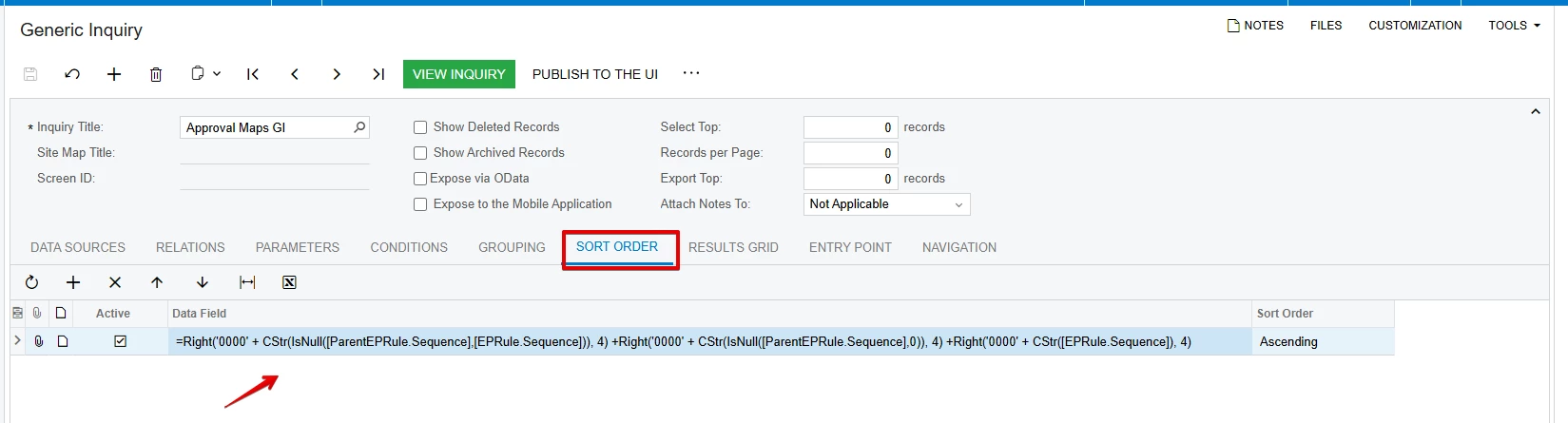
Add the following calculated expression and sort it in ascending order:
The calculated expression combines the parent and current sequences to keep each Step together with its related Rules in the correct hierarchy.
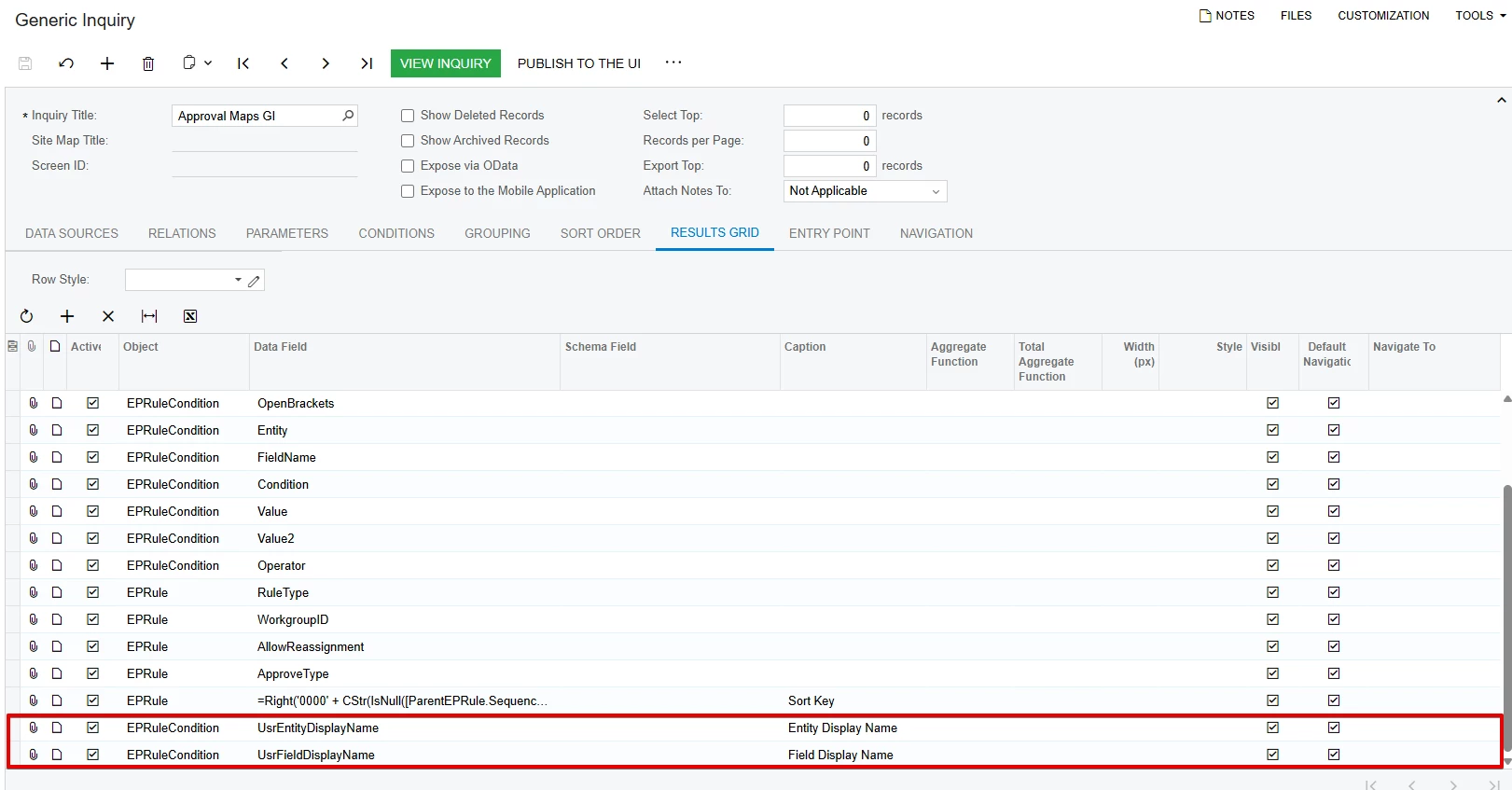
4. Results Grid
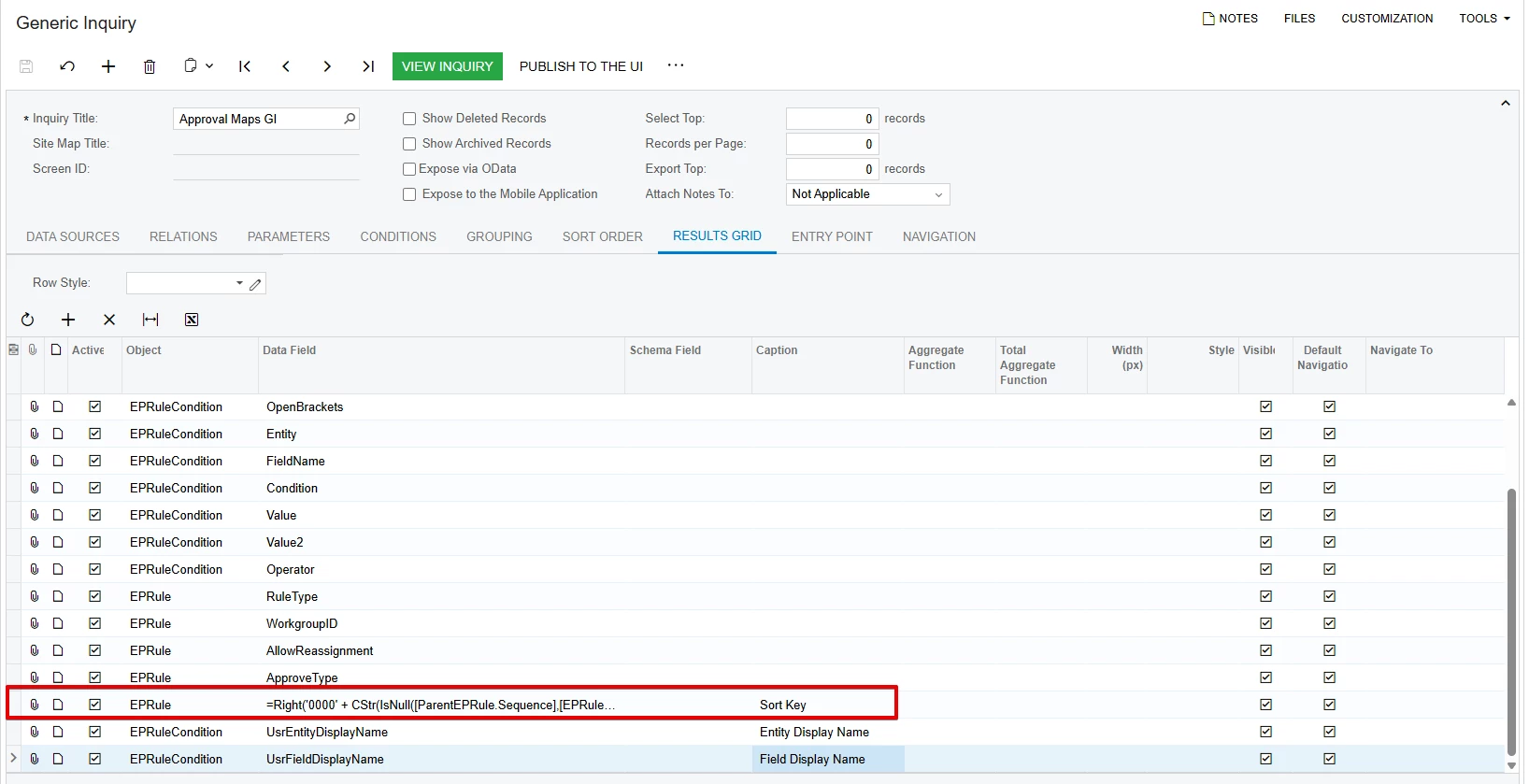
Add the same calculated expression to the Results Grid with the caption Sort Key.
This makes it easier to review the generated sorting values directly in the Generic Inquiry. After verification, the column can be hidden or made inactive.
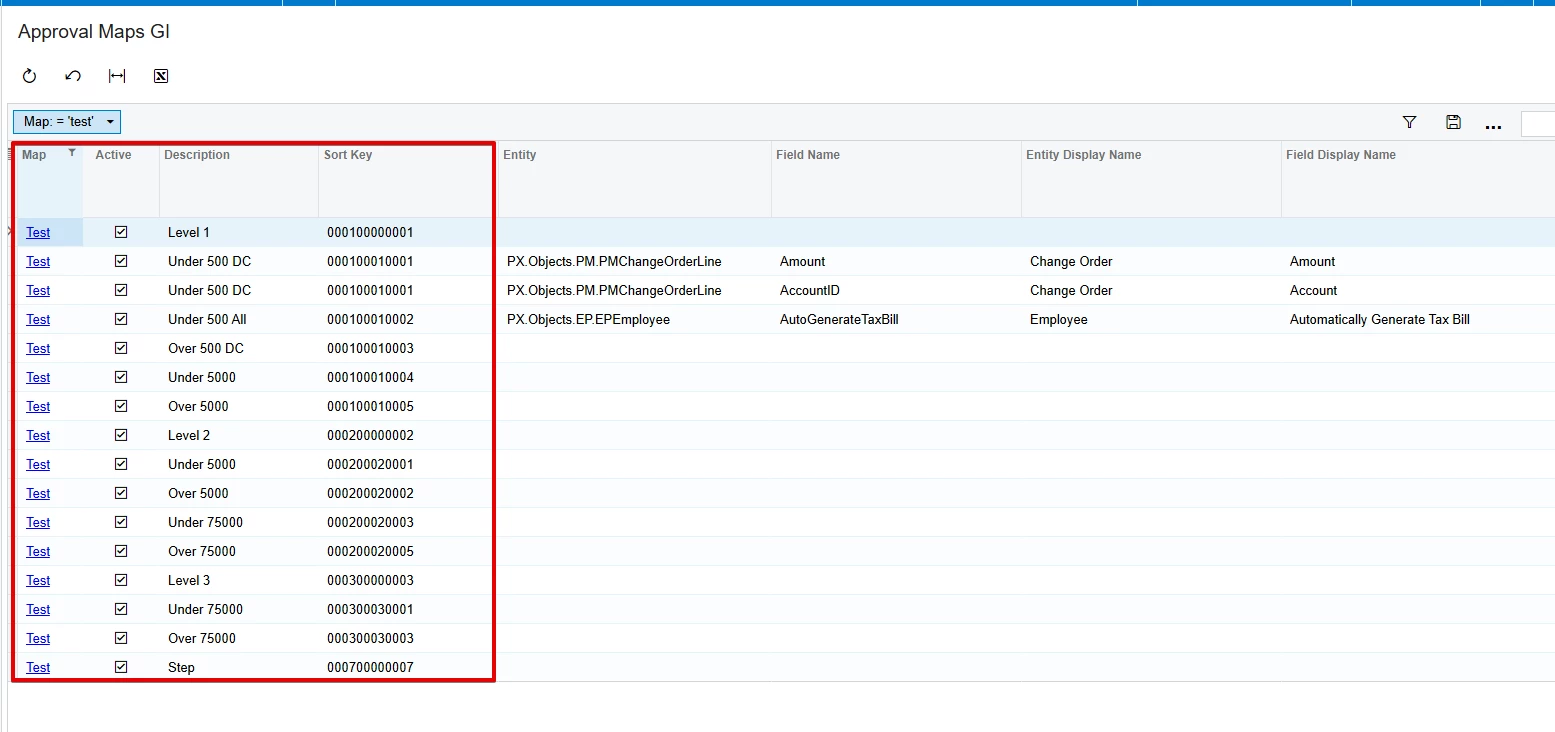
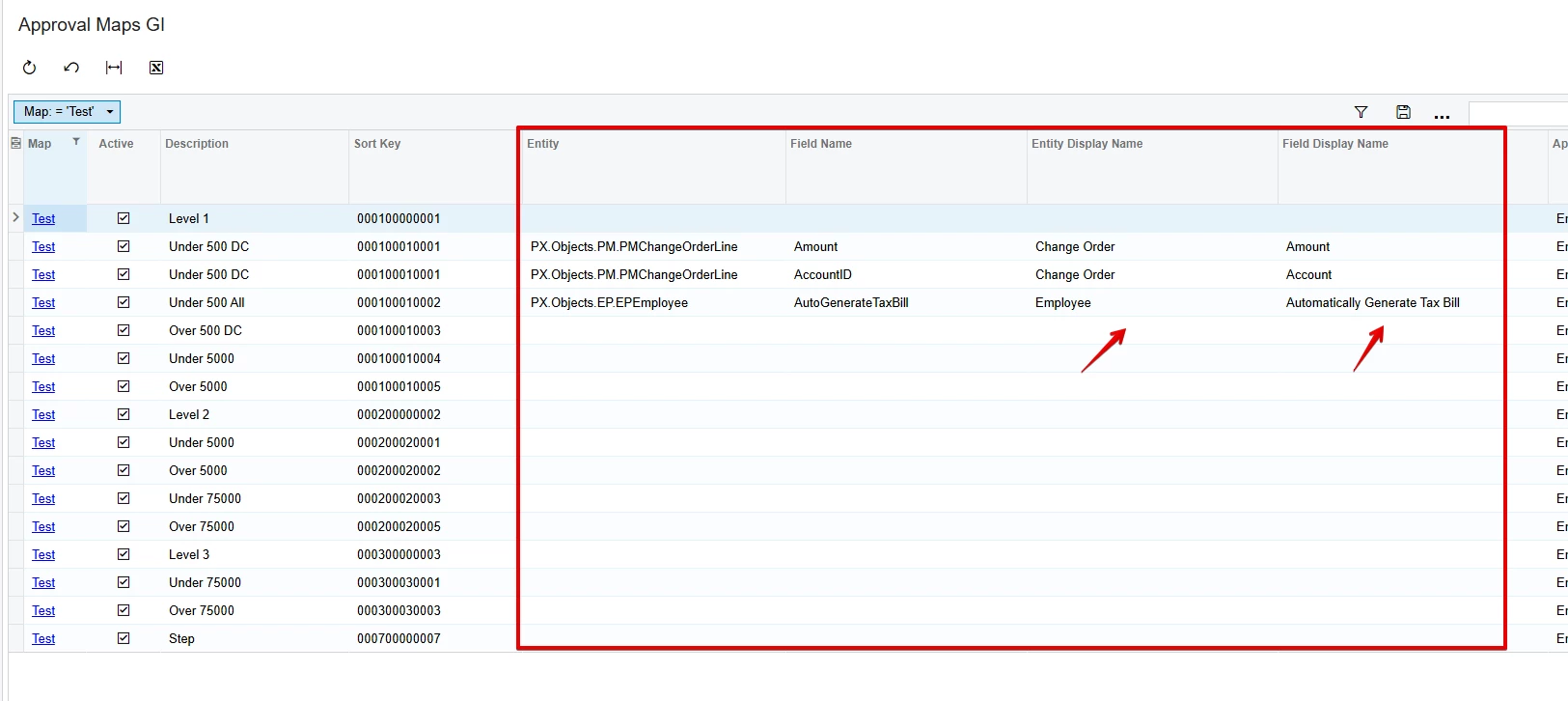
Result:
The updated Generic Inquiry XML file is attached.
Display Names - Steps:
In the standard implementation, the Entity and Field display names are retrieved by the EPRuleCondition_Entity_FieldSelecting and EPRuleCondition_FieldName_FieldSelecting event handlers in the EPApprovalAndAssignmentMapBase reusable graph. These event handlers are not executed in a Generic Inquiry.
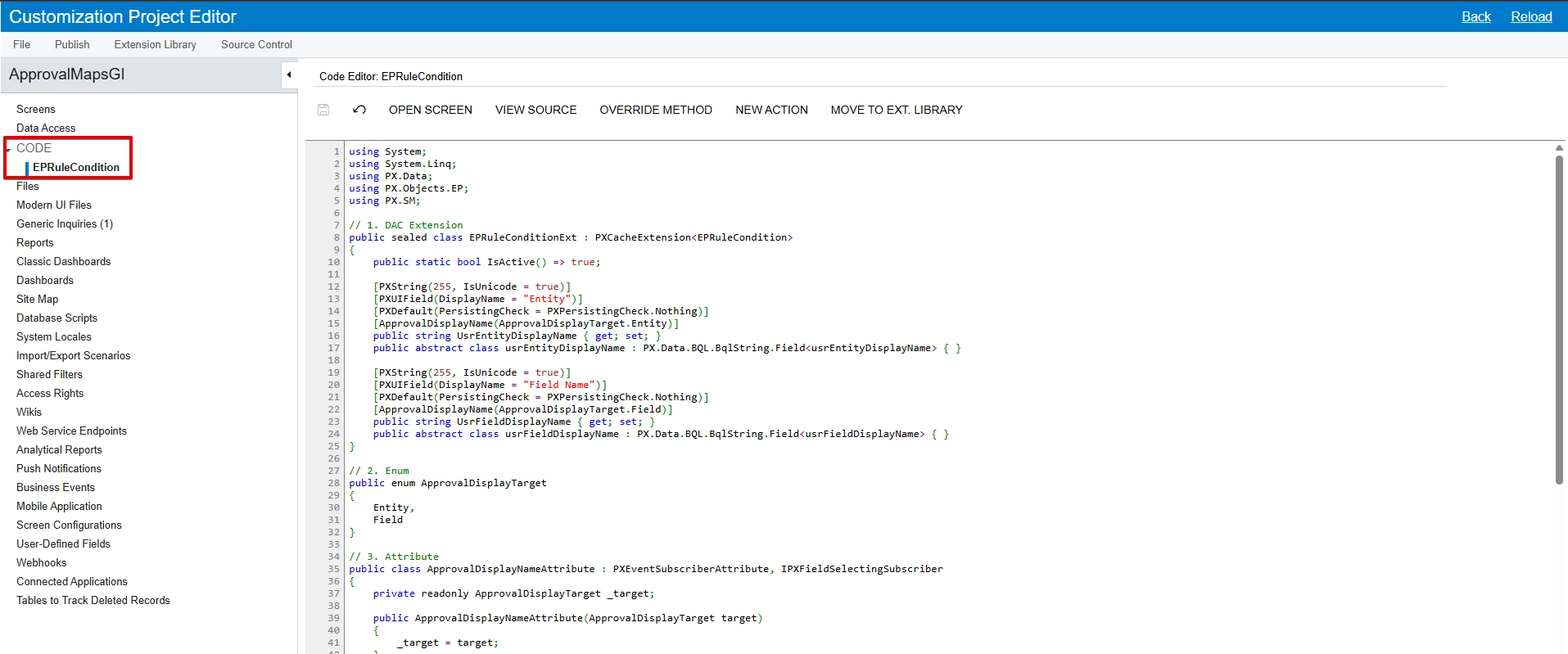
To provide the same display names in a Generic Inquiry, create two unbound DAC fields and populate them using a custom attribute based on the logic from these event handlers, specifically the EMailSourceHelper.TemplateEntity method used to retrieve the Entity and Field display names.
C#:
using System; using System.Linq; using PX.Data; using PX.Objects.EP; using PX.SM;
// 1. DAC Extension public sealed class EPRuleConditionExt : PXCacheExtension<EPRuleCondition> { public static bool IsActive() => true;
[PXString(255, IsUnicode = true)] [PXUIField(DisplayName = "Entity")] [PXDefault(PersistingCheck = PXPersistingCheck.Nothing)] [ApprovalDisplayName(ApprovalDisplayTarget.Entity)] public string UsrEntityDisplayName { get; set; } public abstract class usrEntityDisplayName : PX.Data.BQL.BqlString.Field<usrEntityDisplayName> { }
[PXString(255, IsUnicode = true)] [PXUIField(DisplayName = "Field Name")] [PXDefault(PersistingCheck = PXPersistingCheck.Nothing)] [ApprovalDisplayName(ApprovalDisplayTarget.Field)] public string UsrFieldDisplayName { get; set; } public abstract class usrFieldDisplayName : PX.Data.BQL.BqlString.Field<usrFieldDisplayName> { } }
// 2. Enum public enum ApprovalDisplayTarget { Entity, Field }
// 3. Attribute public class ApprovalDisplayNameAttribute : PXEventSubscriberAttribute, IPXFieldSelectingSubscriber { private readonly ApprovalDisplayTarget _target;
public ApprovalDisplayNameAttribute(ApprovalDisplayTarget target) { _target = target; }
public void FieldSelecting(PXCache sender, PXFieldSelectingEventArgs e) { var row = e.Row as EPRuleCondition; if (row == null) return;
I suggest the following approach for sorting Approval Map steps/rules and displaying the Entity and Field display names in a Generic Inquiry.
Sorting - Steps: 1. Data Sources
Add PX.Objects.EP.EPRule as an additional data source using the alias ParentEPRule.
2. Relations
Create a LEFT JOIN using the following relation:
EPRule.StepID = ParentEPRule.RuleID
Note: As shown in the SQL → table: EPRule screenshot, Approval Map Steps and Rules are stored differently. For a Step, StepID is NULL. For a Rule, StepID contains the parent Step's RuleID.
3. Sort Order
Add the following calculated expression and sort it in ascending order:
The calculated expression combines the parent and current sequences to keep each Step together with its related Rules in the correct hierarchy.
4. Results Grid
Add the same calculated expression to the Results Grid with the caption Sort Key.
This makes it easier to review the generated sorting values directly in the Generic Inquiry. After verification, the column can be hidden or made inactive.
Result:
The updated Generic Inquiry XML file is attached.
Display Names - Steps:
In the standard implementation, the Entity and Field display names are retrieved by the EPRuleCondition_Entity_FieldSelecting and EPRuleCondition_FieldName_FieldSelecting event handlers in the EPApprovalAndAssignmentMapBase reusable graph. These event handlers are not executed in a Generic Inquiry.
To provide the same display names in a Generic Inquiry, create two unbound DAC fields and populate them using a custom attribute based on the logic from these event handlers, specifically the EMailSourceHelper.TemplateEntity method used to retrieve the Entity and Field display names.
C#:
using System; using System.Linq; using PX.Data; using PX.Objects.EP; using PX.SM;
// 1. DAC Extension public sealed class EPRuleConditionExt : PXCacheExtension<EPRuleCondition> { public static bool IsActive() => true;
[PXString(255, IsUnicode = true)] [PXUIField(DisplayName = "Entity")] [PXDefault(PersistingCheck = PXPersistingCheck.Nothing)] [ApprovalDisplayName(ApprovalDisplayTarget.Entity)] public string UsrEntityDisplayName { get; set; } public abstract class usrEntityDisplayName : PX.Data.BQL.BqlString.Field<usrEntityDisplayName> { }
[PXString(255, IsUnicode = true)] [PXUIField(DisplayName = "Field Name")] [PXDefault(PersistingCheck = PXPersistingCheck.Nothing)] [ApprovalDisplayName(ApprovalDisplayTarget.Field)] public string UsrFieldDisplayName { get; set; } public abstract class usrFieldDisplayName : PX.Data.BQL.BqlString.Field<usrFieldDisplayName> { } }
// 2. Enum public enum ApprovalDisplayTarget { Entity, Field }
// 3. Attribute public class ApprovalDisplayNameAttribute : PXEventSubscriberAttribute, IPXFieldSelectingSubscriber { private readonly ApprovalDisplayTarget _target;
public ApprovalDisplayNameAttribute(ApprovalDisplayTarget target) { _target = target; }
public void FieldSelecting(PXCache sender, PXFieldSelectingEventArgs e) { var row = e.Row as EPRuleCondition; if (row == null) return;
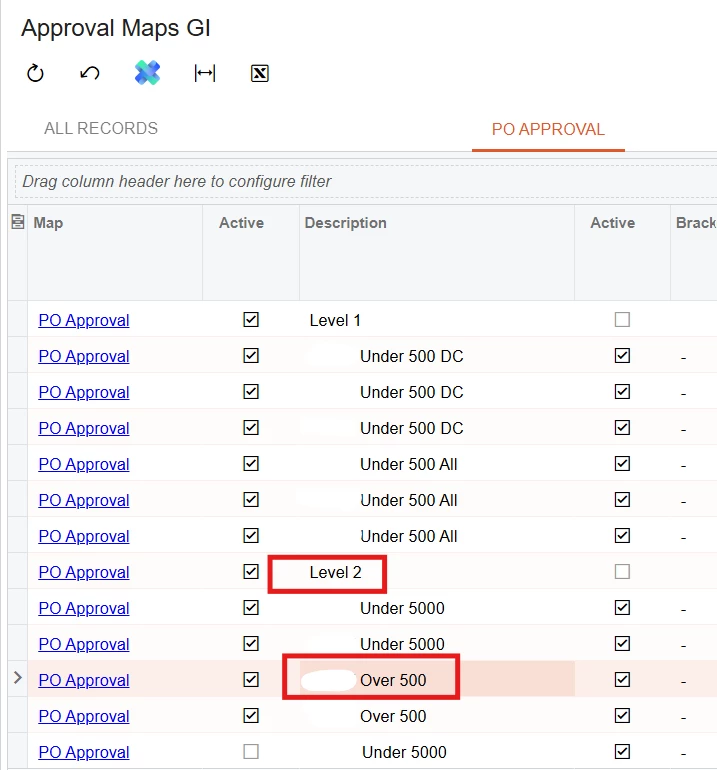
That’s very helpful and very generous of you @arpine08! While I have marked it as the best answer, I found a small issue though where rules in Level 1 appeared under Level 2. Thoughts please? See sample below.
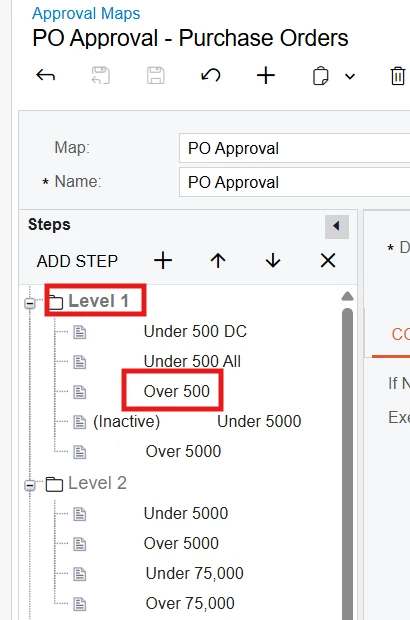
Approval Maps:
Over 500 is under Level 1 step
GI Result:
Over 500 appeared under Level 2. It should be in Level 1. This is just one example
@MarkD - Thank you for your kind words, and for testing this scenario and sharing the example.
Could you please confirm your Acumatica version and temporarily add the following fields to the GI Results Grid for the affected row, then share a screenshot?
EPRule.StepID
EPRule.RuleID
EPRule.Sequence
ParentEPRule.StepID
ParentEPRule.RuleID
ParentEPRule.Sequence
Sort Key
This information will help me better understand the behavior.
Hi @arpine08 - I’ve modified the GI actually, but that was the first step I did, to add those you mentioned above in my results grid to understand if it’s a join or a formula issue.
I’ve attached the updated version which gives me the result I need, but thanks for responding again. Appreciate it! 😊