Answer

Adding totals to our Filters

  • February 20, 2025
  • 6 replies
  • 107 views

Hi all - I'm only new here and to the product.  Just hoping I could get some assistance with this.
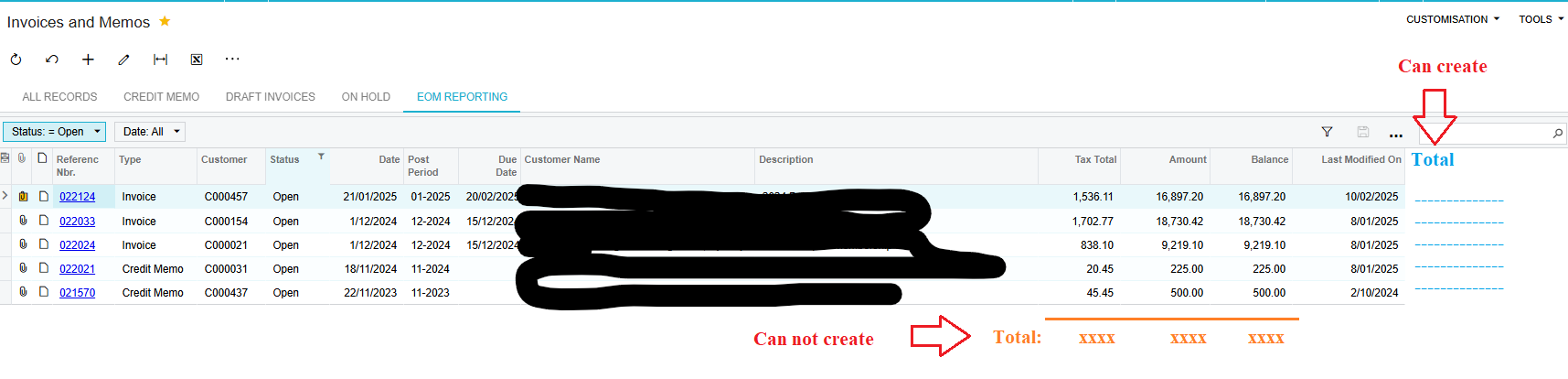
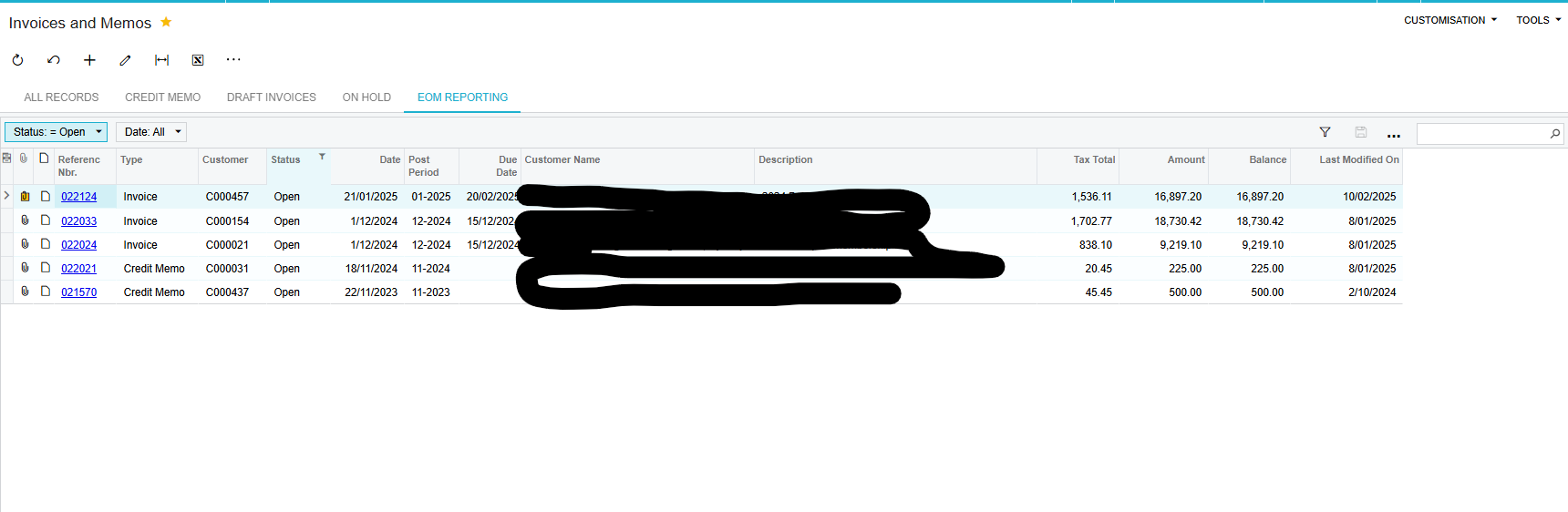
We have several filters for different things in our Invoice/Memo and Bills/Adjustment areas.  Just wondering is there a way we can get a total to that filter - screenshot below.  Thanks heaps.


Best answer by DipakNilkanth

Hi ​@Elke,

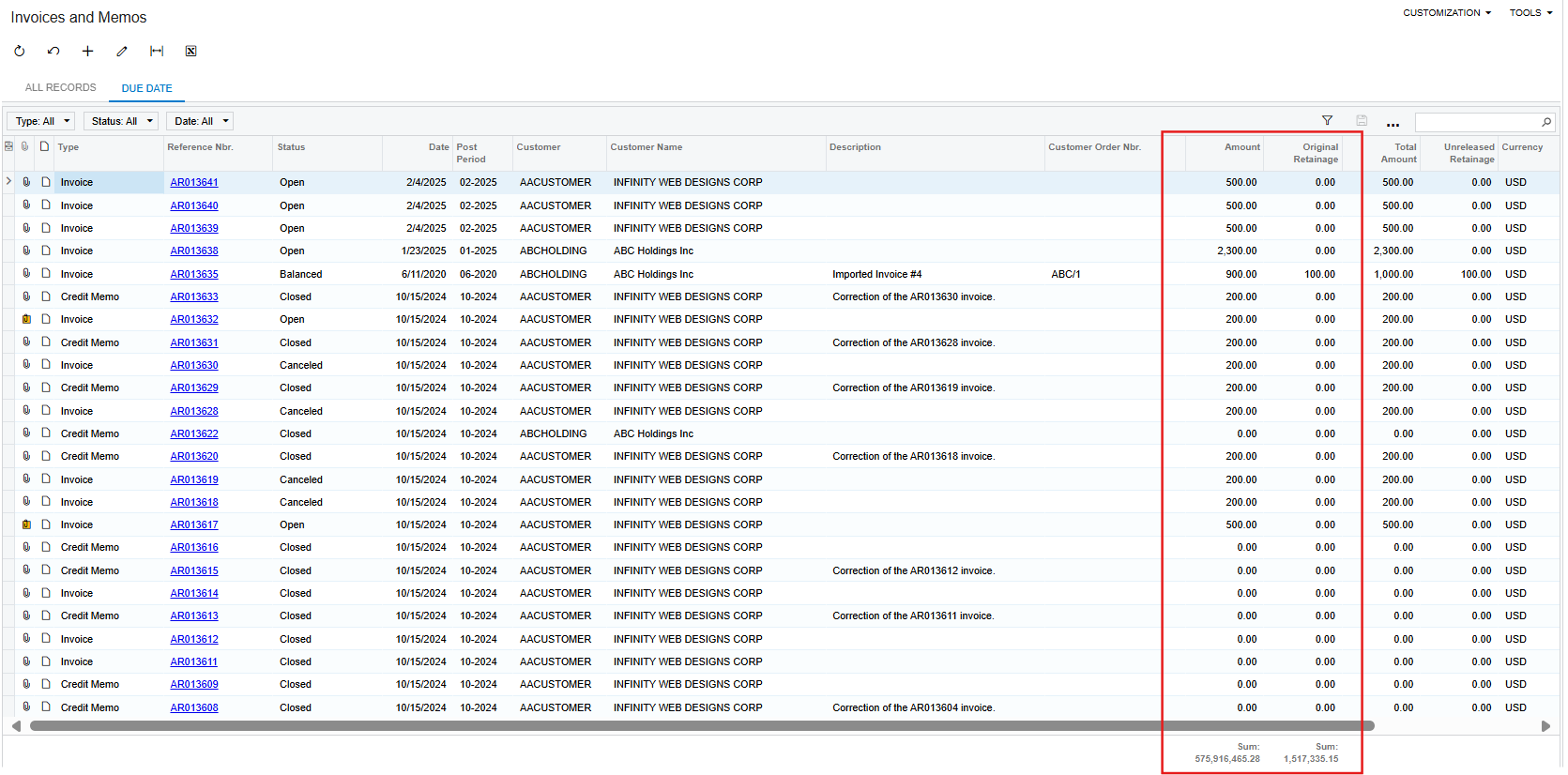
You want to see totals for columns as below, right?

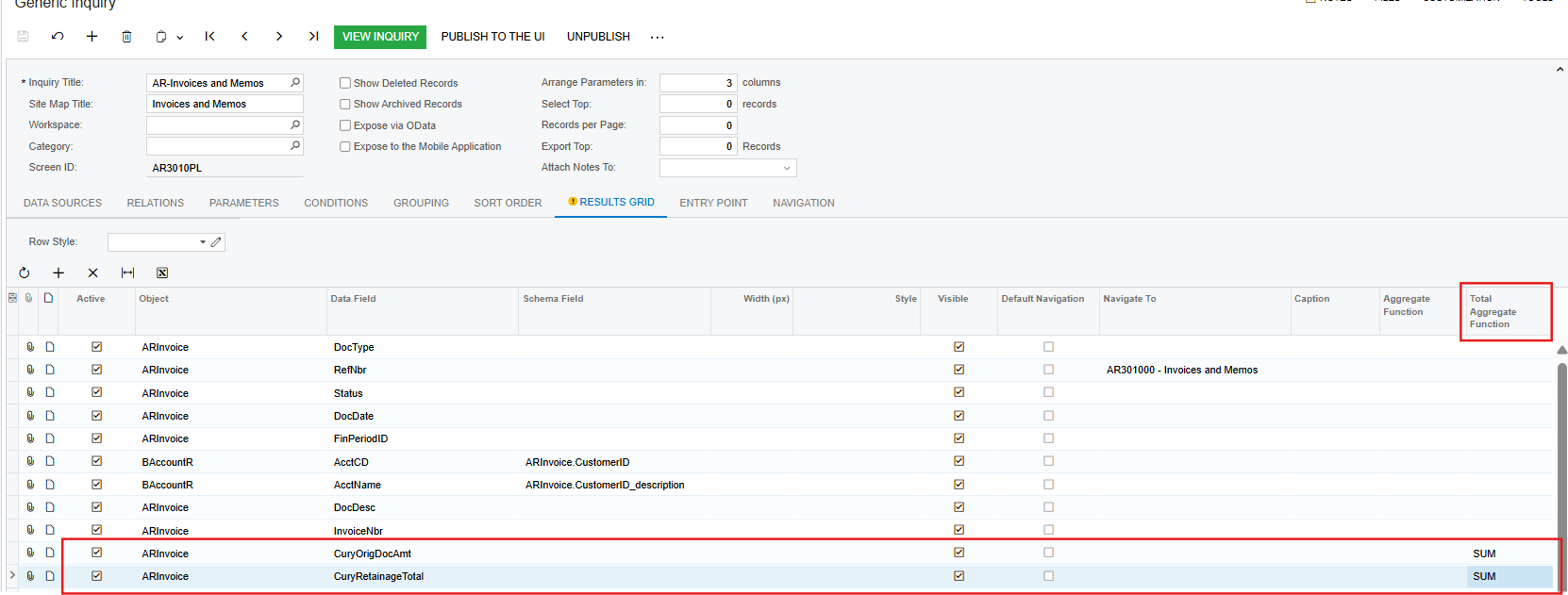
If I understood your issue correctly, you just need to add Total Aggregate Function to your column, that’s it.


Hope, it helps!

6 replies

nhatnghetinh
Captain II
Forum|alt.badge.img+11
  • Captain II
  • February 20, 2025

Hi ​@Elke 

Your screenshot is Generic Inquiry. For Generic Inquiry we can create a total Column but cannot create a total Row


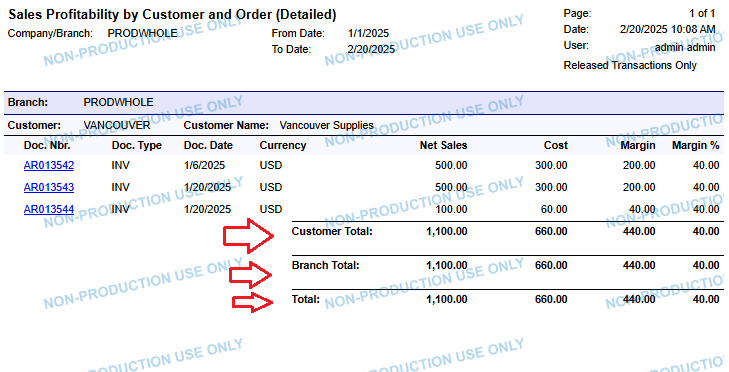
If you want to create a total Row in the report then you can use Report Designer to create the report as shown in the screenshot below.


Best Regards,

NNT


  • Author
  • Freshman II
  • February 20, 2025

okay, thank you


DipakNilkanth
Pro III
Forum|alt.badge.img+13
  • Pro III
  • Answer
  • February 20, 2025

Hi ​@Elke,

You want to see totals for columns as below, right?

If I understood your issue correctly, you just need to add Total Aggregate Function to your column, that’s it.


Hope, it helps!


BenjaminCrisman
Acumatica Employee
Forum|alt.badge.img+4
  • Acumatica Support Team
  • February 20, 2025


Hi ​@Elke 

Your screenshot is Generic Inquiry. For Generic Inquiry we can create a total Column but cannot create a total Row


If you want to create a total Row in the report then you can use Report Designer to create the report as shown in the screenshot below.


Best Regards,

NNT

@nhatnghetinh Actually we can create this using Total Aggregate Function on the GI, which is hidden by default but can be brought out from the column configurator


  • Author
  • Freshman II
  • February 20, 2025

Thanks ​@Nilkanth Dipak - that worked - appreciate your help 😊


Hi ​@Elke,

You want to see totals for columns as below, right?

If I understood your issue correctly, you just need to add Total Aggregate Function to your column, that’s it.


Hope, it helps!

HI ​@DipakNilkanth is there any additional setting for the total aggregate function can he inherited in the filtered tab? Mine can only be seen in the “All Records” Tab, but not on the created Filtered Tab.


PS. It worked for me for filtered tab not using the Selected Filter.