Answer

Adding debitamt & creditamt and ending up with a string

  • August 8, 2024
  • 6 replies
  • 58 views

Forum|alt.badge.img

I’m working on a Generic Inquire to pull data from GLTran.  That table as separate fields for debits & credits.  I’d like to build a result grid field that shows the net debit/(credit).  But, when I create a result grid field as follows:

=[GLTran.DebitAmt] - [GLTran.CreditAmt]

the output appears to be a string.  I’ve tried all of the conversion functions and the result doesn’t change.  When I export the query to Excel, the column is all text.

HELP!!!!!
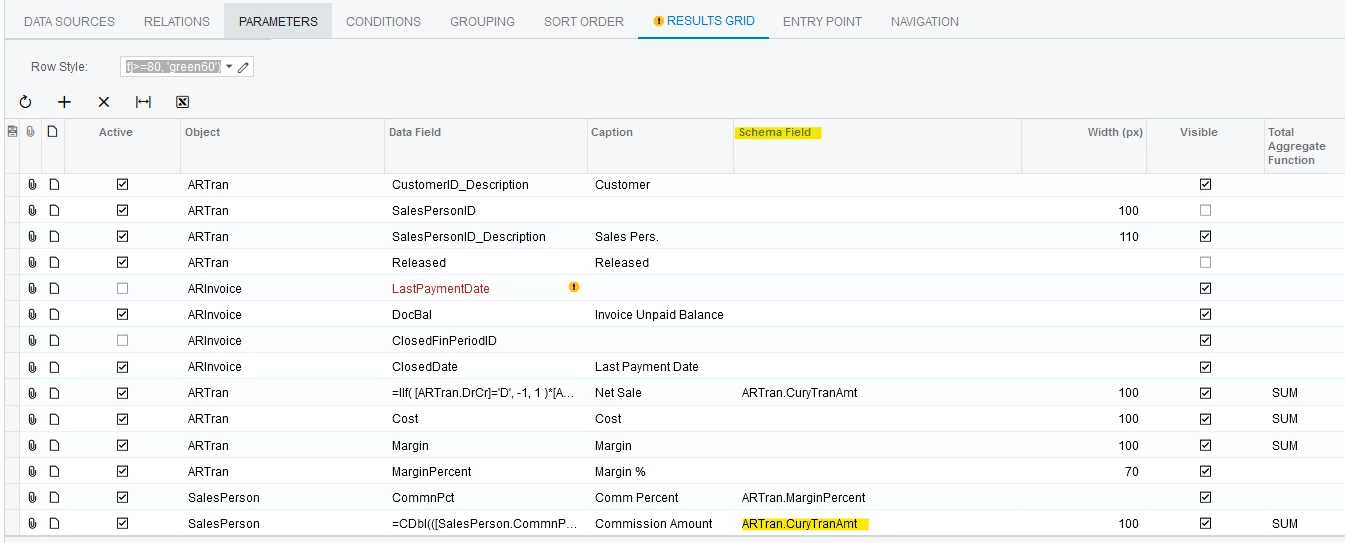
Best answer by Laura03

I remembered one more detail!  Have you selected a similar database field in Schema Field column?

Laura

6 replies

Laura03
Captain II
Forum|alt.badge.img+19
  • Captain II
  • August 8, 2024

Hello @RHarrison ,

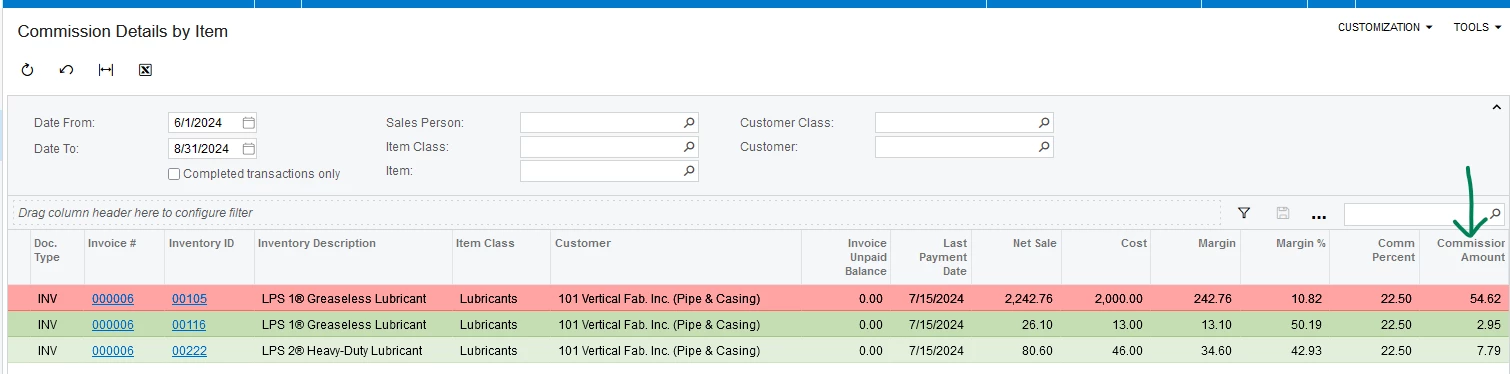
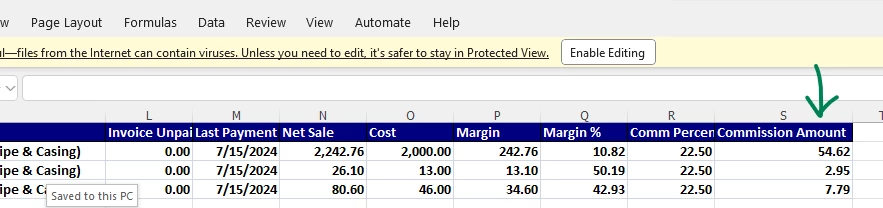
I recently faced a similar problem while building a Sales Commission Generic Inquiry.

CDbl is the conversion that worked for me, to produce a Commission Amount that is a numeric figure, not Text:

=CDbl(([SalesPerson.CommnPct] /100)* [ARTran.Margin])


I hope this formula helps you.


Laura


Forum|alt.badge.img
  • Author
  • Freshman II
  • August 8, 2024

Hello @RHarrison ,

I recently faced a similar problem while building a Sales Commission Generic Inquiry.

CDbl is the conversion that worked for me, to produce a Commission Amount that is a numeric figure, not Text:

=CDbl(([SalesPerson.CommnPct] /100)* [ARTran.Margin])


I hope this formula helps you.


Laura

I thought I tried that and sure enough, I did.

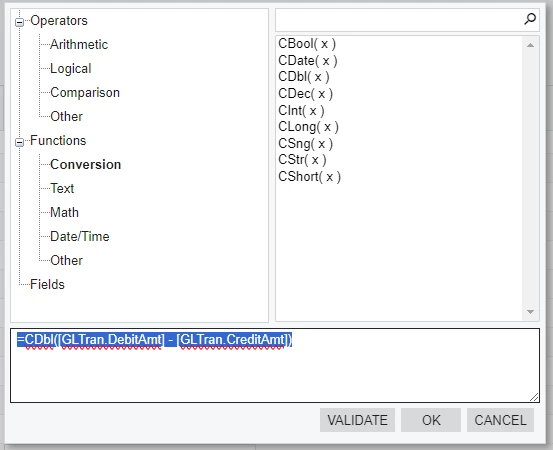
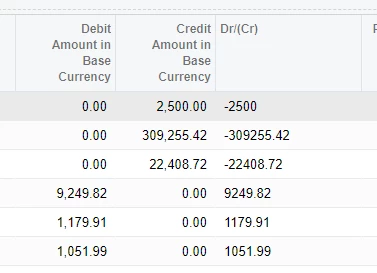
Here’s the formula I used and the result.  Not sure what I’m doing wrong.


Laura03
Captain II
Forum|alt.badge.img+19
  • Captain II
  • Answer
  • August 8, 2024

I remembered one more detail!  Have you selected a similar database field in Schema Field column?

Laura


Forum|alt.badge.img
  • Author
  • Freshman II
  • August 9, 2024

Adding a similar field to the scheme field column worked.  

Do you have any back ground on what this column actually does?

Thanks again.


meganfriesen37
Captain II
Forum|alt.badge.img+12

The Schema field determines the format of the information when it’s displayed.  When you’ve got formulas in your spreadsheet, the system may not know how to format them (i.e. you’ll end up with a currency value with way too many decimal places).  Adding an existing field to the Schema column also may provide a column header (so you’ll typically want to add your own “Caption” value).


darylbowman
Captain II
Forum|alt.badge.img+15

Have you selected a similar database field in Schema Field column?

This alone may have done the trick.