Answer

adding - A on a certain invoice form

  • October 24, 2022
  • 2 replies
  • 43 views

Forum|alt.badge.img

hi, we have multiple invoice forms and on a certain one i would like to add a - A after the invoice Number.

example: reference number: 123 - A

do you know what the expression/value would be to do this? sorry if my wording is not correct as im new to this.

also, what programming language does the report designer use?
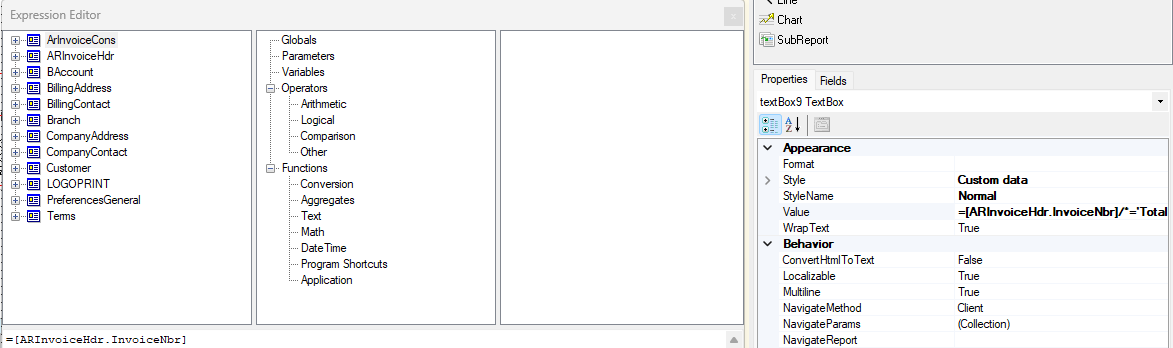


Best answer by BenjaminCrisman

Hi @mna10! The reports use SQL language to query the database for information to populate the report.

For that you can just type + ‘A’ at the end.

The result would look like =[ARInvoiceHdr.InvoiceNbr]+’ ’+’A’.

You can also use the Concat() function to smash things together, like =Concat([ARInvoiceHdr.InvoiceNbr]+’ ’+’A’)


2 replies

BenjaminCrisman
Acumatica Employee
Forum|alt.badge.img+4
  • Acumatica Support Team
  • Answer
  • October 24, 2022

Hi @mna10! The reports use SQL language to query the database for information to populate the report.

For that you can just type + ‘A’ at the end.

The result would look like =[ARInvoiceHdr.InvoiceNbr]+’ ’+’A’.

You can also use the Concat() function to smash things together, like =Concat([ARInvoiceHdr.InvoiceNbr]+’ ’+’A’)


Forum|alt.badge.img
  • Author
  • Jr Varsity III
  • October 24, 2022

hi @BenjaminCrisman, wow thanks. definitely was overthinking and didnt try any of that. looks good now. Thanks for the fast reply.

